The hardware enthusiast's corner
Message boards :
Number crunching :
The hardware enthusiast's corner
Message board moderation
Previous · 1 . . . 12 · 13 · 14 · 15 · 16 · Next
| Author | Message |
|---|---|
 ServicEnginIC ServicEnginIC Send message Joined: 24 Sep 10 Posts: 598 Credit: 13,098,215,510 RAC: 1,306,825 Level  Scientific publications    
|
Thank you for sharing your experiences. It's also my opinion that mounting quality fans is a clever inversion. I was searching for a slim 92 mm PWM fan for completing my spares box, and I've found available at a local provider this Noctua NF-A9x14 PWM. It should replace any of my CPU coolers fan if needed. |
|
ServicEnginIC Send message Joined: 24 Sep 10 Posts: 598 Credit: 13,098,215,510 RAC: 1,306,825 Level Scientific publications
|
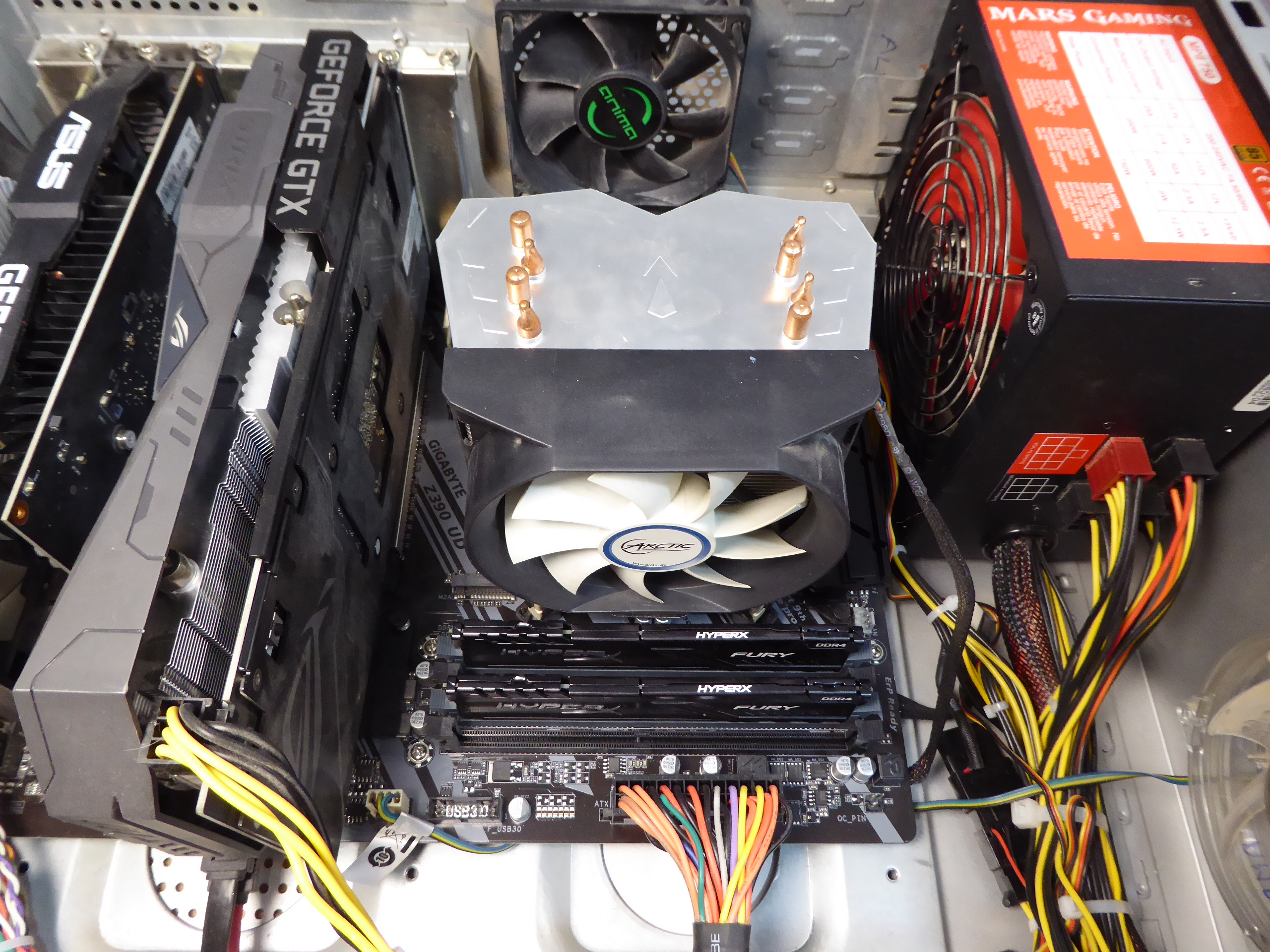
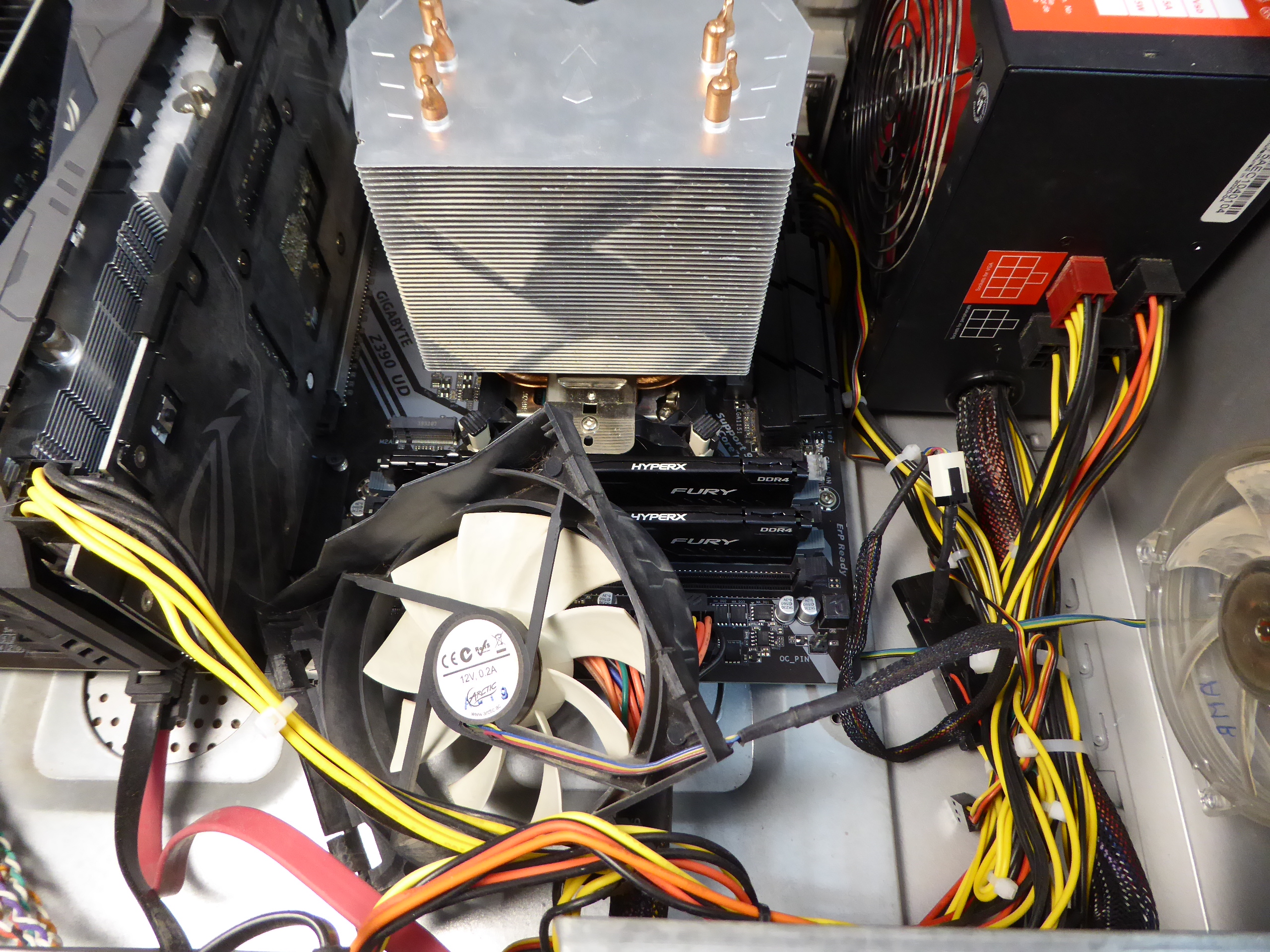
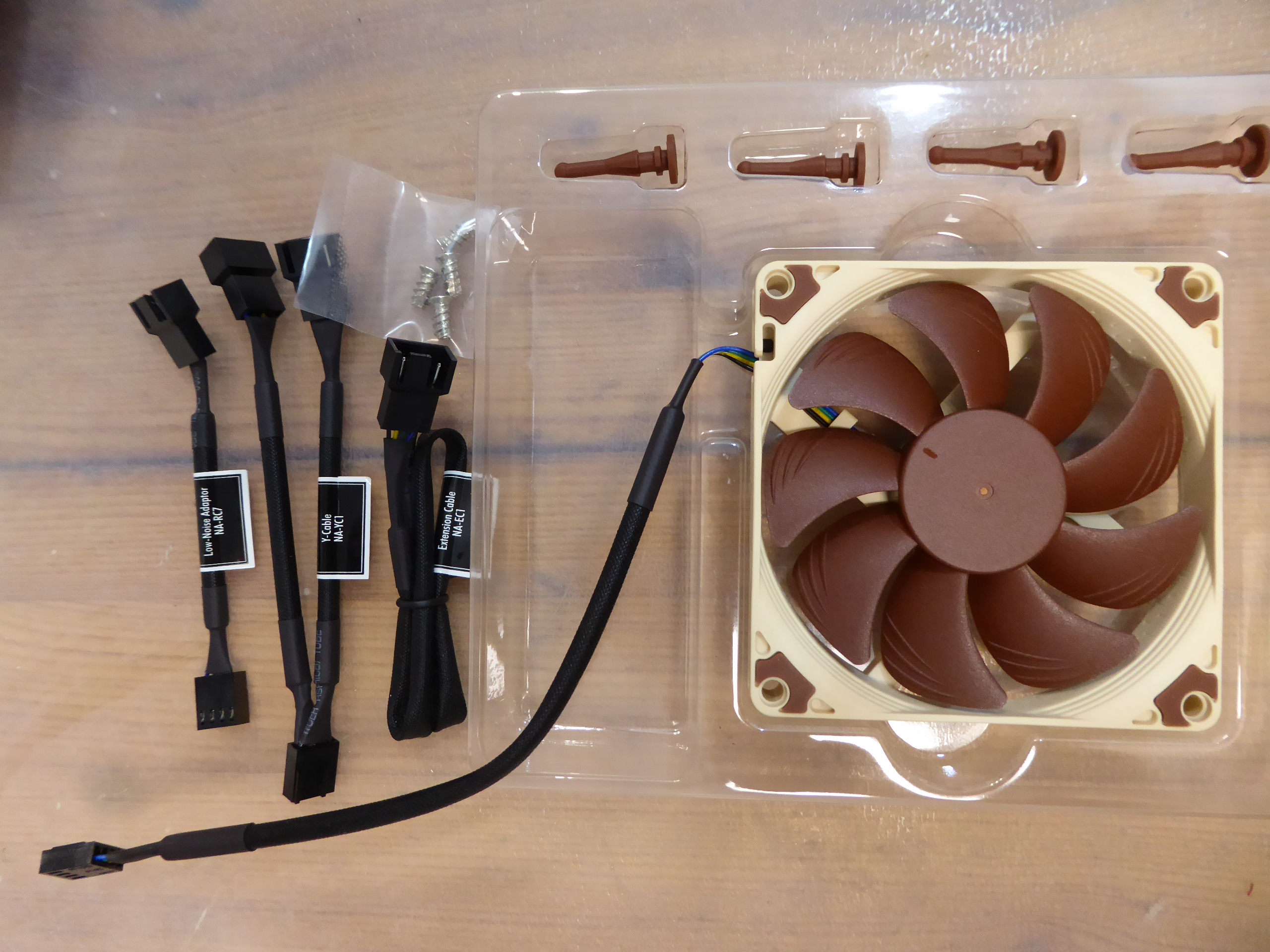
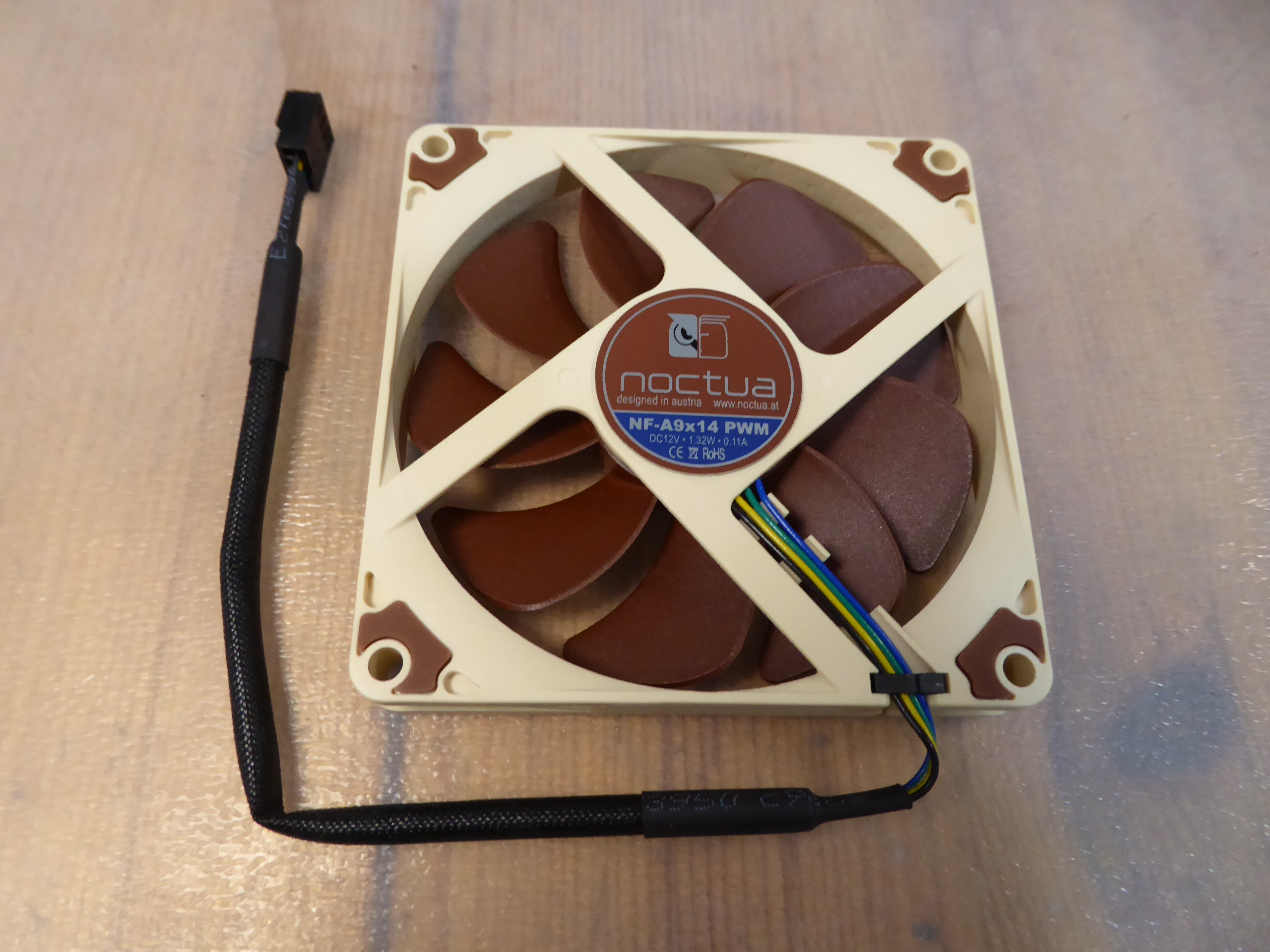
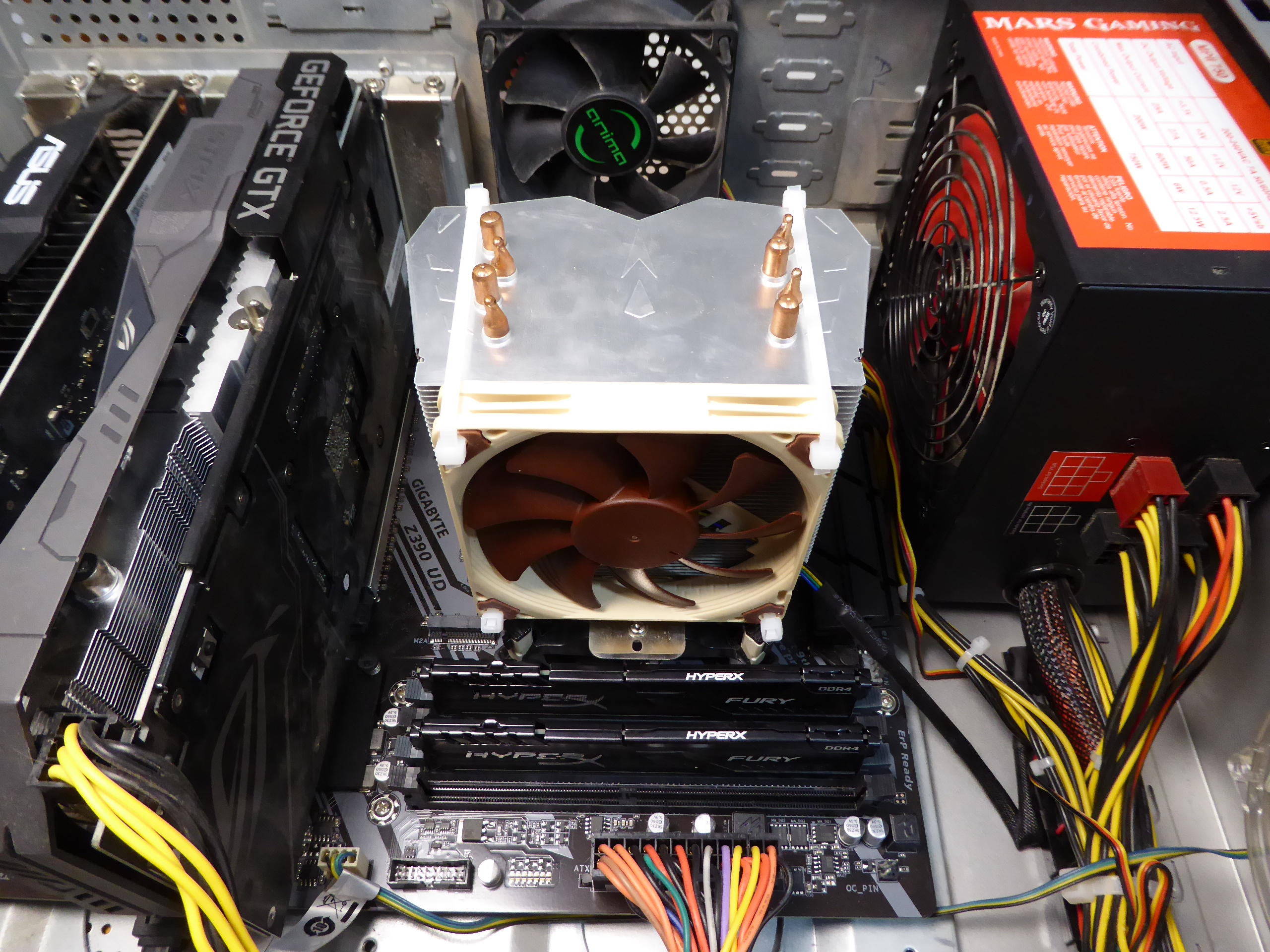
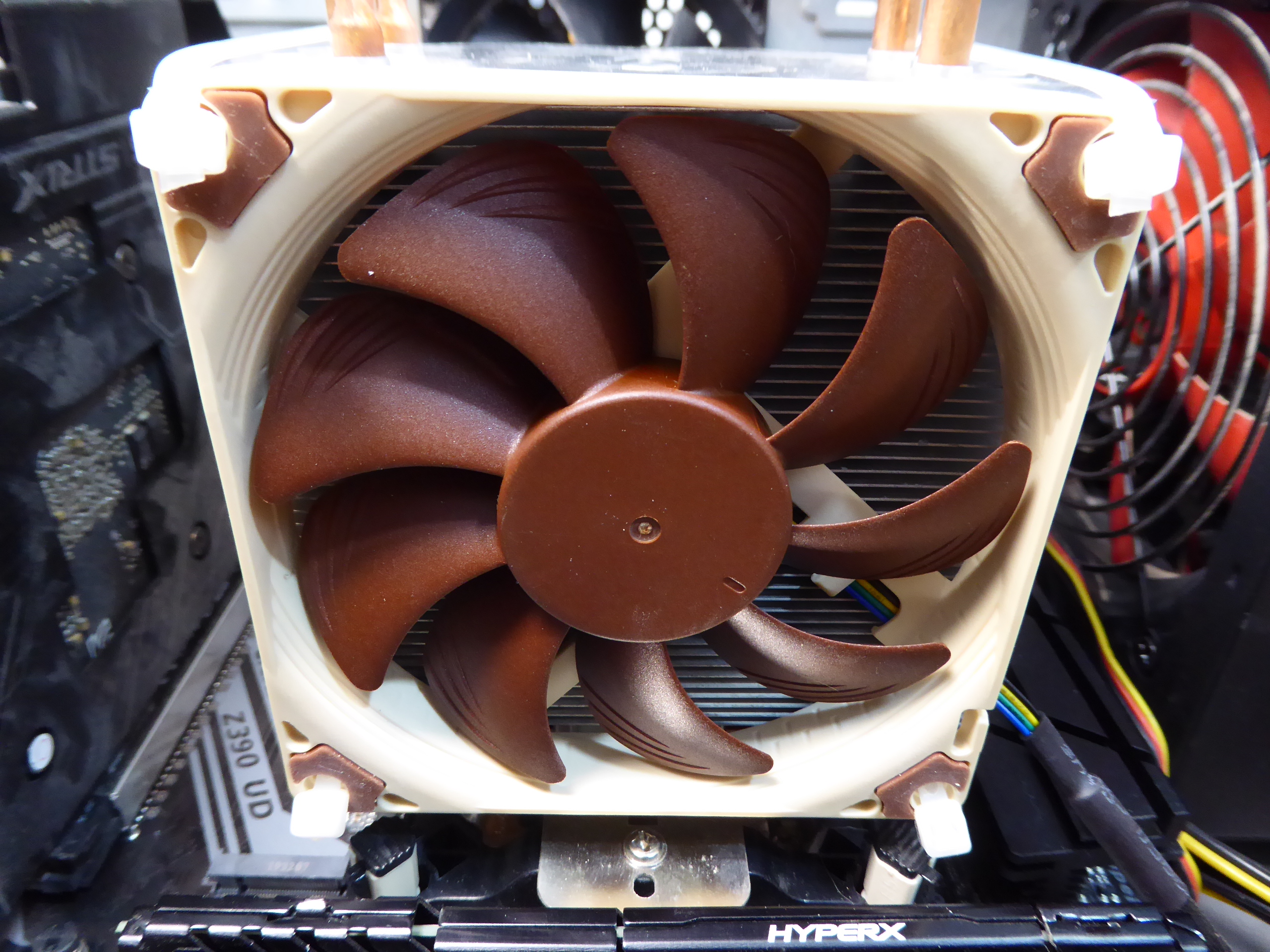
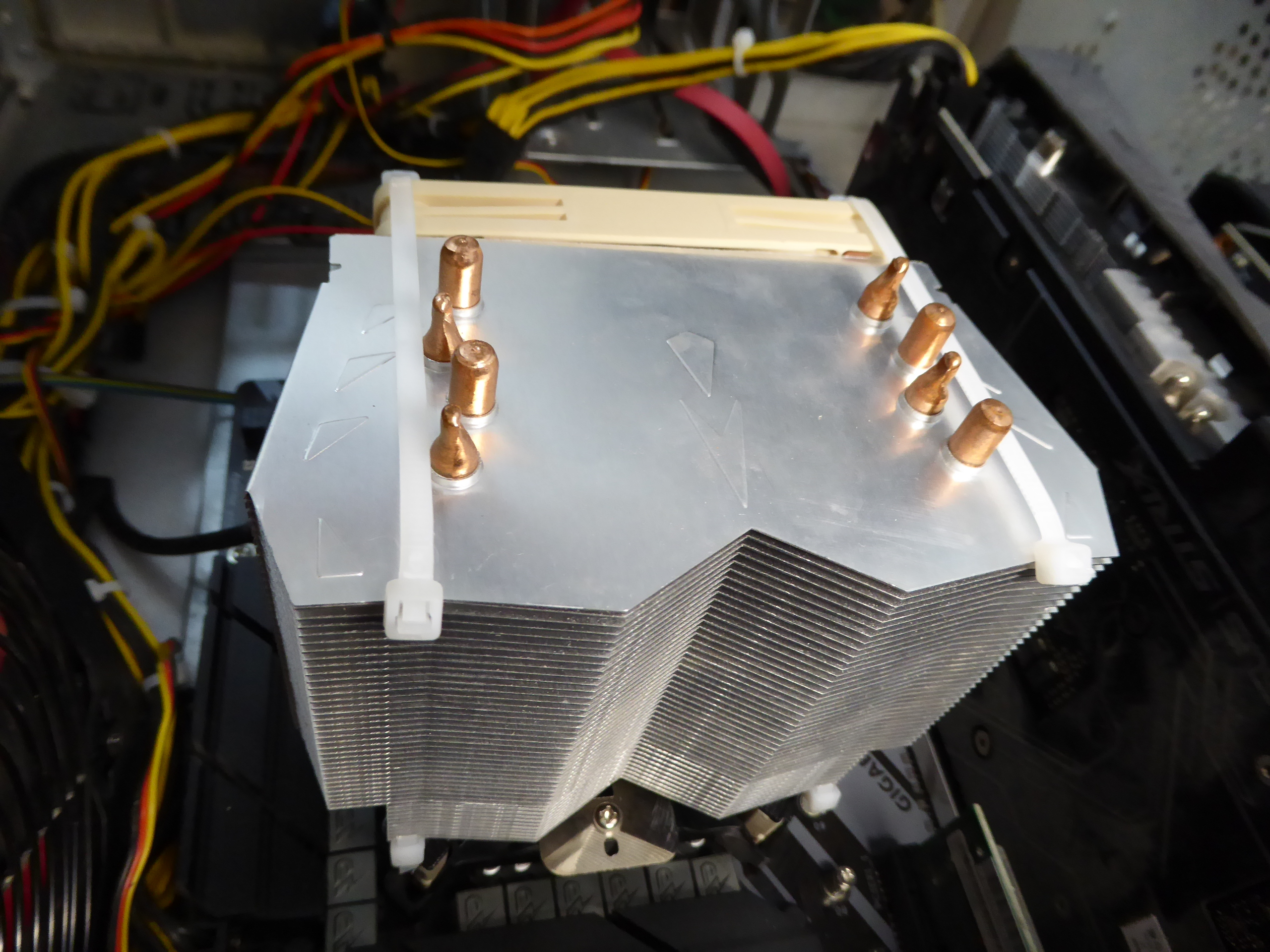
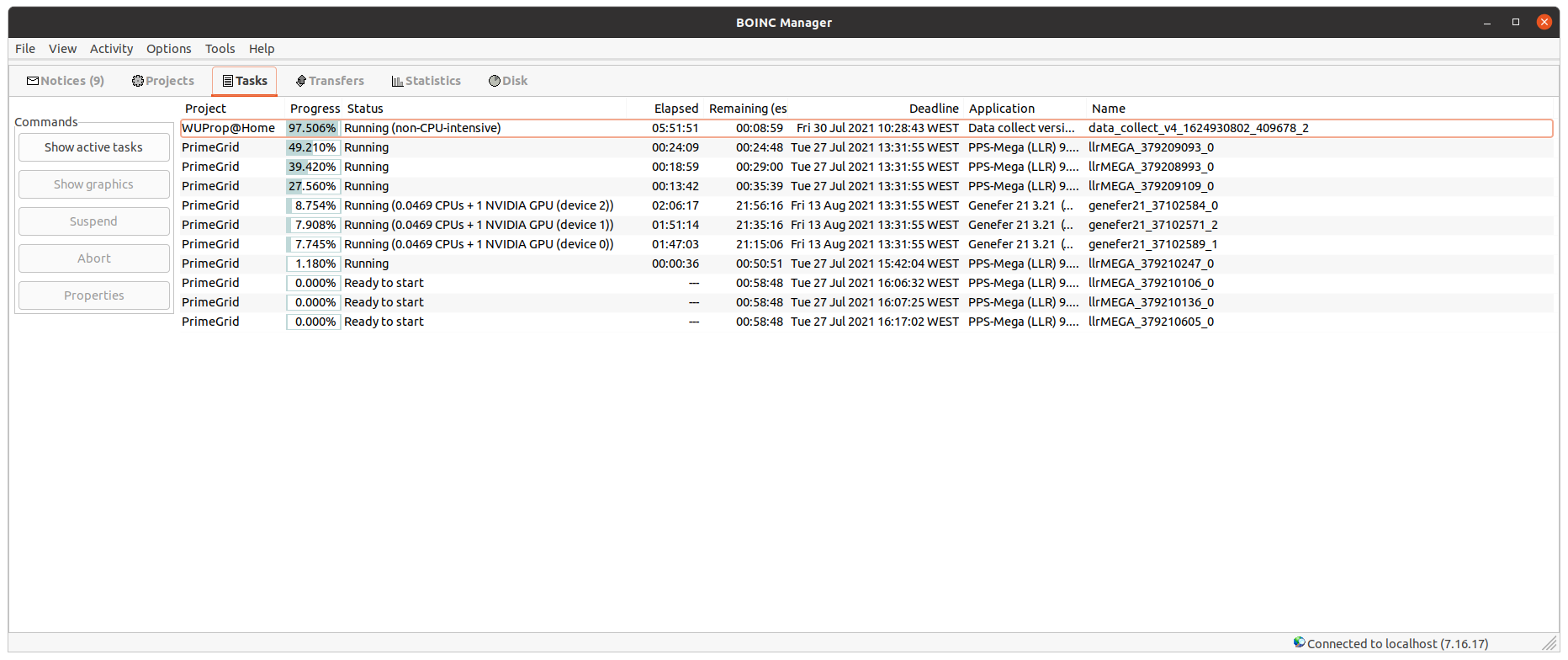
I received the Noctua NF-A9x14 PWM fan that I ordered. I was curious about testing it in replacement to one original CPU cooler fan. And I decided to test it in my most challenging host for this, this triple GPU system. I'm replacing the original fan at its Arctic Freezer 13 CO CPU cooler. Under it, there is an Intel Core i7-9700F CPU. Here is how it originally looks like. First step consists of dismounting the CPU cooler fan frame. It is easy at this model, since fixings are by means of four plastic tabs, two at each side. Nice for periodical maintenance. Noctua fan packaging is very complete in accessories. And fan appearance is very attractive. I'm reserving untouched the original fan, and I'll attach the new one by means of cable ties. I find that cable ties are a very useful wildcard for many situations like this... This is a front view of the new fan mounted, and this other is a rear view. Now it is time for testing the cooling performance. PrimeGrid is the most CPU power demanding project that I handle. During tests, the system was processing three Genefer 21 GPU tasks, four PPS-Mega (LLR) CPU tasks, and one CPU core intentionally left free for not overcommitting the processor. I took screenshots of Psensor readings before and after replacing the fan. Lets compare them: Arctic original regular fan: 65 ºC medium temperature at stability. 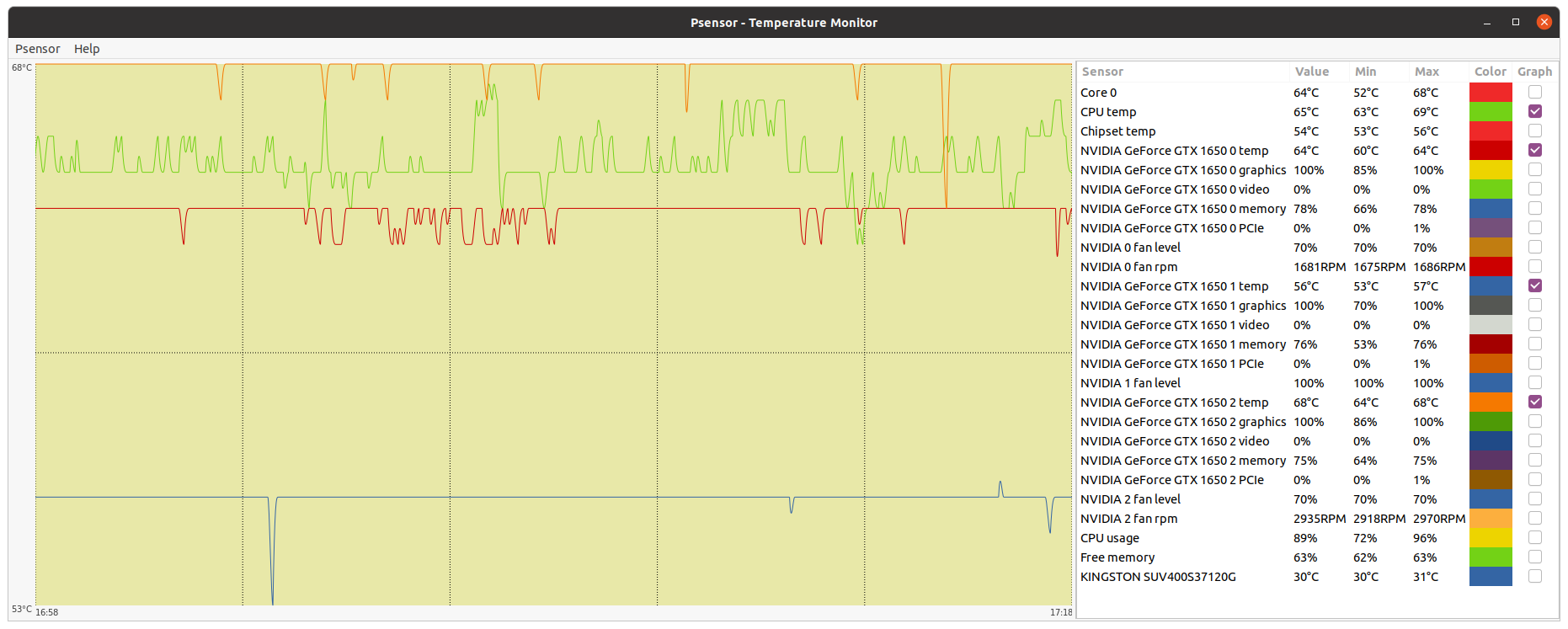 Noctua replacement slim fan: 67 ºC medium temperature at stability. 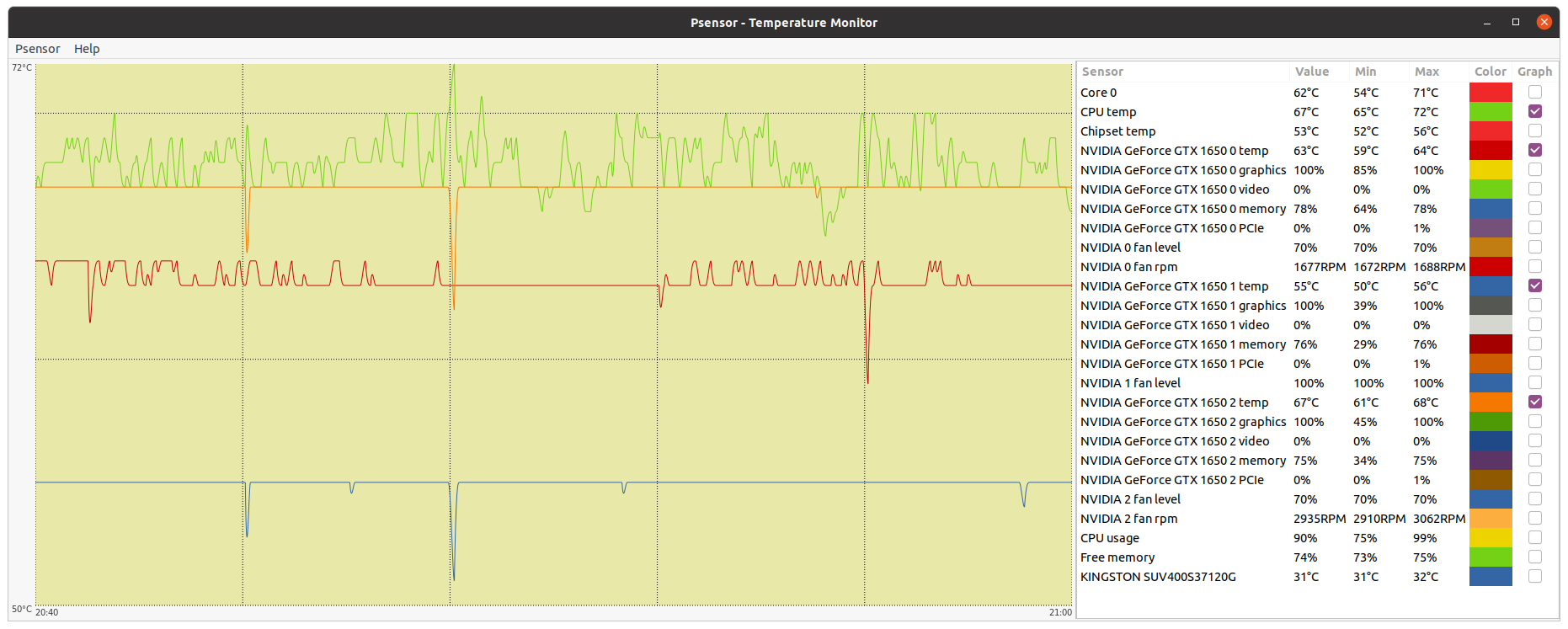 My conclusion: Air flux in original fan is stronger, thus resulting in about two ºC lower working temperature at CPU full load, comparing to the one achieved with the slim fan. Therefore, I'm better reserving the slim fan for any situation where there is some physical limitation for using a regular one. Now, the system under test is working again with the original CPU cooler fan. Performance in new processors is dependent on working temperatures, as higher turbo frequencies are applied when lower temperatures are kept. As a general rule, the lower temperatures achieved, the better for performance and hardware lifespan. |
|
ServicEnginIC Send message Joined: 24 Sep 10 Posts: 598 Credit: 13,098,215,510 RAC: 1,306,825 Level Scientific publications
|
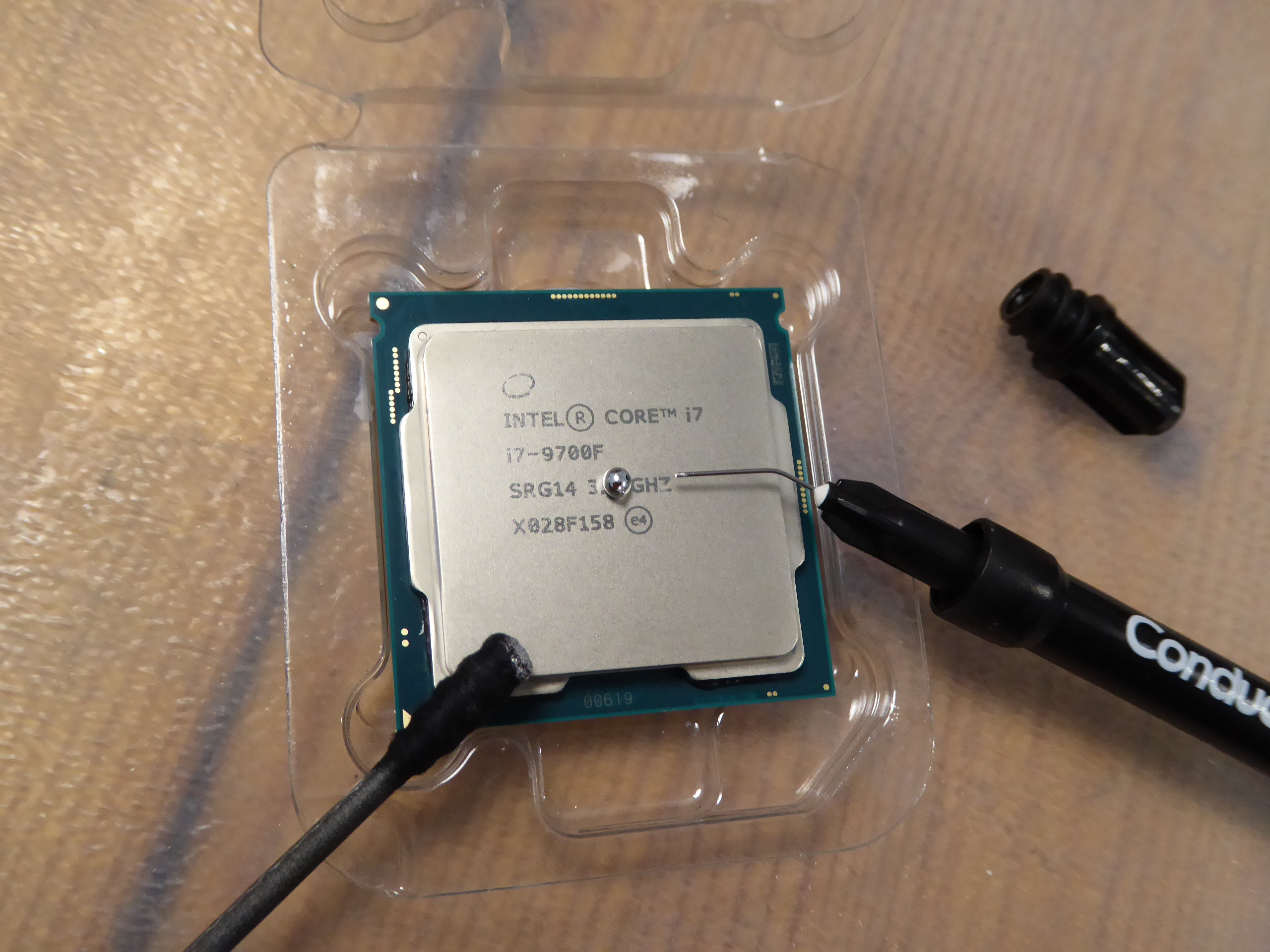
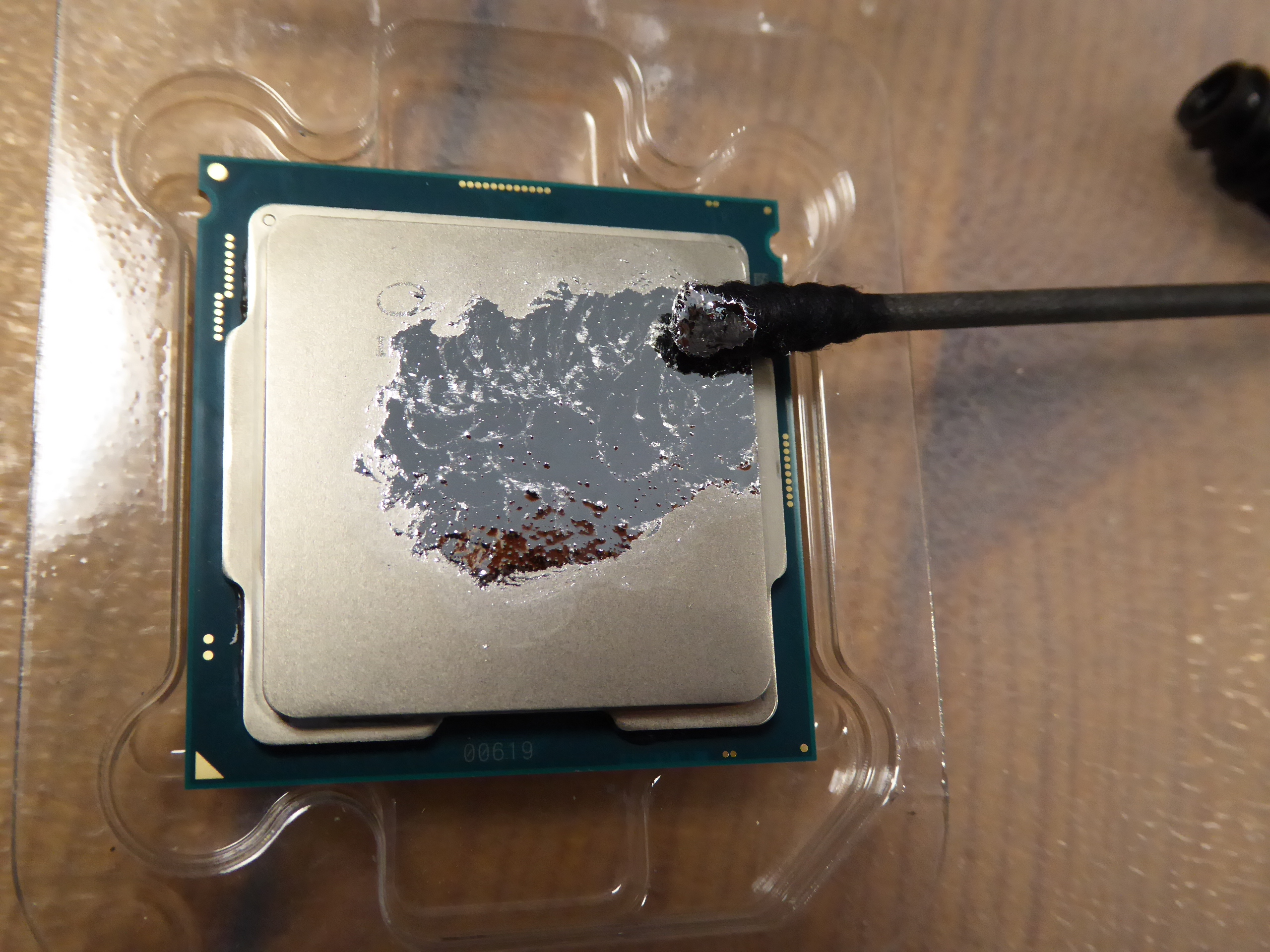
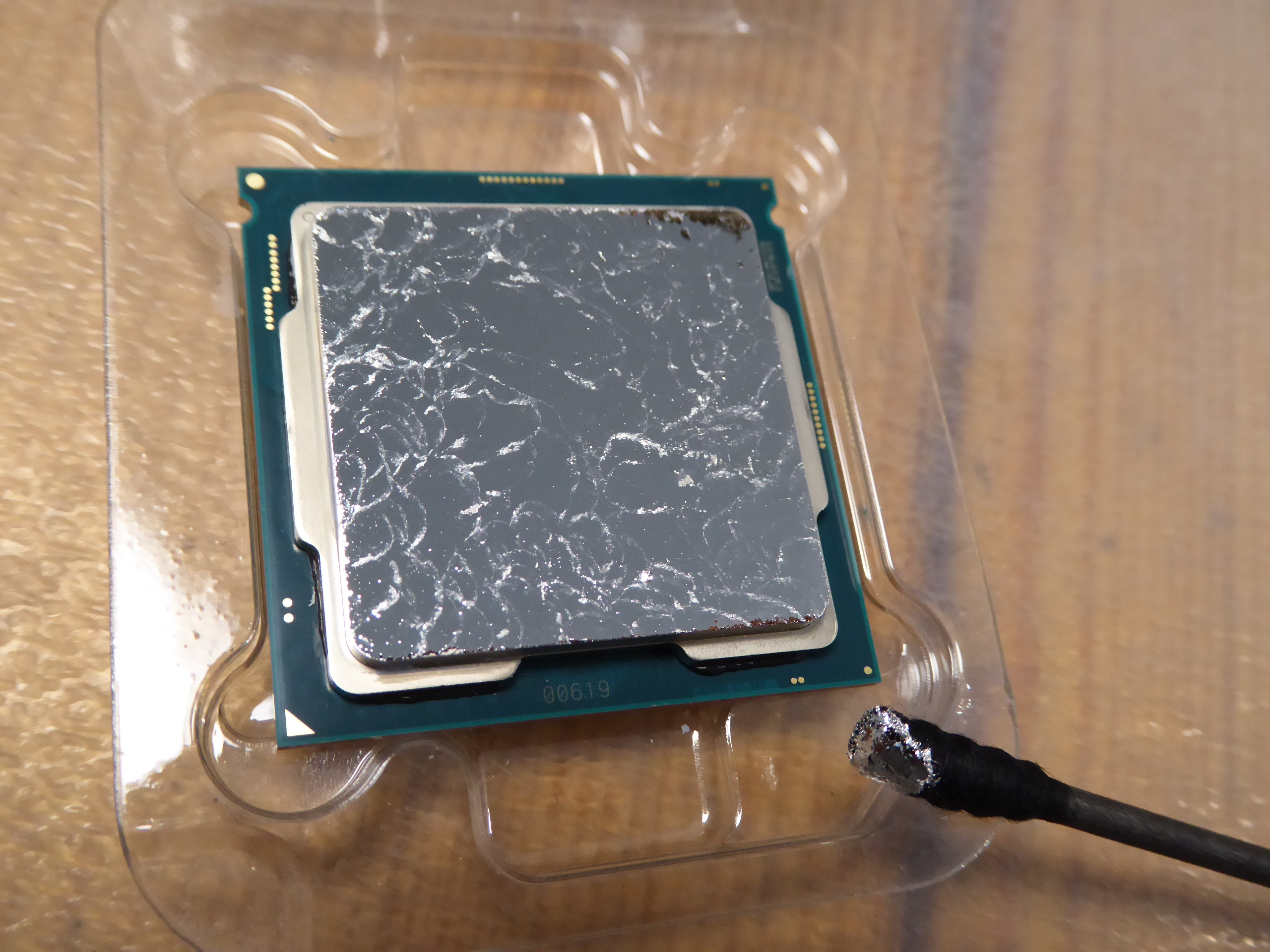
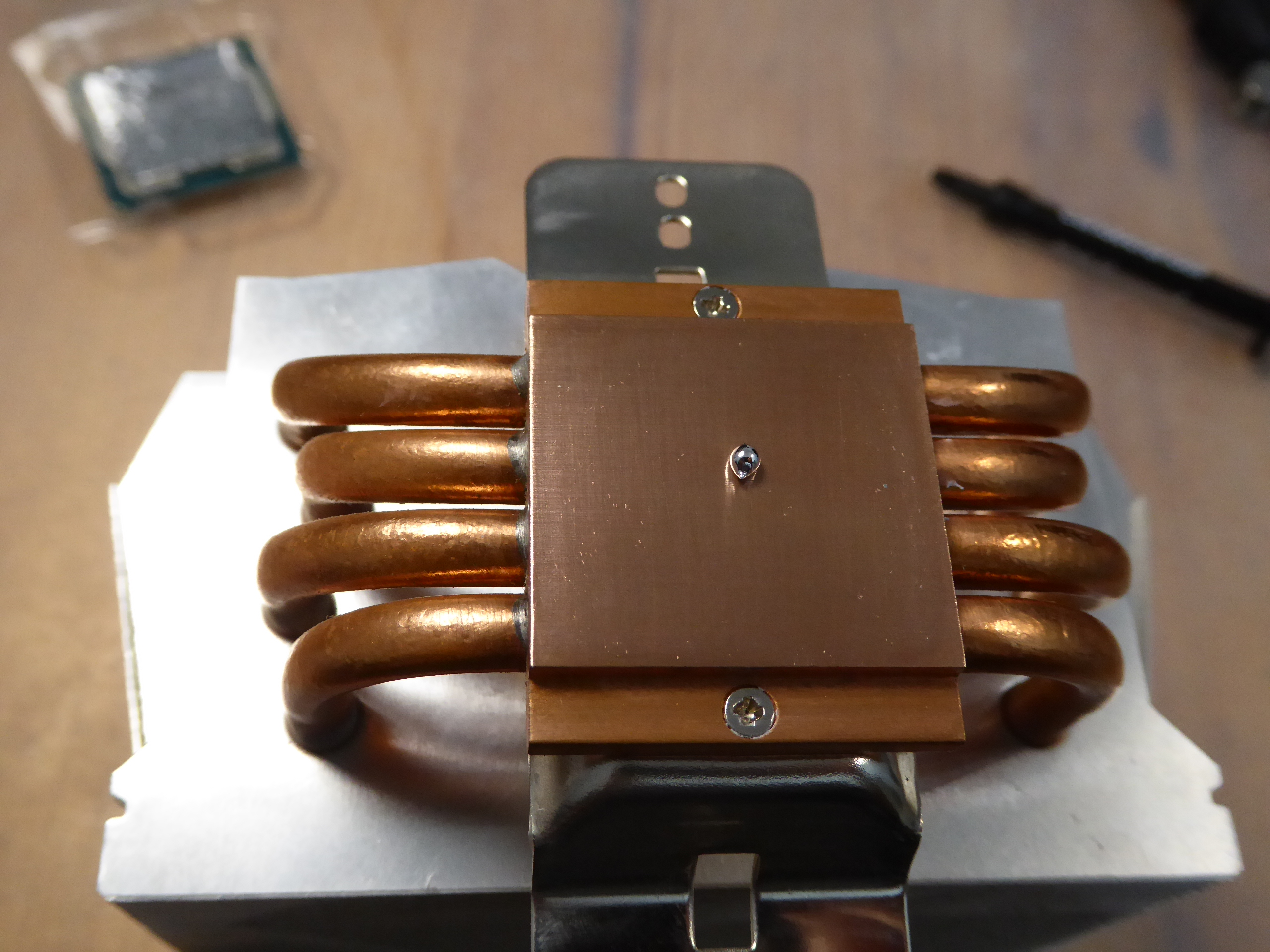
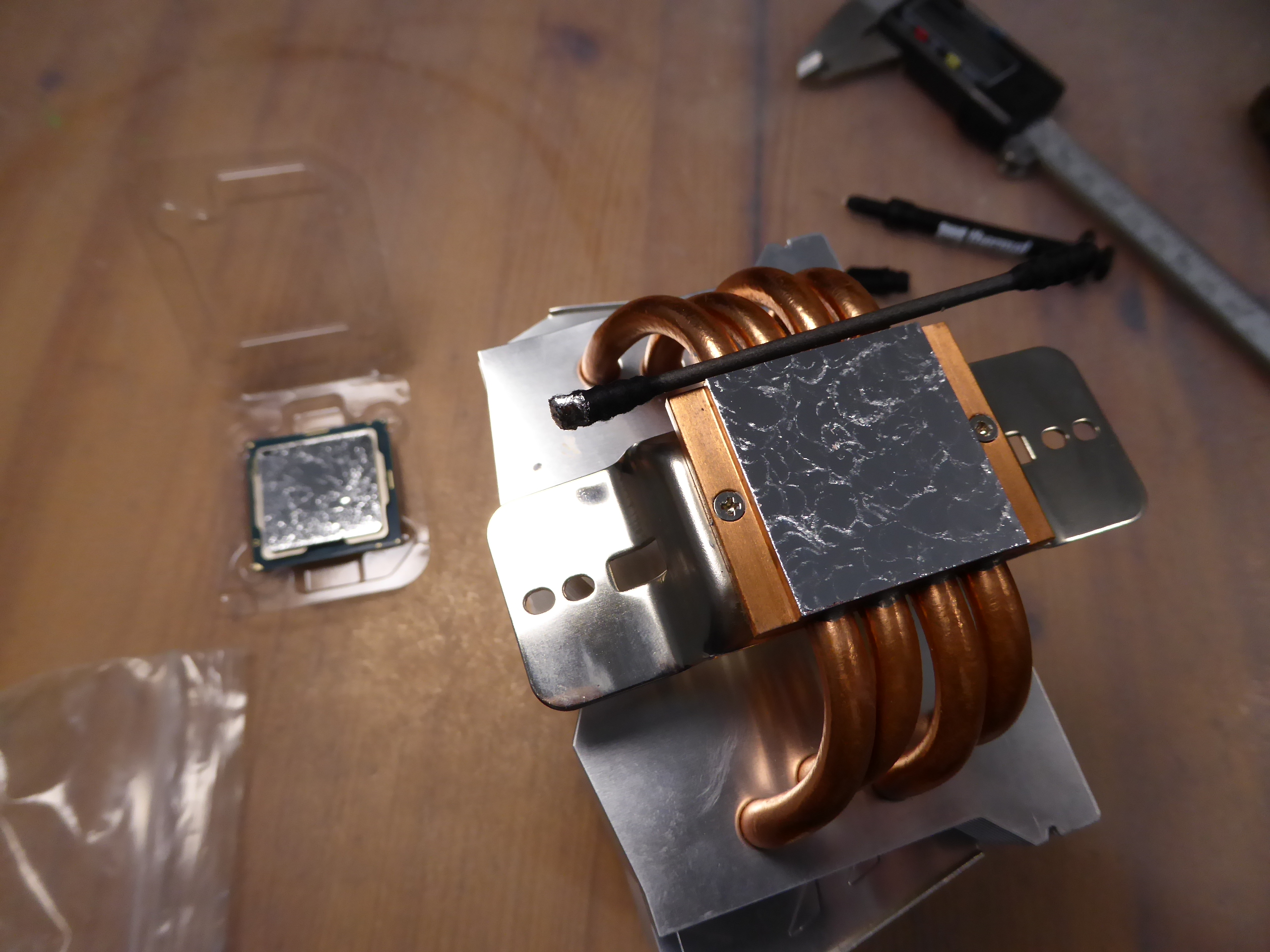
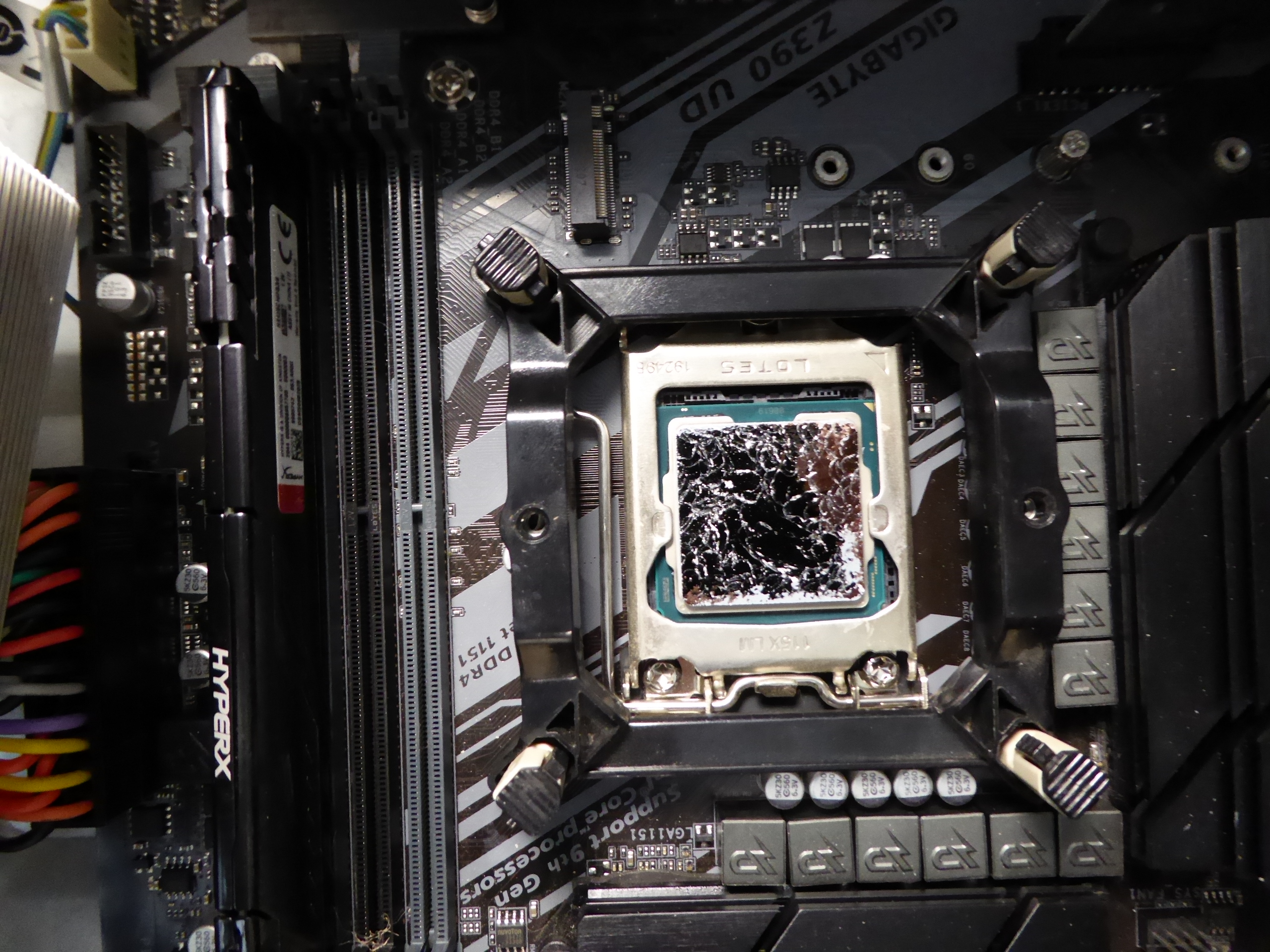
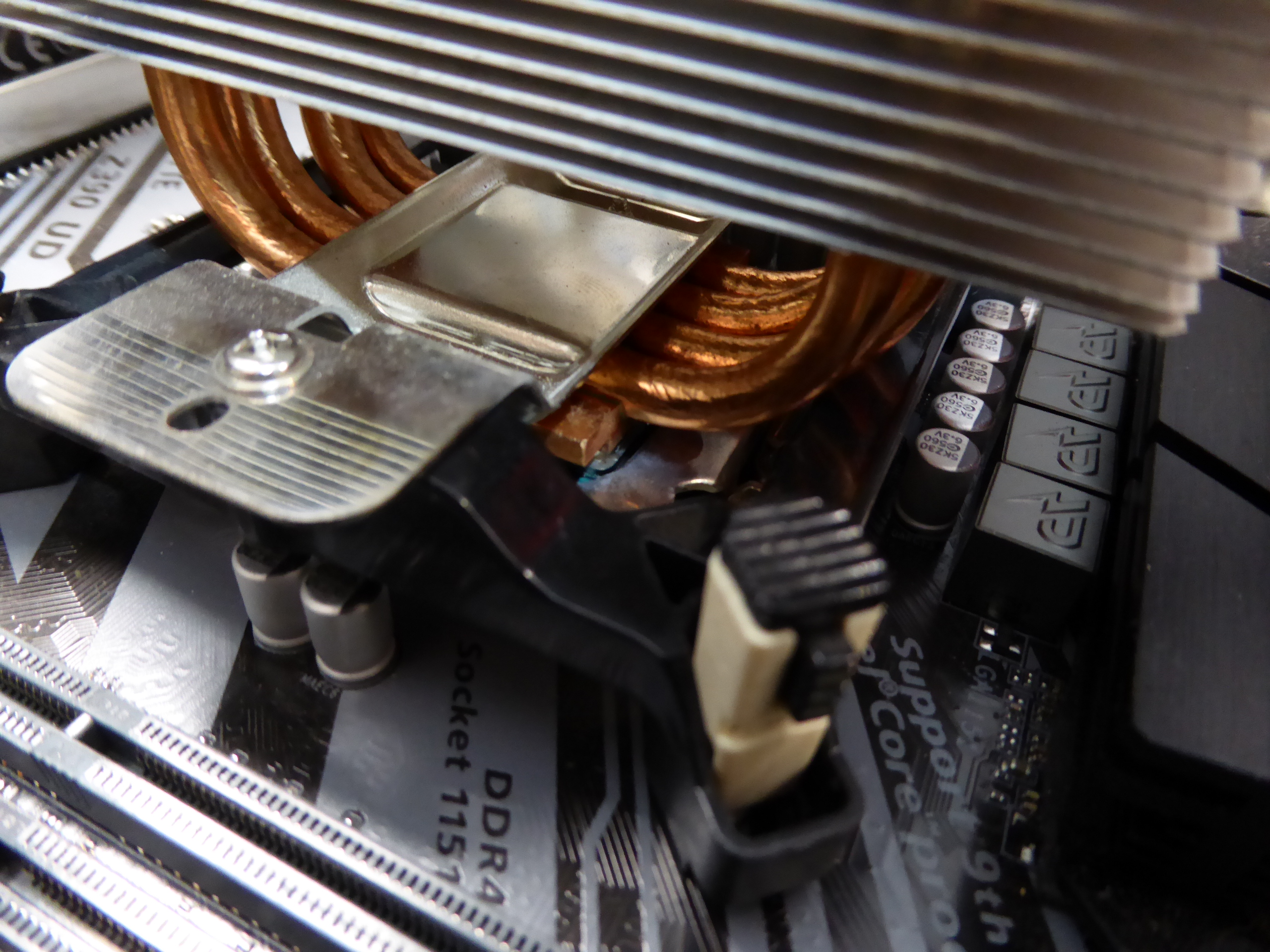
🔥 Local summer at Canary Islands, good season to continue with temperature tests... After playing with CPU cooler fan at this system in my previous post, I thought: I should be able to improve heat dissipation, let's give a try! I remembered that I had some amount of this high performance thermal compound left. It's time to squeeze it all out. Arctic Freezer 13 CO is a CPU cooler based on a solid copper core, so it meets Conductonaut thermal compound requirements. Current thermal paste used at CPU cooler was NOX TG-1. It is a general purpose, non-conductive, high quality thermal paste, easy to apply. The first step for replacing the existing paste with Conductonaut thermal compound is removing the old paste leftovers and thoroughly cleaning with alcohol, both processor and cooler surfaces. I've extracted Intel Core i7-9700F CPU from motherboard, and I've put it in an anti-static box for a more comfortable and safe handling. Important to be kept in mind: Conductonaut compound is based on a liquid conductive metal alloy. Any spillage over motherboard must be avoided. And specially for me at this motherboard, my favorite one, a Gigabyte Z390 UD. I would recommend the Ultra Durable line of Gigabyte motherboards: None of the ones I'm using has failed yet, after several years of non-stop 24/7 working... Following Conductonaut applying instructions, the next step consists of dispensing a little amount at the center of processor metallic surface. It is curious how it arranges in a ball-shaped drop. Now it's time to spread it over the whole surface. For this, I'm using one of the special swabs included in Conductonaut kit. After patiently spreading, dispensing more compound litle by little when necessary, the whole surface becomes covered. The same procedure is to be applied over CPU cooler surface. Starting with a little amount of Conductonaut thermal compound, and finishing when the whole surface is covered. Now, the processor is installed again at its socket, and also the mounting bracket for the CPU cooler. I like these kind of fixings that can be mounted from above, like are the Arctic Freezer 13 CO ones, because dismounting motherboard is not required. Finally, the CPU cooler is carefully replaced and fixed at working position. This image shows one of the cooler corners. A ball-shaped, little amount of thermal compound was found to be overflowing at this corner, and it was carefully removed by aspirating it with the thin curved needle and syringe supplied with the kit. And the system is ready again for working hard. Lets test it! Initial NOX TG-1 thermal paste: 65 ºC medium temperature at stability. 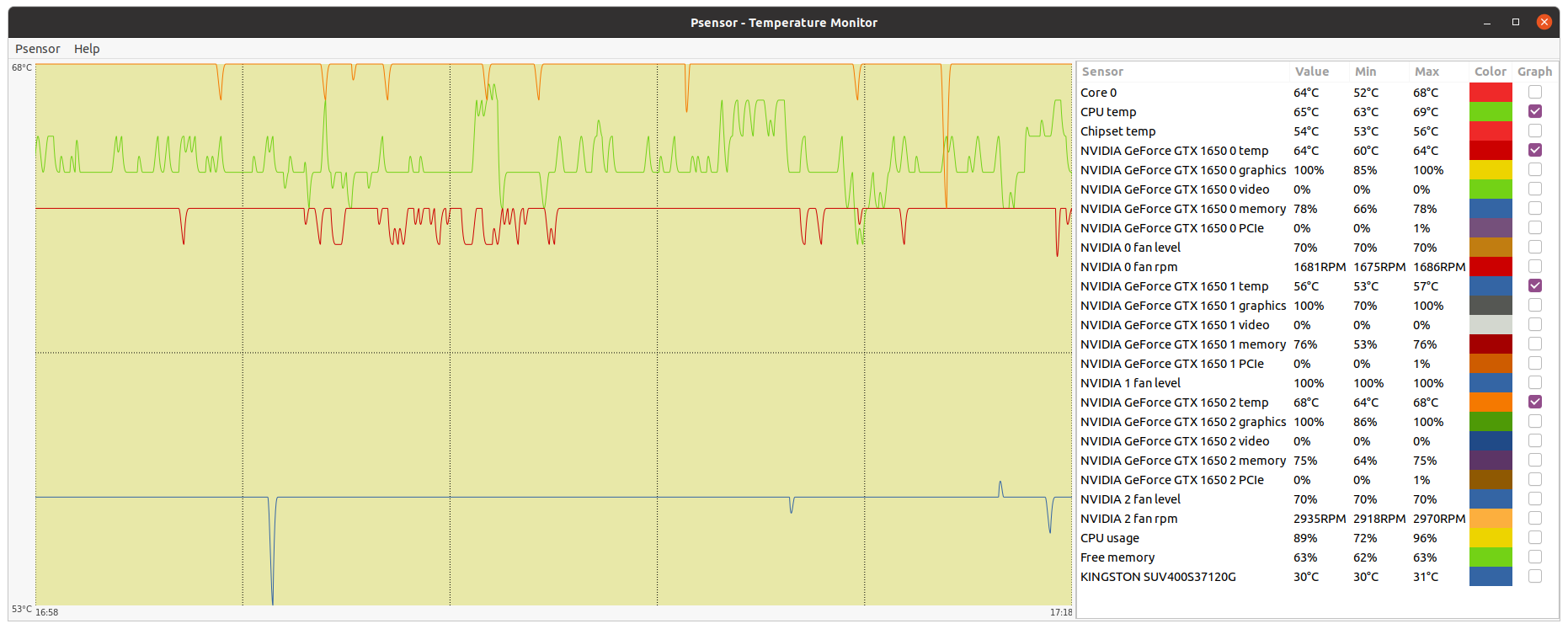 Replacement Conductonaut thermal compound: 62 ºC medium temperature at stability. 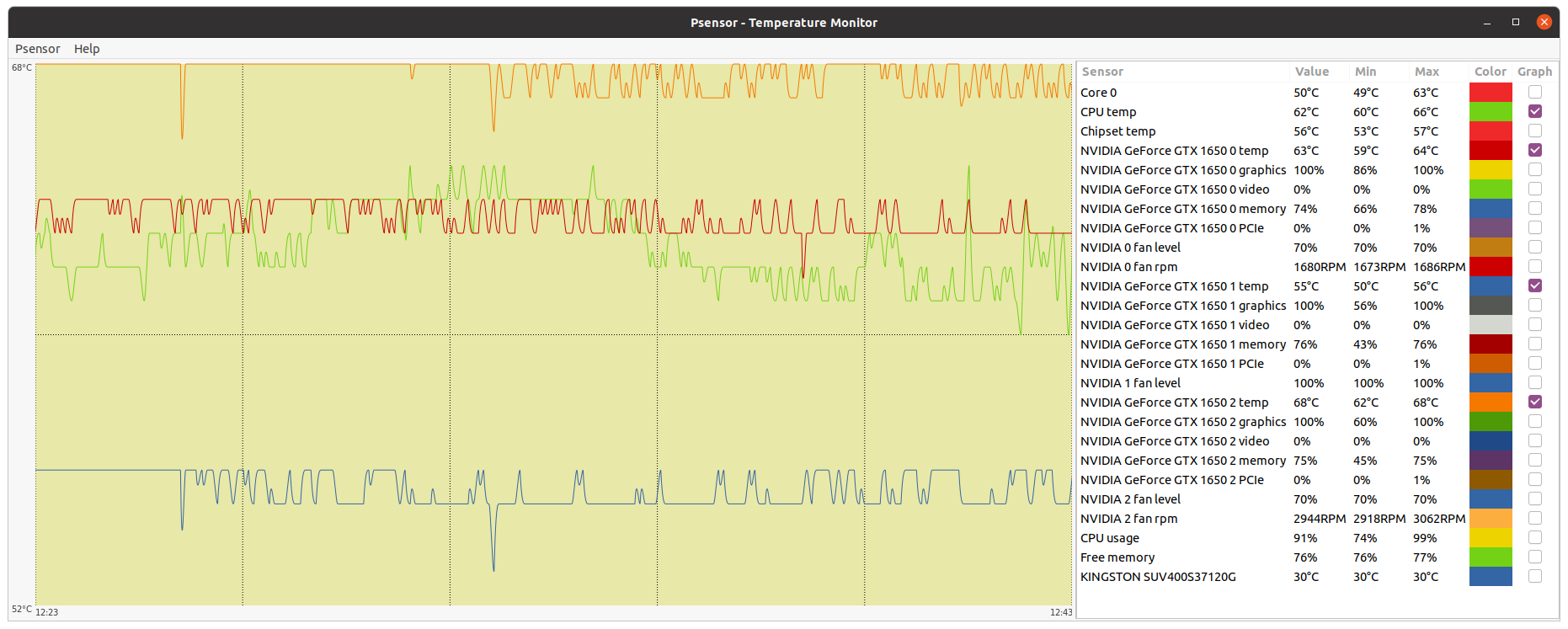 For me, this 3 ºC temperature reduction at processor full load was worth it. 👍️ Notes: - The original idea for me to try Thermal Grizzly Conductonaut thermal compound came from a Retvari Zoltan advice, Message #53412. I'm still grateful for this. - I like to say that I'm involved in a continuous learning process. My special thanks to Gpugrid platform, for harboring threads like this one and many others that make sharing experiences possible. |
|
Send message Joined: 22 May 20 Posts: 110 Credit: 115,525,136 RAC: 0 Level  Scientific publications 
|
Finally invested a little time to optimise my GPU (Asus Strix 1660S) for power efficiency. Although I went through the whole process through using E@H FGRP app, the same implications are valid for other projects. Additionally, the shorter runtimes are great for a larger sample to test your GPU settings and validate your claims against. I started by running 1 task initially, but never got to 100% load, thus went for 2 units that were running concurrently. That brought avg. utilisation up to 99%. Moving on to my testing results using 2 concurrent WUs. I did gather the data using GPU-Z and HWinfo Before: Power limit (PL): no Power usage: 118W (avg) V core: 1.125V (max) / 1.037V (avg) / 0.997V (min) Core freq: 2025MHz (max.) / 2015 MHz (avg) / 1995 MHz (min) Mem freq: 7100 MHz (all) Fan: 40% T GPU: 63.2C (max) / 62.8C (avg) / 61.8C (min) T VRM: 54C (all) T Hotspot: 75.8C (max) / 74.5 (avg) Same data reported after I incorporated the following changes: - upward revision of fan curve (little more than 1% for every degree C to still keep noise down) - lower OC on core - lowered PL Power limit (PL): yes @83% Power usage: 103W (avg) V core: 1.012V (max) / 0.991V (avg) / 0.975V (min) Core freq: 2010MHz (max.) / 1998 MHz (avg) / 1980 MHz (min) Mem freq: 7100 MHz (all) Fan: 58% T GPU: 54.5C (max) / 53.7C (avg) / 53.3C (min) T VRM: 49C (all) T Hotspot: 67.9C (max) / 66.5 (avg) Average runtimes (estimated from WU results log) based on running 1 or 2 units concurrently: - for 1 WU: 455 sec - for 2 WUs (original): 880 sec - for 2 WUs (new): 890 sec That is roughly 1.13% slower for 12.71% lower power draw. This large gap also leaves a lot of room for any inaccuracies in the estimates of average runtimes for the 3 tiers listed above. In terms of throughput efficiency, I consult the following table. First I list the estimated avg. WUs computed per hours. Then I compute the resulting credits (1 WU awards 3,465 credits). The third table lists credit per W (normalised efficiency): WUs/h - for 1 WU: 7.91 WUs/h - for 2 WUs (original): 8.18 WUs/h - for 2 WUs (new): 8.09 WUs/h credit/h - for 1 WU: 27,408 - for 2 WUs (original): 28,344 - for 2 WUs (new): 28,032 normalised credit/h/W - for 1 WU (avg. 115W): 238 - for 2 WUs (original): 240 - for 2 WUs (new): 272 In the end, my GPU card is now running on average 9.1C cooler on the core, drawing 15W less power, with mere 17MHz average core clock ∆, while VRMs are 5C cooler, fans still run moderately silent, core clock does not frequently boost up and down, leading to a more stable boost clock and voltage, and generates 13.3% more credits (normalised for avg power draw). This experiment was well worth it for me! |
|
ServicEnginIC Send message Joined: 24 Sep 10 Posts: 598 Credit: 13,098,215,510 RAC: 1,306,825 Level Scientific publications
|
Nice study, very well documented and grounded. Good job! |
|
Send message Joined: 22 May 20 Posts: 110 Credit: 115,525,136 RAC: 0 Level Scientific publications
|
Recently I have been cleaning my computer and stumbled upon several stains on the backplate of my GPU (1660Super). When I touched it, it felt oily/fatty like grease and smelled a bit like rubber. This stuff is leaking only on the back of the card as far as I can tell... The GPU works fine and never experienced any issues. Research on the web suggested that continued heat on the VRM might lead to evaporation of several key substances from the VRM cooling pads and can easily be cleaned with some alcohol. Is that so or could you think of something else? The process of cleaning is trivial but requires the disassembly of the card and that in turn would require to break the "warranty void" stickers on the backplate screws. I know this is an ancient topic and has been discussed numerous times here but it still causes some hesitation on my end. 1. What do you think caused this? Have you experienced sth similar yourself? Could it really just be evaporated substances from the cooling pads? 2. If the card works just fine, would you even care to clean the stains off or would you consider this just cosmetics? Could this also be corrosive on the card's components? 3. If cleaning it means breaking the warranty seals, would you consider the official RMA process or just do it yourself? I really don't want this process to somehow interfere with the warranty with ASUS. See attached for some pictures of the stains. Backplate #1 (Imgur) Backplate #2 (Imgur) |
|
Send message Joined: 21 Feb 20 Posts: 1118 Credit: 40,876,970,595 RAC: 0 Level Scientific publications
|
It's silicone oil seeping out of the thermal pads from the constant heat load. it's totally normal and non-conductive so it will not damage anything. you can clean it up with a towel or q-tip soaked in alcohol if you want. not necessary though for anything other than aesthetic reasons. 
|
|
Send message Joined: 22 May 20 Posts: 110 Credit: 115,525,136 RAC: 0 Level Scientific publications
|
Thanks! That’s all I need to hear :) very reassuring! |
|
ServicEnginIC Send message Joined: 24 Sep 10 Posts: 598 Credit: 13,098,215,510 RAC: 1,306,825 Level Scientific publications
|
It's silicone oil seeping out of the thermal pads from the constant heat load. it's totally normal and non-conductive so it will not damage anything. +1 |
|
ServicEnginIC Send message Joined: 24 Sep 10 Posts: 598 Credit: 13,098,215,510 RAC: 1,306,825 Level Scientific publications
|
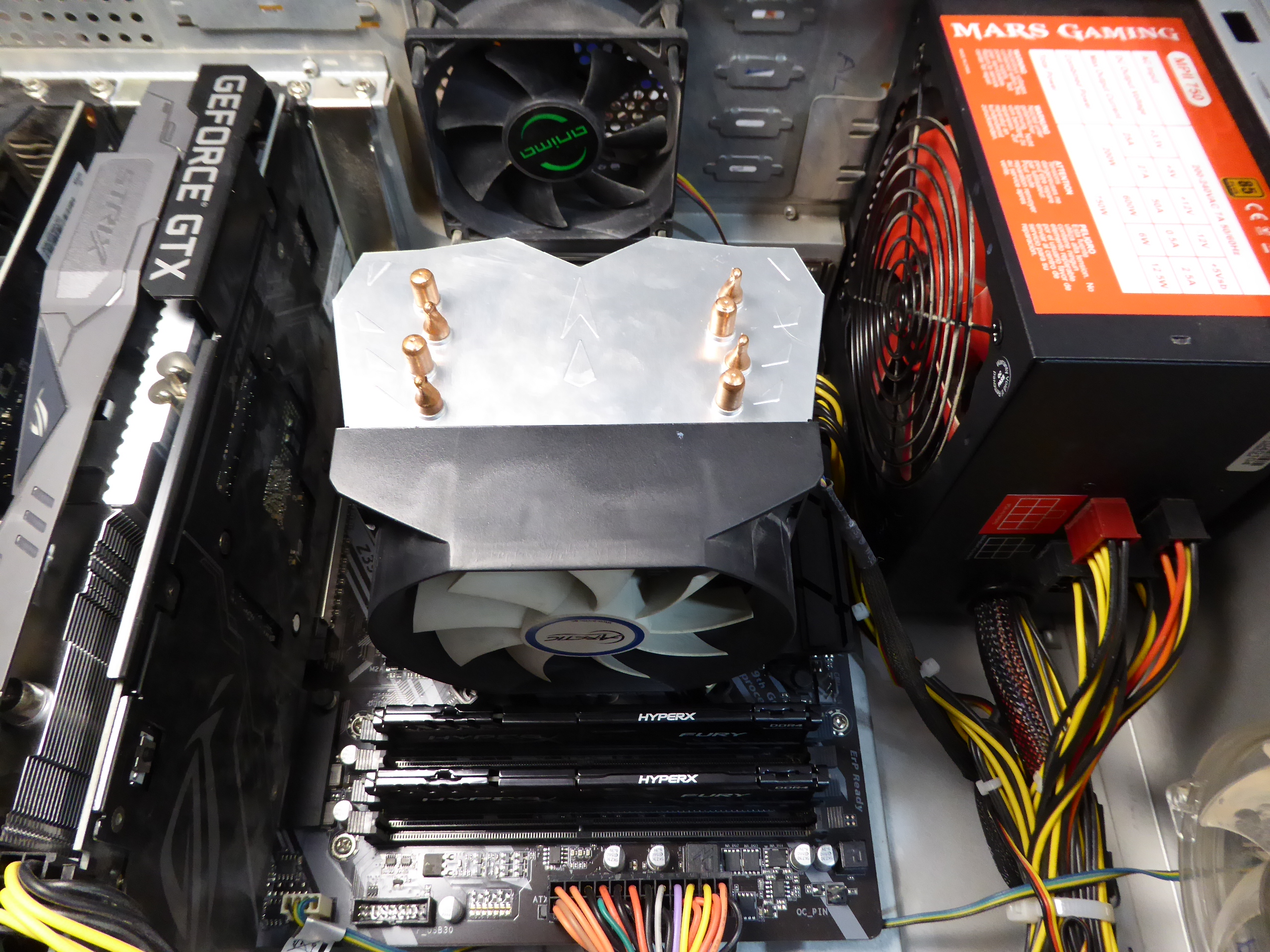
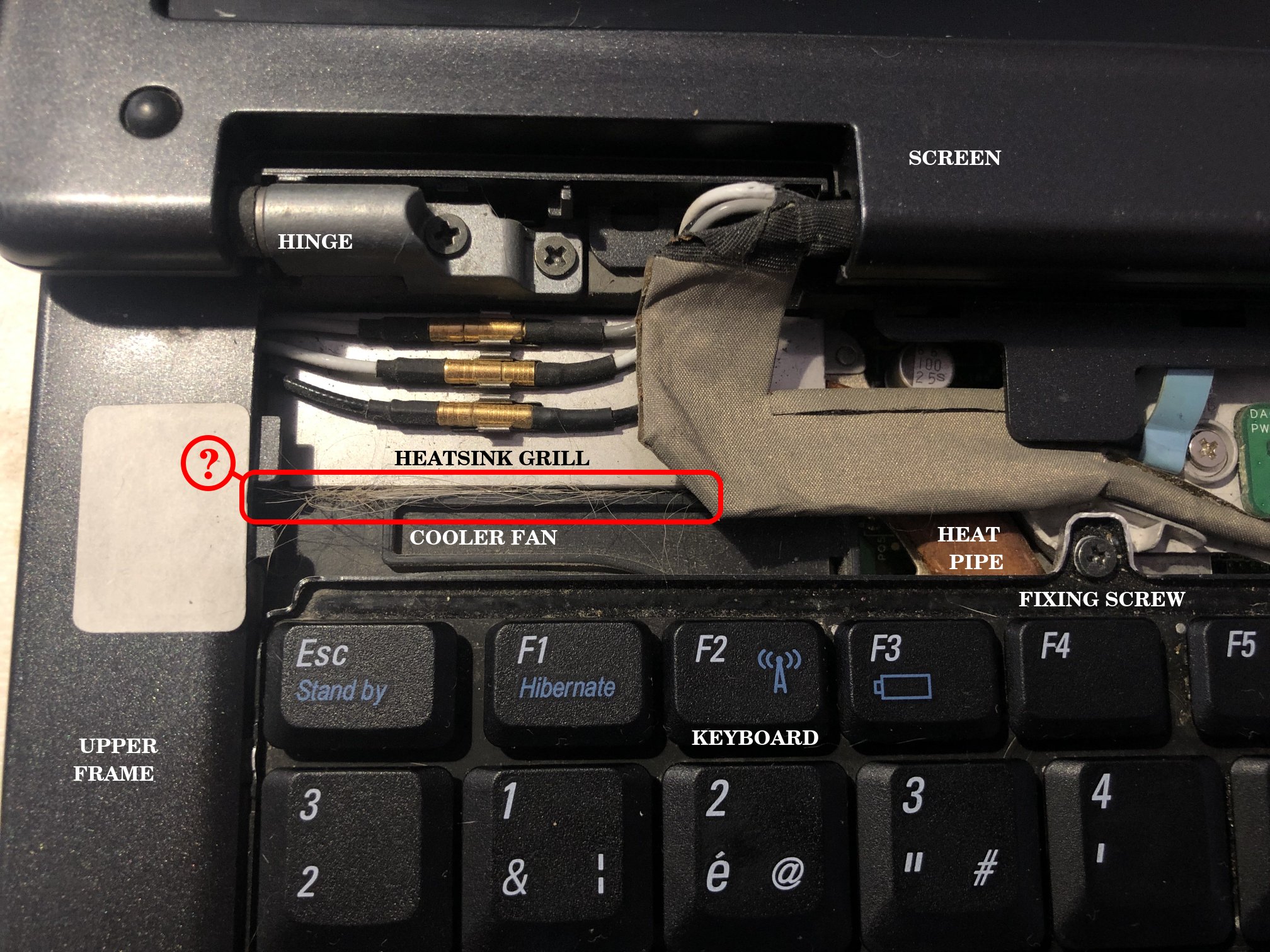
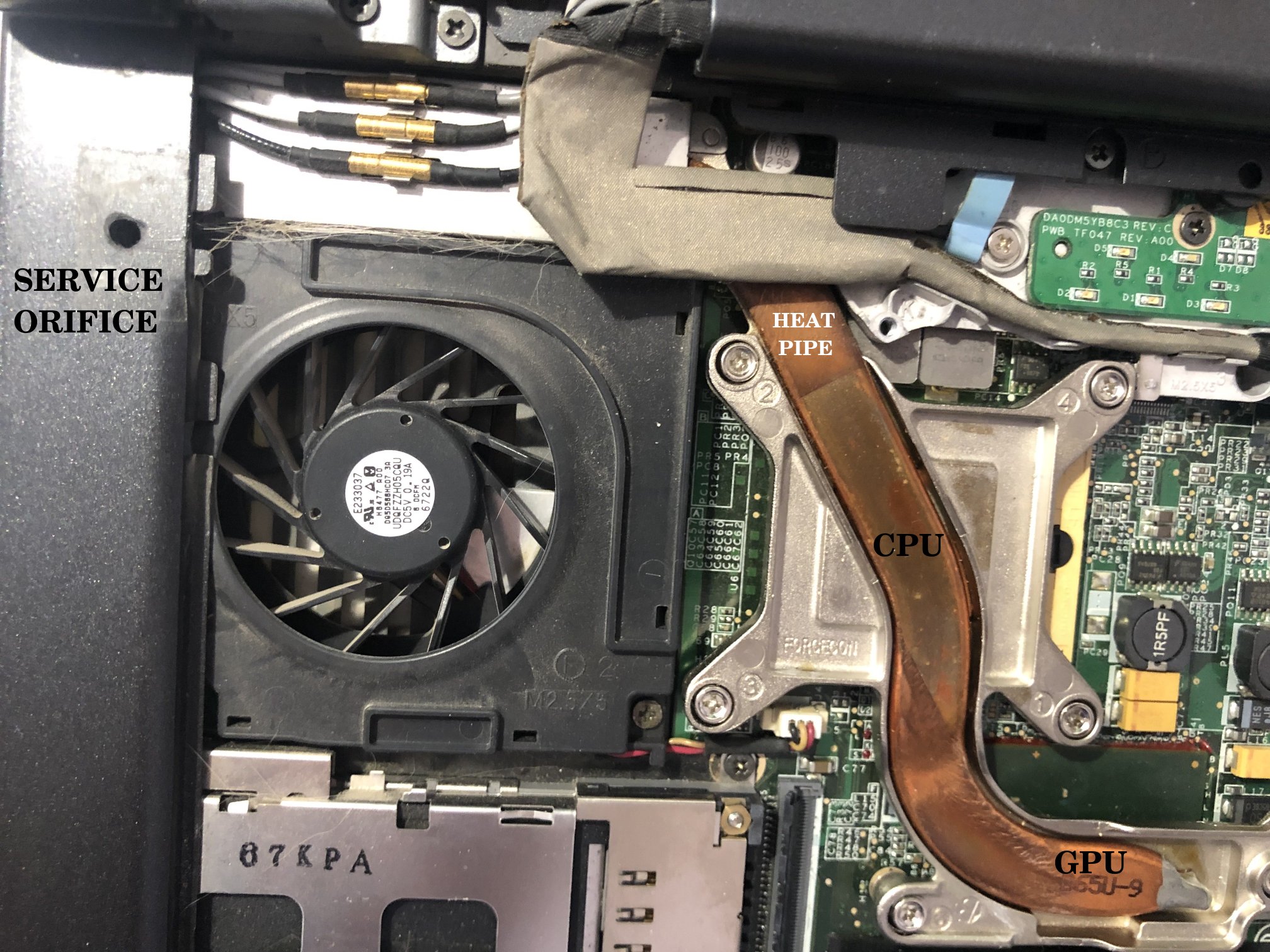
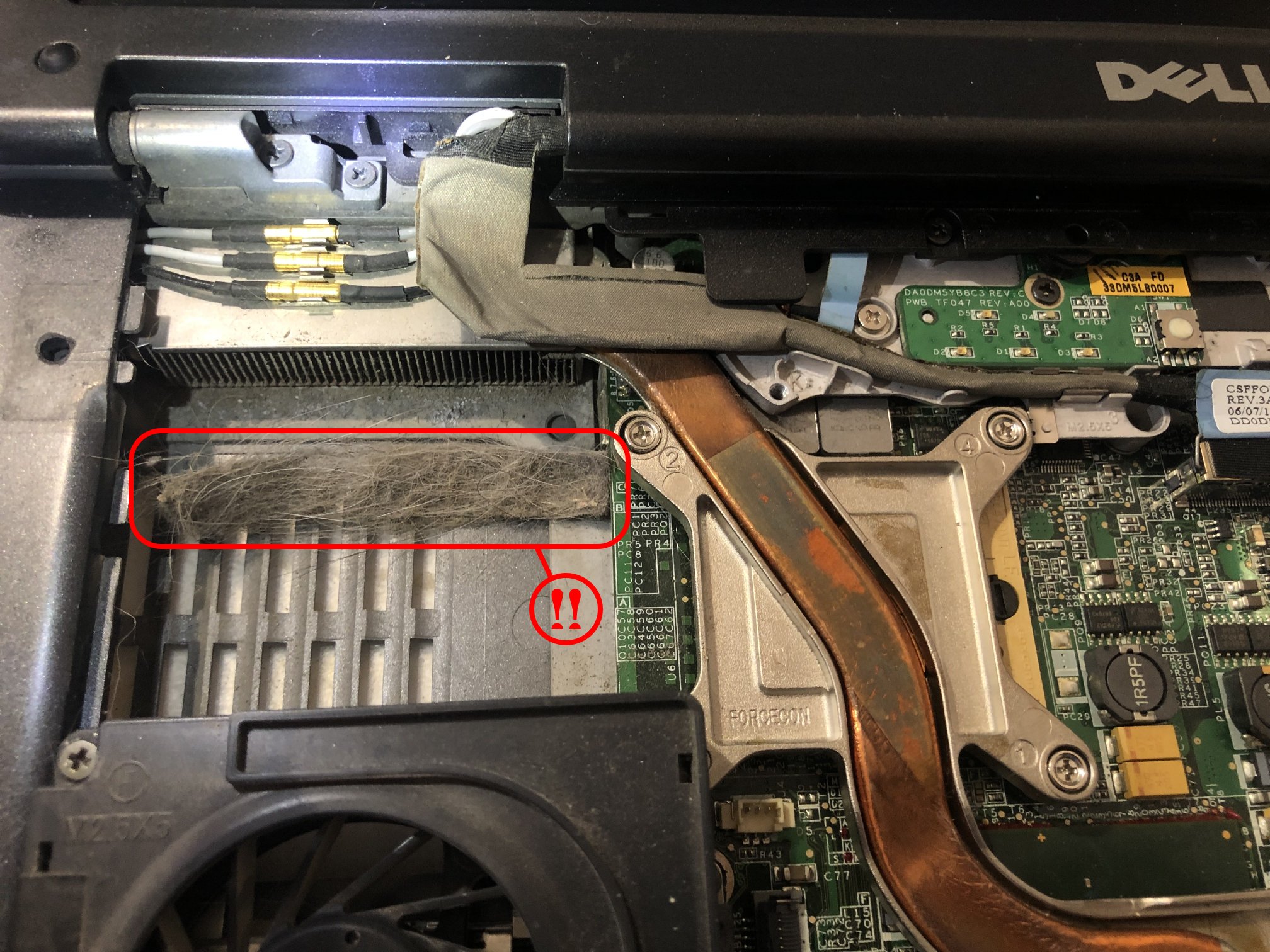
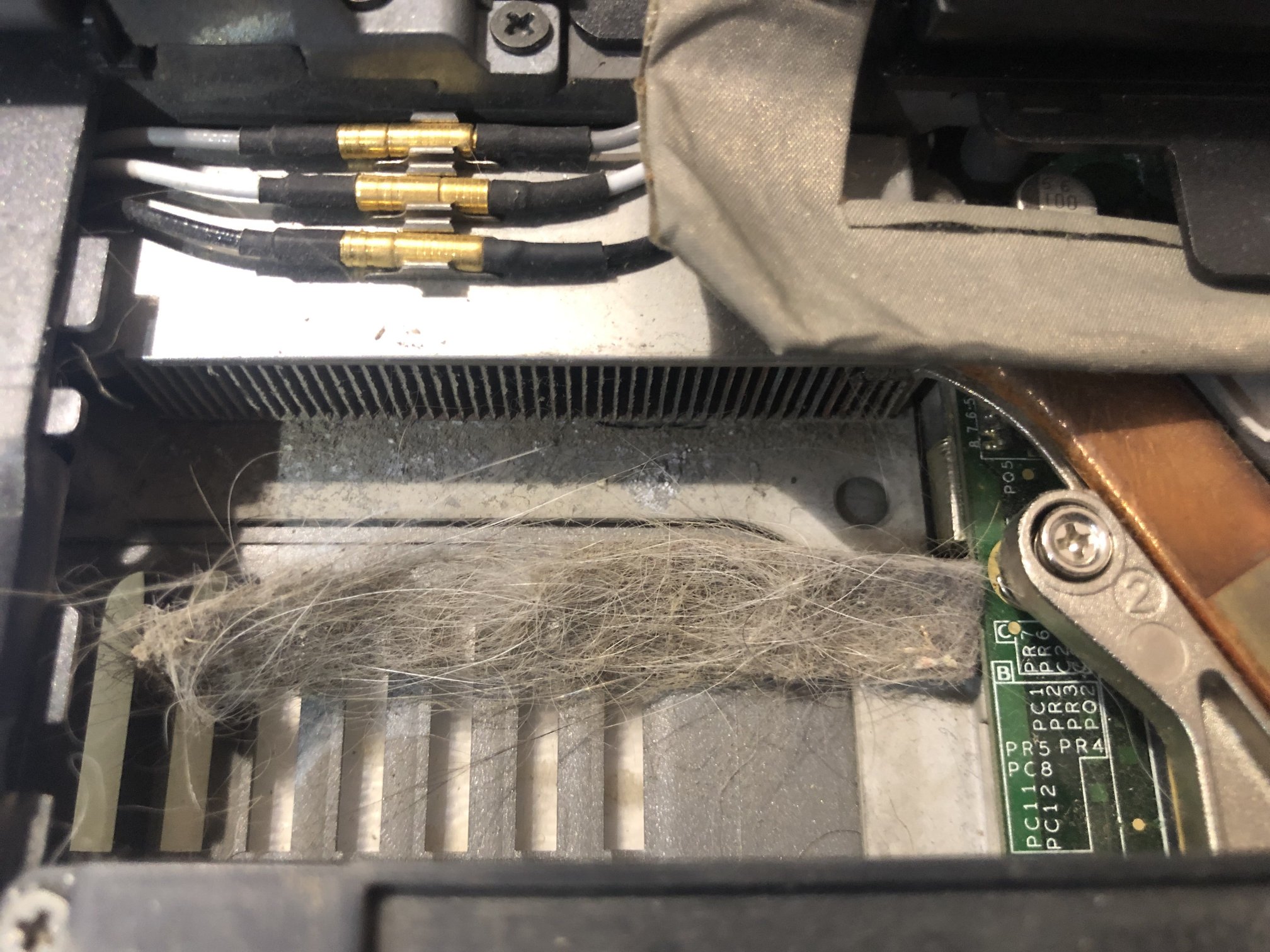
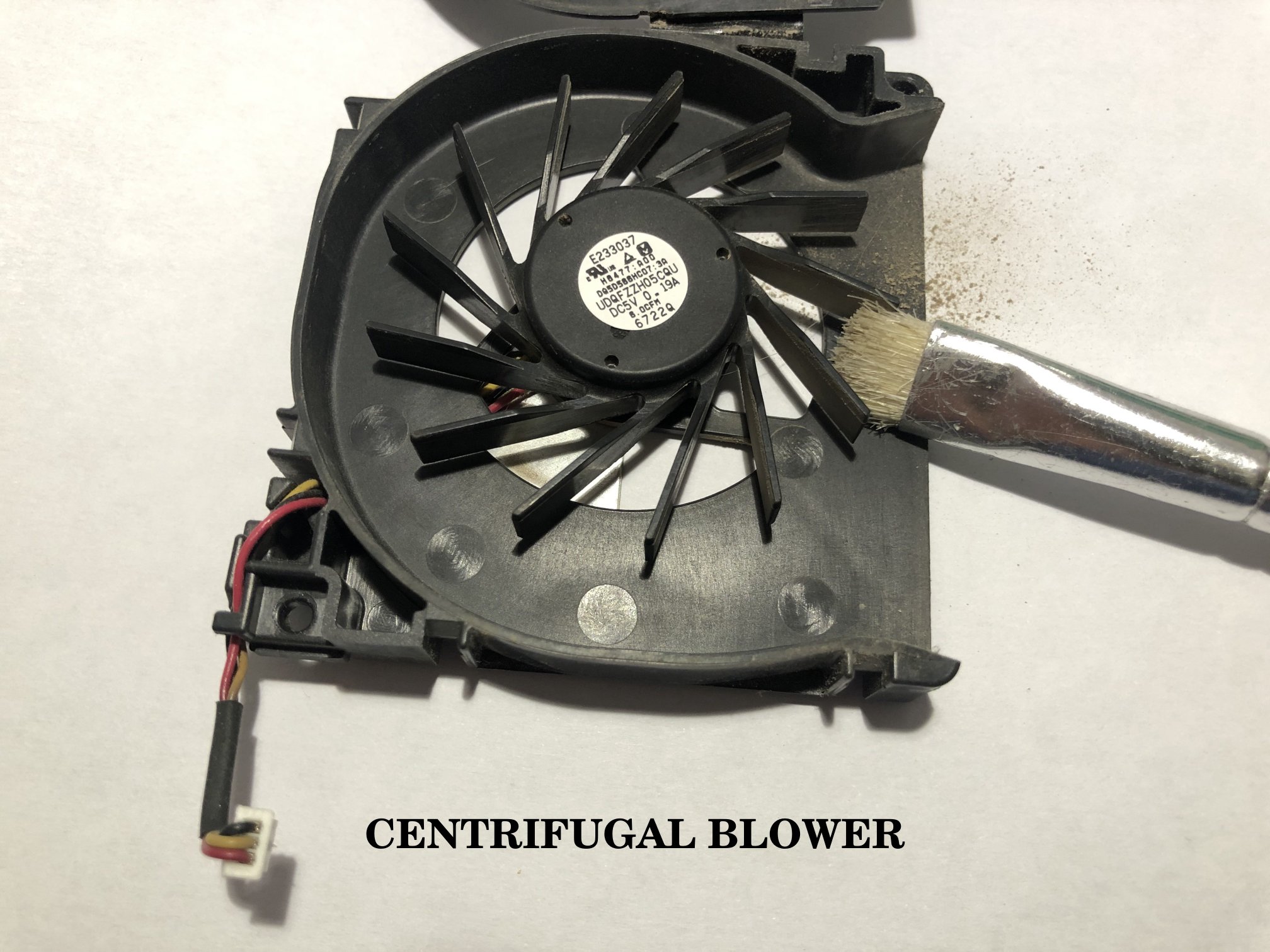
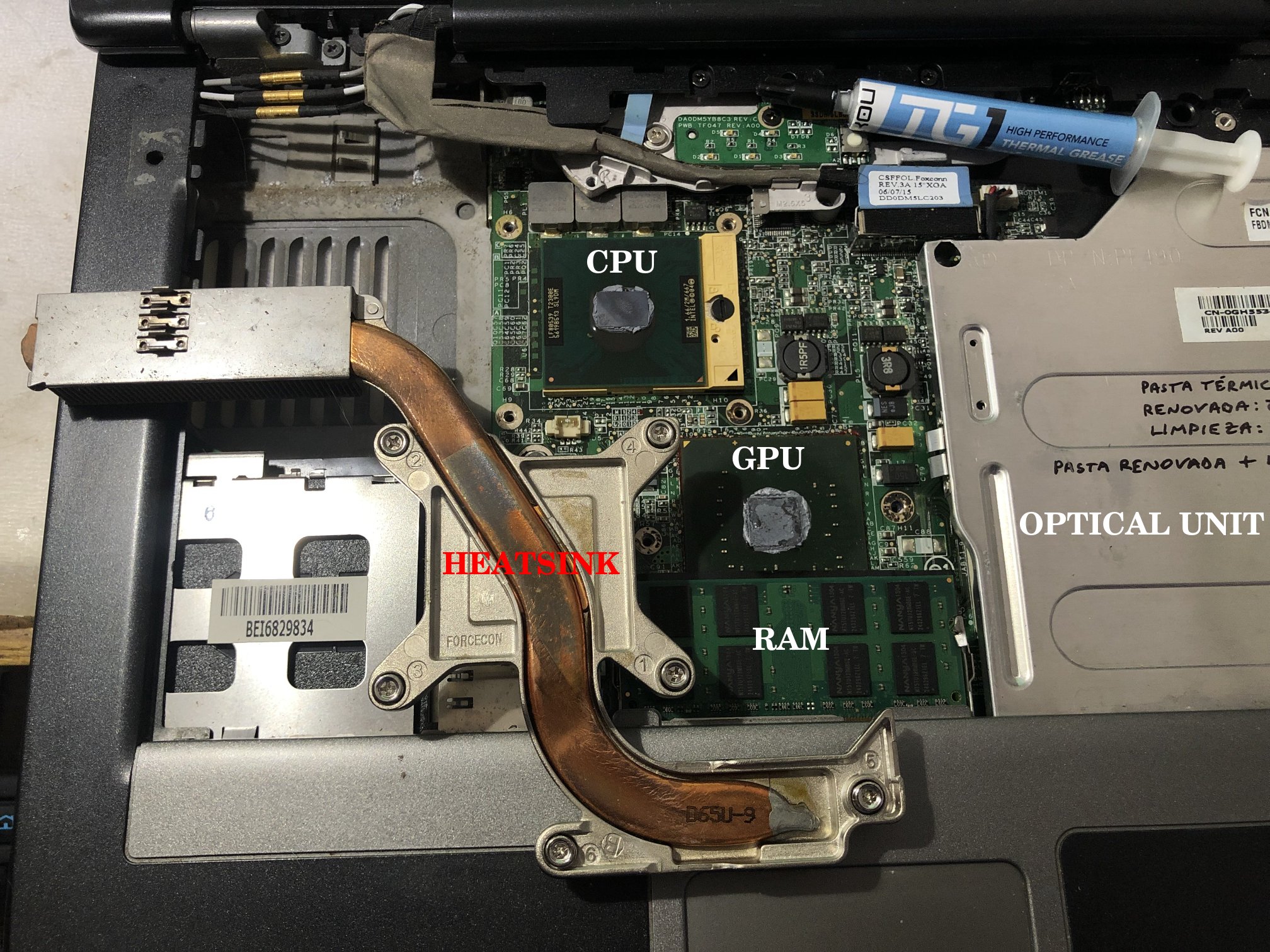
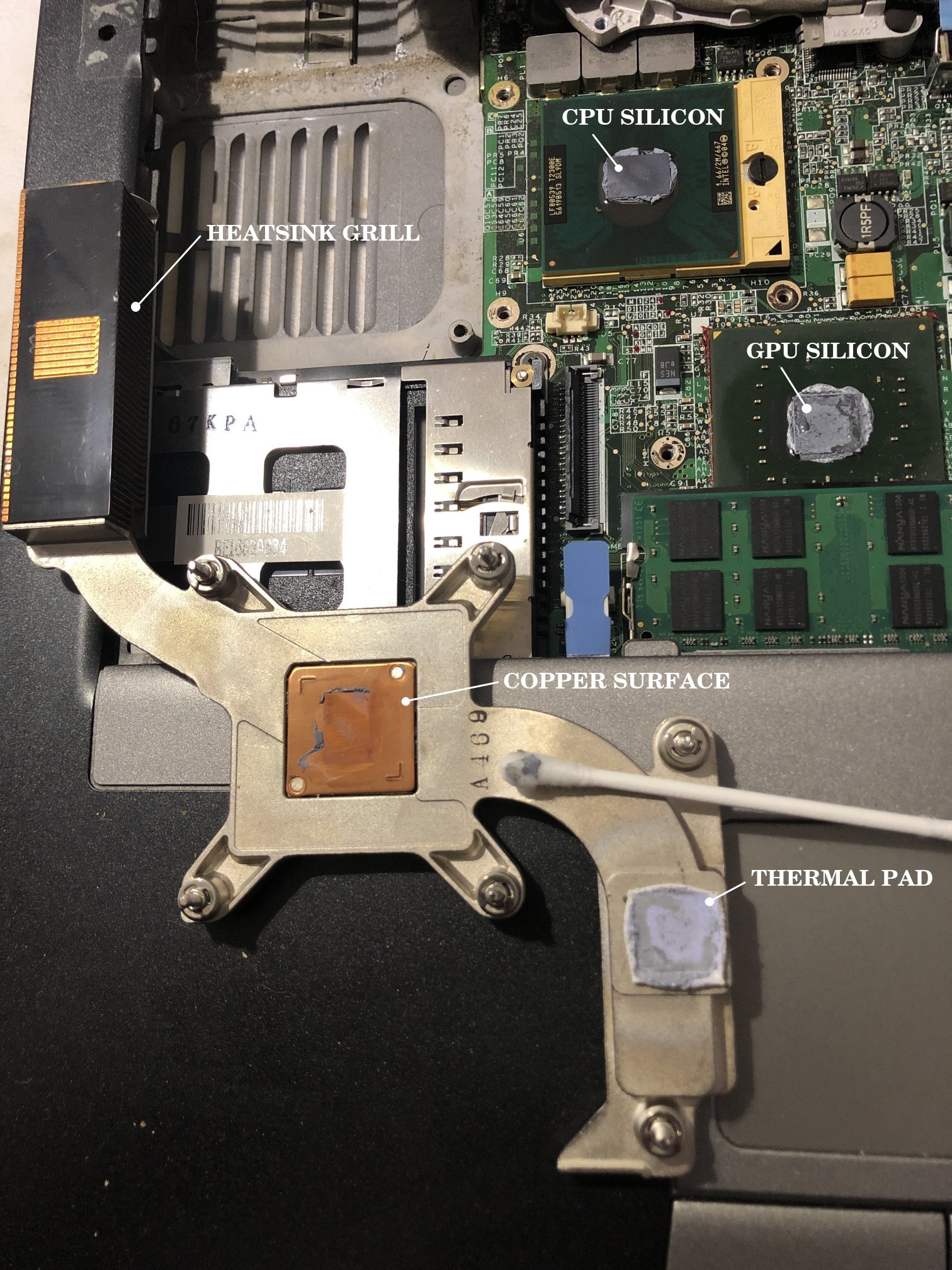
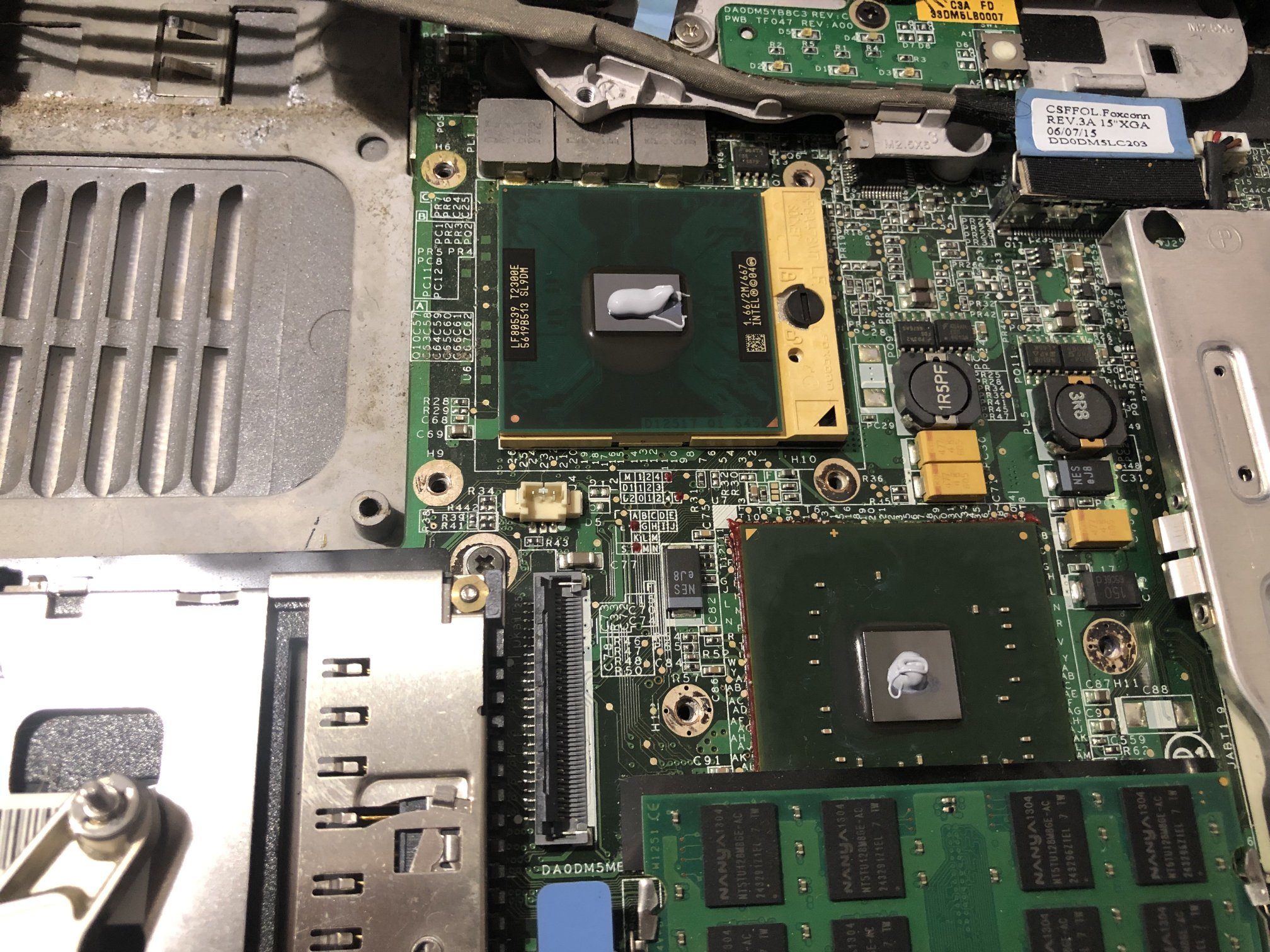
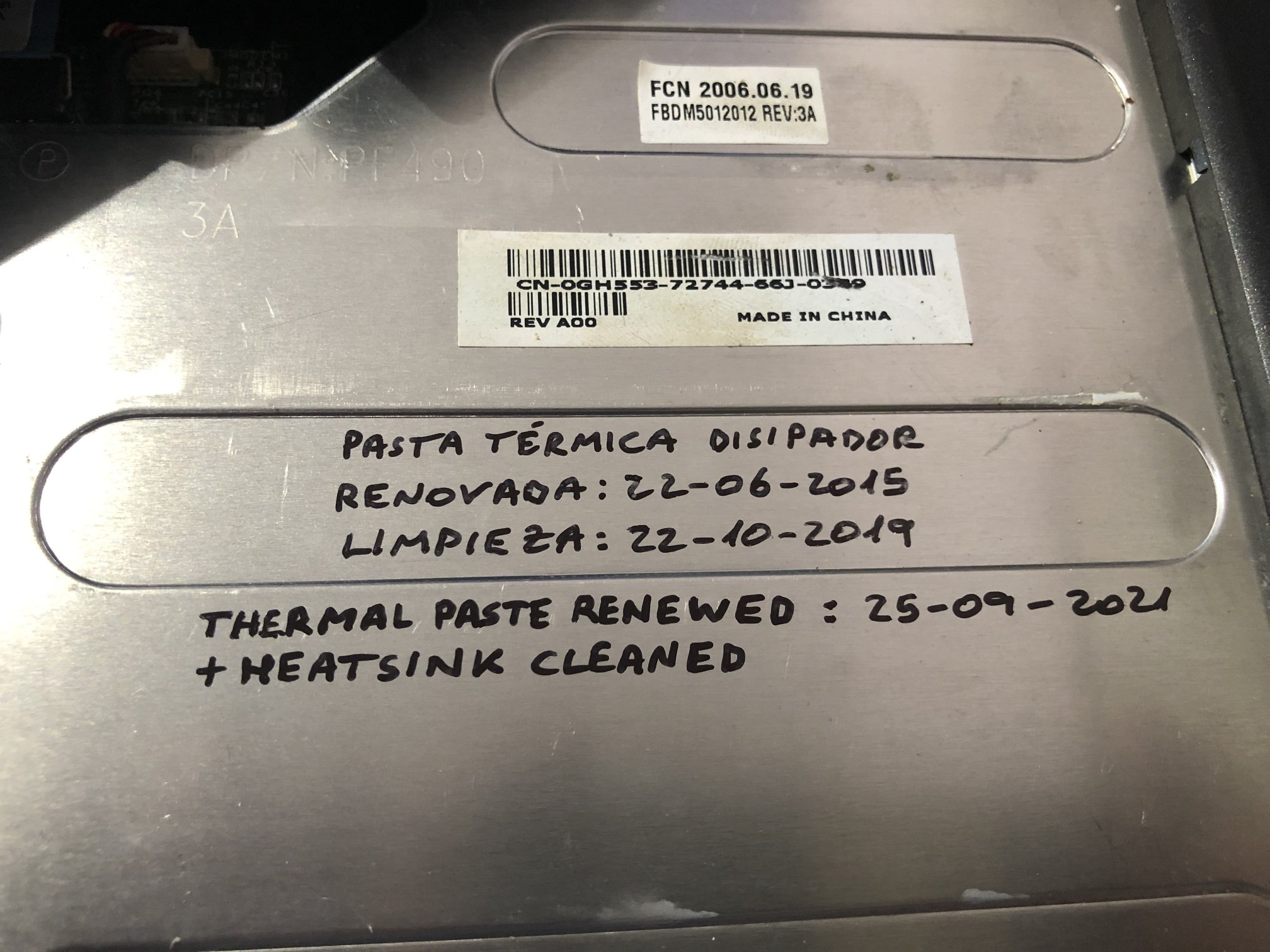
Symptoms: - Laptop gradually getting slower, and lately unresponsive, mouse cursor moving in jumps, applications taking a long time to start... - Laptop Cooling fan gradually getting louder, and lately sounding like a drone ready to take off. - Laptop's upper surface gradually getting warmer, and lately really hot. Cause: This time is really easy to guess. I leave it for reader's homework 😏 Solution: Let's detail corrective actions, consisting of a full maintenance of laptop cooling system. After removing a first upper trim cover, a narrow strip of the laptop hardware comes at sight. Including some components involved in cooling, as copper heat pipe, cooler fan, and heatsink grill frame... What is that strange mess between cooler fan and heatsink grill? It is surrounded in red on this close-up image. For gaining more access, I'm removing the laptop flat keyboard, and then the cooler's fan, and the CPU and GPU locations come at sight. The cooler fan is fixed by two screws, one of them hidden under the laptop's upper frame... But this is not the first time that I maintain it. Thinking of future interventions, I made what I call a "Service orifice" that allows to easily unscrew the hidden screw for extracting the cooler fan. Otherwise, an endless amount of screws are to be removed for accessing it "the official" way. After extracting the cooler fan, an strange "cushion" inserted between it and the heatsink grill is released. A further 🔎️ close-up of it reveals that it is built of a mess of pet hair 🤦♂️️ Now I'm opening the centrifugal blower frame and removing stacked dust from every blades. I'm using a narrow brush for this. I usually mark a "logbook" for every of my systems, and I see that the thermal paste is more than six years old... I'll take the chance to renew it. The heatsink body is fixed by six screws marked from 1 to 6. I've removed it by gradually loosening the screws in descending order "6" to "1". Here it is. Now I'm thoroughly cleaning the heatsink grill, and cleaning the old thermal paste from the square copper surface, and the silicon CPU and GPU surfaces. I've been careful for not damaging or removing the thermal pad covering the gap over the GPU silicon body. Finally, I've applied new self-spreading thermal paste over CPU and GPU silicon. Now, all that's left is to reassemble in reverse order, starting by reinstalling the heatsink at its original place and gradually tightening the screws in ascending order "1" to "6". Then, inserting and fixing the cooler fan, and reattaching its cable. Before continuing, I'll log the maintenance operation, using the optical unit inner surface as a "bulletin board". After reconnecting an reinstalling the flat keyboard and the upper trim cover, the maintenance operation is finished... for now. Our pussy cat really loves this warm surface for taking her naps... 😄 |
|
Send message Joined: 22 May 20 Posts: 110 Credit: 115,525,136 RAC: 0 Level Scientific publications
|
I am currently considering an upgrade (CPU as GPU pricing is still just madness) and I am not quite sure about the cooling requirements of AMD's top desktop processors. Because I am expecting the latest CPUs that are set to launch early Q1 2022 with the 3D-V cache design to be way more expensive than the current line up, I am eying an upgrade to a 5950X coming from a 3700X. (also I don't expect much performance gain from the larger L3 cache on the chip alone for BOINC) As I never really understood the notion of TDP, I am wondering whether a dual tower cooler, such as the NH-D15 from Noctua, will do the job. Is there a need for a water cooling solution only to get the most out of the processor or is it essential to keep temps down, longevity up and clock boost behaviour stable? Would highly appreciate your input! According to this Noctua list, this cooler should handle a 5950X well. |
|
Send message Joined: 21 Feb 20 Posts: 1118 Credit: 40,876,970,595 RAC: 0 Level Scientific publications
|
I am currently considering an upgrade (CPU as GPU pricing is still just madness) and I am not quite sure about the cooling requirements of AMD's top desktop processors. Because I am expecting the latest CPUs that are set to launch early Q1 2022 with the 3D-V cache design to be way more expensive than the current line up, I am eying an upgrade to a 5950X coming from a 3700X. (also I don't expect much performance gain from the larger L3 cache on the chip alone for BOINC) I have the 5950X, overclocked to 4.4GHz all-core, and on water cooling. My GPU (3080Ti, 300W) is in the same loop, and the loop consists of 2x 360x25mm radiators. with little load from the GPU, the CPU runs about 72C running full tilt on Universe@home. the CPU uses about 165W in this configuration. with the GPU running full tilt @300W, the added heat to the loop brings the CPU temp up to around 80C. the problem with heat on these chips is less the total thermal power, but the power in combination with the small die area. just can't get the heat out of the small area fast enough. for comparison, my 24-core EPYC systems, which are also water cooled with a single 360mm rad, and using ~200W have no problem staying around 50C under full load thanks to the much larger die area for cooling. IMO, I think the Noctua D15 should be able to handle the chip.
|
 Send message Joined: 13 Dec 17 Posts: 1424 Credit: 9,189,946,190 RAC: 0 Level  Scientific publications 
|
(also I don't expect much performance gain from the larger L3 cache on the chip alone for BOINC) There is more improvement from the dual die Ryzen's than just the larger L3 cache. The write bandwidth out to main memory is doubled from the single die Ryzen's also. At stock configuration the Noctua cooler you mention would be totally sufficient. When overclocked though, the cpu probably won't be able to sustain the same clocks under 24/7 distributed computing. The cpu will simply throttle down a bit to maintain its TDP spec. |
|
ServicEnginIC Send message Joined: 24 Sep 10 Posts: 598 Credit: 13,098,215,510 RAC: 1,306,825 Level Scientific publications
|
As I never really understood the notion of TDP, I am wondering whether a dual tower cooler, such as the NH-D15 from Noctua, will do the job. Noctua cooler NH-D15 specifications are rather impressive. It wil properly handle that AMD 5950X processor you are thinking of, as long as you install right at its back a good fan for extracting outwards the heated air flux, if it is intended to be installed in a closed chassis. Also, extra height of this cooler (165 mm) must be taken into account, because not every standard chassis will have enough room. Probably, only extra-wide chassis will be able to harbor it with all covers mounted. I had that problem with an old extra-tall Gigabyte G-Power II Pro CPU cooler, as I related in my previous Message #55129. And checking height compatibility of memory modules will be also necessary, if they are to be mounted under the front protruding fan. It is said at main NH-D15 page, paragraph "High RAM compatibility in single fan mode". For RAM modules taller than the standard (up to 32mm), front fan would have to be removed, and air flux would decrease with only one central fan. |
|
Send message Joined: 22 May 20 Posts: 110 Credit: 115,525,136 RAC: 0 Level Scientific publications
|
Thanks to you all! As always very much appreciated! My guess was that the dual tower cooler should indeed be well equipped to handle the processor but just wanted to be sure. Should have indicated that I already own the cooler and that I am currently "stuck" on the AM4 platform (B550 mobo, 3700X, 1660S, 2 NVME SSDs (dual boot), large chassis, 4 intake and 3 outflow fans) and that it was just a matter on how to best upgrade at a reasonable price. My intention is to skip the next gen of AMD CPUs with the new socket as I will wait for DDR5 to mature a bit before I enter the market for some bleeding edge DRAM :) I have the 5950X, overclocked to 4.4GHz all-core Damn, that's impressive and still must be a reasonable beast along your EPYC CPUs, especially at that TDP rating and price point relative to the server-class chips the CPU uses about 165W in this configuration Didn't know that it could go that high, so I'll keep that in mind. My PSU has more than enough headroom to handle that though just can't get the heat out of the small area fast enough. for comparison, my 24-core EPYC systems, which are also water cooled with a single 360mm rad, and using ~200W have no problem staying around 50C under full load thanks to the much larger die area for cooling It is so interesting to learn from you. Wouldn't have though about that for ages as this is way out of my league to ever consider. But your train of thoughts is as always impeccable. Also makes sense if one considers the server-side applications in a very small closed rack. You'd want to have a chip that is easier to cool, especially with these fanless CPU heatsinks. 1. IMO, I think the Noctua D15 should be able to handle the chip. 2. At stock configuration the Noctua cooler you mention would be totally sufficient. 3. Noctua cooler NH-D15 specifications are rather impressive. It wil properly handle that AMD 5950X processor you are thinking of That is enough validation for me! Thanks When overclocked though, the cpu probably won't be able to sustain the same clocks under 24/7 distributed computing. For sure Keith! However, I'll not be pushing the CPU to its limits, but rather like to see it running 24/7. I never overclock my CPU manually, but let Ryzen do its thing and just watch where it'll boost to. I do have a great cooling setup and am rather happy about how well the chip handles its BOINC life so far. Interesting to me still is that the CPU under full load (~95-100%) is running considerably cooler than if just working on the desktop machine without running Boinc where it'll likely boost up to 4.3GHz and temps skyrocket, and thus fans kicking in more than under heavy load. Ryzens do boost clocks quite aggressively under stock conditions anyway it seems to me There is more improvement from the dual die Ryzen's than just the larger L3 cache. The write bandwidth out to main memory is doubled from the single die Ryzen's also. I'll read more about that. While it does sound impressive, I am still not sure if it is worth it to wait another 6m to see where they'll be priced at and their relative superiority over let's say the 5950X as long as you install right at its back a good fan for extracting outwards the heated air flux, if it is intended to be installed in a closed chassis. An Arctic Bionix P14 fan is handling most of the outflow job and is doing the job rather well. In addition I have 2 upper fans mounted for outtake fans. My chassis is not very thought out for these fans though as they have only very narrow openings (BeQuiet silent case) --> I do however not close the case with the front panel and just let it breathe air through the mesh panel directly. CPU temps in summer reach 69-73C and in winter 62-69C (with less fan effort) extra height of this cooler (165 mm) must be taken into account I was anxious about that when building it last December but I had everything planned out carefully over the course of weeks. And checking height compatibility of memory modules will be also necessary [...] For RAM modules taller than the standard (up to 32mm), front fan would have to be removed For that reason I stuck with the Corsair Vengeance RAM modules which comply to that 32 mm specification requirement. For now my upgrade path is on the AM4 platform for the next 1.5/2 yrs and then maybe to the next gen AMD platform once prices settle down, especially for DDR5 As always, I do appreciate your feedback! |
|
Send message Joined: 1 Jan 15 Posts: 1171 Credit: 12,662,148,501 RAC: 0 Level Scientific publications 
|
I have this cooler in one of my systems, and I am very satiesfied with it. A clear recommendation from my side. As you mentioned, a look at the dimensions is essential before buying. |
|
Send message Joined: 13 Dec 17 Posts: 1424 Credit: 9,189,946,190 RAC: 0 Level Scientific publications
|
For RAM modules taller than the standard (up to 32mm), front fan would have to be removed, and air flux would decrease with only one central fan. Not necessary at all in removing the fan. The beauty of the Noctua fan mounting with movable clips means all you have to do is move the front fan higher on the finstack array to clear the memory modules. The cooling won't be affect much if any partially blowing over the top of the finstack, but you will have to account for even more clearance to the side panel. |
|
Send message Joined: 13 Dec 17 Posts: 1424 Credit: 9,189,946,190 RAC: 0 Level Scientific publications
|
The pricing on the 5950X is already under pressure from the announcement of the Zen3 w/V-cache cpus coming out 1Q 2022. Seen them down to $725 currently from their $799 MSRP. I suspect they will go even lower the closer to launch of the V-cache cpus gets. |
|
ServicEnginIC Send message Joined: 24 Sep 10 Posts: 598 Credit: 13,098,215,510 RAC: 1,306,825 Level Scientific publications
|
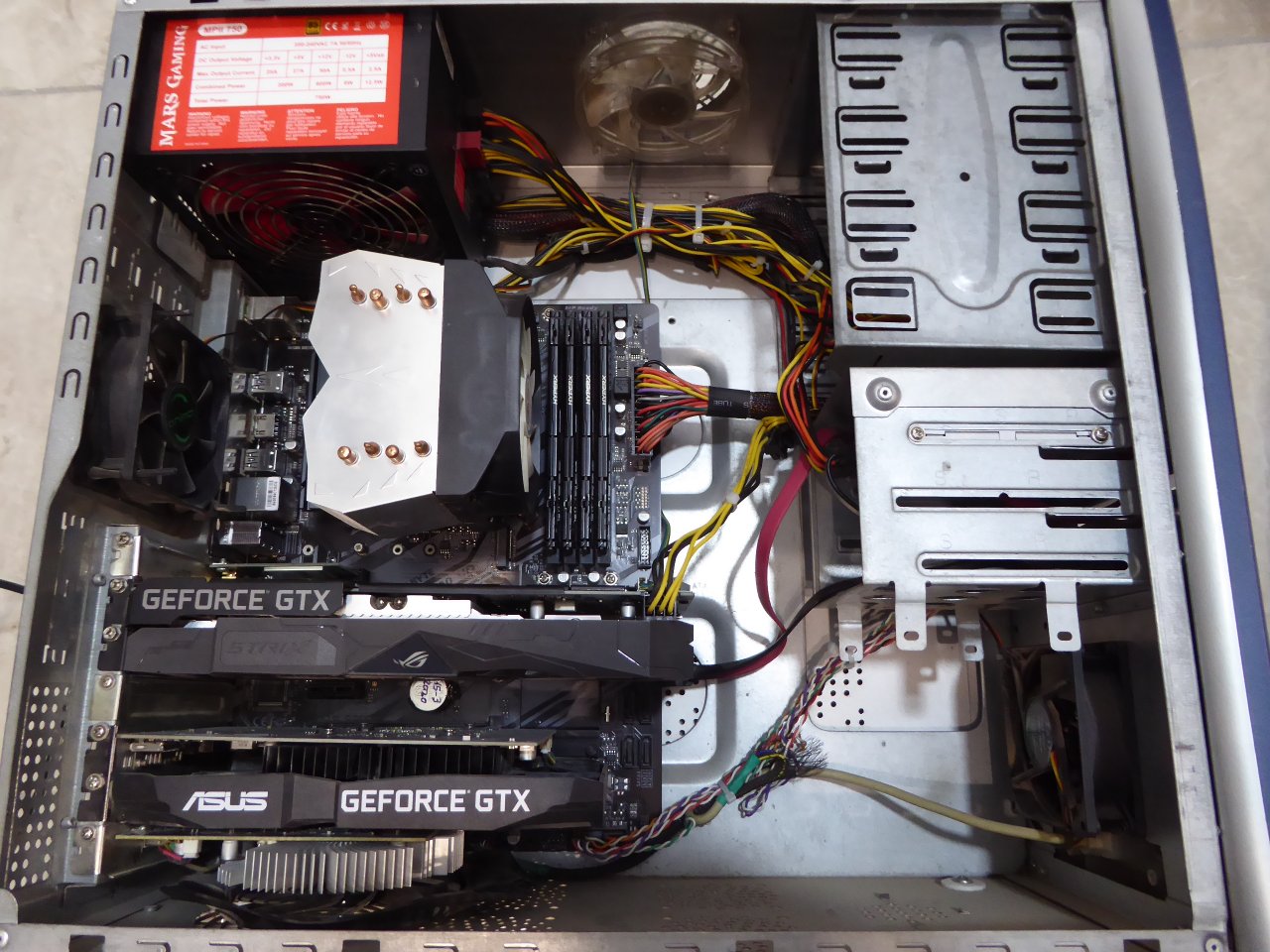
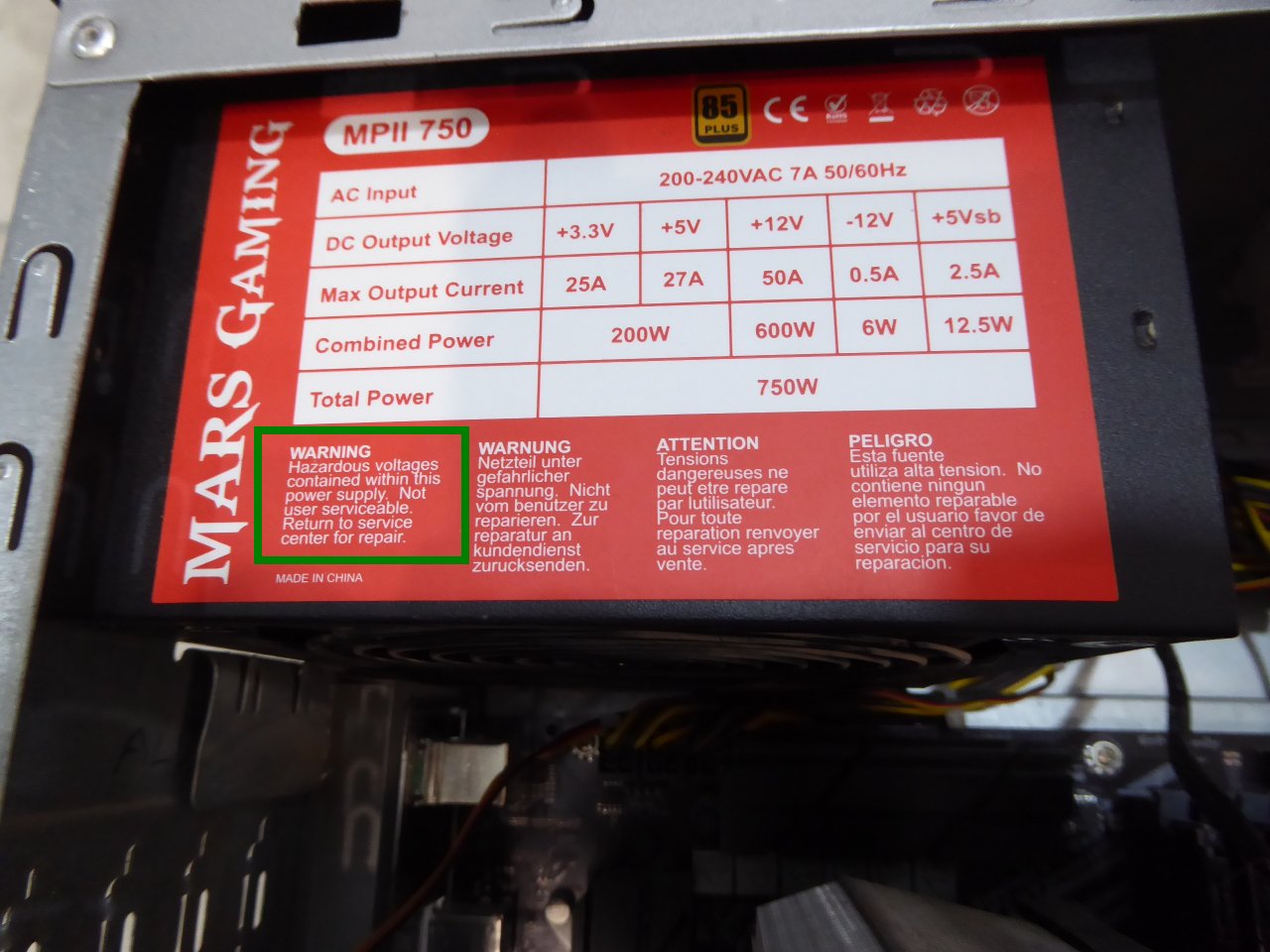
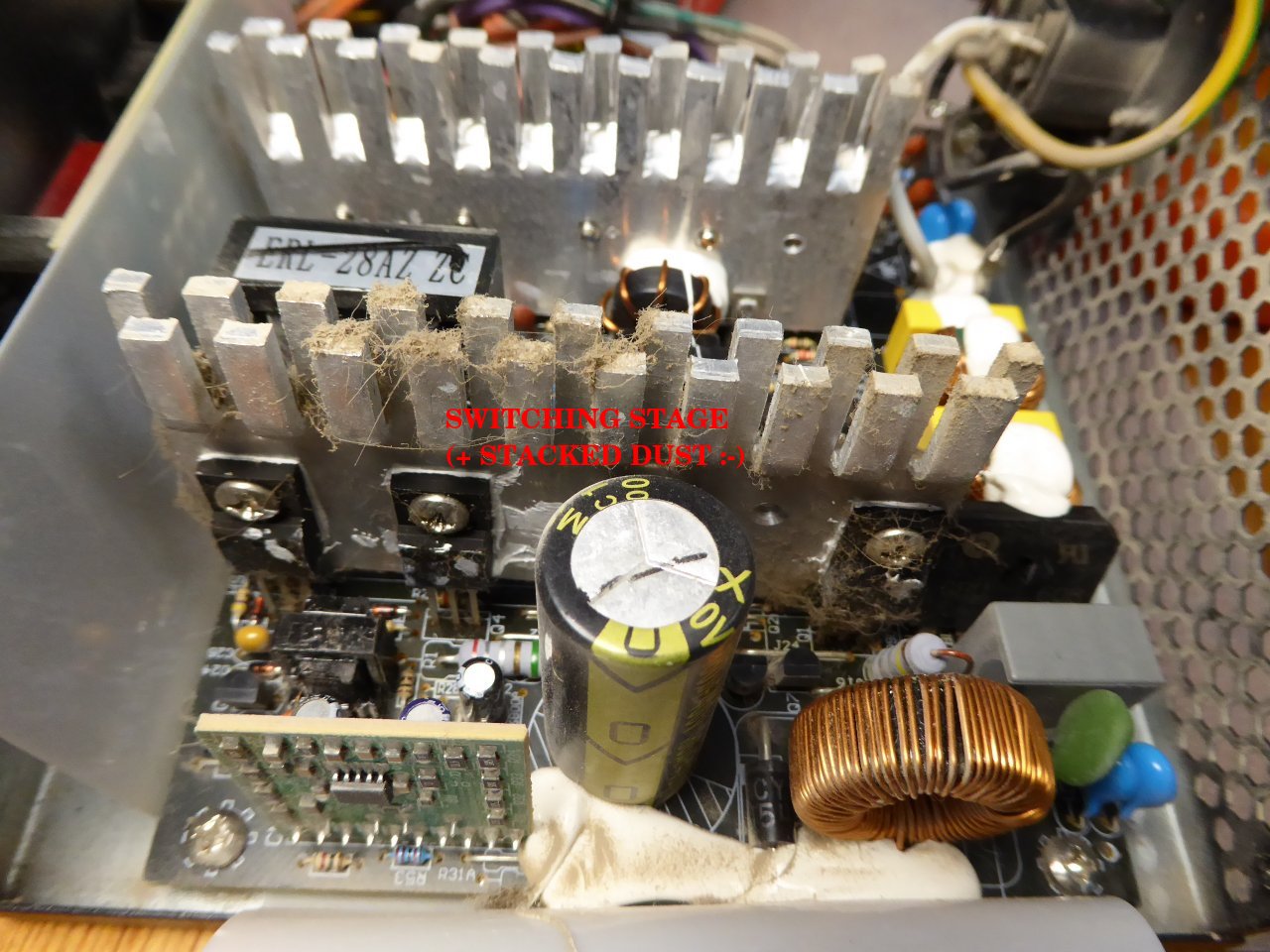
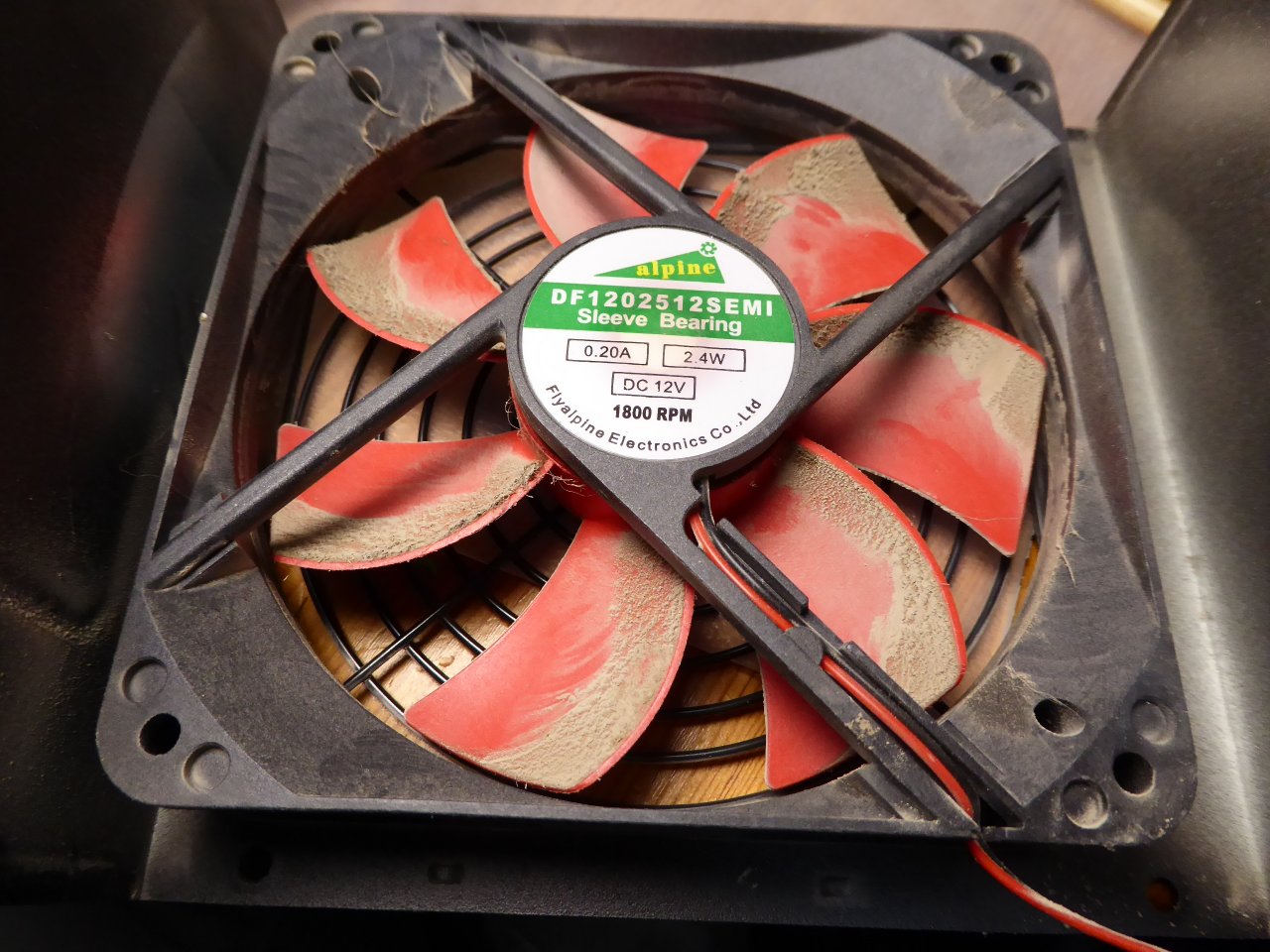
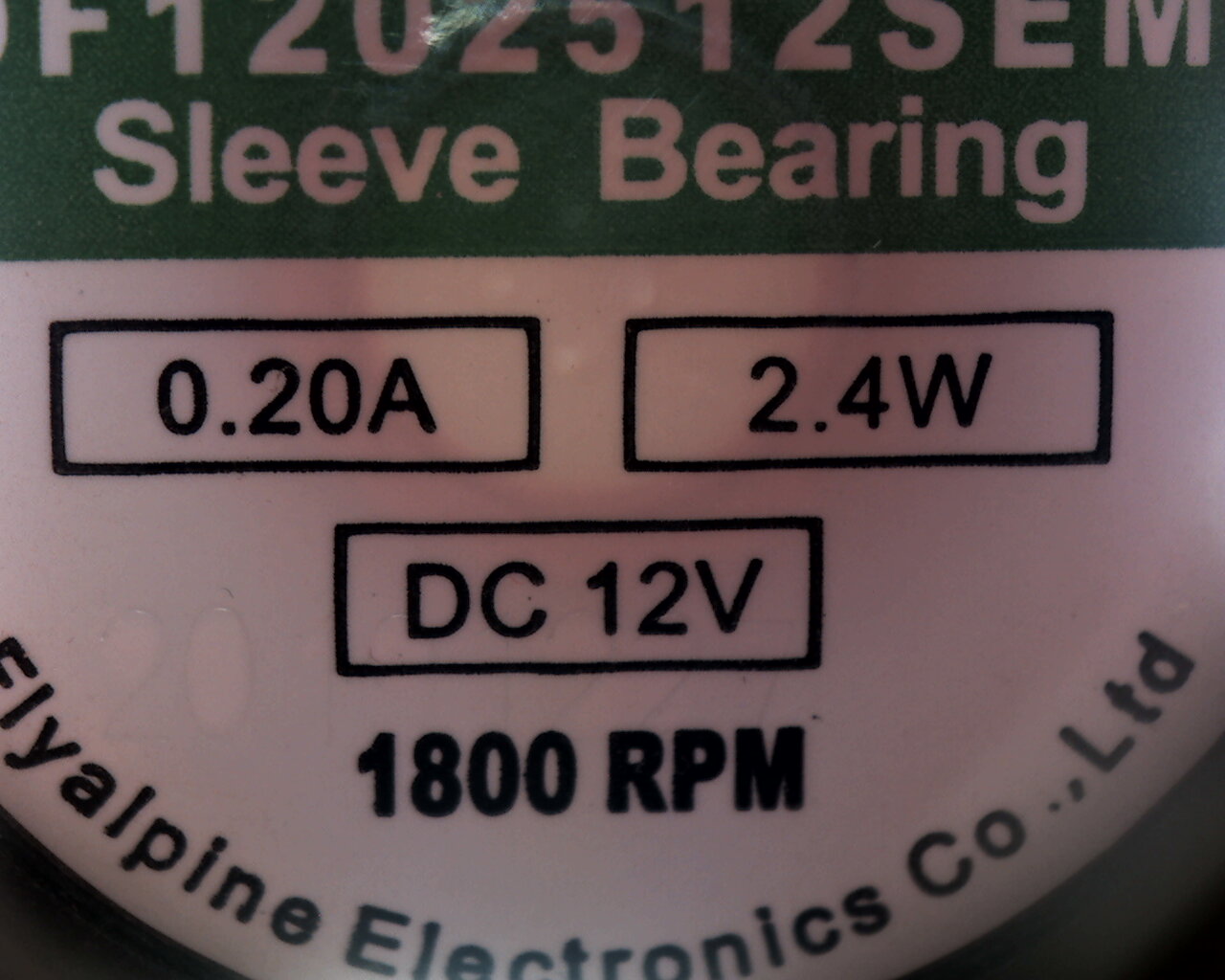
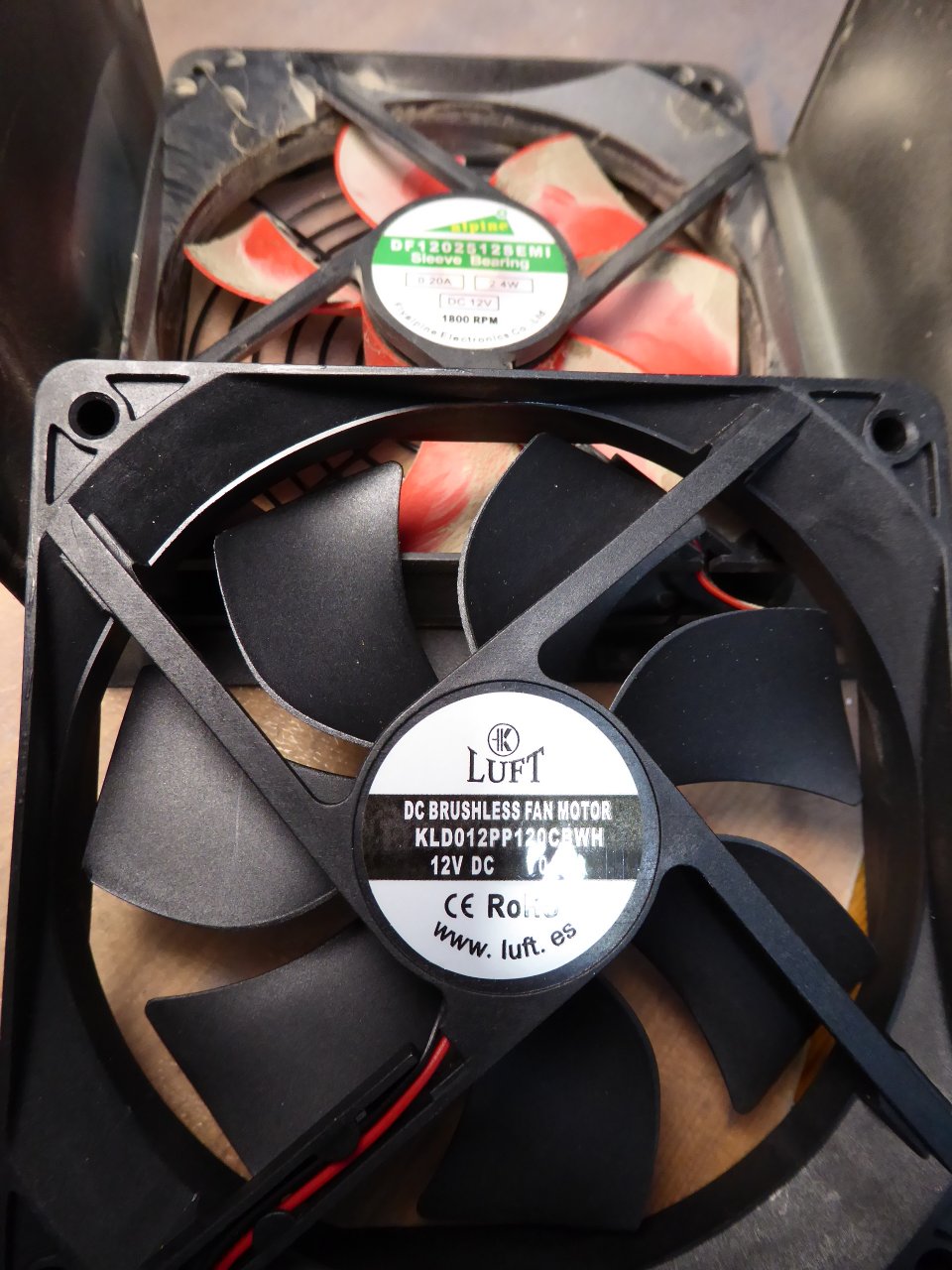
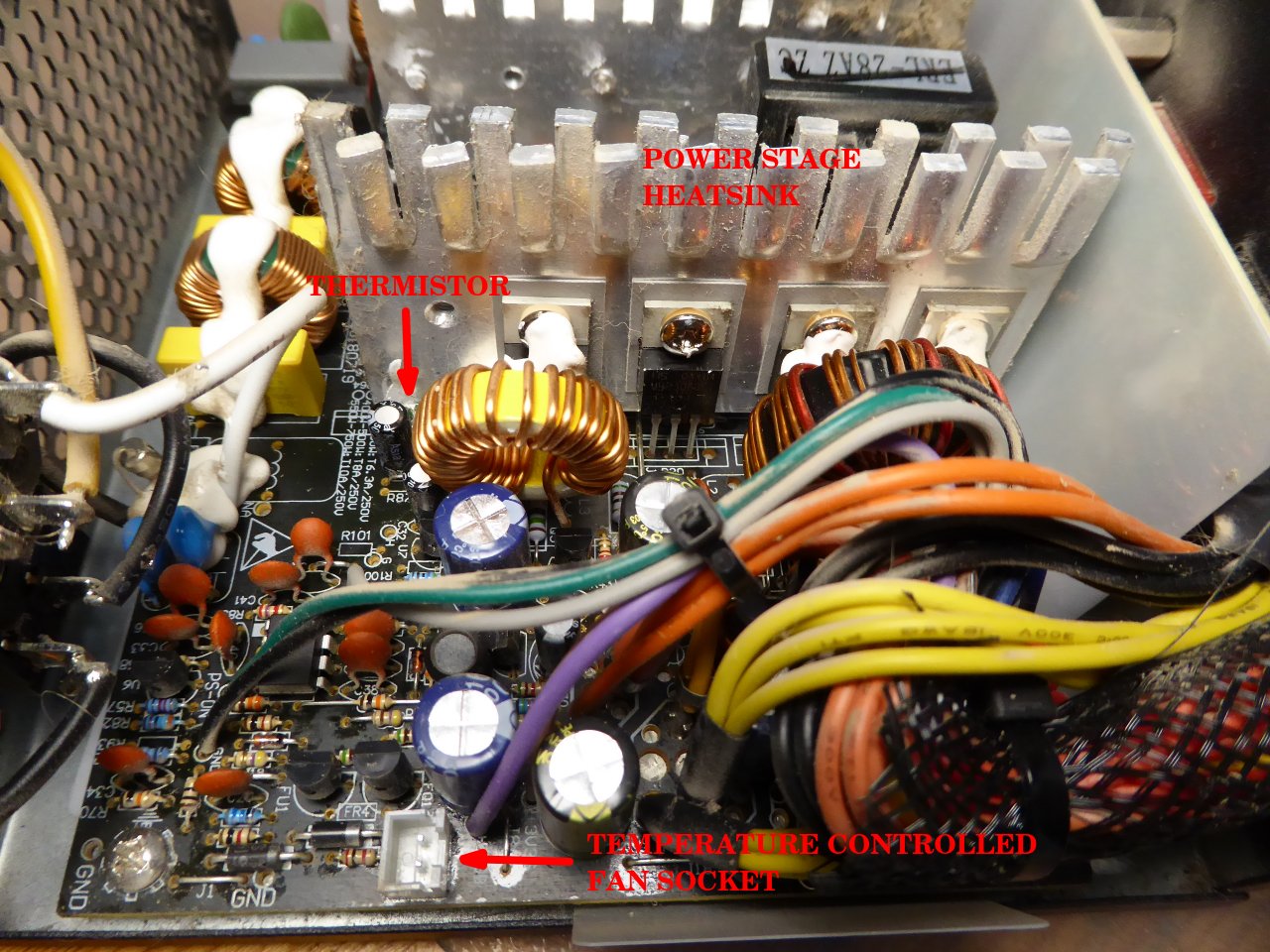
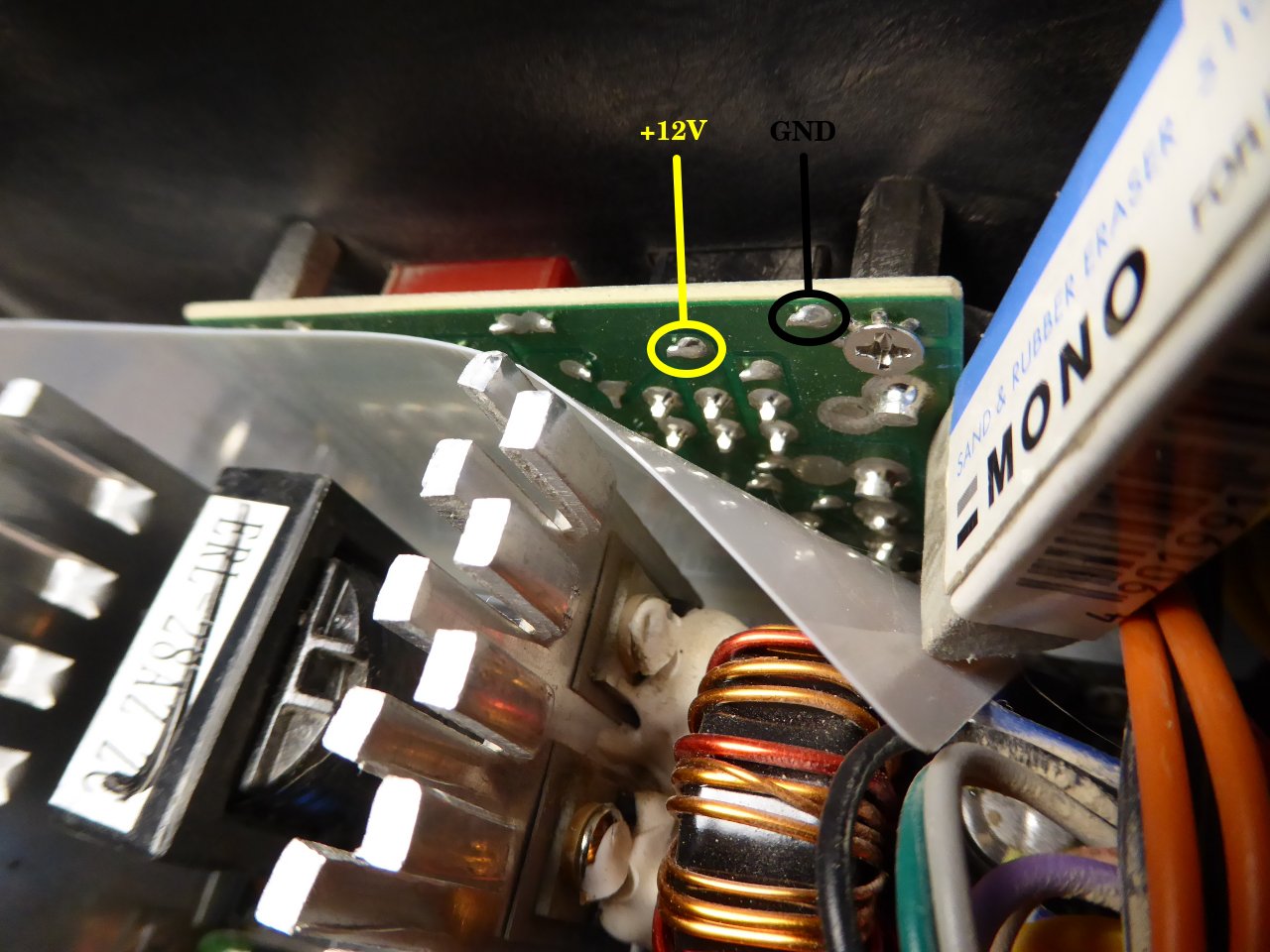
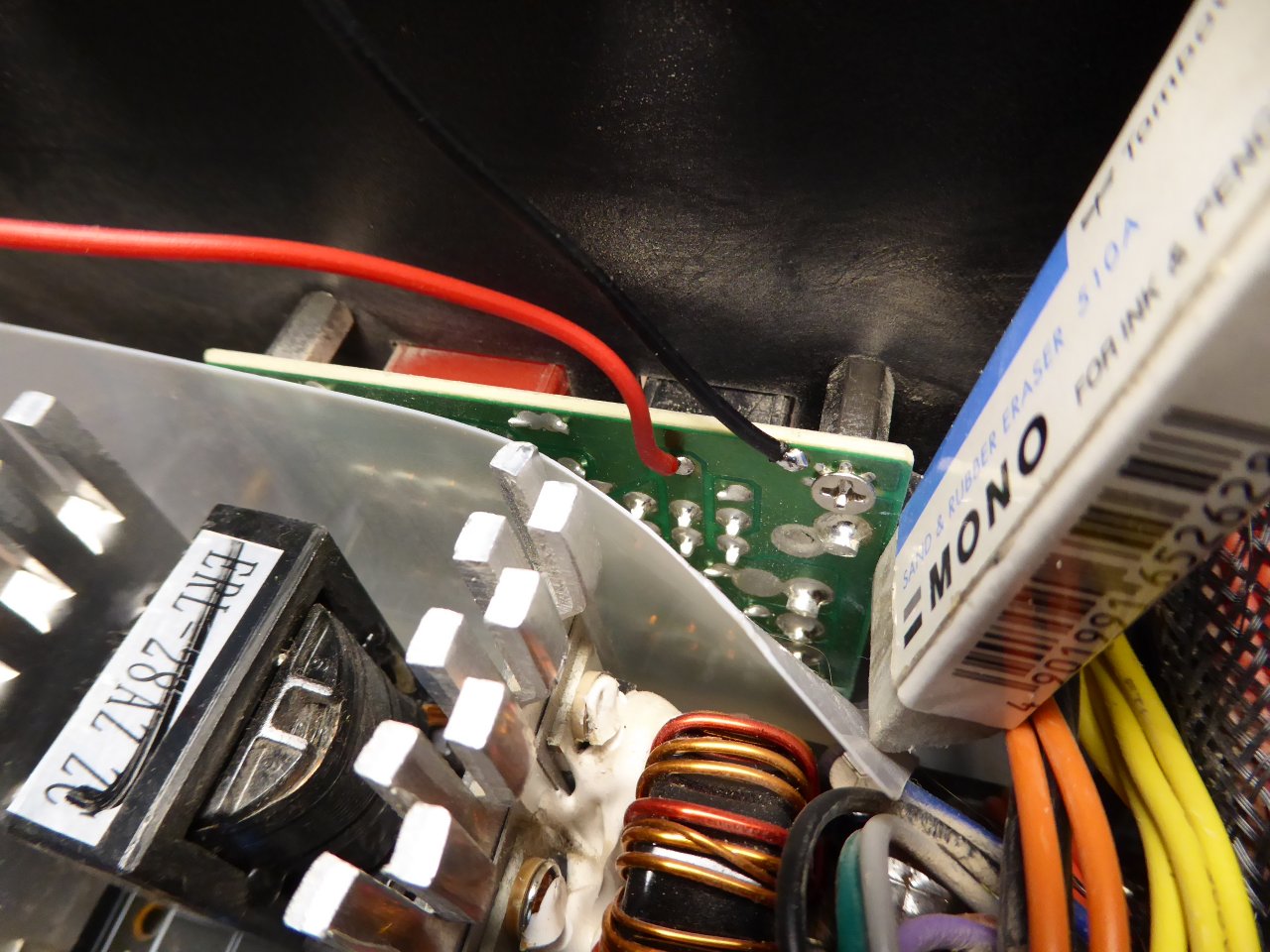
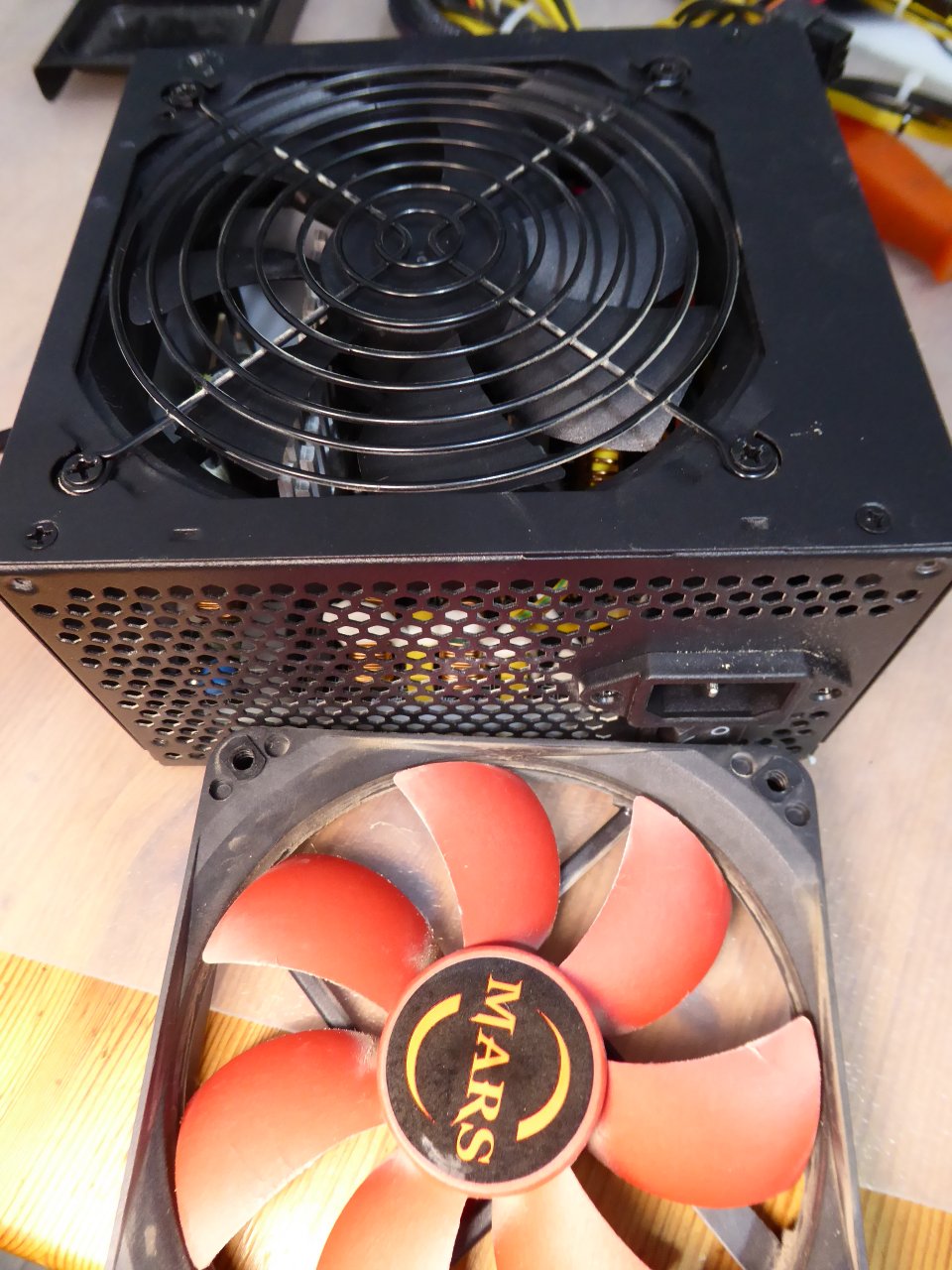
Symptom: - 24/7 working host spontaneously restarted. - A preliminary visual inspection gives no clues, everything seems as usual... But every senses may be useful to diagnose: - A typical overheated electronics smell can be appreciated at short distance. - Touching the upper chassis surface directly over the PSU location, it is really hot. Cause: - PSU fan not turning at required speed. Solution: - PSU fan replacement. The guest star of the show this time: My triple-GPU Host #480458. This is its current inner appearance. Everything is pointing to damage at PSU inside fan. Taking a close look to PSU warnings, it is said: "Not user serviceable". But this kind of statement is not usually stopping a true hardware enthusiast without giving it a try... The other warning, "Hazardous voltages contained within this power supply", please, take it always in mind. Always unplug the PSU before starting to handle it. And dangerous voltages may remain inside even when disconnected. Usually, to remove the U-shaped PSU cover it is necessary to unscrew 4 conic-headed philips screws, one at every corner. This is the panorama that I found: typical stacked dust, but no apparently burnt electronic components at sight. Good! As suspected, the PSU original fan propeller is abnormally hard to turn by hand, and then it vibrates and quickly stops. A closer look with microscope camera (*) reveals a darkened overheated zone around the central sleeve bearing... Defective fan confirmed. I usually like to have varied fans at my spares drawer, as it is one of the most prone to fail pieces. It's time for this LUFT KLD01299120CBWH fan to come in action. It is a high-flow ball bearing 120 x 120 x 25 mm fan, suitable for replacing the damaged one. Its specifications can be found at manufacturer's website And I'm going to take the opportunity to improve the whole system ventilation: Most of the manufacturers design their PSUs with a variable voltage supply for the fan. The higher te inside PSU temperature, the higher the fan's voltage supply. There is a thermistor (temperature dependent resistor) monitoring the temperature of power stage, and dedicated circuitry controls the voltage supply for the fan according to it. I'm bypassing this circuitry, and I'll directly connect the new fan to +12 VDC rail output, thus being permanently supplied at its maximum flow rated voltage. The overall health of the system will benefit from this ventilation increase. I will also take the opportunity to an overall cleaning of stacked dust at all the circuitry and heatsinks. And to re-tighten every loose screws, to recover an optimum electric and thermal conductivity. Ok, the work is finished. After reinstalling the PSU, the system returned to the action. When all of the above happens on a Sunday afternoon, as it did, It's good to have a willful hardware enthusiast available at your own home 🙋♂️️🤗️ (*) More archive images from microscope camera can be seen at this link: Hardware Microcosmos |
|
Send message Joined: 22 May 20 Posts: 110 Credit: 115,525,136 RAC: 0 Level Scientific publications
|
Dear all, my desktop machine is currently driving me crazy as I suspect one of the case fans is starting to fail and makes sudden rattling noises that tend to go on for a few minutes and then suddenly subside again. While I suspect a failing fan, it is hard to pinpoint as many fans are connected in series (meaning >1 fan connected to the same mobo fan header). Are there any tricks that can help me to pinpoint which fan is the culprit here? Are case fans really this susceptible to fail even after only 1 year? What are typical symptoms I can check for (visible, audible or sensory cues) to help with this besides trying to pinpoint which fan makes the rattling sound and just replace it? |




©2026 Universitat Pompeu Fabra