The hardware enthusiast's corner
Message boards :
Number crunching :
The hardware enthusiast's corner
Message board moderation
Previous · 1 . . . 8 · 9 · 10 · 11 · 12 · 13 · 14 . . . 16 · Next
| Author | Message |
|---|---|
 ServicEnginIC ServicEnginIC Send message Joined: 24 Sep 10 Posts: 598 Credit: 13,100,015,510 RAC: 1,313,692 Level  Scientific publications    
|
🍾 |
|
Send message Joined: 22 May 20 Posts: 110 Credit: 115,525,136 RAC: 0 Level  Scientific publications 
|
Definitely feels like a reason to celebrate :) Thanks again! |
 Send message Joined: 13 Dec 17 Posts: 1424 Credit: 9,189,946,190 RAC: 0 Level  Scientific publications 
|
Great news. Kudos for sticking with the troubleshooting formula. Generally, you can expect new electronics to fail within the first month or so of being put into use. What the electronics industry calls "infant mortality" This exposes some flaw in the manufacturing process or poor product design or part selection inappropriate for the actual usage. If a device survives past this stage, you can expect it to last exactly one day past its warranty period. {sarcasm hat on} Or in reality until some catastrophic system failure like a lightning strike or power mishap or physical damage. |
Retvari Zoltan Send message Joined: 20 Jan 09 Posts: 2380 Credit: 16,897,957,044 RAC: 0 Level Scientific publications 
|
It turned put that the culprit was one of my 2 RAM sticks. (?!)My advice for the next time it happens: The memory slots are in direct connection with the CPU. If the memory slot is not physically damaged (there's no strange object(s) between the gold plated connector pins), then you should remove your CPU from it's socket, do a visual check of its pins for bent ones, if there's none then re-seat your CPU, and try again memory slot 4. In the meantime you should check if there's a new BIOS for your MB on the manufacturer's webpage. If there is, you should flash it (using a pendrive). |
|
Send message Joined: 13 Dec 17 Posts: 1424 Credit: 9,189,946,190 RAC: 0 Level Scientific publications
|
If on a LGA socket, yes slightly misaligned pins can cause the loss of a memory channel. First release the hold down bracket and wiggle the cpu substrate in the socket to try and better align the socket pins with the package pads. If that doesn't reclaim the missing channels, then remove the cpu and look for misaligned pins in the socket. Use a high intensity flashlight at a low angle to look for the reflections off the pin ball tips to see if all the pins are aligned in columns and rows. Use a magnifying glass and a sewing needle to gently nudge the pins that have reflections out of line with the nearest neighbors in each column and row. |
|
Retvari Zoltan Send message Joined: 20 Jan 09 Posts: 2380 Credit: 16,897,957,044 RAC: 0 Level Scientific publications
|
He's using an AMD Ryzen 7 3700X, it's bottom has pins:  Its socket still could have some bad contacts, so removing the CPU and putting it back might help. |
|
Send message Joined: 13 Dec 17 Posts: 1424 Credit: 9,189,946,190 RAC: 0 Level Scientific publications
|
I hadn't looked to see what type of cpu he had. I've never had any issues with memory channels missing on a PGA socket. In 20 years of PGA socket use. I HAVE had issues with LGA sockets not reading all memory channels correctly though. Multiple times. |
|
ServicEnginIC Send message Joined: 24 Sep 10 Posts: 598 Credit: 13,100,015,510 RAC: 1,313,692 Level Scientific publications
|
 |
|
ServicEnginIC Send message Joined: 24 Sep 10 Posts: 598 Credit: 13,100,015,510 RAC: 1,313,692 Level Scientific publications
|
 |
|
ServicEnginIC Send message Joined: 24 Sep 10 Posts: 598 Credit: 13,100,015,510 RAC: 1,313,692 Level Scientific publications
|
 |
|
ServicEnginIC Send message Joined: 24 Sep 10 Posts: 598 Credit: 13,100,015,510 RAC: 1,313,692 Level Scientific publications
|
Please, excuse me for my last three posts. They are a collateral consequence of too much idle time lately, in the wait for new Work Units at Gpugrid... 😊 |
|
ServicEnginIC Send message Joined: 24 Sep 10 Posts: 598 Credit: 13,100,015,510 RAC: 1,313,692 Level Scientific publications
|
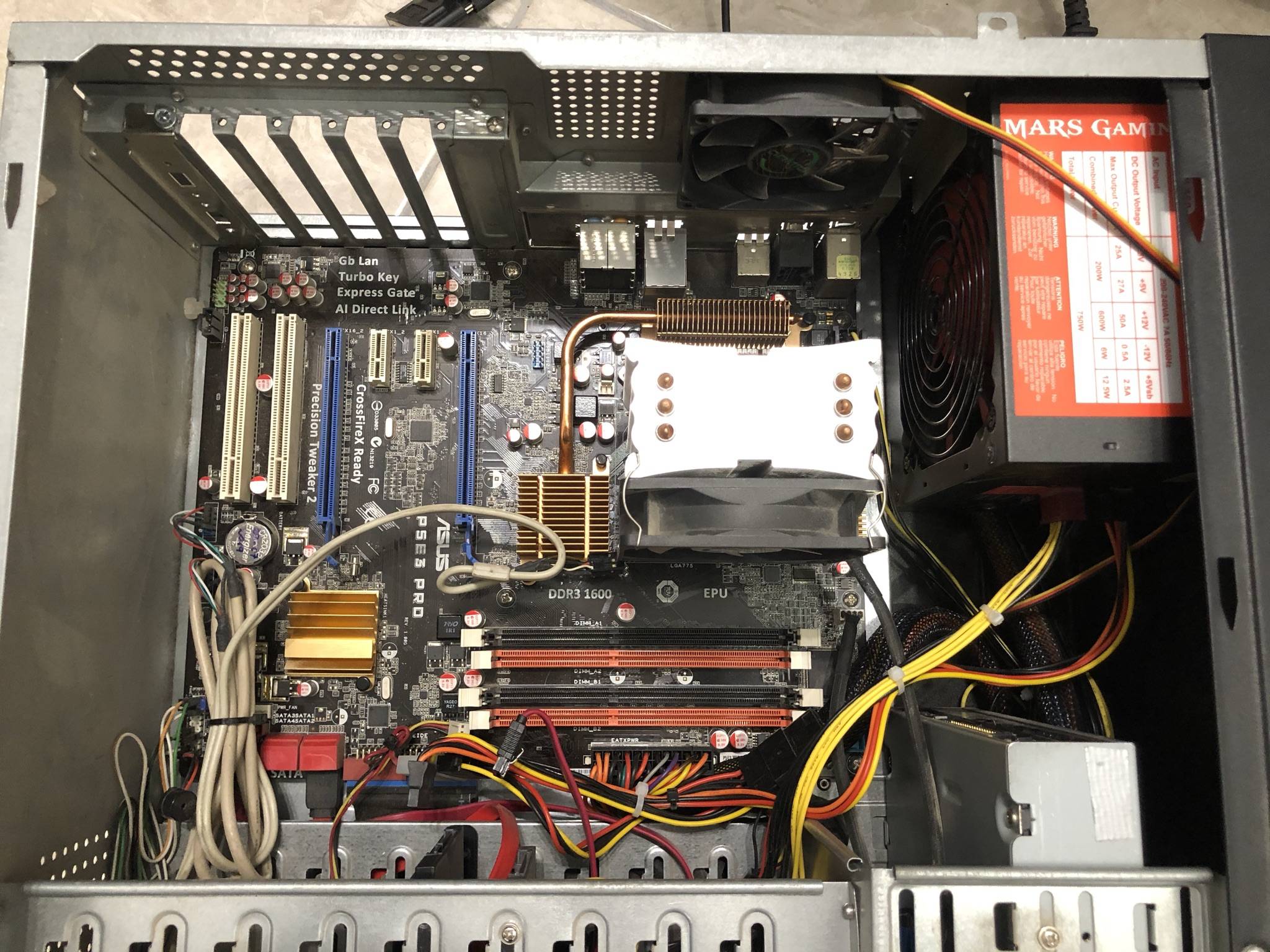
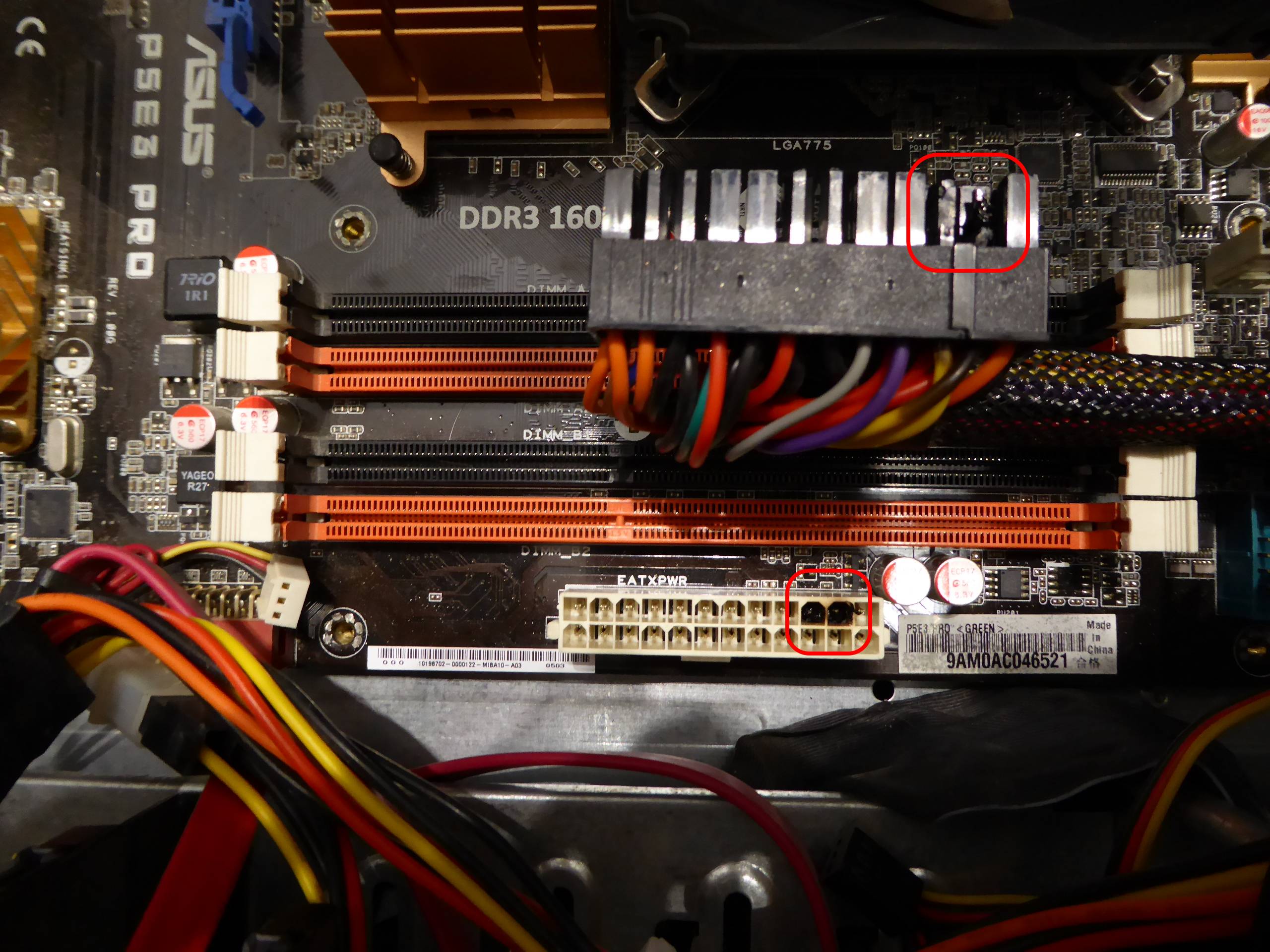
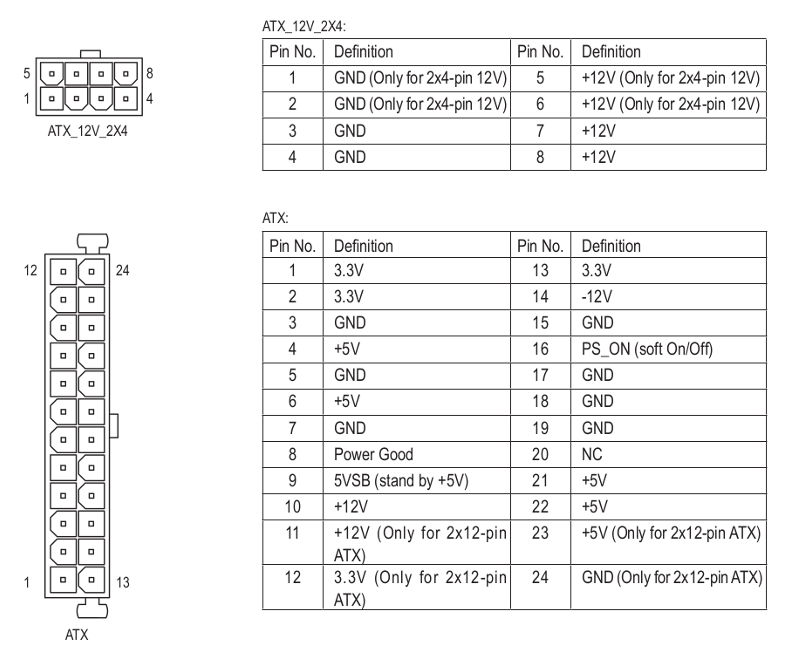
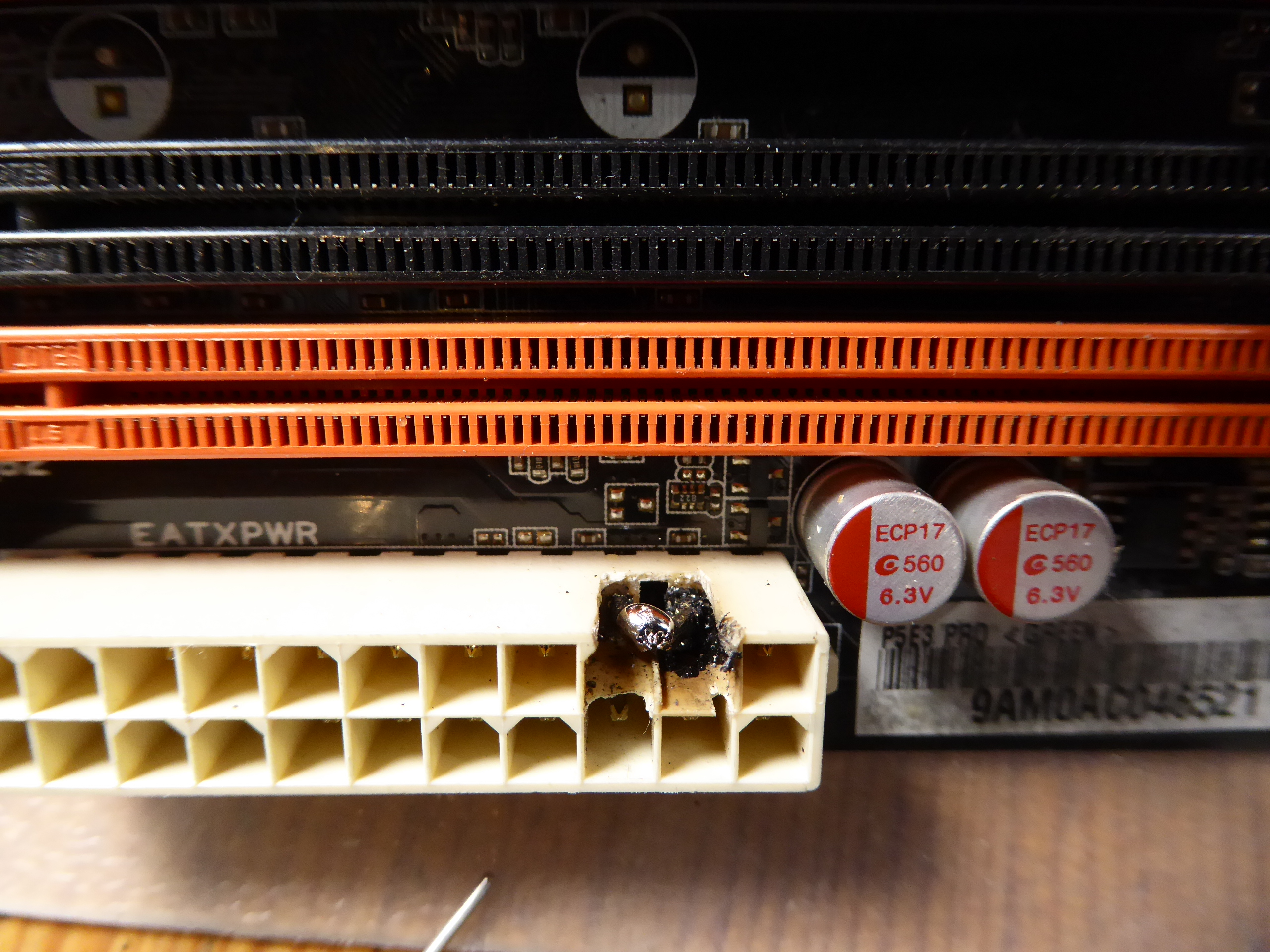
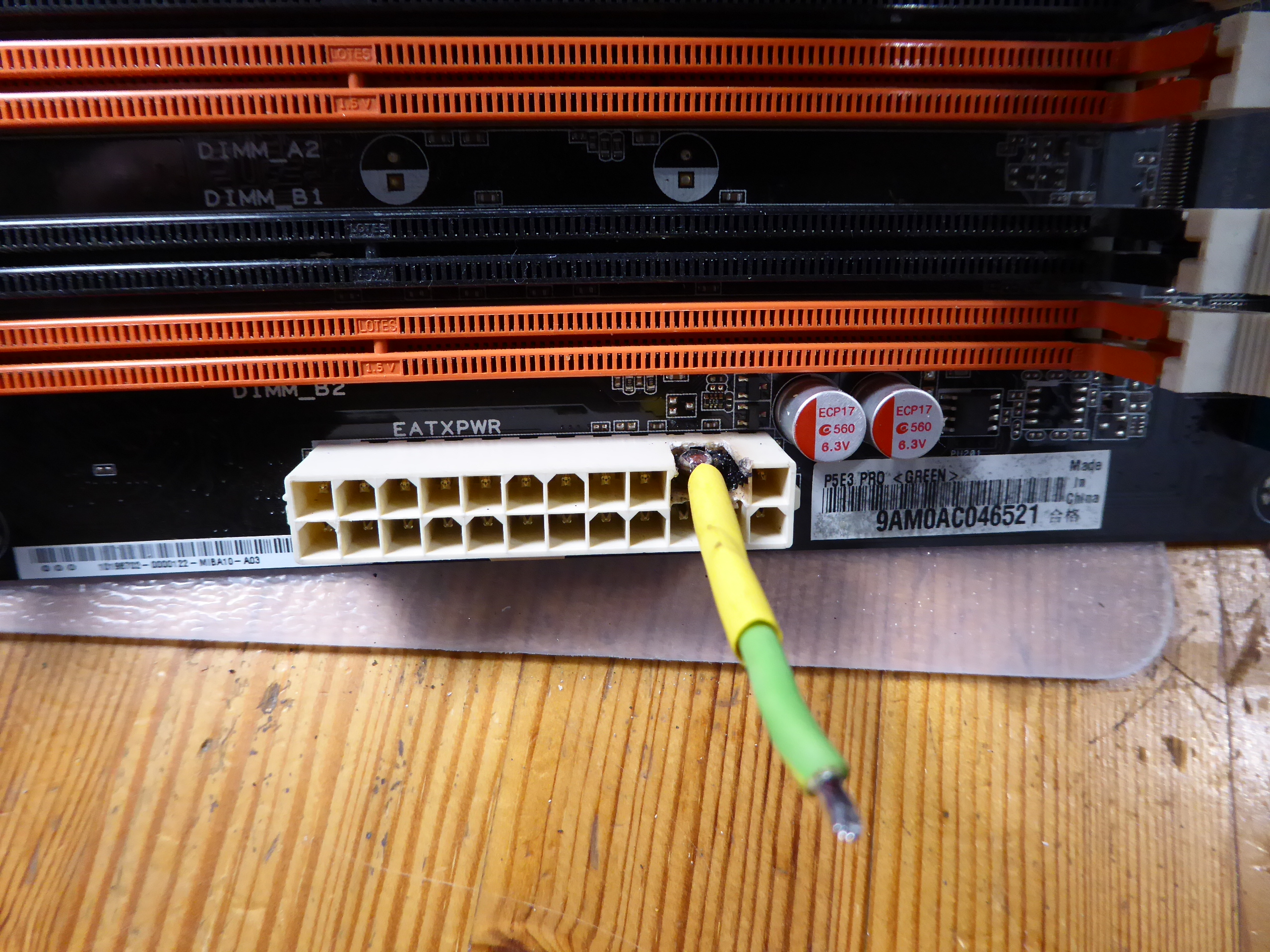
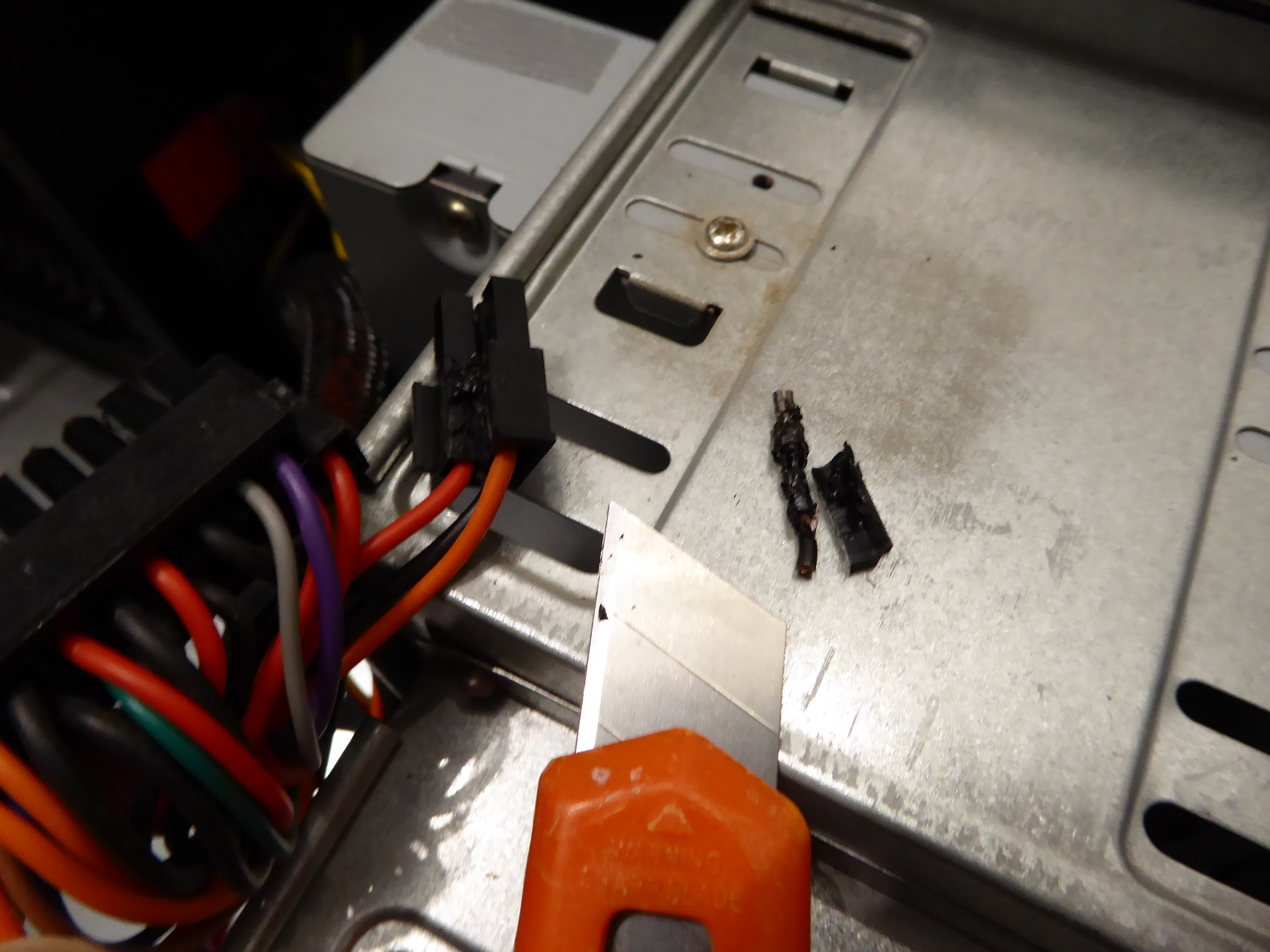
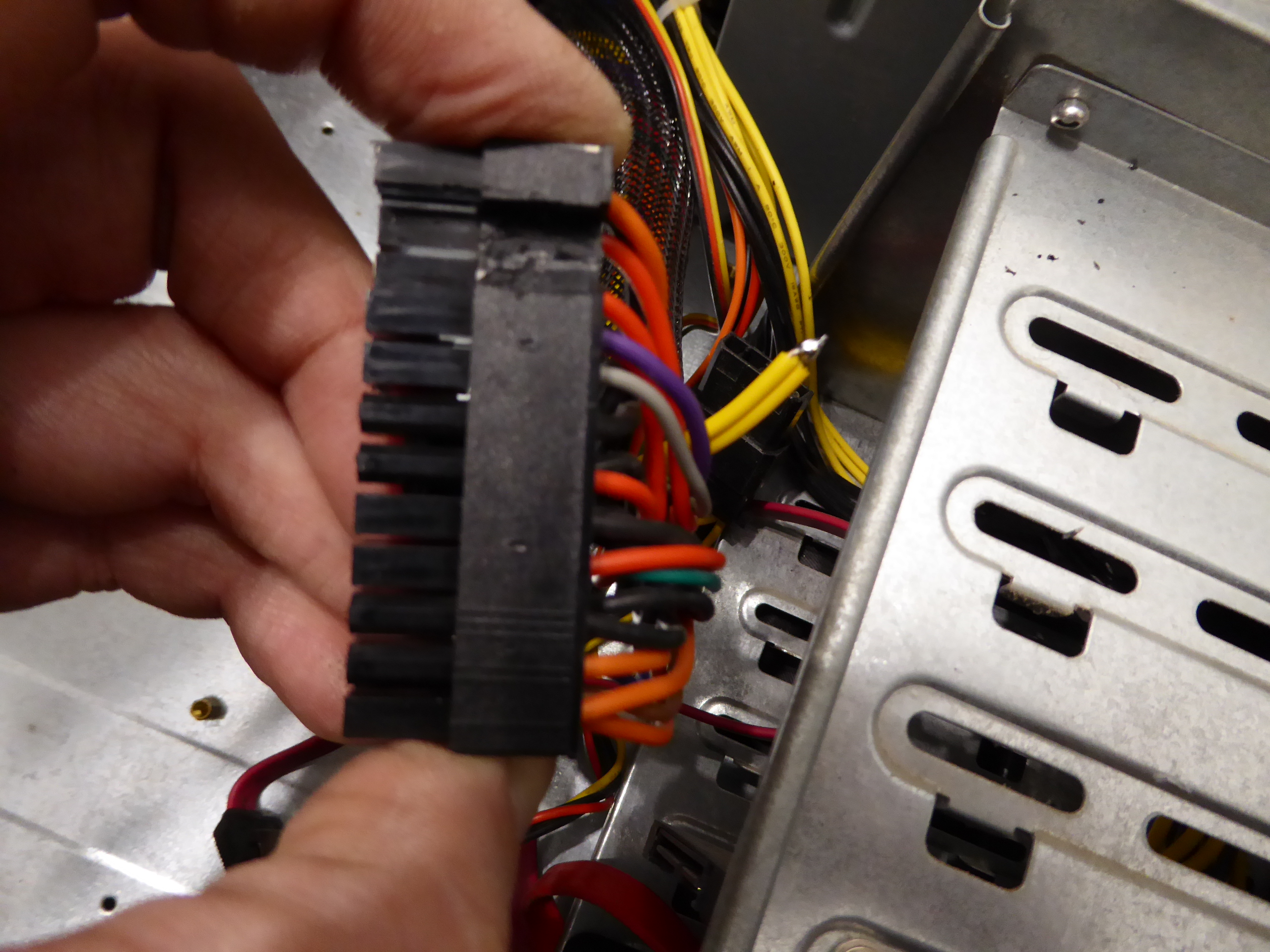
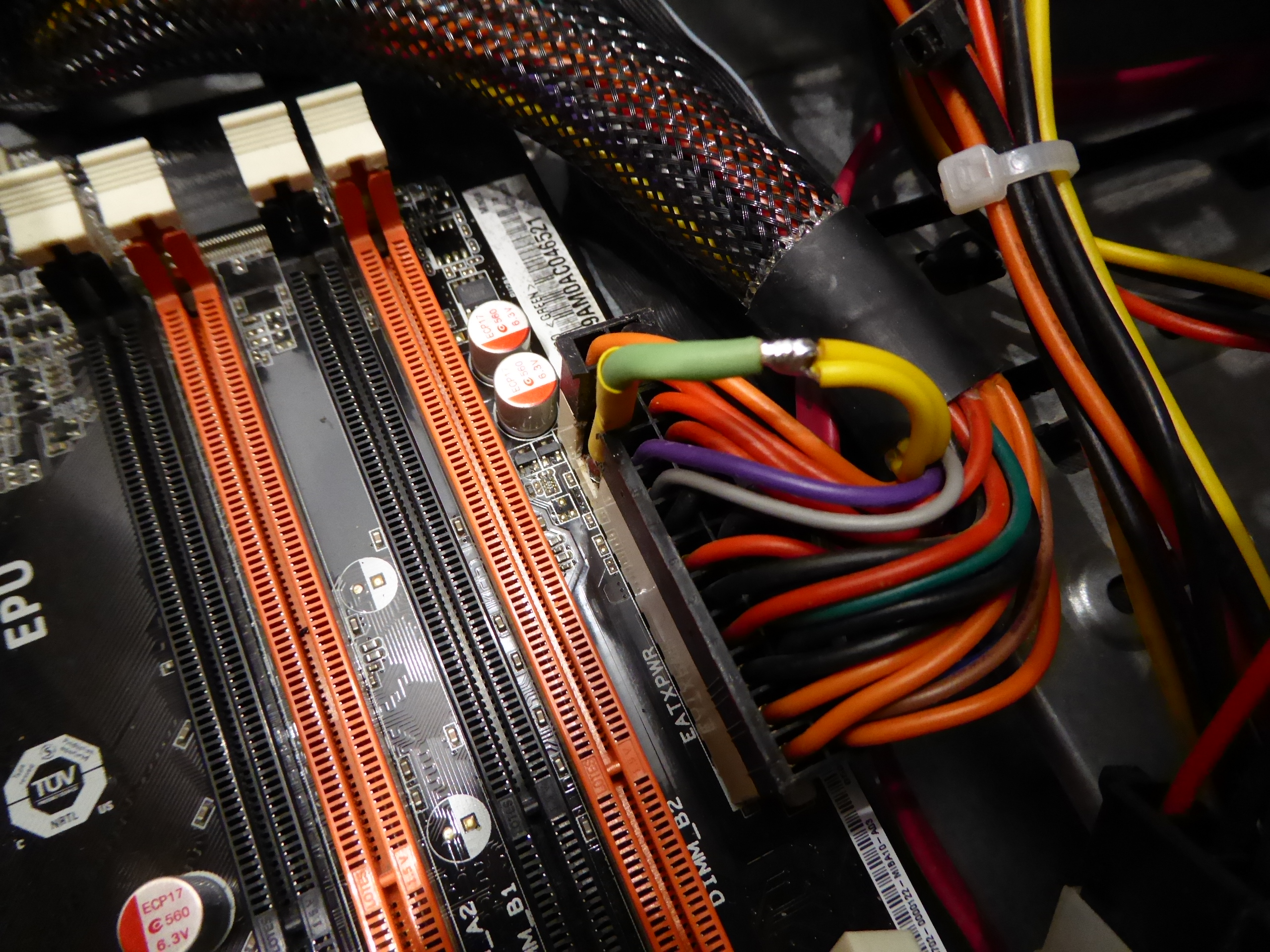
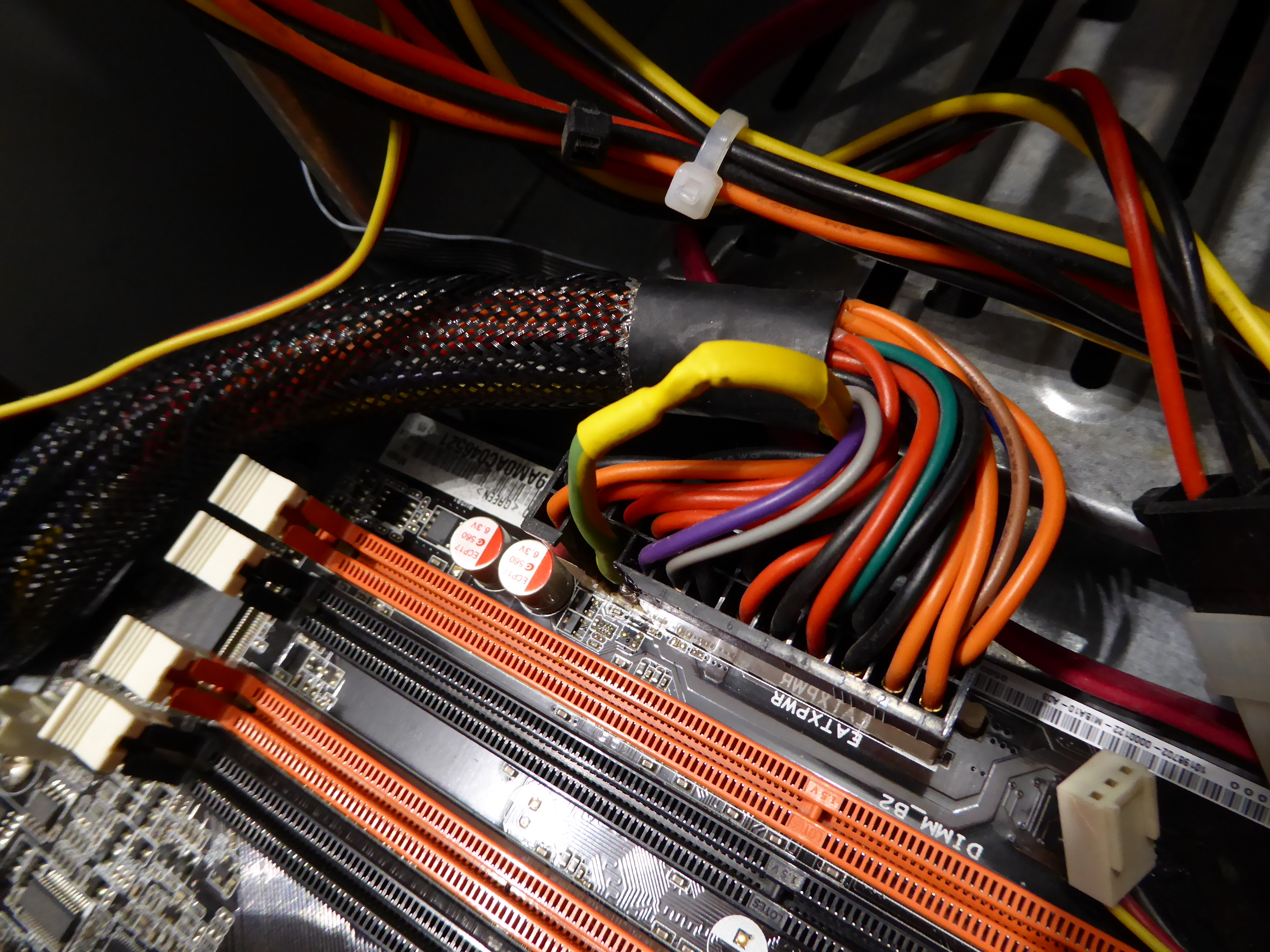
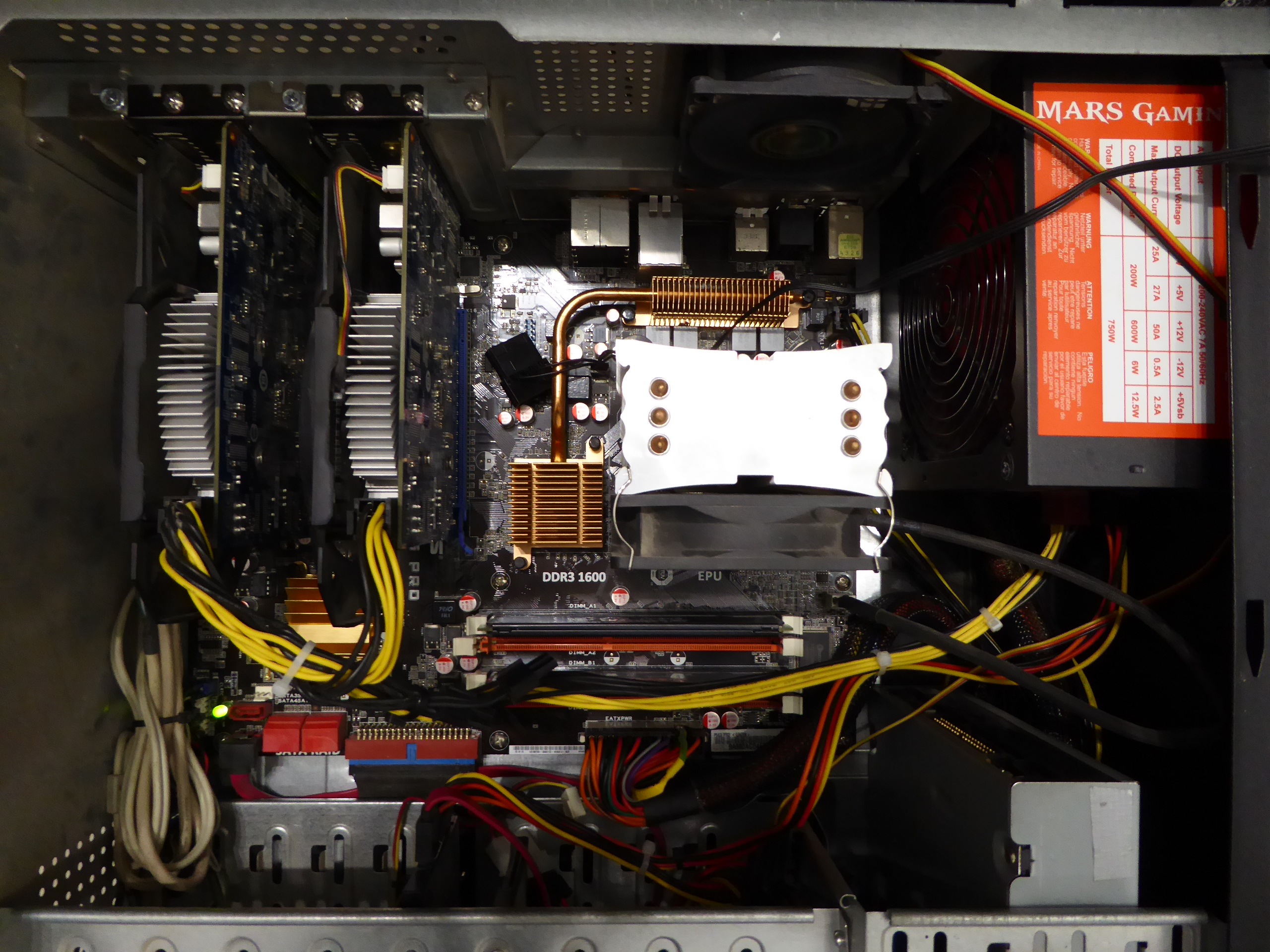
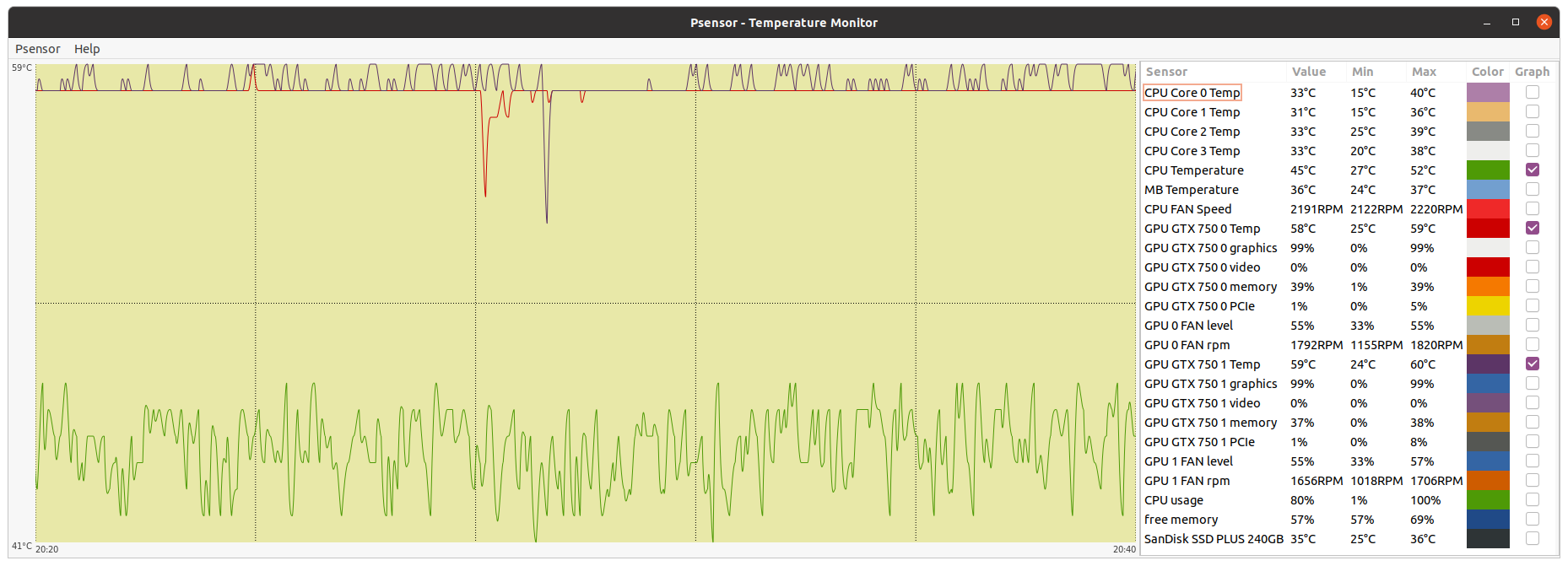
Returning to the matter One of my hosts had recently the following problem: When I casually arrived by this host late in the afternoon, I noticed that it was repeatedly restarting, no video, and motherboard POST reporting some problem at video card(s) (one long beep followed by three short ones) I switched it off and left for a later diagnose. When I returned with more time available, the system even didn't start at all. It can be seen at the following video: Sytem not starting - Video Clues for diagnose: - When power switch is pressed, PSU fan starts turning, and also rear fan, that is connected directly to +12V across a molex connector. - No Beep from system POST (Power On Self Test) is heard. Neither the single normal beep, nor any beep combination for errors. - CPU fan is stopped, an also both graphics cards fans. - Motherboard's +5VSB monitoring LED is turned on. Trying to discard a problem on any peripheral component with a simplified system, both graphics cards, memory modules, PCI WiFi card and SATA drives were disconnected, with no change as can be seen: Simplified system not starting - Video With the above simplified configuration, at least an error beep combination indicating lack of RAM should be heard, in the event that "the processor heart is beating"... This isn't a good sign :-( Next step: Dismounting motherboard for a closer examination. And immediately the problem got discovered. As can be seen at previous image, the two +12V supply lines on both motherboard and PSU connectors were totally destroyed (burnt). Is this the end for both motherboard and PSU? 🤔️🤔️🤔️ -1) I have special affection for that motherboard: It is the one with which I assembled the first computer for my son. (Currently he is using a new computer assembled by himself) -2) I never give up without giving a try -3) Good challenge for a hardware enthusiast to get some fun! Let's go. I started removing with a cutter the burnt plastic from motherboard power connector, then polishing, tinning, and joining together both +12V supply pins. A portion of about two inches of 16 AWG cable was attached then to them. The two original cables bringing current from PSU to motherboard were of 18 AWG section. 16 AWG section cable can carry about double the current than 18 AWG, as seen at tables on this useful link: American Conductor Stranding - AWG Table Next step was to cut the burnt portion of +12V yellow cables coming from PSU and soldering together. After that, burnt plastic and electric burnt terminals were removed with the cutter from PSU female connector, leaving a "passthrough channel". The reworked female connector from PSU was then attached to male connector on motherboard. Now, +12V supply cables coming from motherboard and PSU were soldered together, and covered with thermo shrinking sleeve. Time to check whether the efforts are rewarded or not! This is the final look for this system. It is currently processing tasks at Primegrid, according to the performance of its two GTX 750 GPUs, that is not enough to process in time the current heavy ADRIA tasks at Gpugrid. Temperatures and behavior are completely normal. 🤗️ |
|
Send message Joined: 13 Dec 17 Posts: 1424 Credit: 9,189,946,190 RAC: 0 Level Scientific publications
|
A lot of time to shadetree engineer a fix. I'm just not that sentimental about hardware, especially OLD hardware. If it was me, it would have been sent to recycling. Kudos for the effort. |
|
ServicEnginIC Send message Joined: 24 Sep 10 Posts: 598 Credit: 13,100,015,510 RAC: 1,313,692 Level Scientific publications
|
A lot of time to shadetree engineer a fix. Recovering OLD hardware is not the only purpose of this kind of "crazy" repairs. - In some way, they are an excuse to maintain well trained these kind of skills that I need for my daily field service engineer occupation. - I consider me to be one of those fortunates that, moreover, enjoy doing it ;-) |
|
Send message Joined: 13 Dec 17 Posts: 1424 Credit: 9,189,946,190 RAC: 0 Level Scientific publications
|
Well I have been soldering since I was a pup. Don't think I would ever forget that skill. About the only thing that I have forgotten how to do is multi-layer PCB repair which I learned to do with NASA 5300.b certification. But since you have to maintain that cert yearly with testing, that has fallen by the wayside. Pretty sure that I would botch that level of repair if tasked. What I still get satisfaction from is being able to attach a small SMD device I knocked off the motherboard corner when I carelessly let the mobo rotate a few degrees while securing the board in the case. Of course I cursed the mobo manufacturer for putting a device in a keep out zone in the first place in my opinion. And that was without the benefit of a hot-air SMD rework station that I don't have access to anymore. Just used my trusty Hakko workstation. Always amazes me that I can even find those small devices when I knock them off in the first place. A small resistor necessary for letting the BMI interface on my server motherboard work. The last boo-boo one was near the cpu socket back that let the onboard LAN interface work on my daily driver when I inadvertently scraped it off with the residue of double stick foam tape that I use to secure a 40mm fan to the socket backside with AMD cpus. An old trick I learned to keep temps down from back in the K6 days. |
|
ServicEnginIC Send message Joined: 24 Sep 10 Posts: 598 Credit: 13,100,015,510 RAC: 1,313,692 Level Scientific publications
|
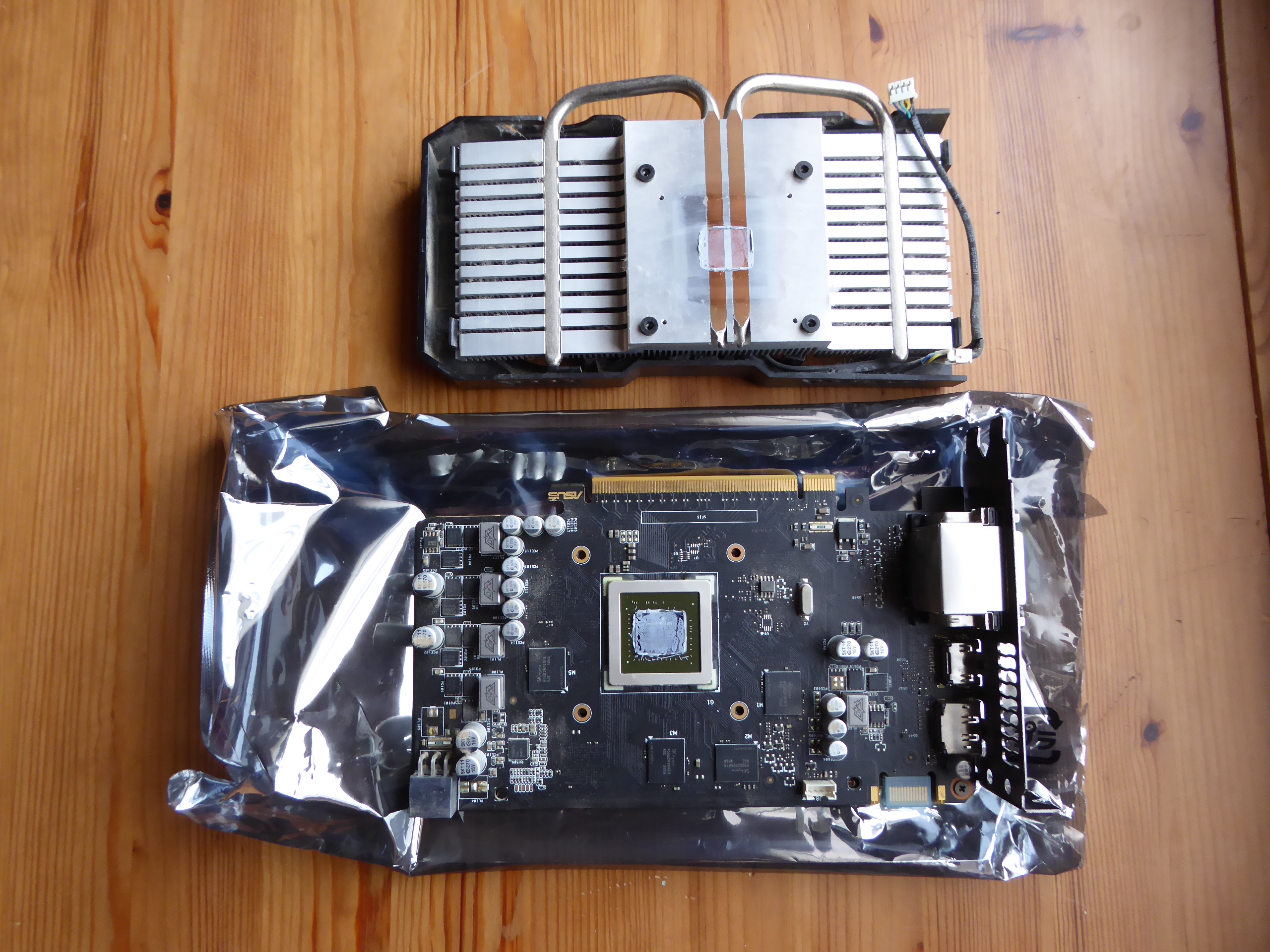
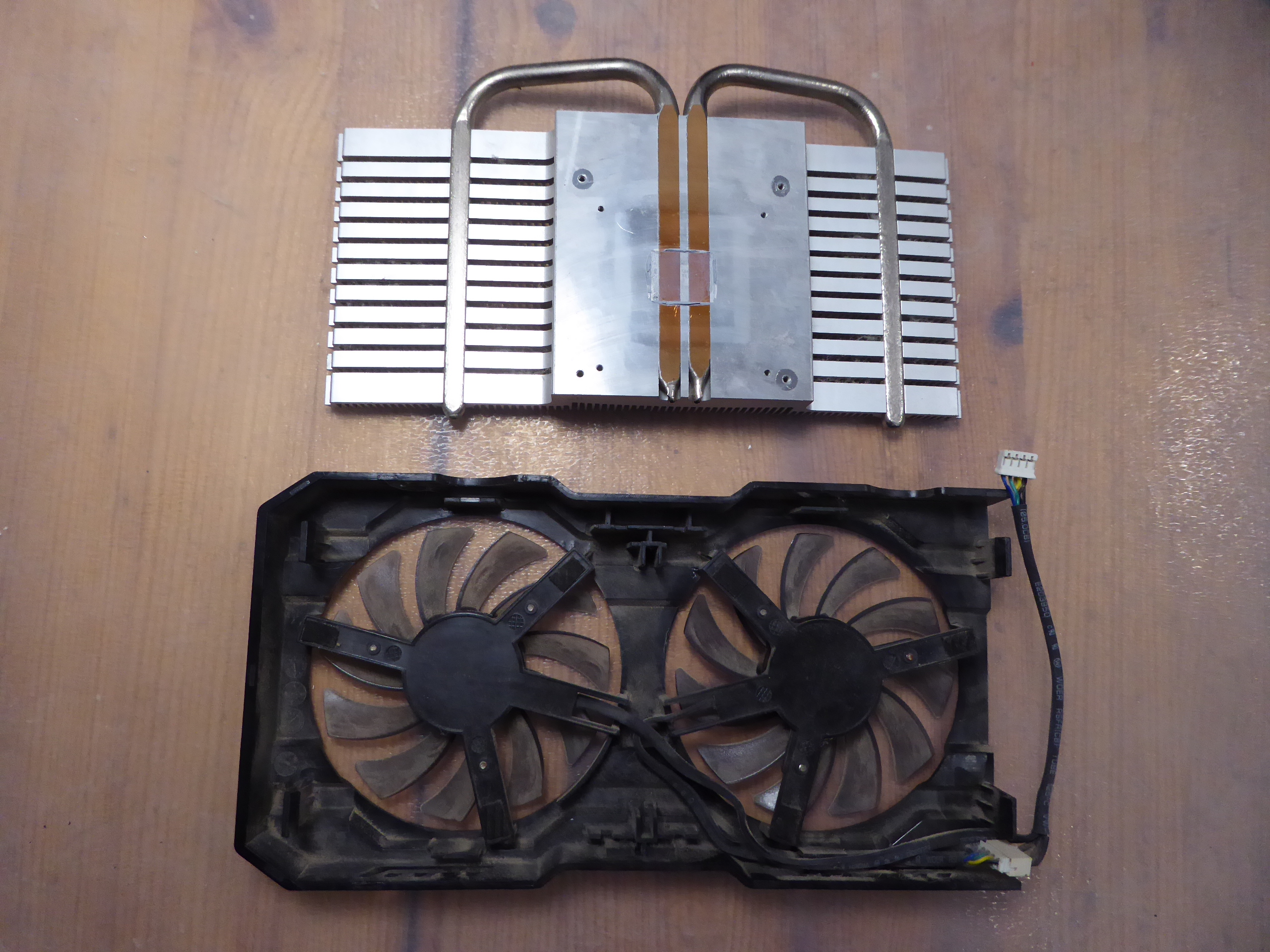
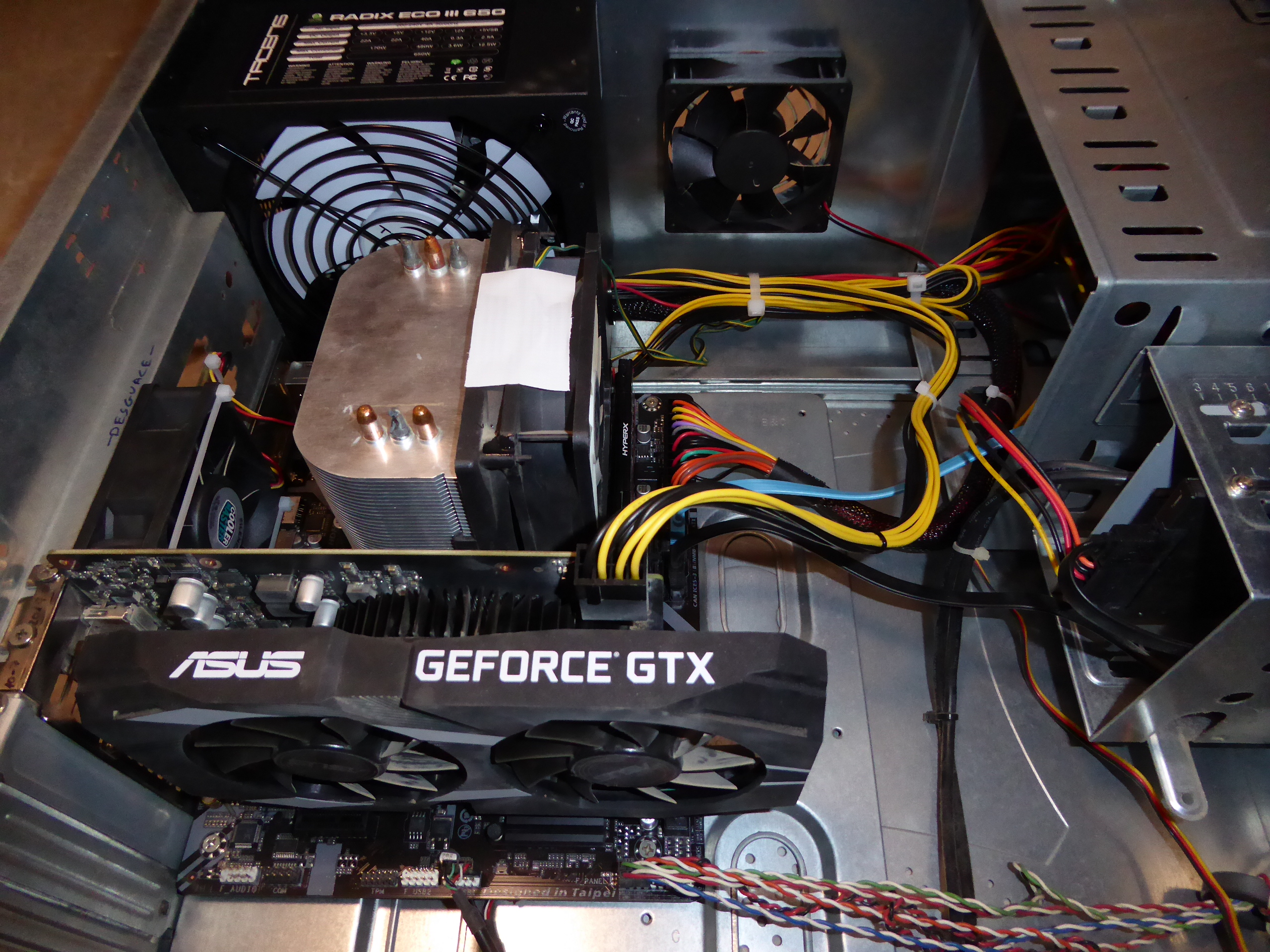
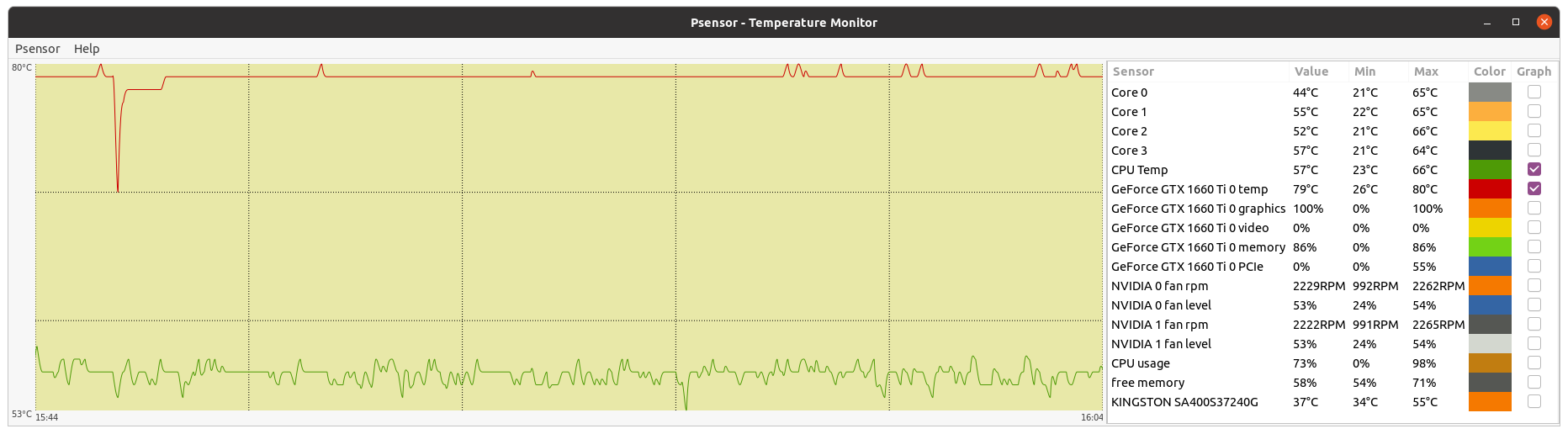
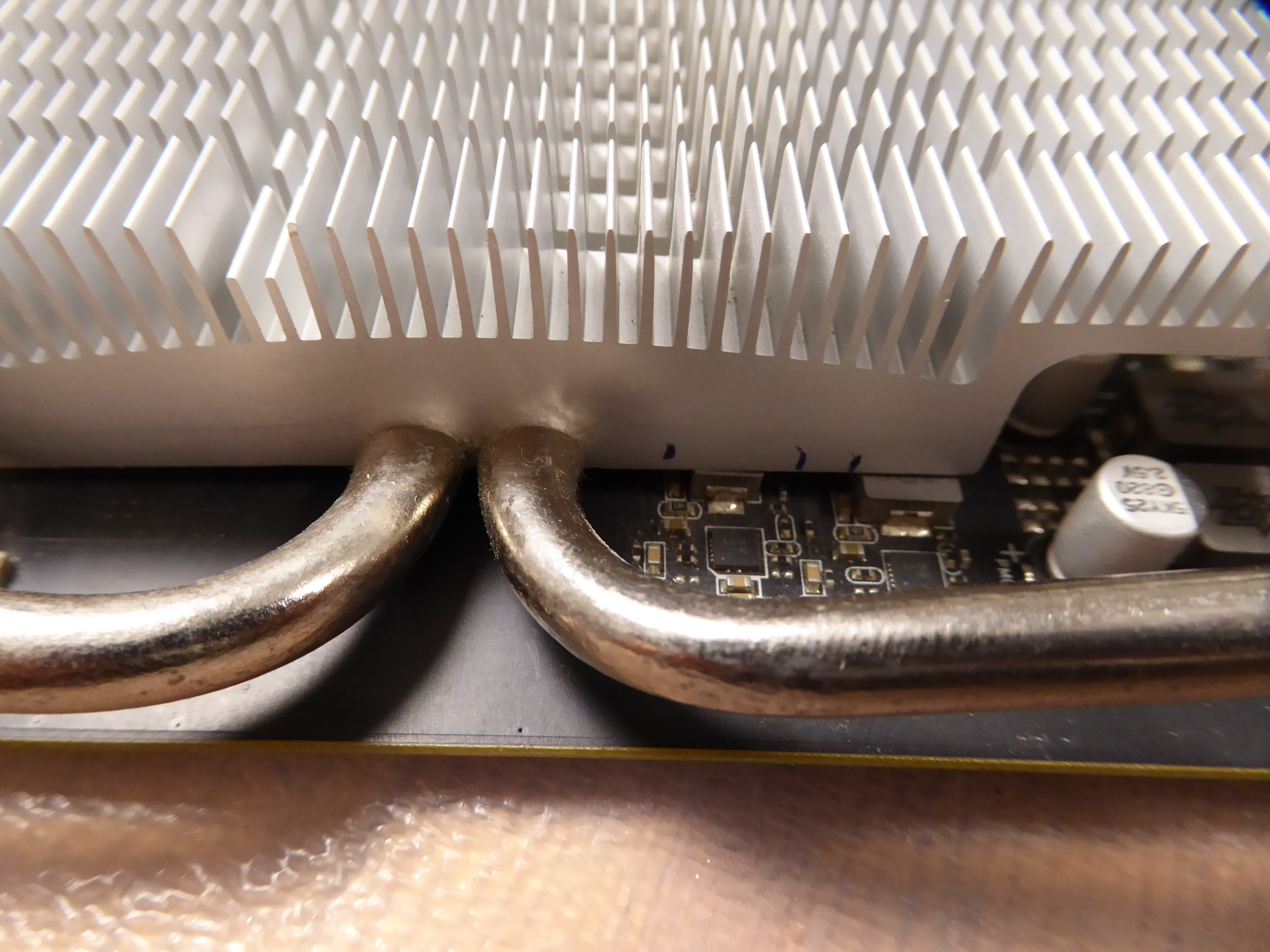
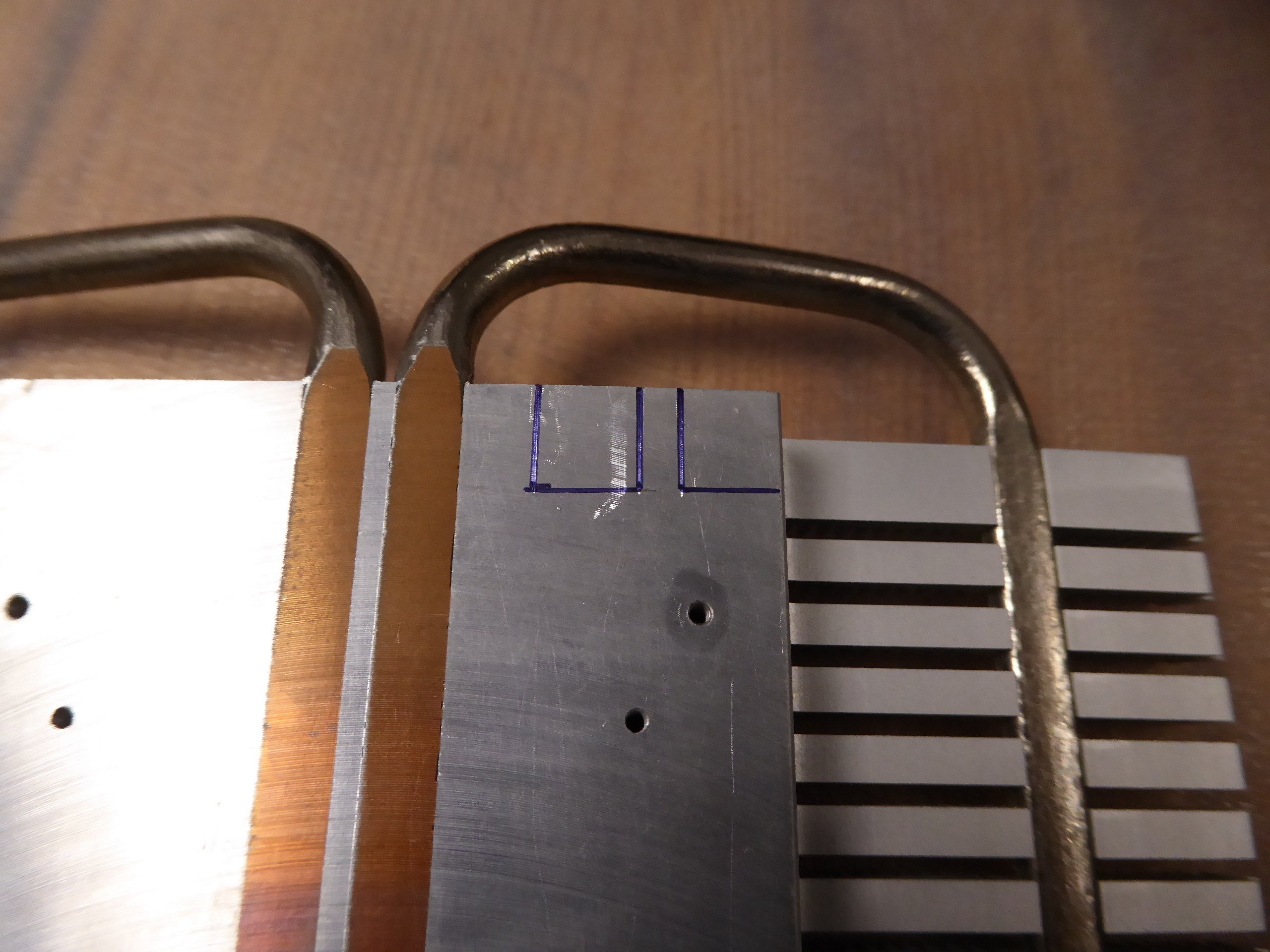
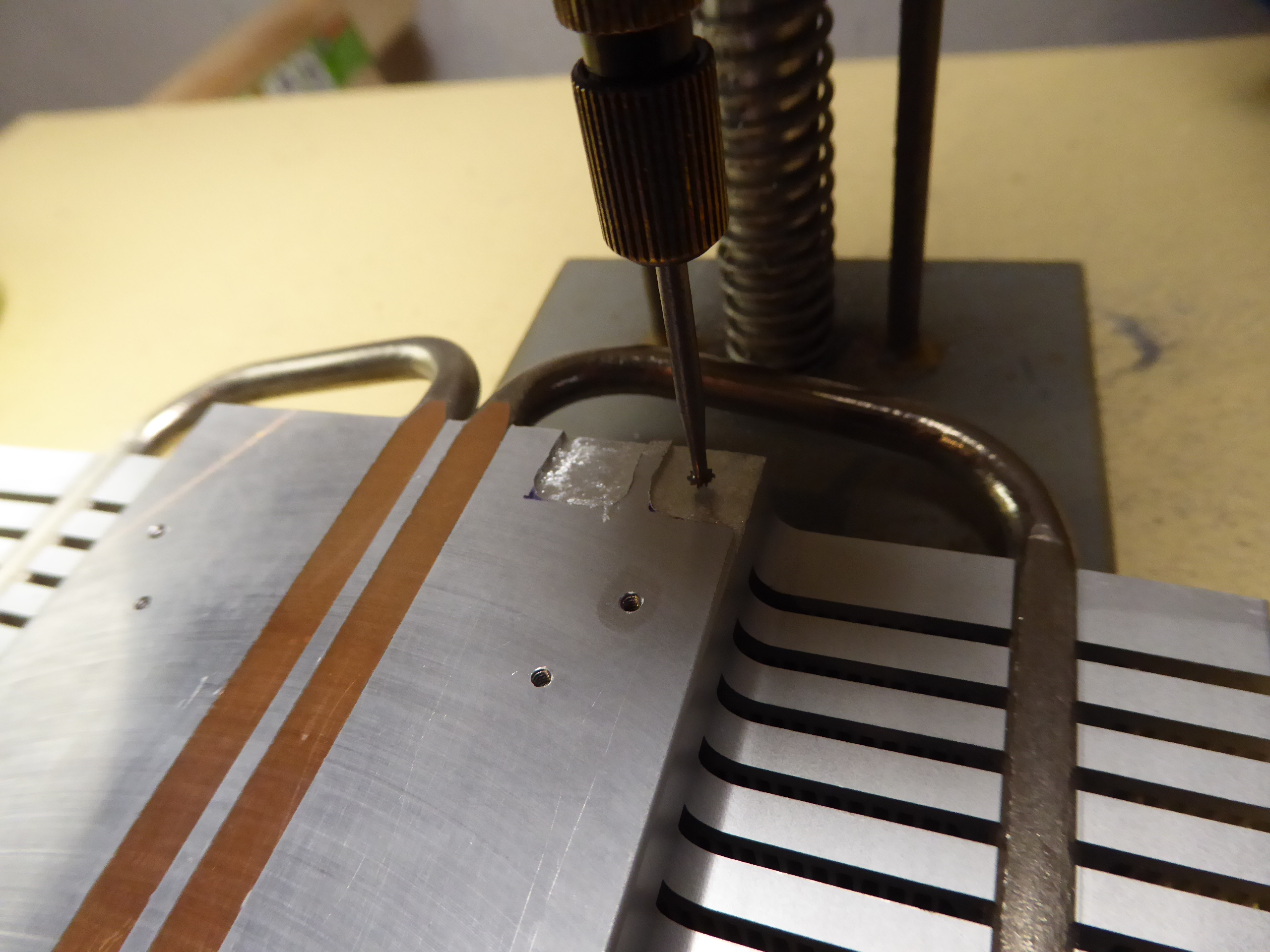
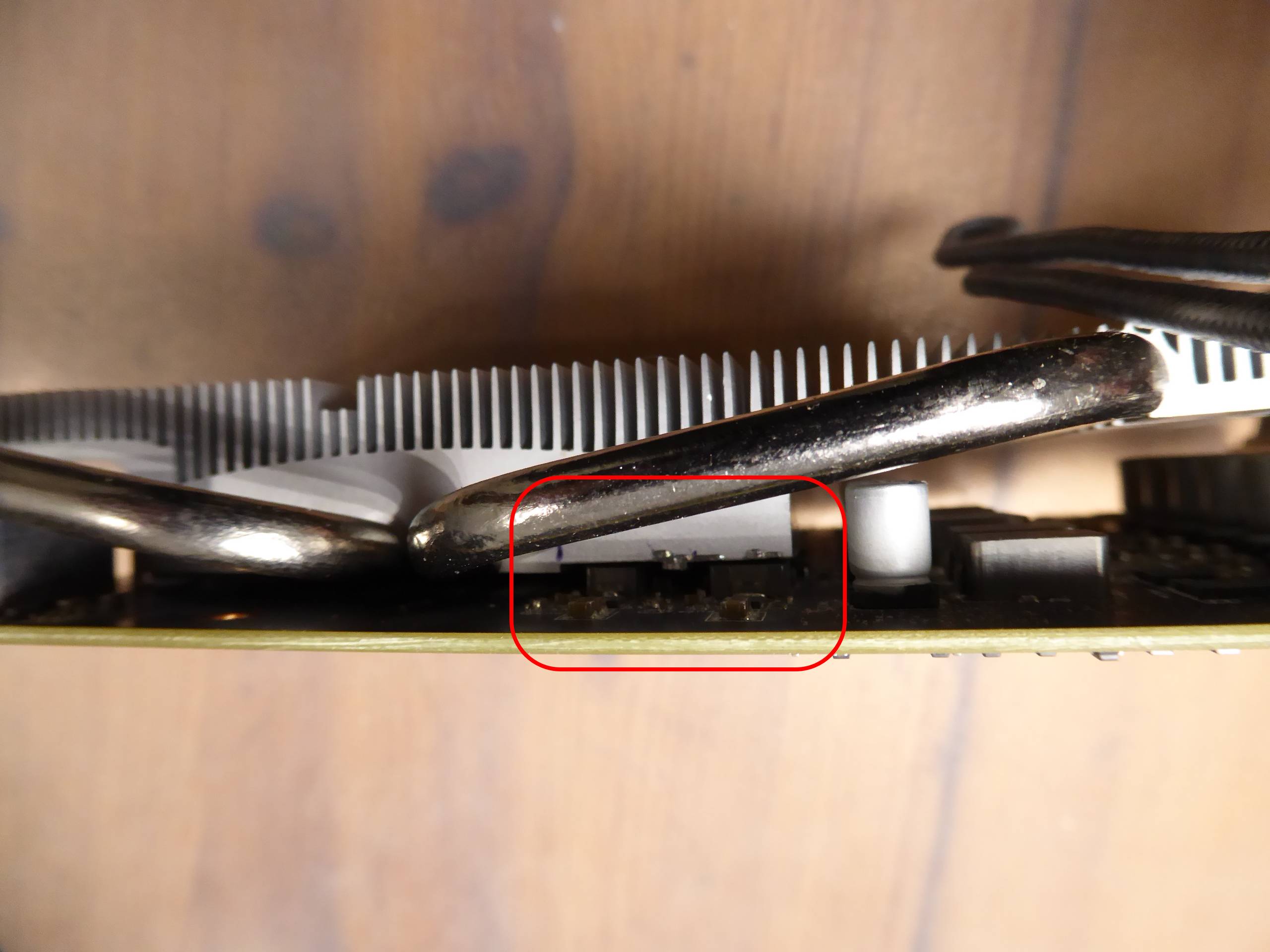
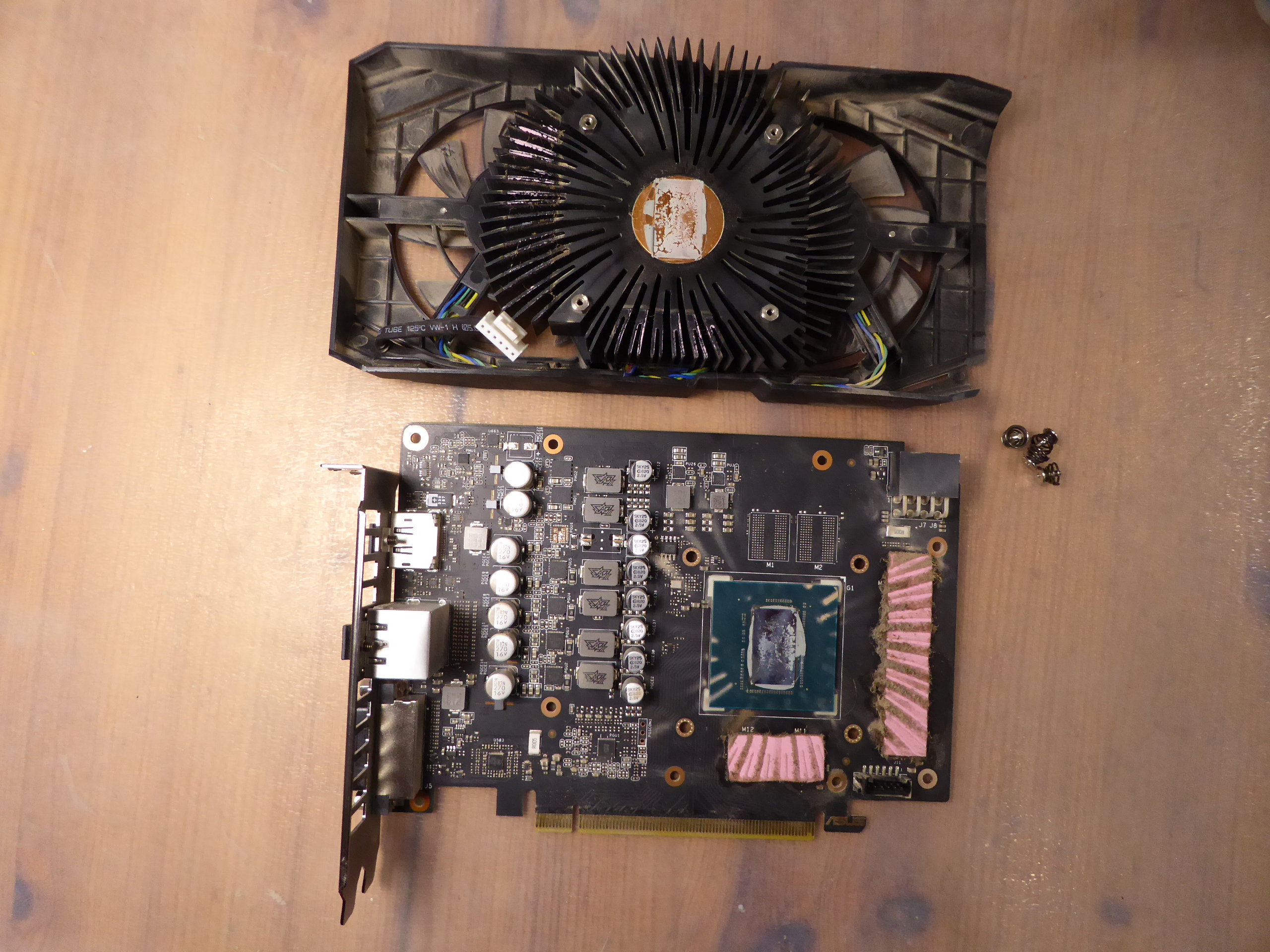
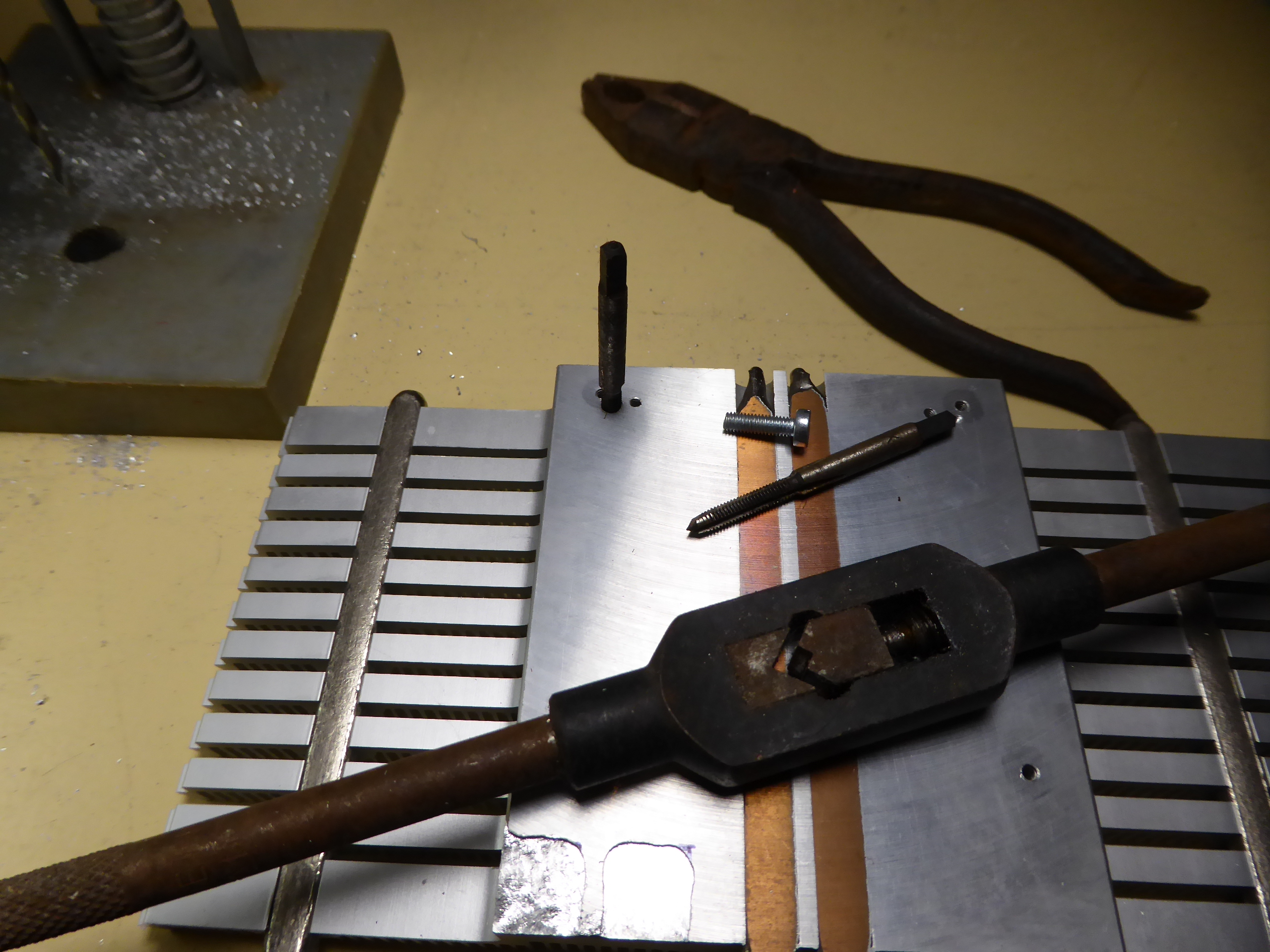
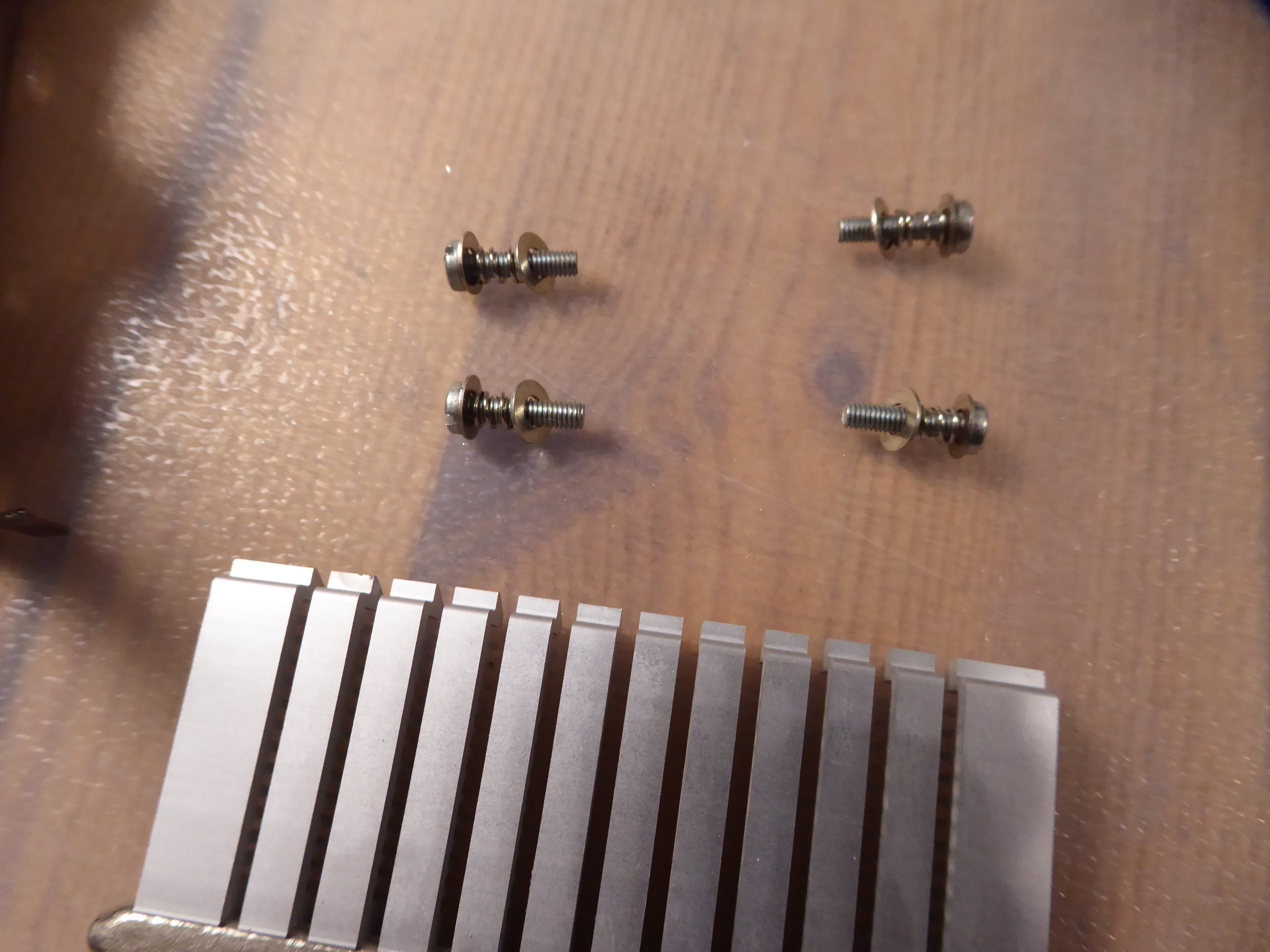
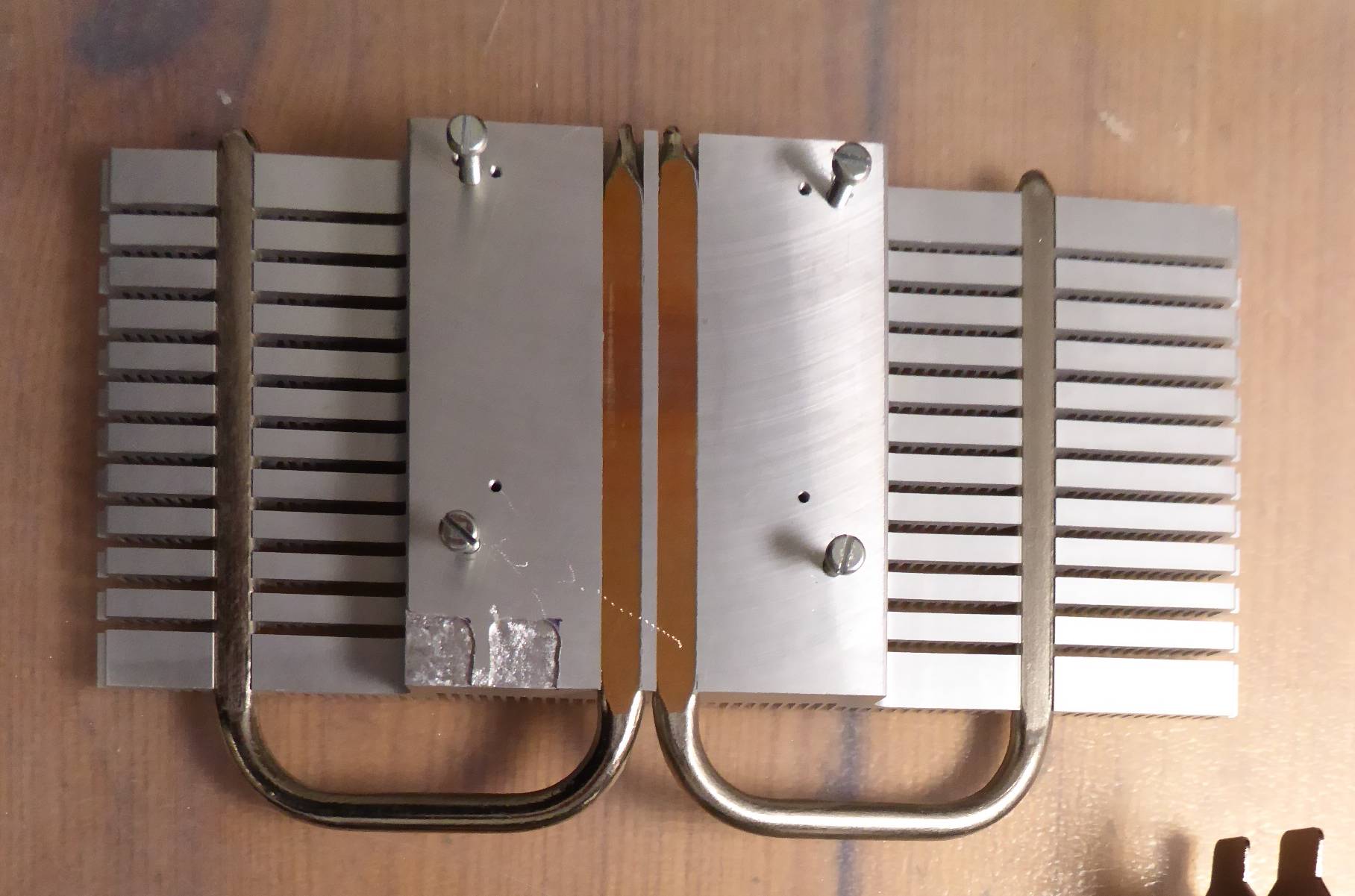
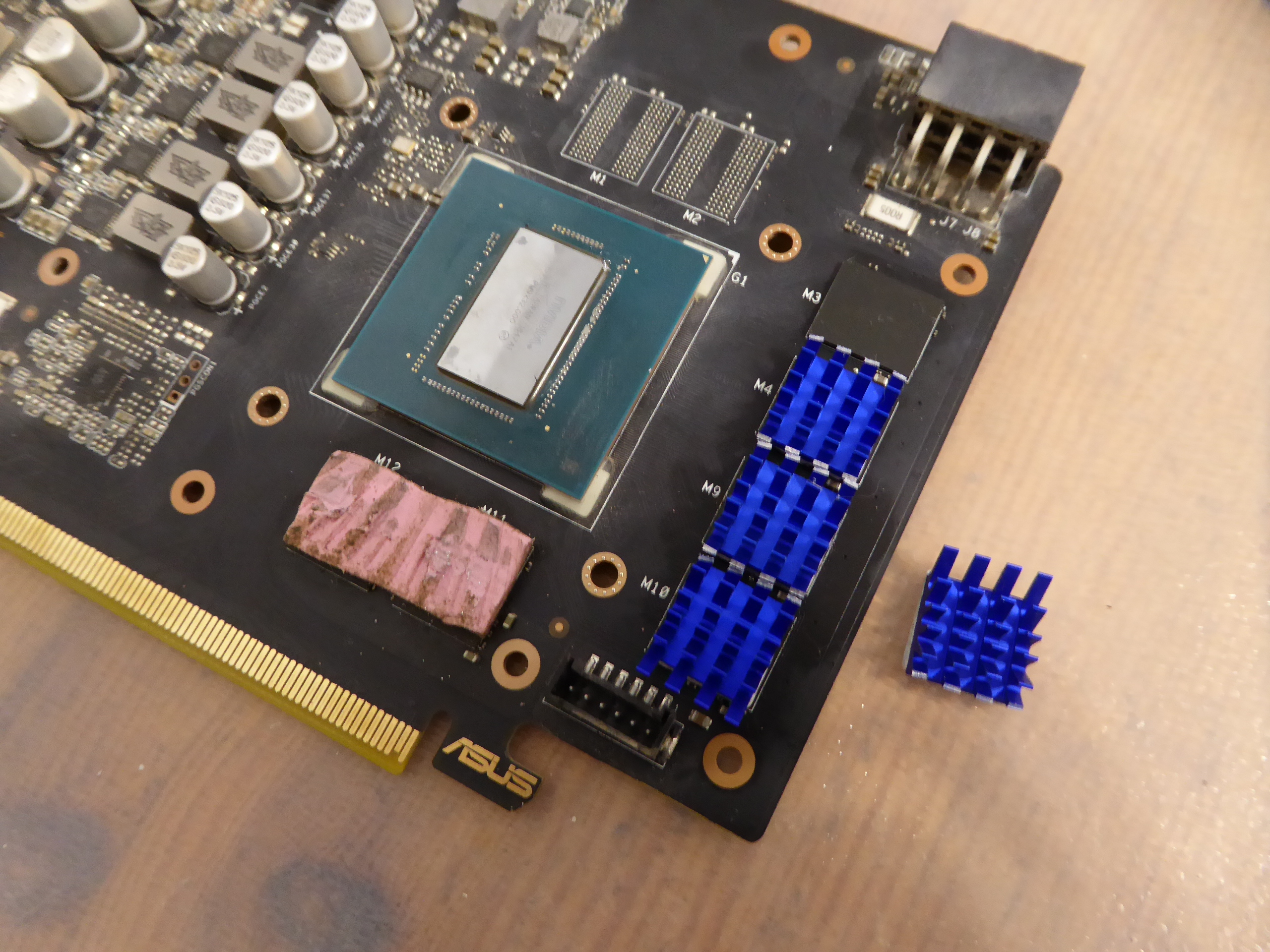
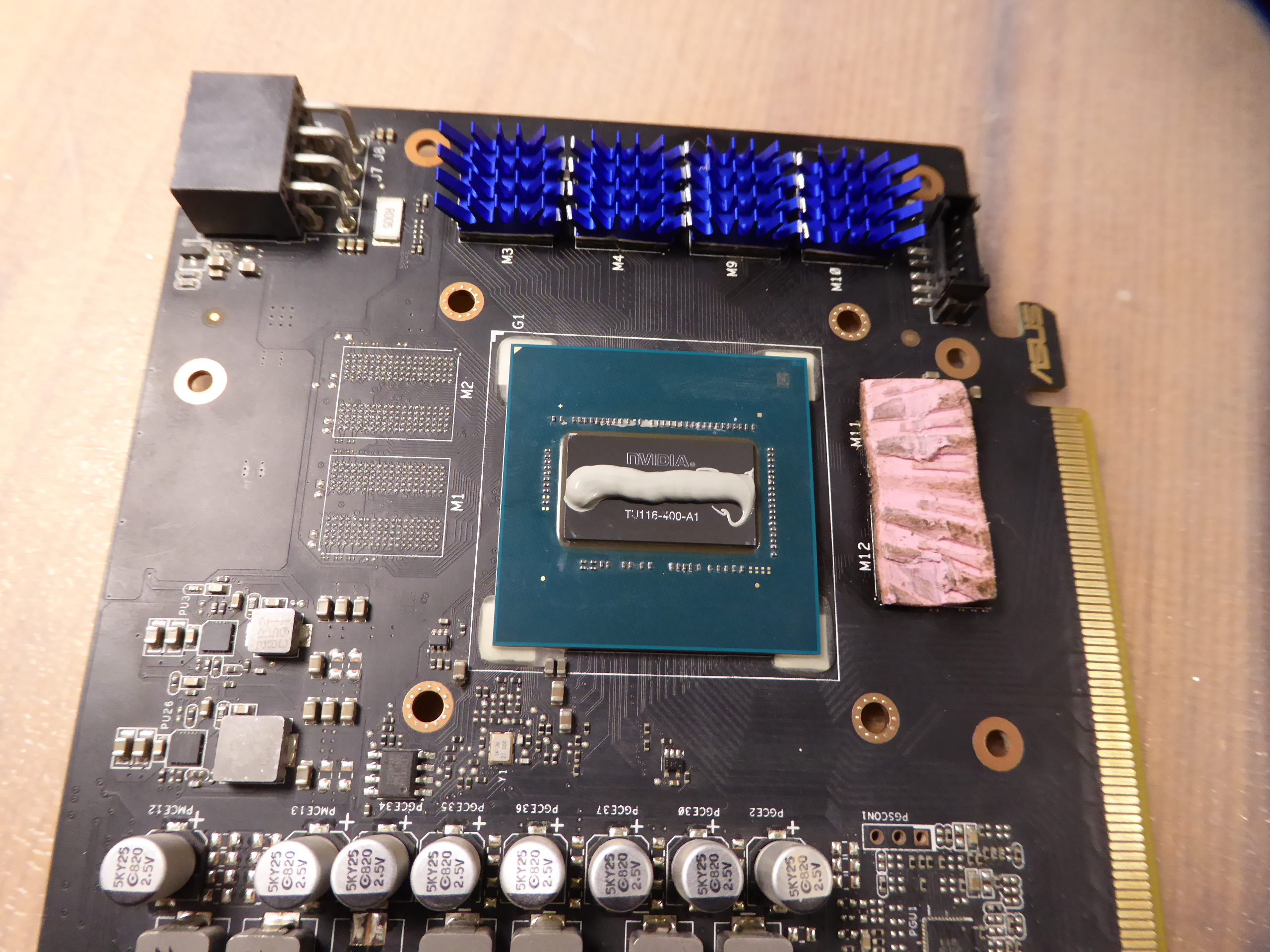
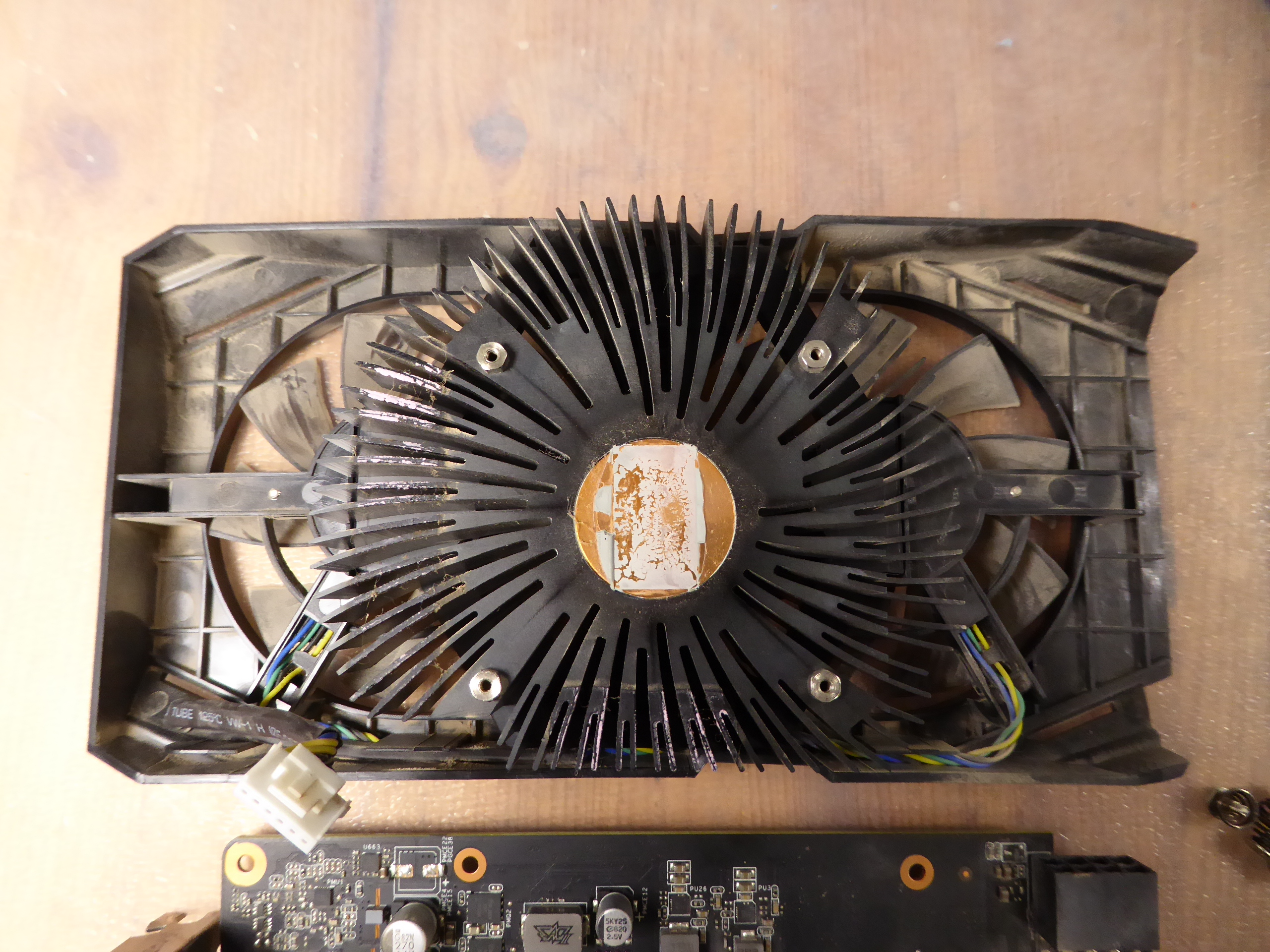
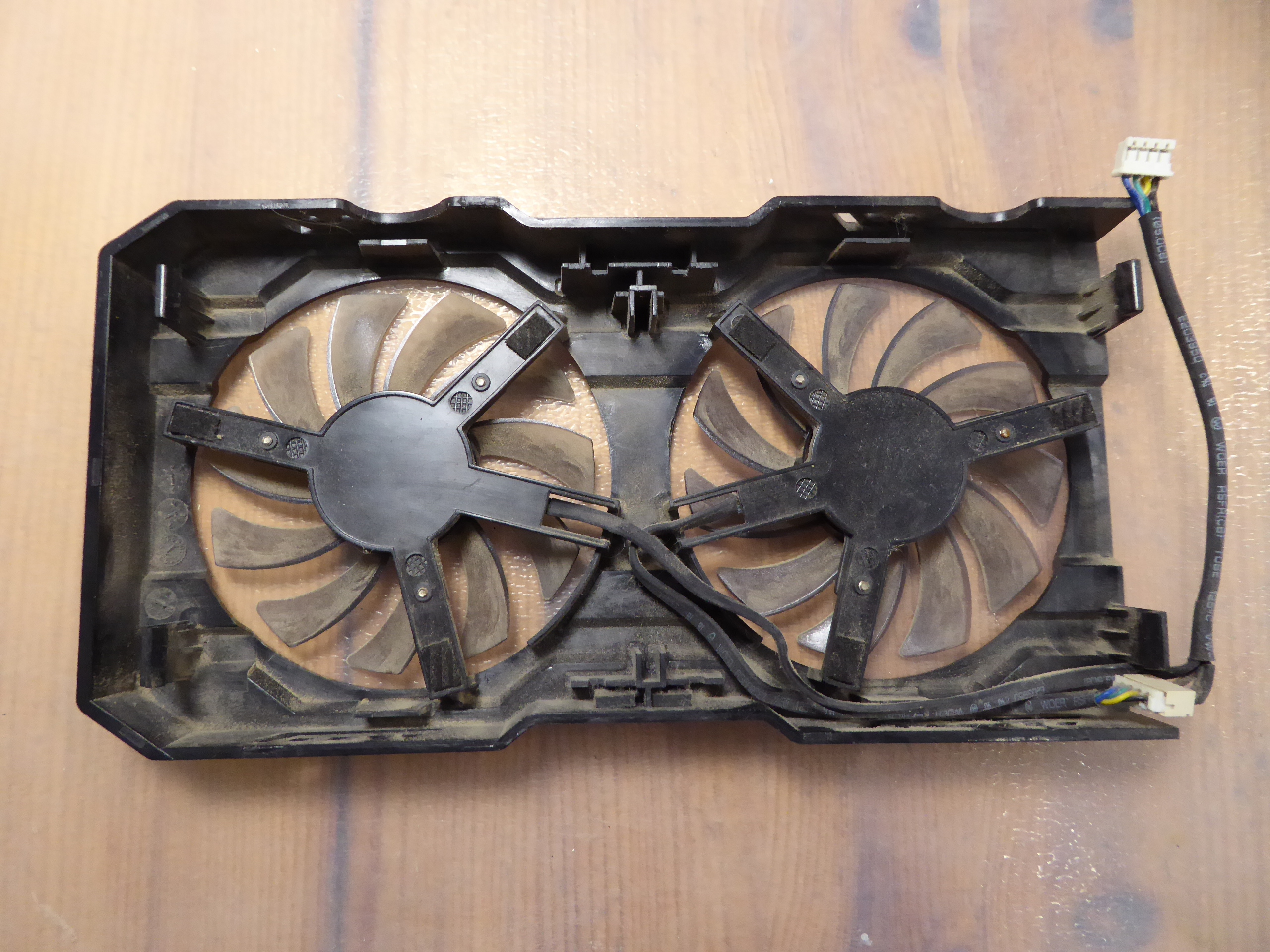
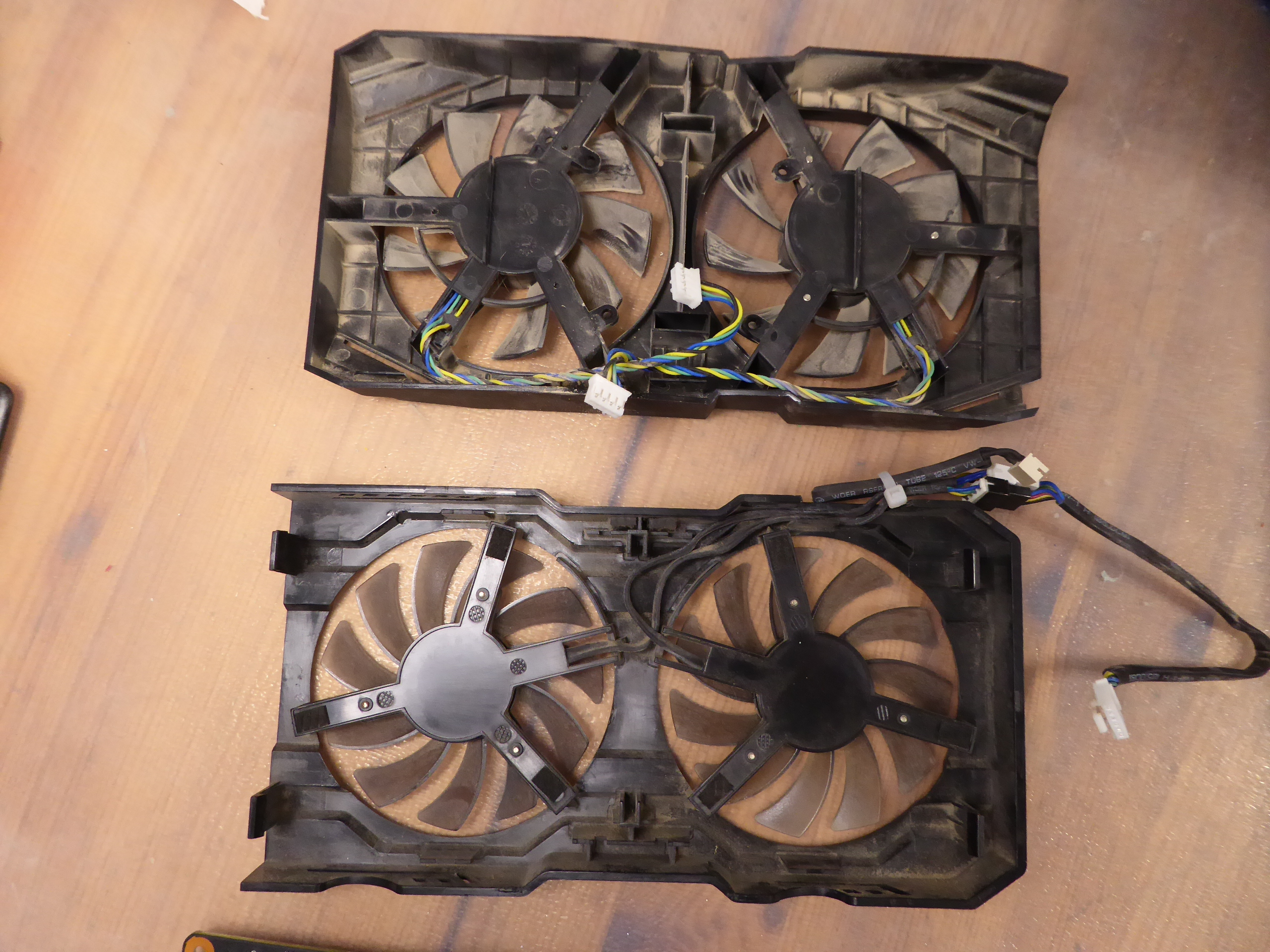
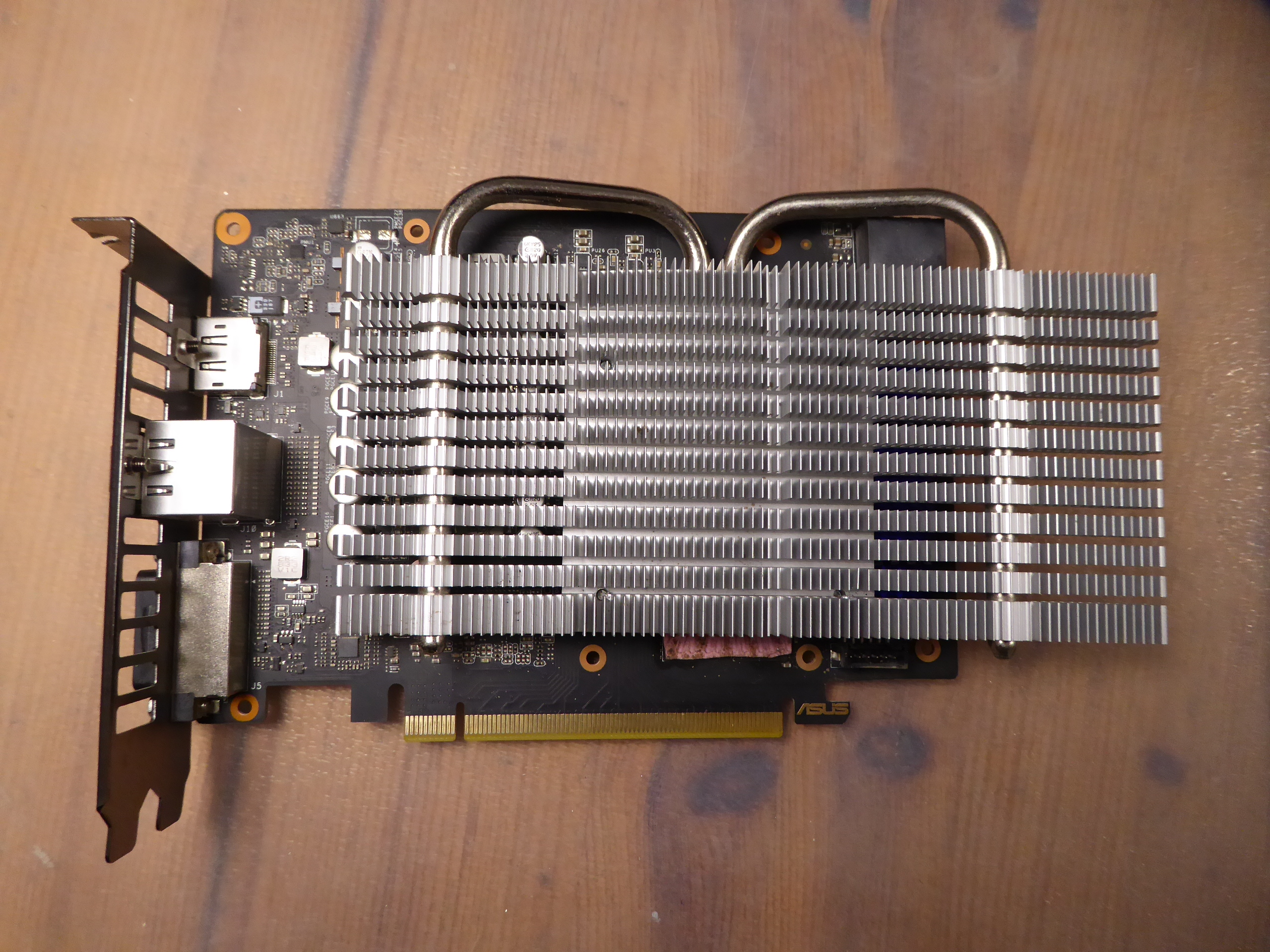
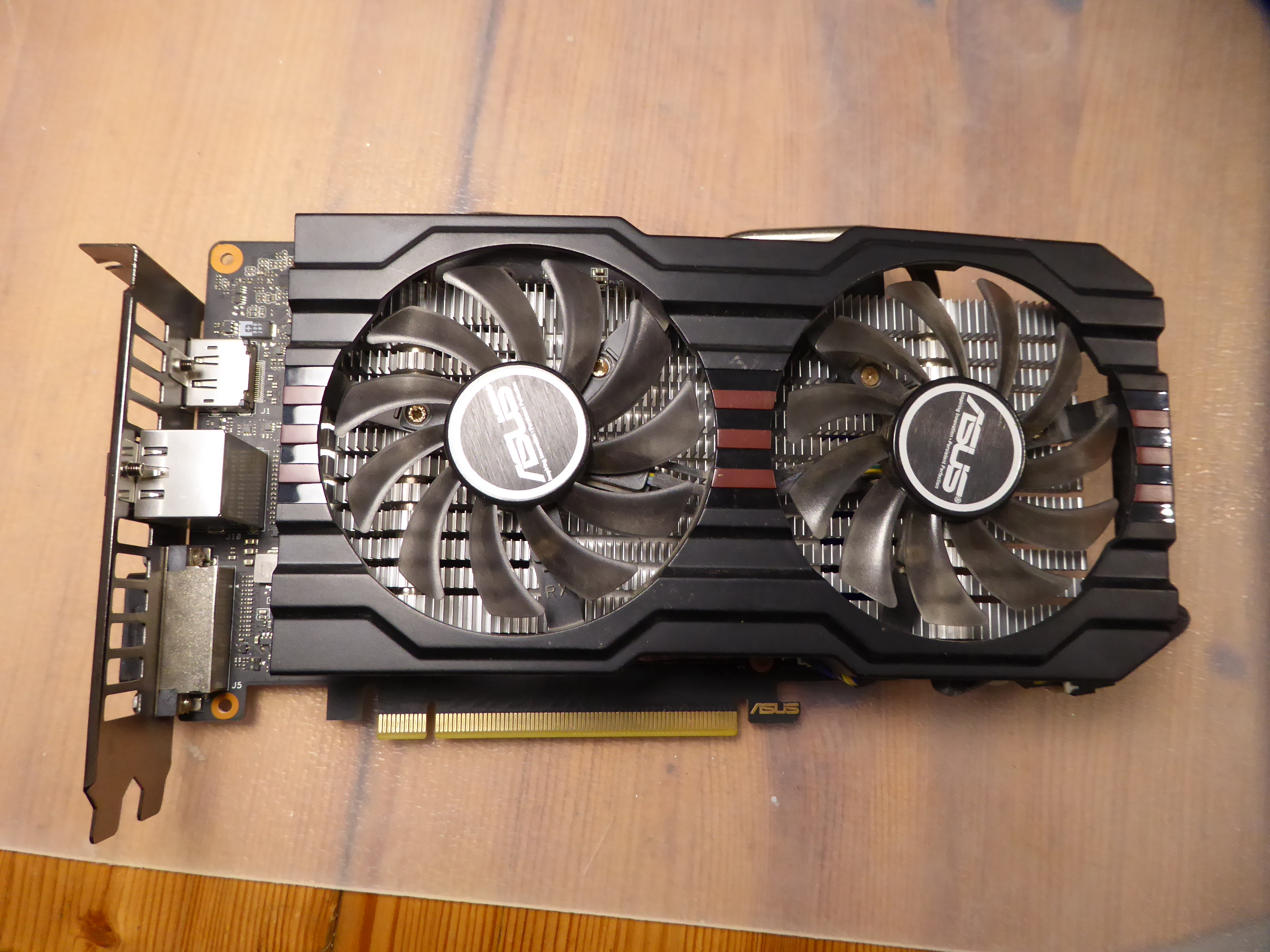
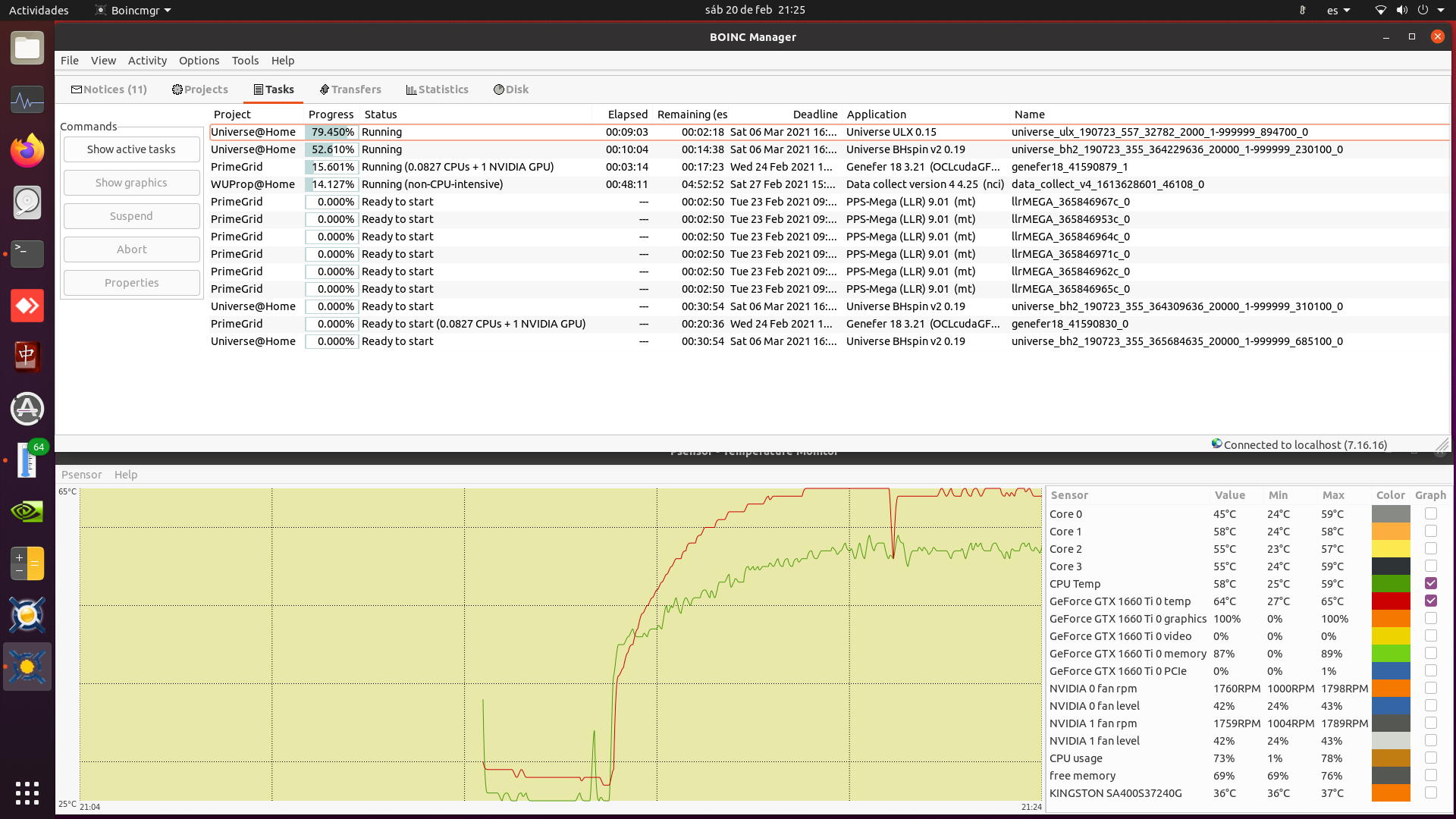
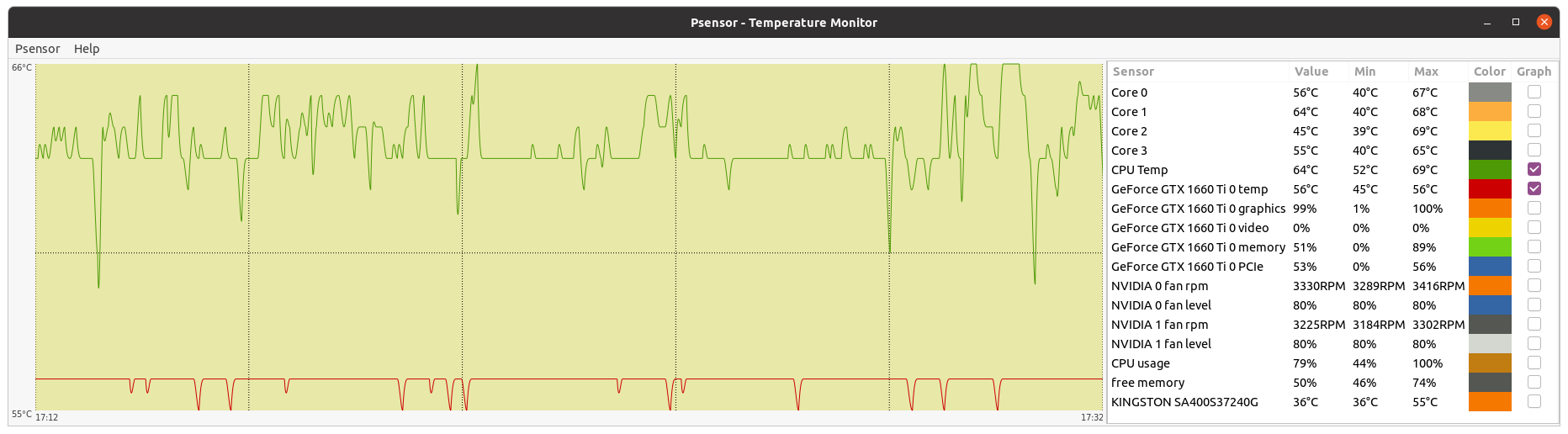
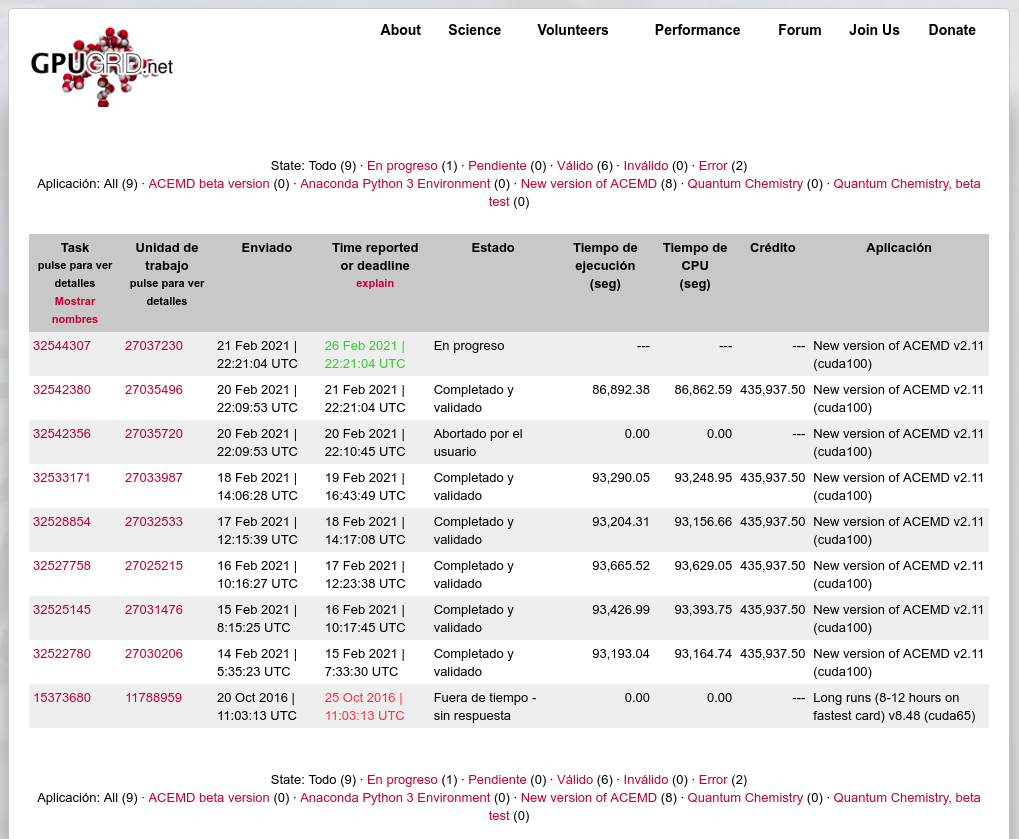
Recycling to win I've always worried about one of my graphics cards, currently the highest performance one, being too hot while processing. This lead me to write a regarding thread called "Fighting temperature at hardware level". I also tested to replace thermal compound, with results reported previously at this same thread. This card is an Asus DUAL-GTX1660TI-O6G, and it is currently running 24/7 at my host #569442 I had also a retired Asus GTX650TIBDC2OC2GD5. It was for me a good crunching graphics card at my main host, until it become obsolete, overcome by newer technologies. It is based on a GTX 650 Ti Boost GPU. One of its strongest points is its excellent, heat pipe based, dual PWM fan heatsink. Is it possible to reuse this heatsink to manage the overheating problem at the newer GTX 1660 Ti? Lets give it a try! Starting point: GTX 1660 Ti at this host reaching and steady maintaining 80 ºC while processing at maximum performance PrimeGrid CUDA tasks. Check points: -1) TDP. Rated TDP for Turing GTX 1660 Ti is 120 Watts. Rated TDP for the old Kepler GTX 650 Ti Boost is 134 Watts. Higher, good! -2) Old heatsink mechanically fitting at new card. Old heatsink is hitting two choke components at new card. It is a problem. Some drilling jobs to make space for both components at old heatsink aluminium block. Problem solved. -3) Mechanical fit for female threads between the two heatsinks. They aren't compatible. It is a problem. But I have a 3 mm diameter threading tool, and suitable 3 mm screws, washers and springs. Some additional job... Problem solved. -4) Memory cooling. Four of the six memory chips are not covered by the old heatsink. This may cause them to overheat. It is a problem. But there is enough room under old heatsink to insert individual adhesive heatsinks for each uncovered memory chips. Problem solved. -5) Fans compatibility. The PWM fans at original heatsink were at independent configuration, being conducted to an unique connector by means of a concentrator cord. The PWM fans at recycled heatsink are paralleled, being RPM signal taken from only one of them. It is a problem. But individual connectors for every fan are compatible, and it is possible to attach the recycled fans at individual configuration by means of concentrator cord from original heatsink. Problem solved. After solving every intermediate problems, finally the recycled heatsink is attached to the GTX 1660 Ti graphics card. And attaching fans frame and its electrical connection, we've got this final result. And here we have the comparative images of the system Before 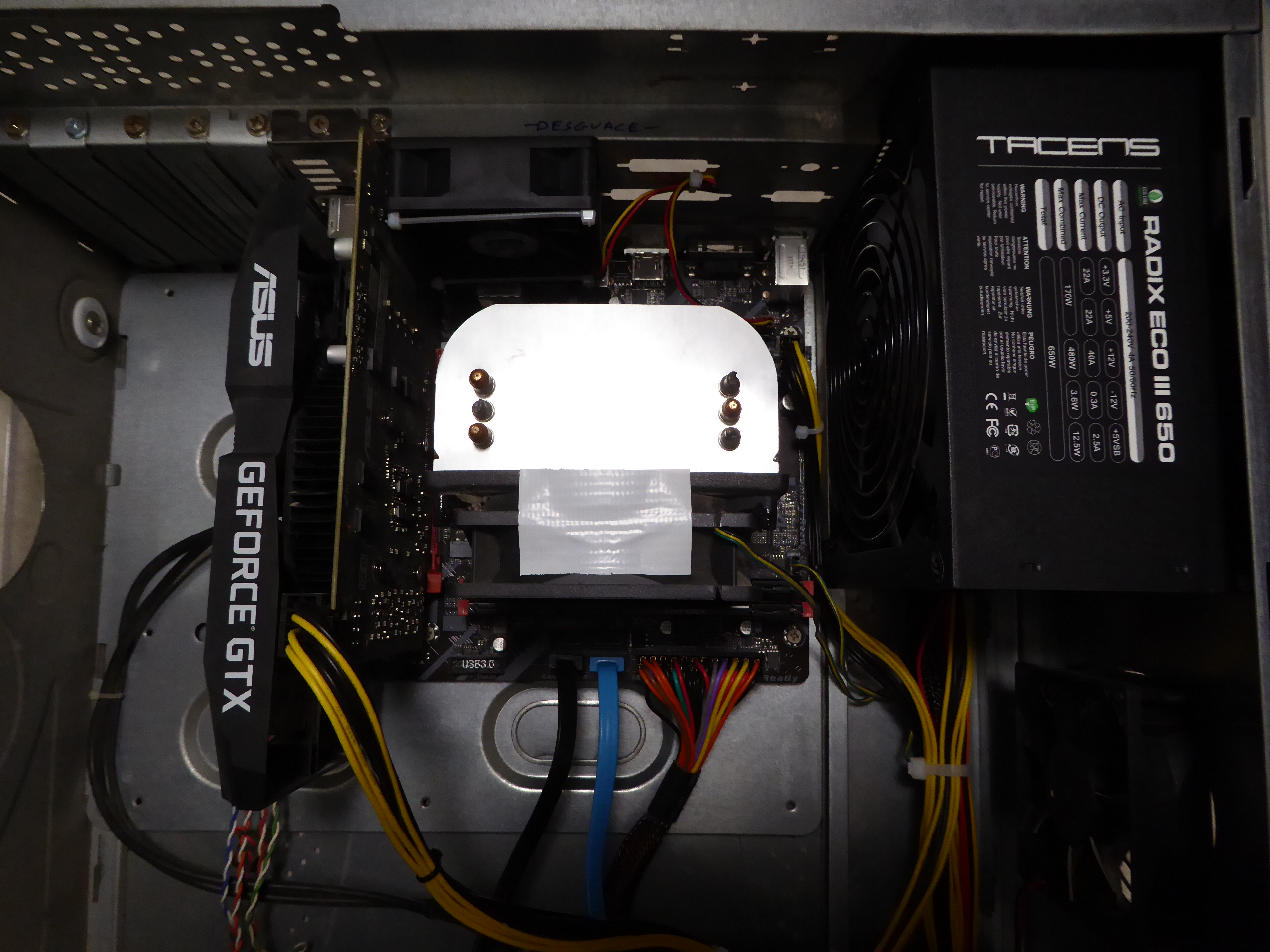 and After and After 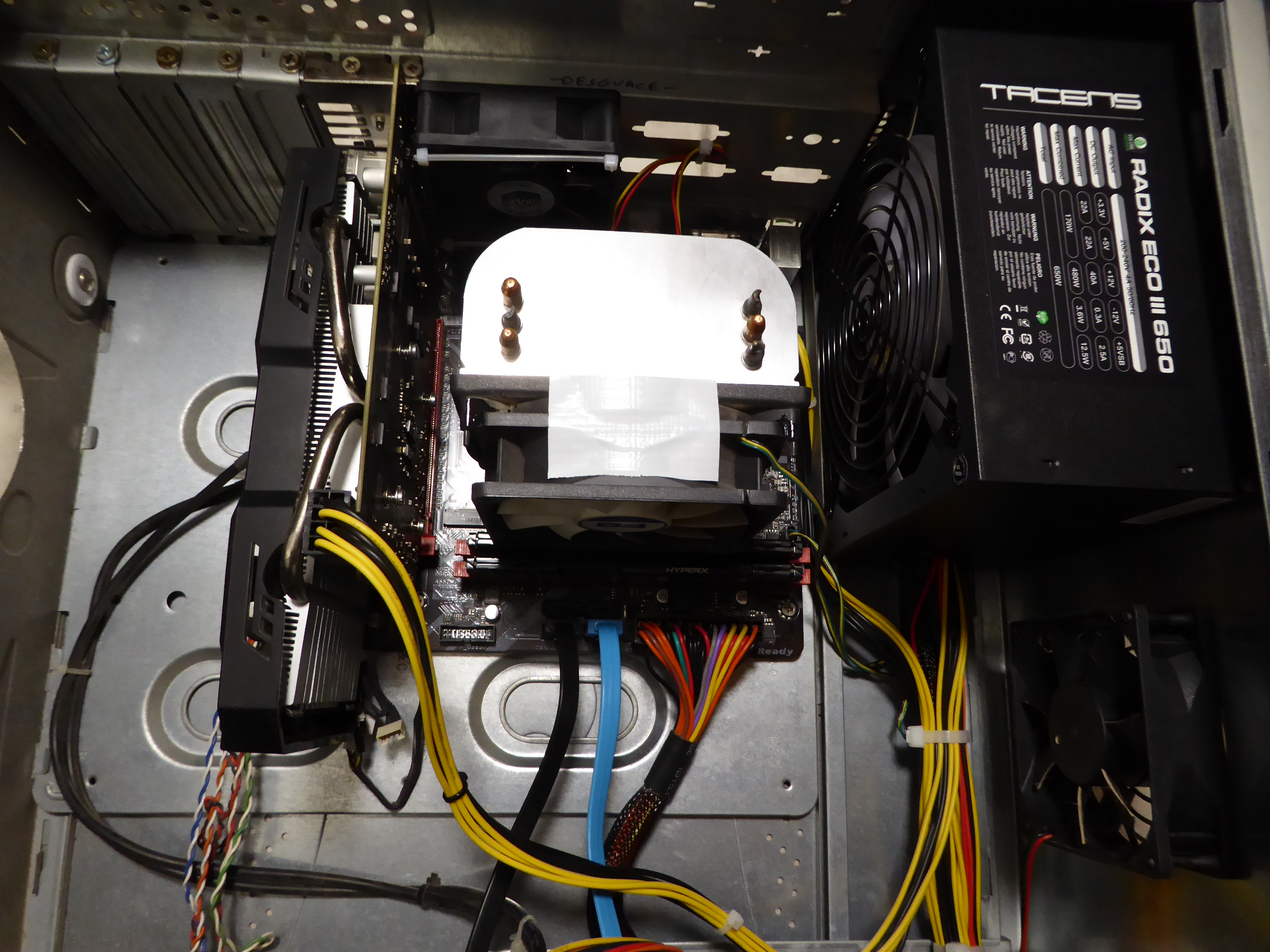 Has all this work been worth it? Let's put it to the test... Ok. System starts (It's great news!) At resting situation, temperatures for both processor and GPU are below 30 ºC. And when processing at full performance, temperature for GPU stabilizes at 65 ºC... This is 15 ºC less than the 80 ºC reached with original heatshink at the same conditions. I like it! Embolden by this, I decided to go one step beyond, and try some overclocking. This would have been unthinkable with the original heatsink. Fixing fan settings to 80%, and then + 100 MHz offset to GPU clock and + 500 MHz offset to memory clock, system seems to be stable and temperature remains at a surprising 56 ºC level. I like it even more! This card was processing Gpugrid new heavy ADRIA tasks in times ranging from 93193 and 93427 seconds. First task after new configuration took 86893 seconds. Better than I expected, and my personal record for this card... at the steady temperature of 56 ºC. Definitely, for me, it did worth the job. And not to mention the fun I got ;-) |
|
Retvari Zoltan Send message Joined: 20 Jan 09 Posts: 2380 Credit: 16,897,957,044 RAC: 0 Level Scientific publications
|
This card was processing Gpugrid new heavy ADRIA tasks in times ranging from 93193 and 93427 seconds.You can try to squeeze that 8m 20s to hit the 24h bonus. Perhaps you can do that without further overclocking your GPU, if you simply stop crunching CPU tasks on that host. |
|
Send message Joined: 23 Dec 09 Posts: 189 Credit: 4,816,041,008 RAC: 186,148 Level  Scientific publications
|
I have a GTX 1650 S with a “problem”. The computer (AMD 2600 on an AMD 450 motherboard), where the card was installed, did not start after it ran for several months without switching the computer off/on. I tried to troubleshoot the computer and came to the conclusion, that it would be the motherboard. Thankfully my computer technician got the computer working again with another GPU. In the meanwhile, as I assumed it was a defective motherboard, I tried the GPU on several other computers, always with the same or similar result: 1st computer: After I installed GPU and started the computer, the ventilator on the GPU spun (I can`t remember if I had an image on the monitor). After one or two restarts, the ventilator stopped to spin. I installed the old and working GPU, ventilator spun, but no image. Could not get it to work again. 2nd computer: After I installed the GPU on this computer http://www.gpugrid.net/show_host_detail.php?hostid=523675 in the second slot, computer started and second card got recognized and BOINC downloaded a second WU for the GPU. However GPU crashed several times and after some crashes I noted that the second GPU was not recognized anymore and ventilator stopped to spin . I tried several times, always with the same result. 3rd computer: After I installed GPU and started the computer, the ventilator on the GPU spun (I can`t remember if I had an image on the monitor). After one or two restarts, the ventilator stopped to spin. I installed the old and working GPU, ventilator spun, but no image. Thankfully my computer technician got the computer working again with the old GPU. So I am hesitating to try this particular GPU in a fourth computer… but as there is GPU shortage, I am wondering, what it might be and what to check? After the second COVID-lockdown, I might be able to electronic workshop – in Peru there are some repairing GPUs, motherboards etc. |
|
Send message Joined: 8 May 18 Posts: 190 Credit: 104,426,808 RAC: 0 Level Scientific publications
|
On my GTX 1650 GPU-Z does not show the fan RPM but says it is 51%.Tasks complete in about 47 hours. Tullio |
|
ServicEnginIC Send message Joined: 24 Sep 10 Posts: 598 Credit: 13,100,015,510 RAC: 1,313,692 Level Scientific publications
|
I have a GTX 1650 S with a “problem”... What is worrying at this case is that a presumable problem at that GPU may cause that system where it is tested get faulty as a result... Some comments: Not spinning fans at a graphics card isn't necessarily due to a malfunction. Some graphics cards models are designed for the fans to start turning only when GPU reaches certain temperature. If GPU is under low load, there isn't enough power dissipation for the temperature to rise above the level stated for fans to start spinning. If it was me, I'd start for checking and cleaning the card's PCIE contacts as directed at this previous post. Followed by dismounting the GPU heatsink and thoroughly cleaning dust from its metallic fins, fan blades, and the whole circuitry. Dust + humidity can cause disturbing problems for electronics working at such high frequencies as a GPU does. Nex step, cleaning GPU chip from old grease and renewing it. I prefer to use a good non-conductive, self-spreading thermal grease for this. And after reassembling everything in reverse order: I'd try first to testing it in a minimum risk configuration, disconnecting every drives, both signal and supply cables. Of course, +12V PCIE supply connector for the graphics card must be connected. At this configuration, you can try to start the system to check if there is video and it is possible to enter BIOS. If there is no video, you can suspect for a true serious problem at the graphics card. If you are able to enter BIOS, jump to different menus, and everything looks normal, then you can take the risk for a further test, after switching system off and reconnecting the OS drive... 🤞️🤞️ |



©2026 Universitat Pompeu Fabra