The hardware enthusiast's corner
Message boards :
Number crunching :
The hardware enthusiast's corner
Message board moderation
Previous · 1 . . . 4 · 5 · 6 · 7 · 8 · 9 · 10 . . . 16 · Next
| Author | Message |
|---|---|
|
Send message Joined: 22 May 20 Posts: 110 Credit: 115,525,136 RAC: 0 Level  Scientific publications 
|
Very impressive indeed. Couldn't have imagined that they belong to a private individual... Lol. Just imagining 100 GPUs in a server rack... Besides the incredible electricity consumption, just trying to fathom the noise level, the requirement for a superior cooling solution etc. Needless to say: that's a beast! But even if it would just be for load testing, I am glad they don't waste their computational resources for only running stupid benchmarks but are supporting science instead in the meantime. |
 Send message Joined: 8 Aug 19 Posts: 252 Credit: 458,054,251 RAC: 0 Level  Scientific publications  
|
Fascinating, I just ran a dual GERARD task with the anonymous donor and the computer was this: Owner Anonymous It completed in 5,383.87 seconds compared to my GTX 1650 needing 24,258.18 seconds to complete. I'd love to know what motherboard it is and if that was actually a Quadro RTX 6000, or a lesser GPU among the ten. Here is where the BOINC Manager needs a tweak to make it individualize multiple GPUs and their stats. |
|
Send message Joined: 21 Feb 20 Posts: 1118 Credit: 40,876,970,595 RAC: 0 Level  Scientific publications 
|
Fascinating, I just ran a dual GERARD task with the anonymous donor and the computer was this: check my reply 2 posts up. it's likely that dell system I linked to. using risers or daughterboards to connect the GPU (fore) to the system (aft). it's possible that they are different GPUs in the system, since we really cant know for sure due to the way BOINC reports coprocessors. but I'm 99.9999% sure that system belongs to Syracuse University, and given the level of hardware, and the customer, it's likely they bought this solution complete from Dell with matching hardware. the RTX 6000 performs closely to a 2080ti so it's no surprise that it's almost 5x faster than a 1650 
|
|
Send message Joined: 8 Aug 19 Posts: 252 Credit: 458,054,251 RAC: 0 Level Scientific publications
|
Here's what I wish for this Christmas but only the Pope can afford... https://www.supermicro.com/en/products/system/10U/9029/SYS-9029GP-TNVRT.cfm An entire team worth of crunching in one machine. Comes with it's own utility substation (sarc). |
|
Send message Joined: 8 Aug 19 Posts: 252 Credit: 458,054,251 RAC: 0 Level Scientific publications
|
Here's what I wish for this Christmas but only the Pope can afford... With 16 Tesla V100 SXM3s, I figure it could knock down close to 20 million a day. At 350W apiece, I'd probably need an extra ton of A/C in the summer and ducting to the rack. In the winter it would provide ample heat to lower my Propane use. ---------------- the RTX 6000 performs closely to a 2080ti so it's no surprise that it's almost 5x faster than a 1650 I think that would put the Dell server in the neighborhood of 11 million a day in credit. Awesome. |
 ServicEnginIC ServicEnginIC Send message Joined: 24 Sep 10 Posts: 598 Credit: 13,086,875,510 RAC: 309,121 Level Scientific publications  
|
they showed up with 9 systems, each containing 10x Quadro RTX 6000 GPUs. these are a little slower than a 2080ti. I was curious how they got so many GPUs in a single system as I was sure a university wouldn't be making custom builds like this to house in mining racks like i do, but I also wasn't aware of any servers that supported 10x GPUs (most stop at 8). then I came across this: https://www.servethehome.com/dell-emc-dss-8440-10x-gpu-4u-server-launched/ What I have ever found admirable is how smoothly Linux OS seems to manage these kind of massive Multi CPU/GPU systems. A curious detail: Navigating GPUGrid hosts list I found this host #566140. Comparing it to this other host #566749: * Host #566140 - Owner: Anonymous - CPU: Intel(R) Xeon(R) Gold 6248R CPU @ 3.00GHz [Family 6 Model 85 Stepping 7] - Processors amount: 24 - Coprocessors: [5] NVIDIA Quadro RTX 6000 (4095MB) driver: 452.57 - RAM: 31999.55 MB - OS: Microsoft Windows 10 Enterprise x64 Edition, (10.00.18362.00) - Current RAC at GPUGrid (2020/11/21 14:55 UTC): 169,764.77 - Current host position by RAC at GPUGrid: 925 * Host #566749 - Owner: Anonymous - CPU: Intel(R) Xeon(R) Gold 6248R CPU @ 3.00GHz [Family 6 Model 85 Stepping 7] - Processors amount: 96 - Coprocessors: [10] NVIDIA Quadro RTX 6000 (4095MB) driver: 450.80 - RAM: 361856.6 MB - OS: Linux Ubuntu 20.04.1 LTS [5.4.0-52-generic|libc 2.31 (Ubuntu GLIBC 2.31-0ubuntu9)] - Current RAC at GPUGrid (2020/11/21 14:55 UTC): 4,004,328.46 - Current host position by RAC at GPUGrid: 4 I leave for everyone's homework to take conclusions... Finally, as a hardware enthusiast, I don't want to miss the opportunity to recommend this interesting Ian&Steve C. thread: 8 GPUs on a motherboard with 7 PCIe slots: Bifurcation |
|
Send message Joined: 21 Feb 20 Posts: 1118 Credit: 40,876,970,595 RAC: 0 Level Scientific publications
|
I imagine it’s the same physical system. They probably are running virtualization or doing some other form of resource partitioning and allocation. And probably found out what a lot of us know already, that the apps are just faster under Linux. About 15-20% faster. If you pick the right hardware setup, Linux and multi-GPU is very stable.
|
|
Send message Joined: 8 Aug 19 Posts: 252 Credit: 458,054,251 RAC: 0 Level Scientific publications
|
...apps are just faster under Linux. About 15-20% faster. That's for sure. Windows is all about itself anymore. Users are all assimilated into the Borg. They insist on all users running umpteen million largely useless processes which sap the machine progressively until you break down and buy a faster one. Here's my own experience on WU 0_1-GERARD_pocket_discovery_aca700f5_8d26_46c9_bce3_baf63237f164-0-2-RND7116_1 Operating System Linux Ubuntu Ubuntu 20.04.1 LTS [5.4.0-52-generic|libc 2.31 (Ubuntu GLIBC 2.31-0ubuntu9)] Run time 5,383.87 CPU time 5,378.54 vs. Operating System Microsoft Windows 10 Professional x64 Edition, (10.00.19041.00) Run time 24,258.18 CPU time 24,095.42 Those stats appear to support your statement very well, Ian. My i5-10400 runs at only 70% usage (6 threads of WCG along with ACEMD using 2 GPUs) so bandwidth is not an issue in my comparison. Unless I missed something, the Ubuntu OS only wasted around 5 seconds in a 90 minute run and my Win10 OS wasted 163 seconds during a run lasting 6 hrs and 45 mins. That's around 24 seconds lost per hour for windows and only 3 or 4 seconds per hour lost under Linux. It also looks pretty consistent as I peruse the stats, so I don't think this example is an outlier. A better OS that's free is well worth the effort of learning to use it. |
|
Send message Joined: 8 Aug 19 Posts: 252 Credit: 458,054,251 RAC: 0 Level Scientific publications
|
Viewing the volunteers page I noticed that Anonymous has verified Ian's discovery that they are really Syracuse U. I hope we can engage them in conversation. I'd love to know more about their endeavors. |
|
ServicEnginIC Send message Joined: 24 Sep 10 Posts: 598 Credit: 13,086,875,510 RAC: 309,121 Level Scientific publications
|
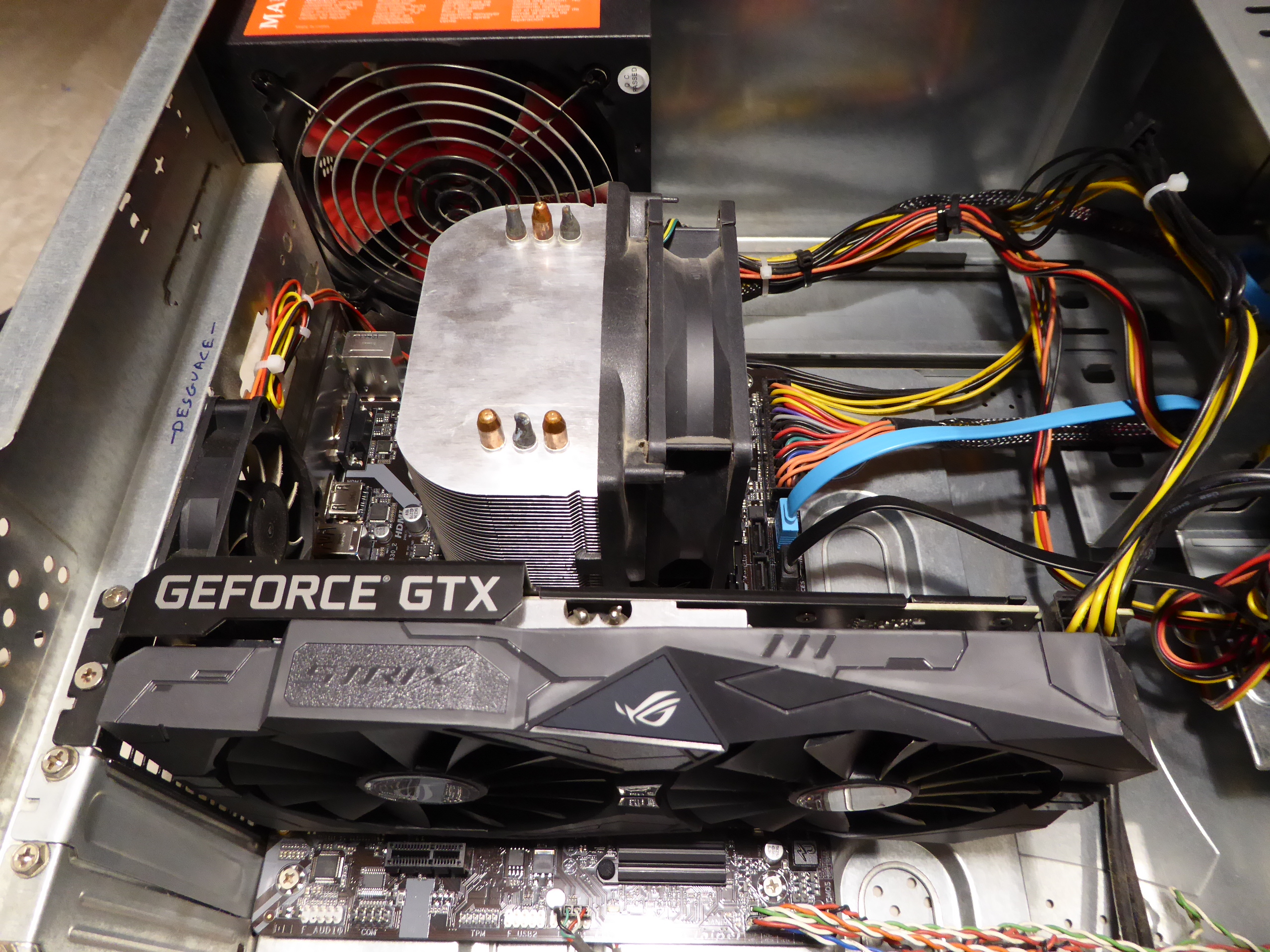
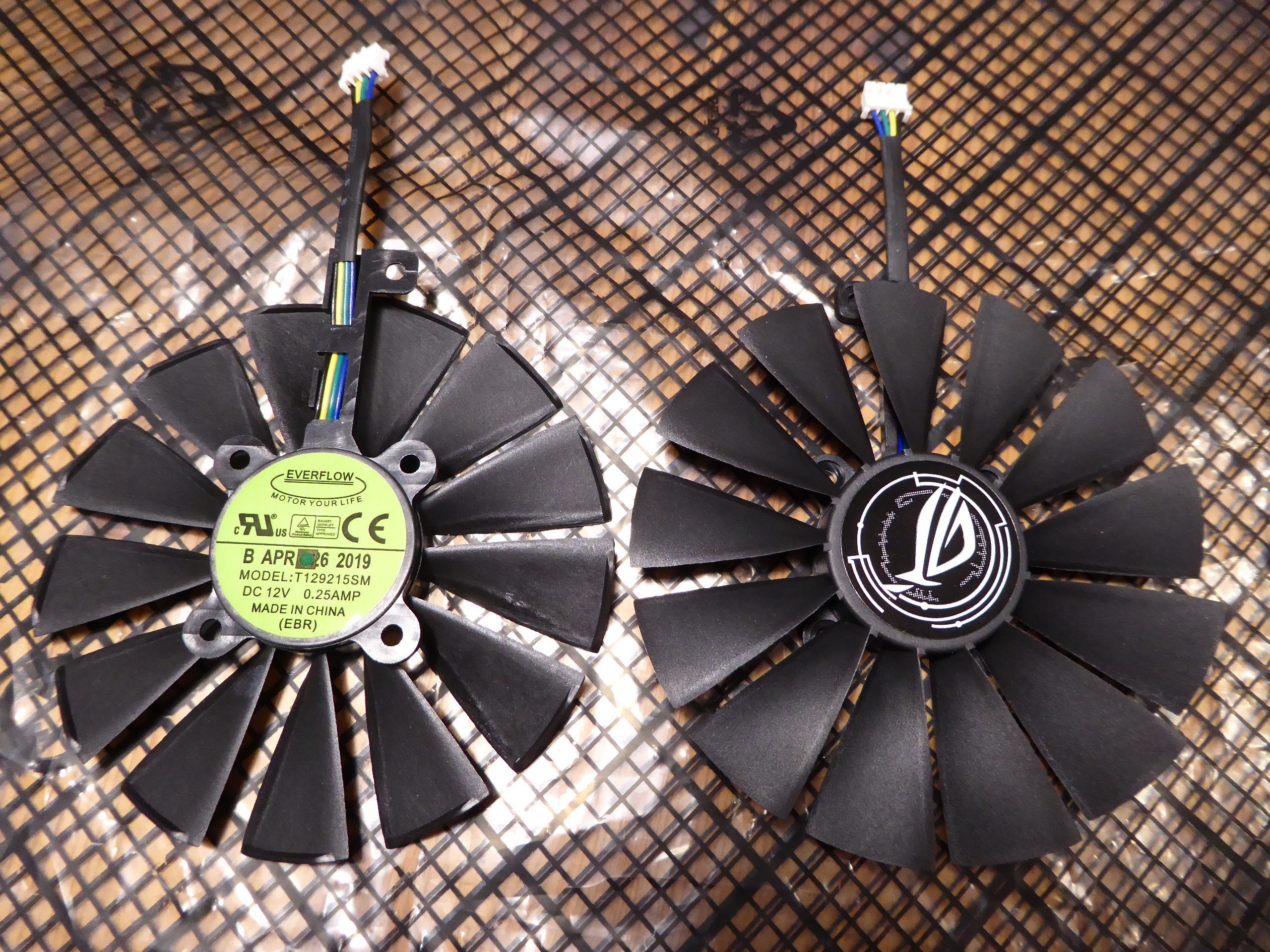
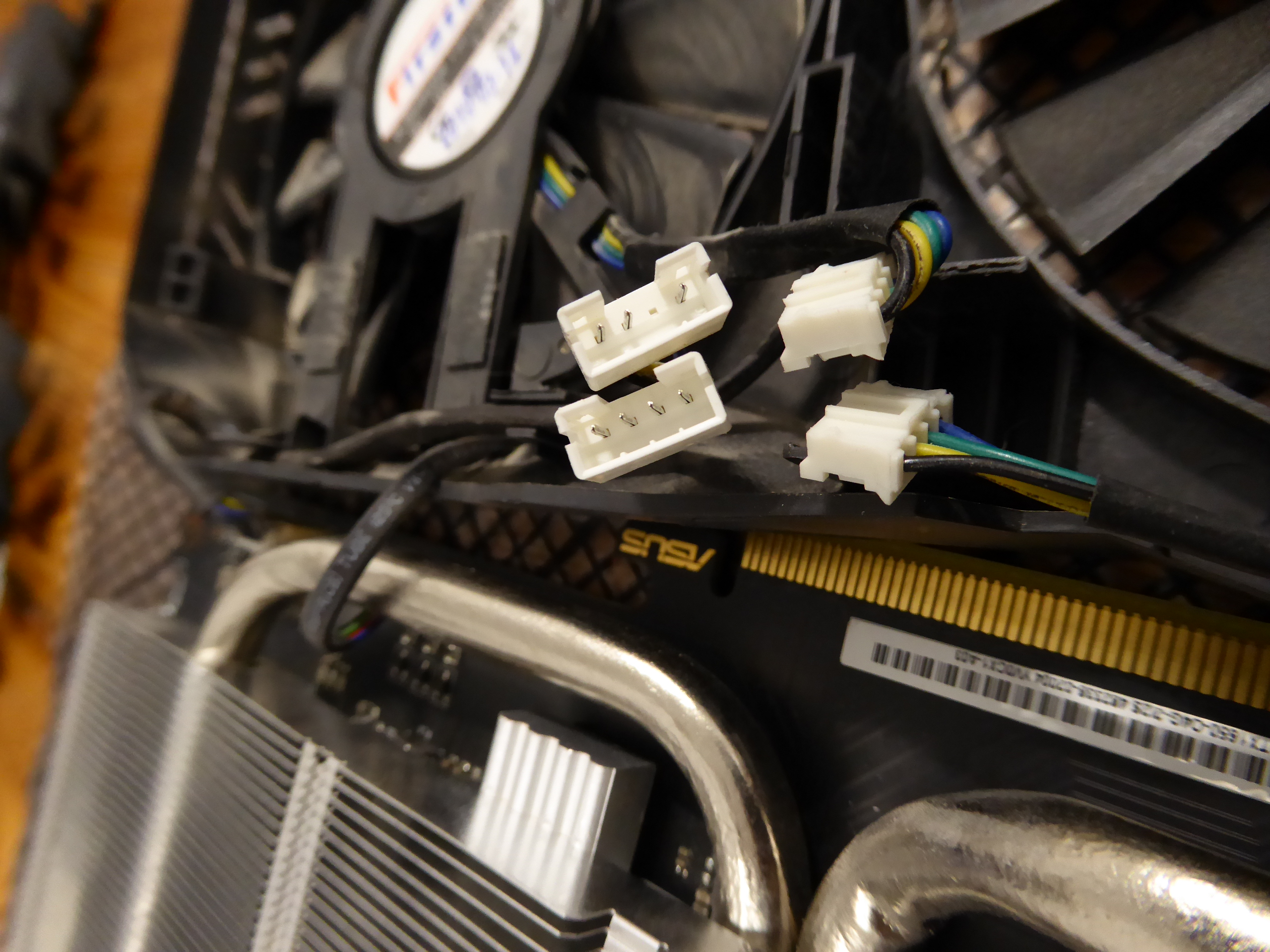
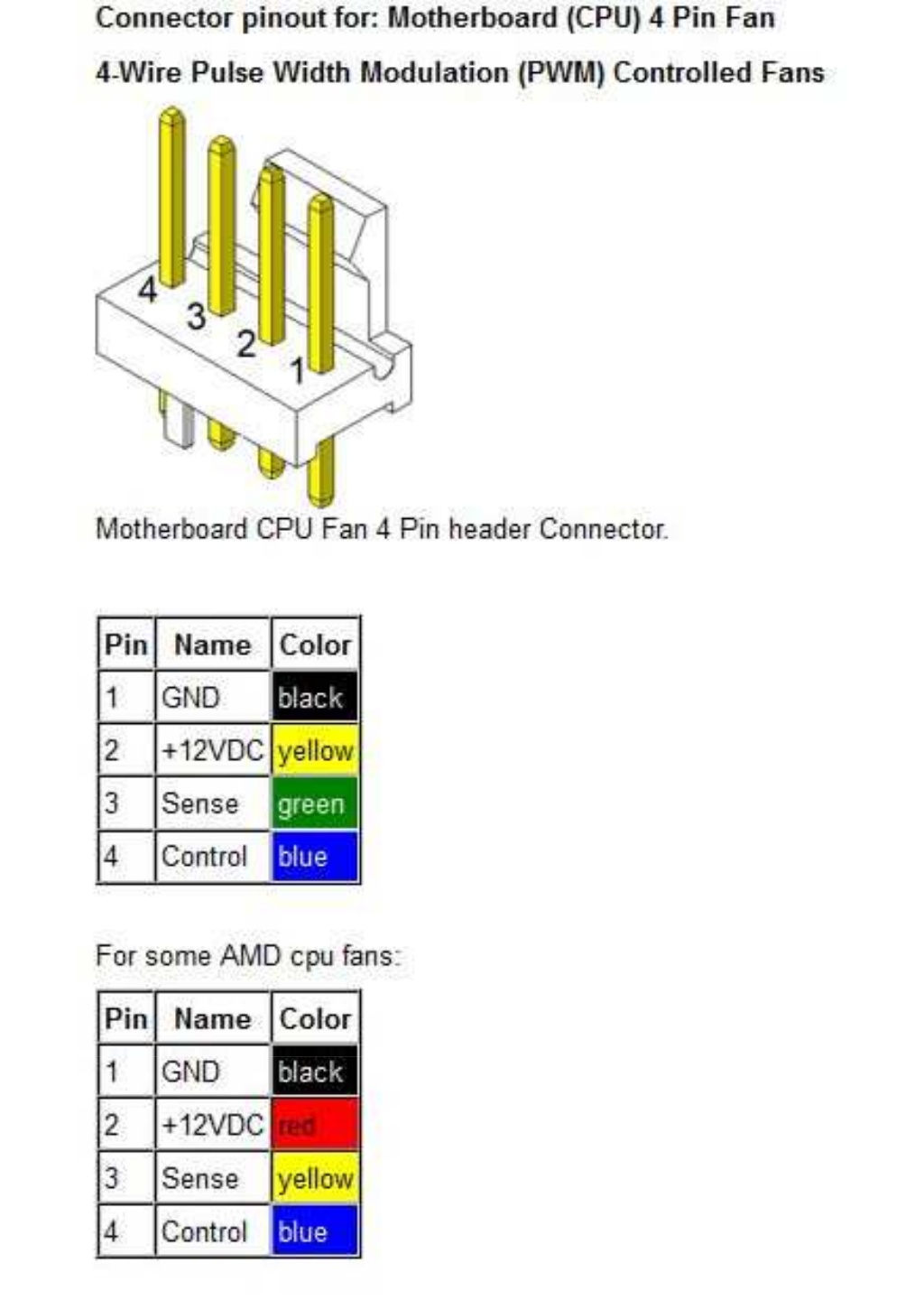
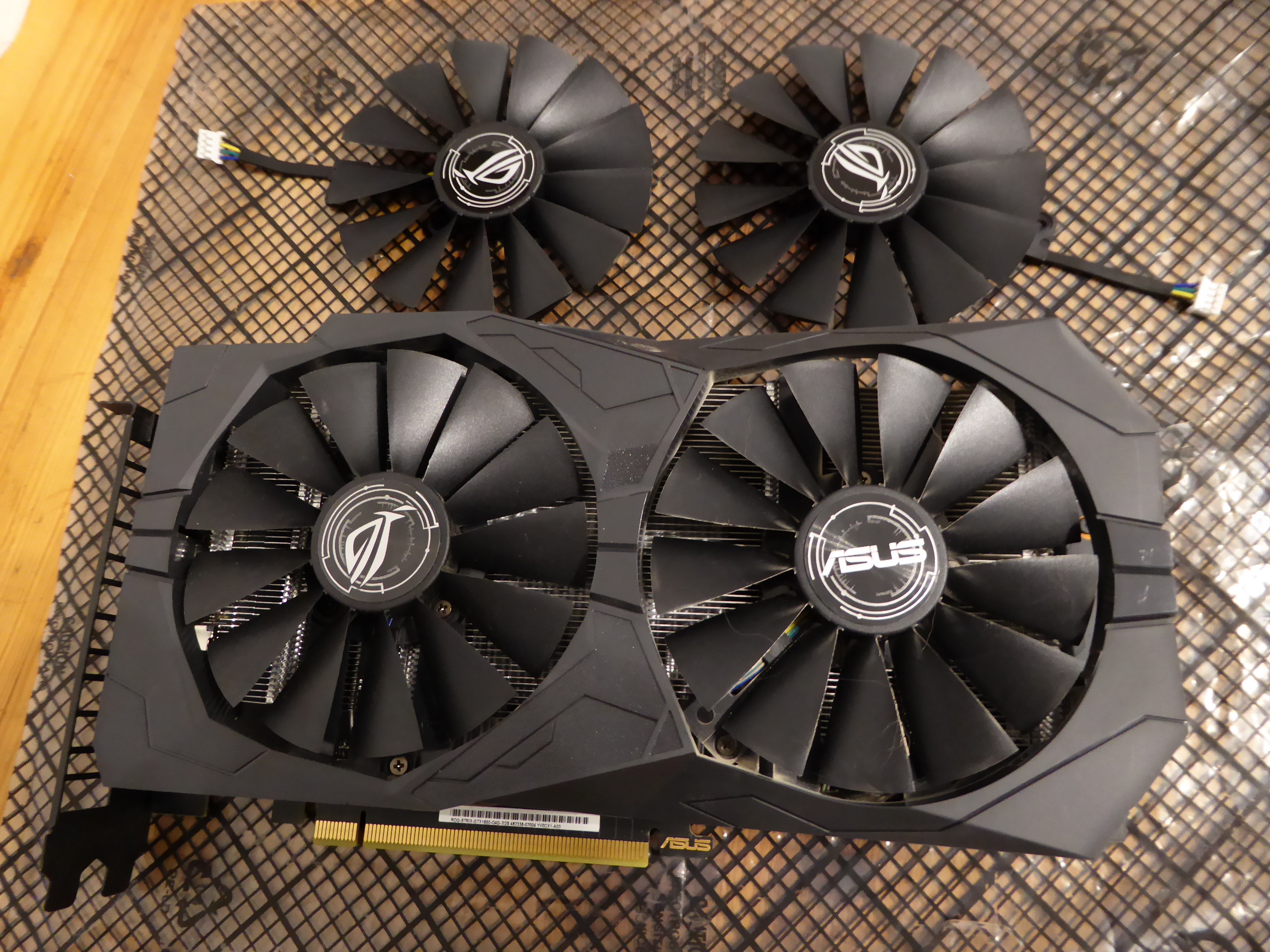
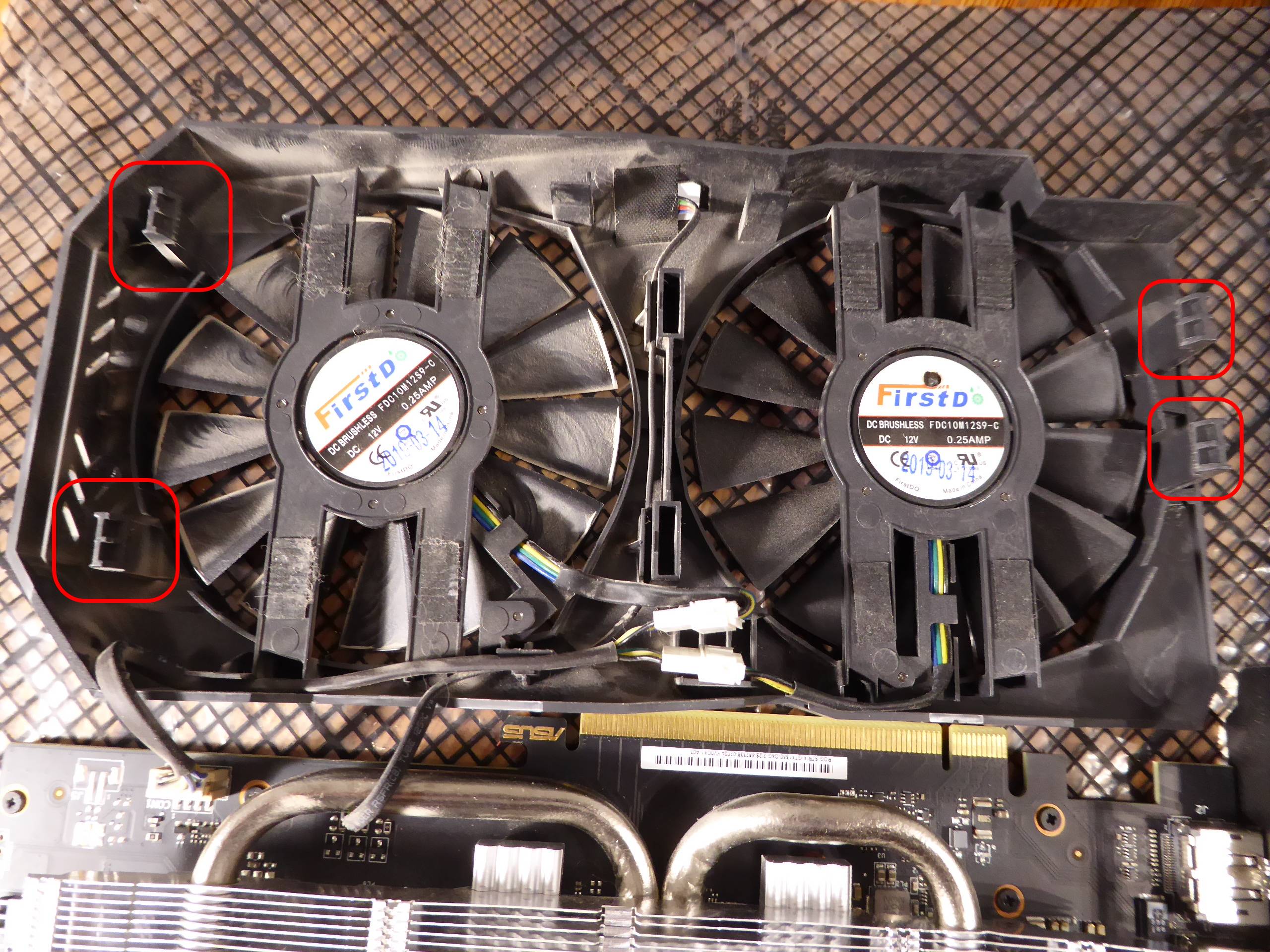
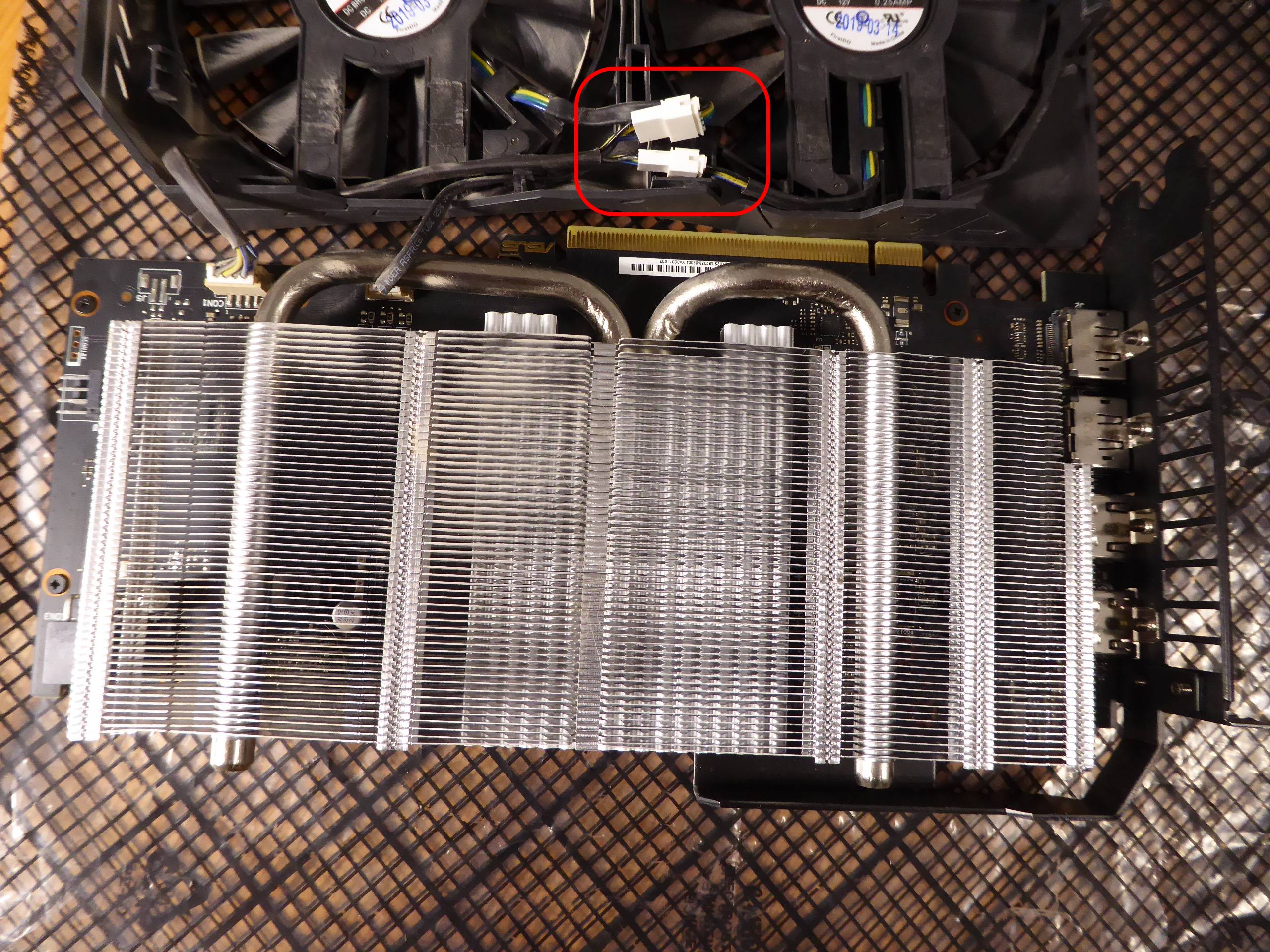
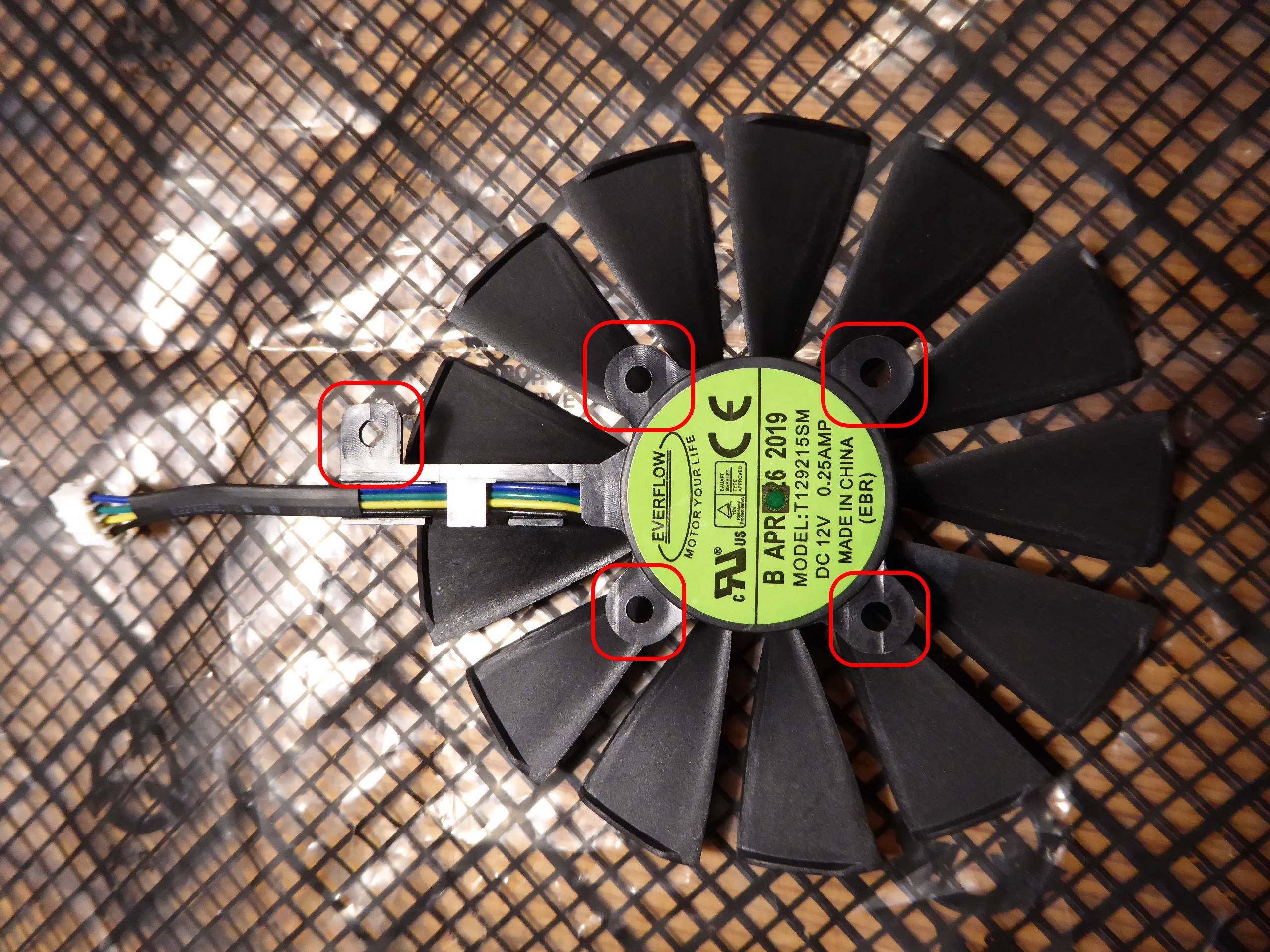
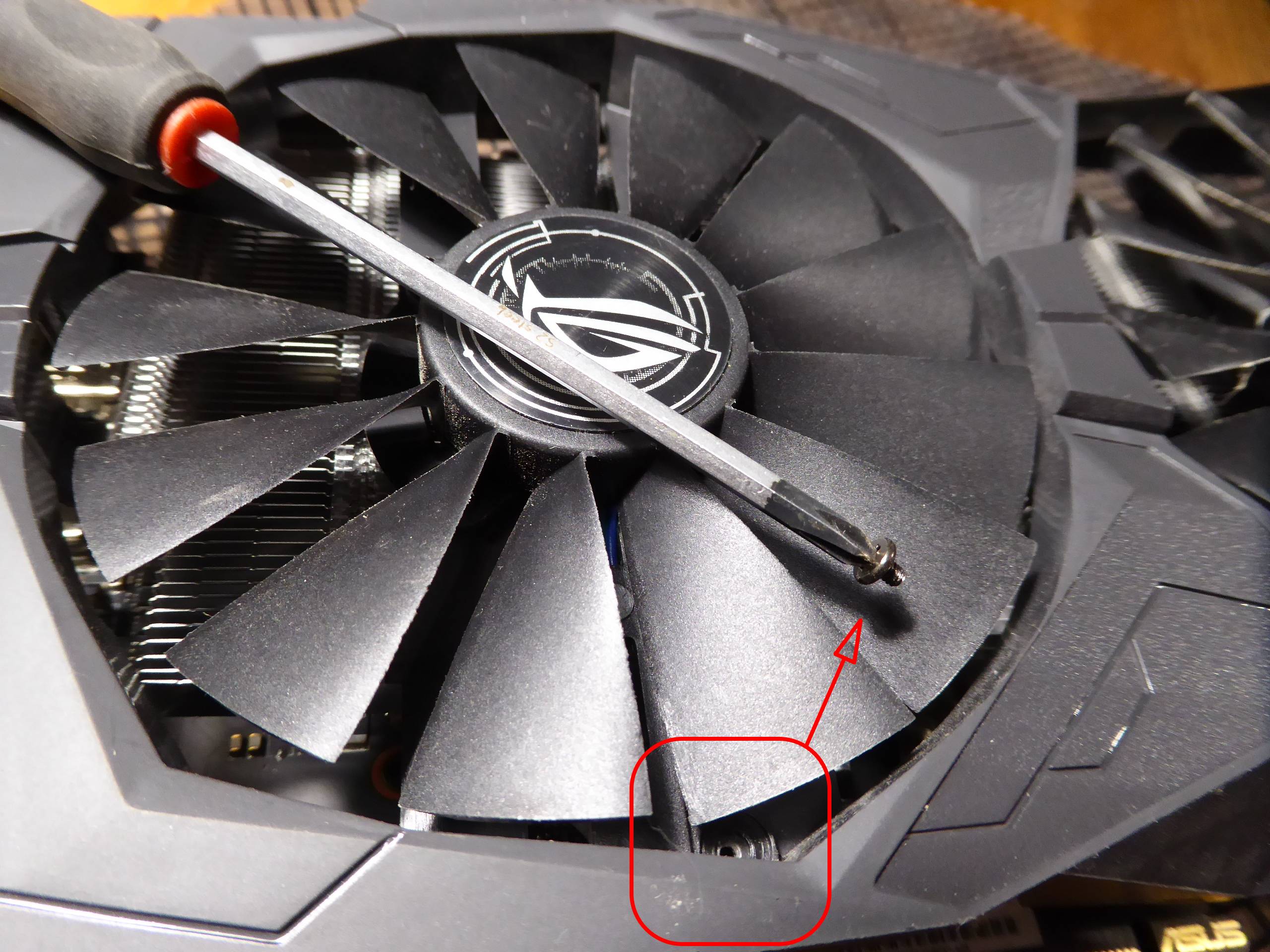
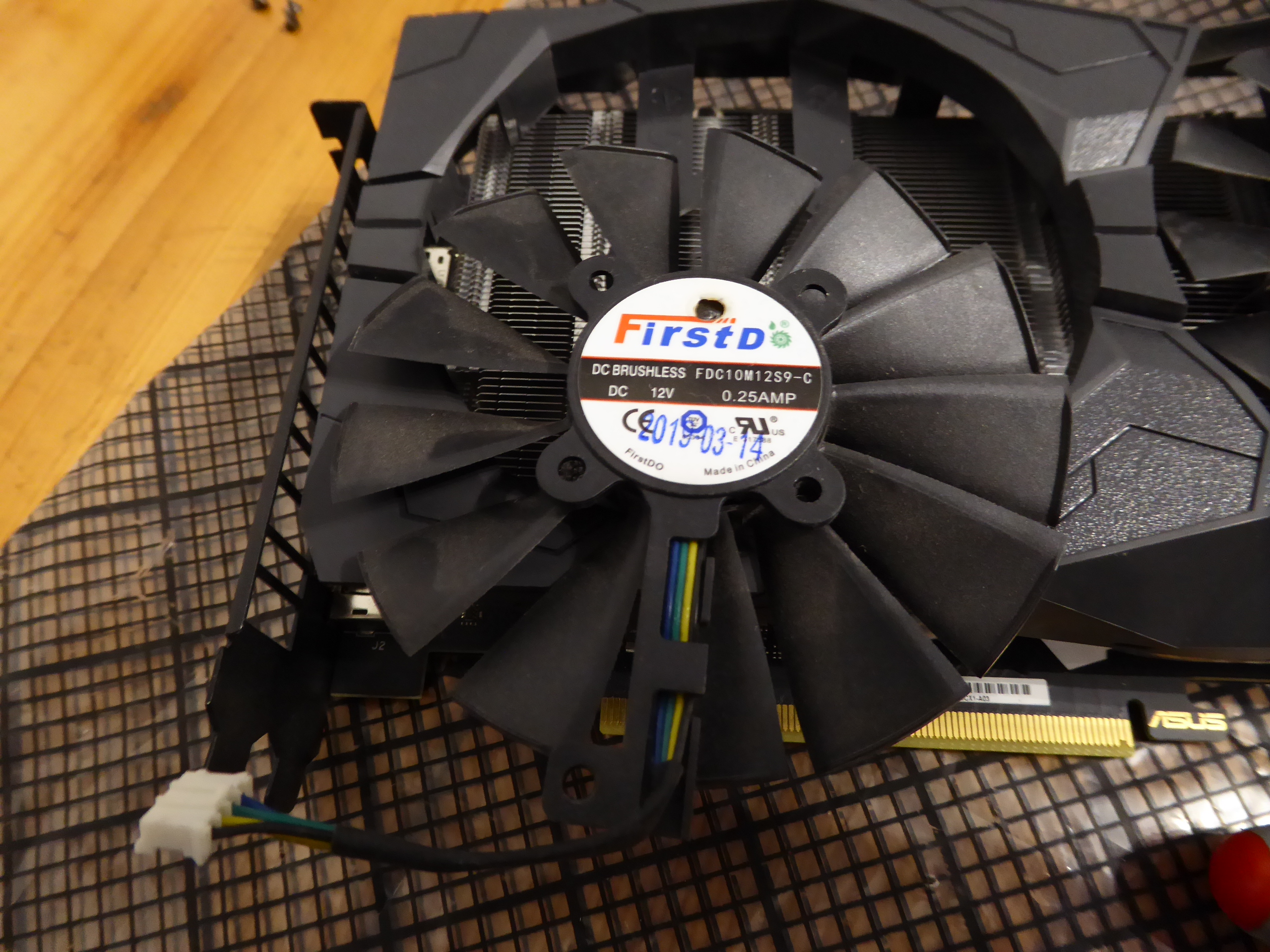
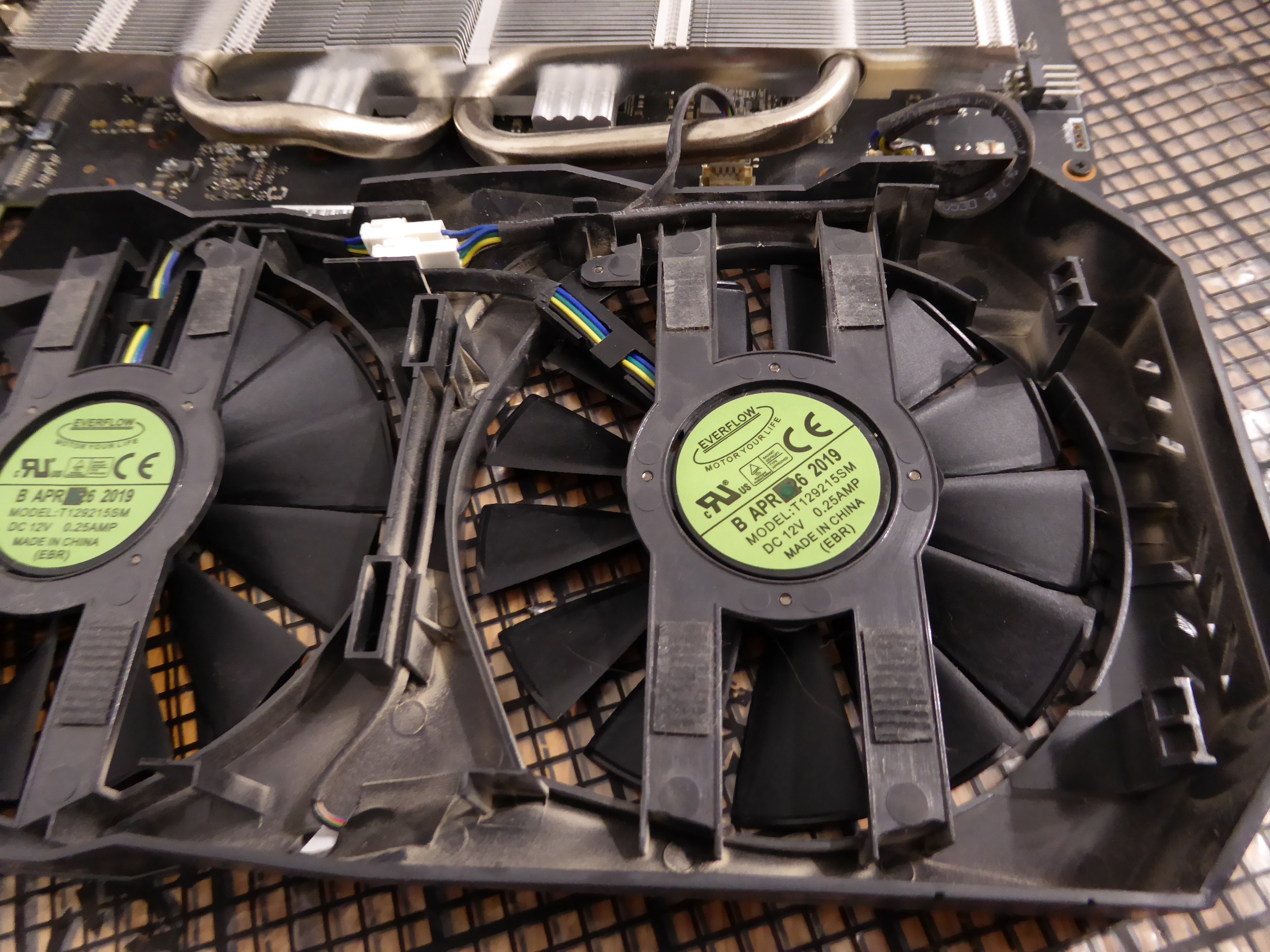
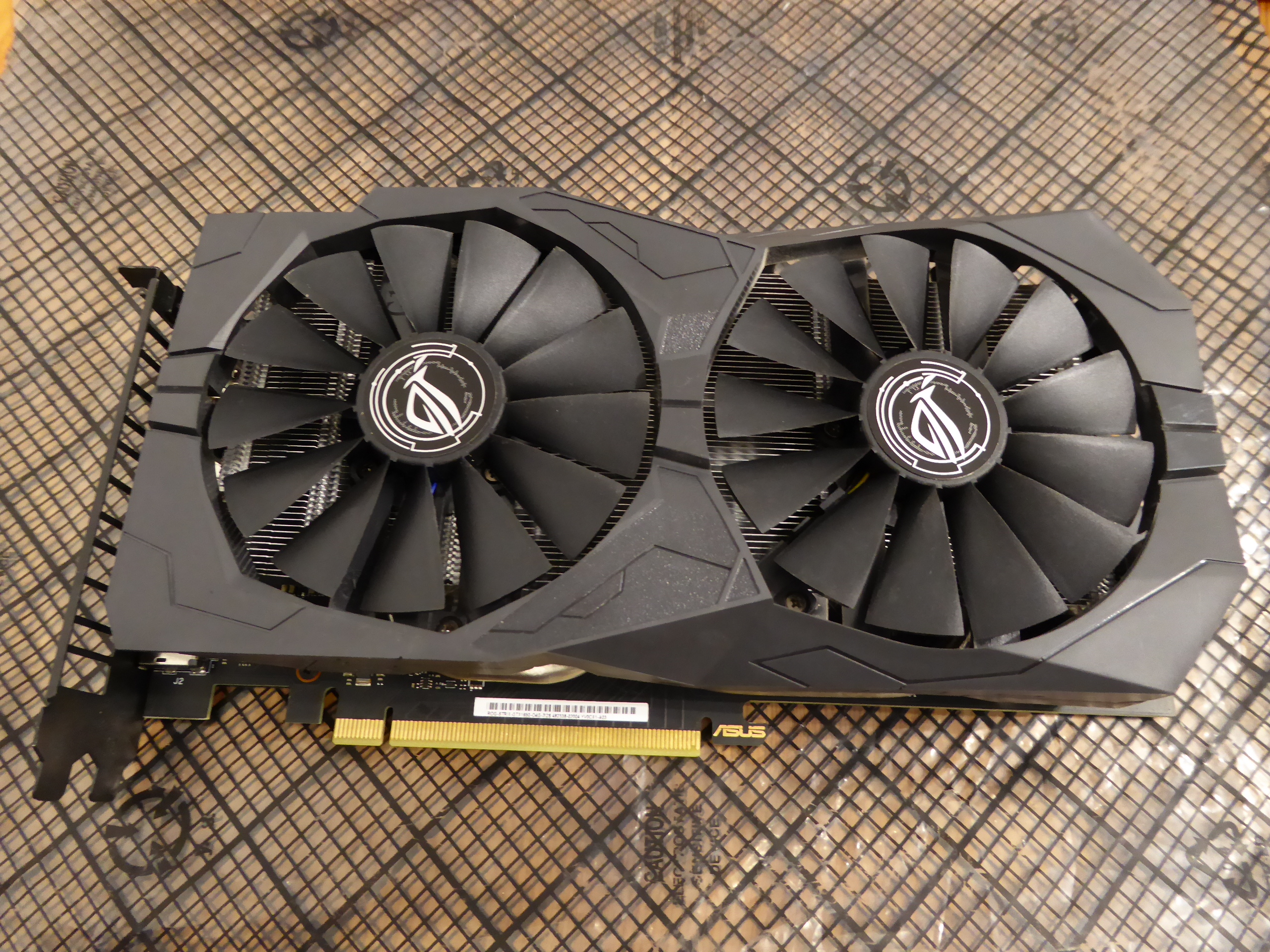
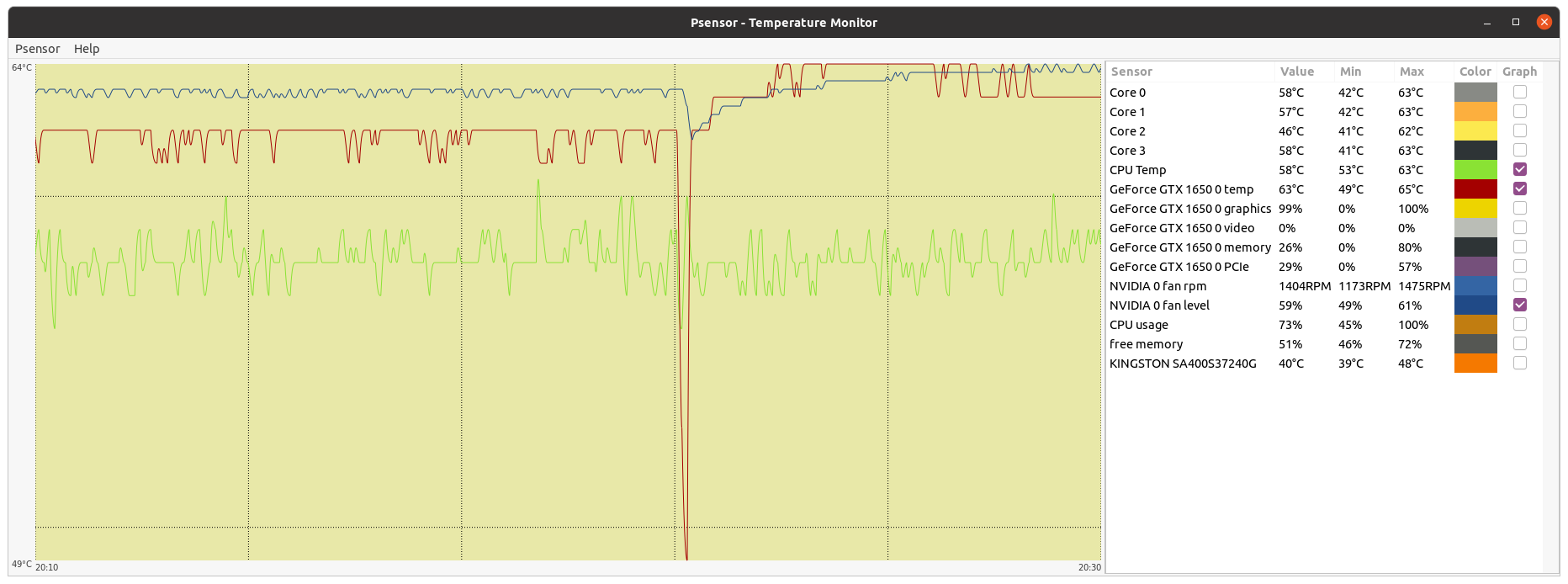
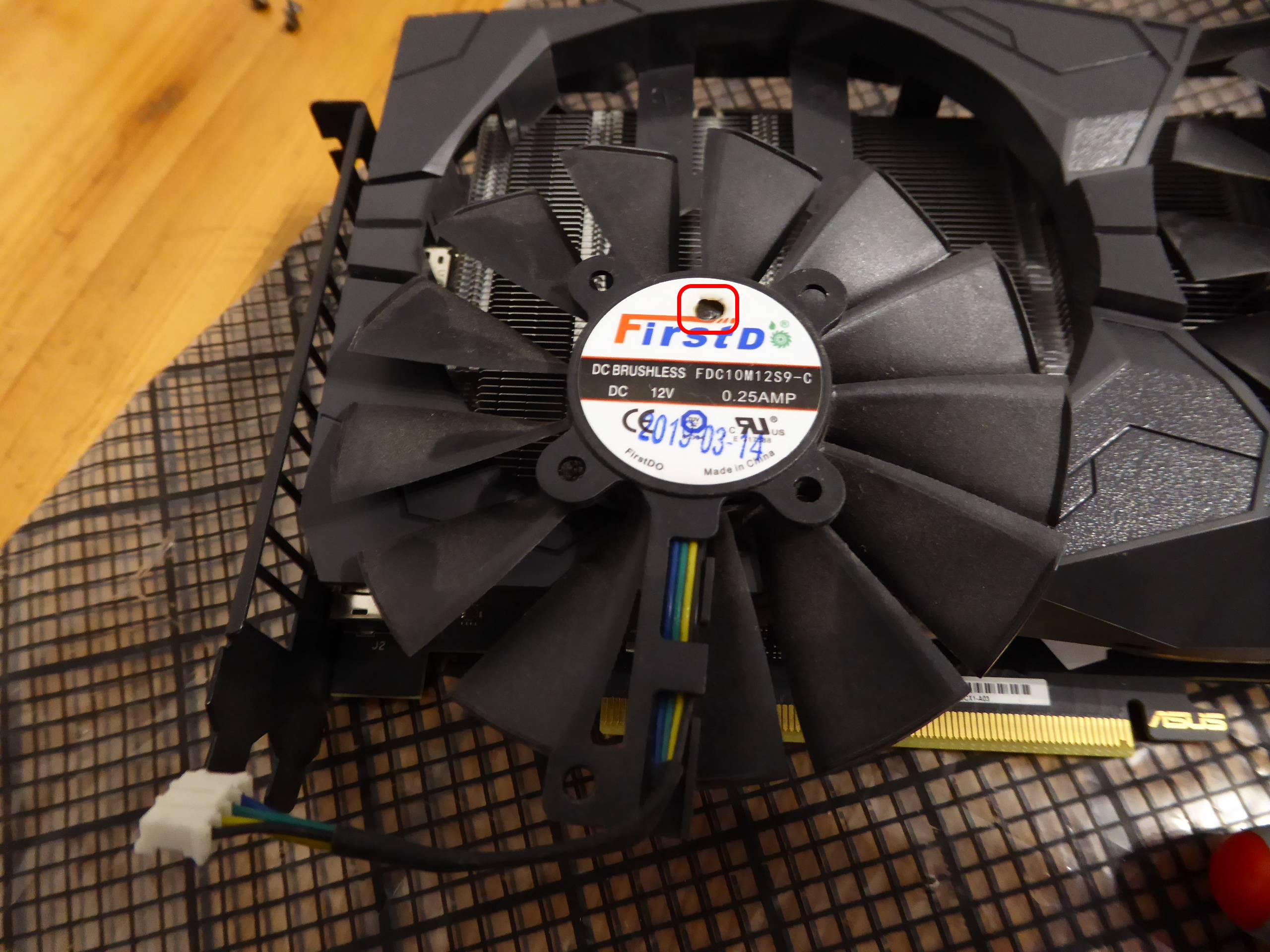
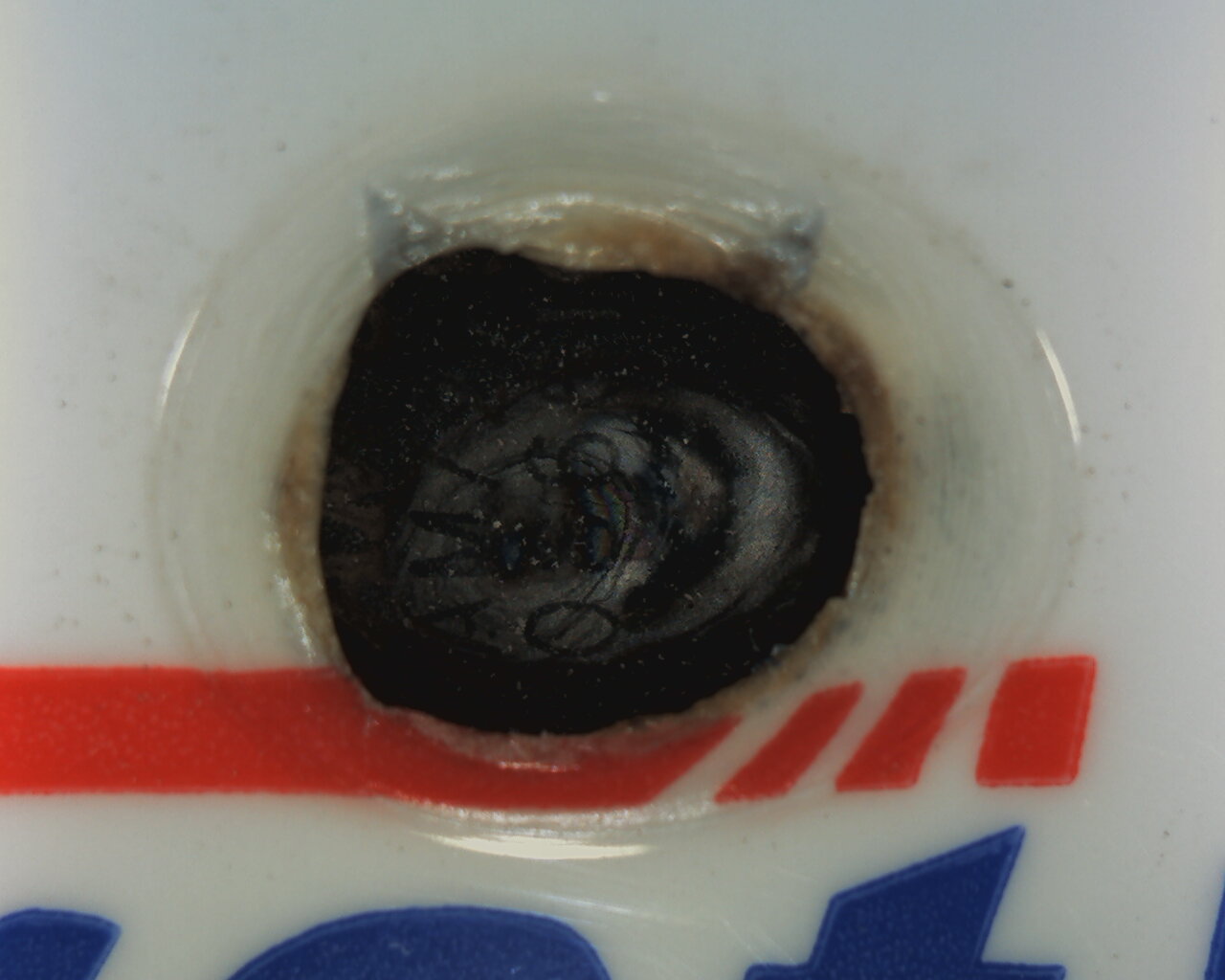
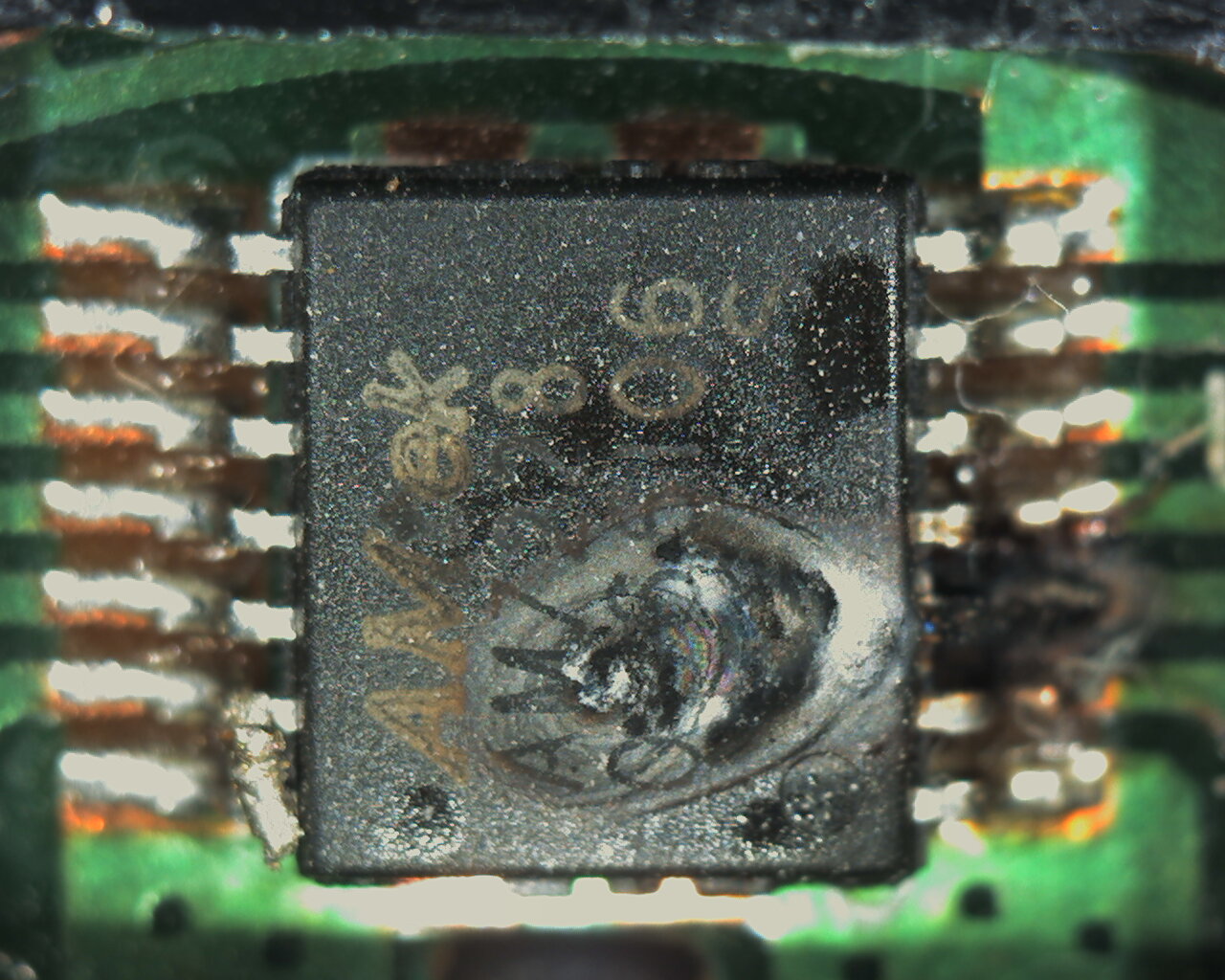
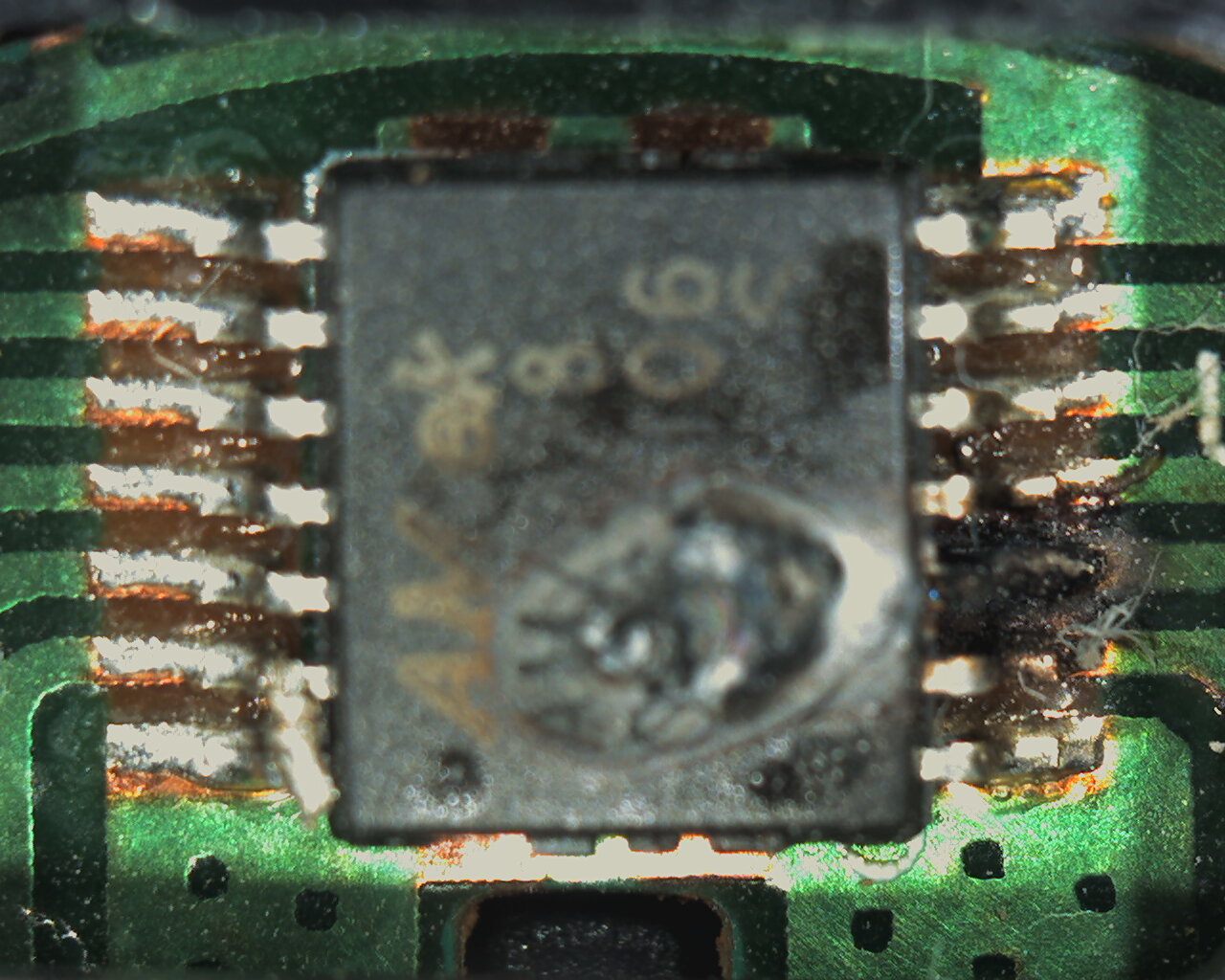
PWM fan fireworks On a routinary temperature check, I noticed an unusual temperature and fan% rising at the graphics card on this host. I dismounted chassis side panel, and I found what can be seen at this video. One of the graphics card fans had completely stopped, and the other fan was running at high speed. Both fans are the same model: 95 mm diameter, 13 blades, PWM (Pulse Width Modulation) speed controlled. I thought it would be difficult to find replacement for this kind of special fans, but I searched at a known provider by the reference at its back label "FDC10M12S9-C", and several alternatives were shown. Finally, I purchased two units of this model, and I received the ones pictured at this image. First question: How is it possible that it goes (almost) unnoticed a completely stopped fan? It can be better understood by watching the fans layout in this particular graphics card. Previous image is a close-up of intermediate fan connectors at the back of the fans mounting frame. Both are 4 pin male connectors, but third pin is missing in one of them. As can be seen on PWM fan four pins connector layout, missing pin is the speed sensing one: both fans are in parallel, but only is used the speed sensing signal coming from one of them. This is a very common policy in many multi-fan graphics cards. Non sensed fan was the failing one, thus not being detected that it had stopped. The only clue was the observed temperature increase on GPU, and fan% raising at working fan trying to compensate it... Ok, lets go. Now the graphics card is on-table, along with two spare fans. I'm changing both, for them to be well paired each other. Fans mounting frame can be detached from heatsink by grasping four fixing latches, two each side. Once mounting frame is loose, intermediate male-female connectors have to be detached. Better than pulling the cables, I prefer to insert the blade of a small flat screwdriver at the slit in between and pry them apart. Each fan is attached to mounting frame by screws at 5 fixing places. A proper magnetized-head screwdriver will help now, and damaged fan is loose. Better try to not drop these small screws. They tend to hide at unimaginable places... After repeating this with the second fan and reassembling in reverse order, now the new fans are assembled at the frame. And replacing the frame to its original position, the graphics card is repaired. Once repaired graphics card is mounted at mainboard again, original thermal behavior is restored, as seen in Psensor readings. Second question: What's that spike-like sudden drop seen at GPU temperature graphic? It is exactly the transition between an Asteroids@home task and a GPUGrid task. Asteroids@home tasks are less power demanding than GPUGrid ones, and that's why the observed plateau temperature difference is due, while the spike is the transient near-zero power consumption between the two consecutive tasks. Third question: What happened to defective fan for it to stop? Defective fan forensics Careful observers may have noticed a small burn at fan's plastified label. A close microscopic sight can confirm this. And after removing the label, the failing component is found to be the fan driver chip. Here is a close up of the chip's surface, and here another at printed circuit board level. Tip: When some of these small componentes shortcircuits, there is a great amount of current available at +12 VDC rail for it to get roasted... 🔥 |
 Send message Joined: 13 Dec 17 Posts: 1424 Credit: 9,189,946,190 RAC: 0 Level  Scientific publications
|
Great repair summary. I have a EVGA 2070 that has a failed/failing fan that most of the time won't spin up. Sometimes I get lucky on a reboot and it will spin up and run until rebooted again. I figure it has something to do with the driver chip also. Card is under warranty but I have been reluctant to RMA it and lose production. I moved the card from the middle of the stack to the outside of the stack where it can breathe better. Card runs about 10 degrees warmer than it does when both fans are spinning. And I lose about 100 Mhz of clocks due to downclocking. Will have to do something about it eventually, probably when the warranty is about to run out or I decide to upgrade it with something better. |
Retvari Zoltan Send message Joined: 20 Jan 09 Posts: 2380 Credit: 16,897,957,044 RAC: 0 Level Scientific publications 
|
The magic smoke makes ICs to work. If it is ever released, the IC won't work anymore. |
|
Send message Joined: 4 Aug 14 Posts: 266 Credit: 2,219,935,054 RAC: 0 Level  Scientific publications
|
The magic smoke makes ICs to work. If it is ever released, the IC won't work anymore. That is gold! ServicEnginIC, your microscope takes excellent pictures! |
|
Send message Joined: 21 Feb 20 Posts: 1118 Credit: 40,876,970,595 RAC: 0 Level Scientific publications
|
probably stemmed from all the corrosion on pin#3. what's the humidity like where this system runs?
|
|
Send message Joined: 13 Dec 17 Posts: 1424 Credit: 9,189,946,190 RAC: 0 Level Scientific publications
|
That's not corrosion. That is the pin and trace burned up. The IC died not just internally. |
|
ServicEnginIC Send message Joined: 24 Sep 10 Posts: 598 Credit: 13,086,875,510 RAC: 309,121 Level Scientific publications
|
I live in an inner, mid heigth (580 m above sea level) zone, in Canary Island of Tenerife. Humidity is usually in the range 40 - 60 % RH most of the year. During winter, we have to use a dehumidifier in the living room to make it habitable... Really, not a good environment for electronics. But this time I agree Keith Myers, for the cause being an internal shortcircuit creating temperatures high enough to Magic Smoke be liberated (I liked it !-) and some nearby PCB lanes to become burnt. |
|
Send message Joined: 8 Aug 19 Posts: 252 Credit: 458,054,251 RAC: 0 Level Scientific publications
|
... under warranty but I have been reluctant to RMA it and lose production. I have the same issue with a MSI Z490-A PRO motherboard. When I load the memory properly or load all the slots, it won't boot. when I just use slots 3 and 4 it runs normally and even though it reports single channel memory it benchmarks well. It has the latest BIOS version and all MSI will do is tell me they'll give me an RMA#. Next machine will be Asrock/evga, I'm thinkin. |
|
Send message Joined: 8 Aug 19 Posts: 252 Credit: 458,054,251 RAC: 0 Level Scientific publications
|
That is the pin and trace burned up. The IC died not just internally. Ouch, Keith. Would an aftermarket liquid cooling system work? |
|
Send message Joined: 13 Dec 17 Posts: 1424 Credit: 9,189,946,190 RAC: 0 Level Scientific publications
|
... under warranty but I have been reluctant to RMA it and lose production. Anytime you are dealing with a LGA socket and missing memory channels, first thing to do is pull the cpu, examine the socket pins for any pins on the outside rows that are out of alignment and then reseat the cpu and wiggle it a bit in the socket before clamping down the retention mechanism. Reboot and see if the missing memory channels show up. The alignment of the pad to pin is fairly critical. On the order of 40 microns C-C. |
|
Send message Joined: 13 Dec 17 Posts: 1424 Credit: 9,189,946,190 RAC: 0 Level Scientific publications
|
That is the pin and trace burned up. The IC died not just internally. Not really, the fan controller died. The card still works quite well, just at a higher temp than it would if both fans ran all the time. I always run my gpu fans at 100% all the time. I normally use EVGA Hybrid gpus exclusively but in this host I made my first attempt at custom gpu water cooling with a 1080 Ti and 2080 water blocked. The issue is that I can't really fit the usual hybrid card between the two custom blocked cards because the hybrid hoses occupy the same location as the bridge between the two custom cards. So I ended up using standard air cooled cards for the middle card between the two custom blocks. That card gets hot because their is no room to breathe. It runs both its fans all the time with no issue. But the one card that has an intermittent fan did not cut it in that location. So it got moved to the outside of the stack next the side panel and it cools fairly well even with just one fan running most of the time. I have plenty of gpus I can substitute in that host, just not of the same caliber as the 2070. I never could figure out where to mount a hybrid card in that location because the hoses are not long enough to reach where I actually could mount a hybrids radiator. The roof of the case is occupied by two 360mm radiators for the two custom loops. |



©2026 Universitat Pompeu Fabra