The hardware enthusiast's corner
Message boards :
Number crunching :
The hardware enthusiast's corner
Message board moderation
Previous · 1 . . . 3 · 4 · 5 · 6 · 7 · 8 · 9 . . . 16 · Next
| Author | Message |
|---|---|
 ServicEnginIC ServicEnginIC Send message Joined: 24 Sep 10 Posts: 598 Credit: 13,084,895,510 RAC: 118,521 Level  Scientific publications    
|
My cards are all still alive and working after ten years or more. Going all the way back to a GTX460. That speaks very well about your ability to take care of your hardware... |
|
Send message Joined: 22 May 20 Posts: 110 Credit: 115,525,136 RAC: 0 Level  Scientific publications 
|
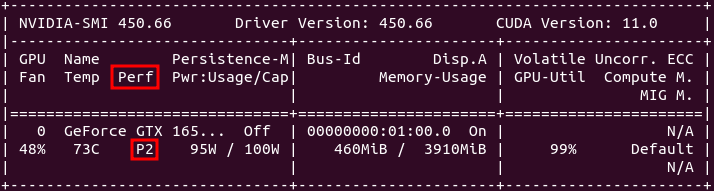
I don't want to steer the direction this thread is taking off-topic here, but was just curious when reading this: ... significant memory overclock of 400-2000Mhz to compensate for the Nvidia compute penalty on consumer cards ... Is this really true? I have read this many times now and am starting to wonder, if instead of overclocking (if at all) the core and memory clock at roughly the same rate ~100 MHz (GTX 750 Ti), it would be wiser, to decrease/suspend core clock OC and consider after testing a more substantial memory OC setting. At least I could test this out. Do you have any personal experience with this issue across various gens that you could share with me? Thanks |
|
Send message Joined: 4 Aug 14 Posts: 266 Credit: 2,219,935,054 RAC: 0 Level  Scientific publications 
|
I don't want to steer the direction this thread is taking off-topic here, but was just curious when reading this: This is true for Pascal and Turing cards that are limited to Performance level P2 when compute functions are detected. The above quoted memory clocking takes the Performance level back to P0 levels. Maxwell cards (gtx 750ti) can benefit from memory overclocking but are not Performance limited like the Pascal and Turing cousins when computing. Maxwell cards do go to Performance level P0 without overclocking the memory. |
|
Send message Joined: 4 Aug 14 Posts: 266 Credit: 2,219,935,054 RAC: 0 Level Scientific publications
|
... |
|
Send message Joined: 21 Feb 20 Posts: 1118 Credit: 40,876,970,595 RAC: 0 Level Scientific publications
|
I don't want to steer the direction this thread is taking off-topic here, but was just curious when reading this: yup, but it's only the memory clock that is affected. and some cards even in the Pascal and Turing generations aren't affected, but only the low end models like the 1050ti and the 1650. these cards seem to have no penalty. overclocking the memory is easy in the P2 state, and it brings performance right back to where it would be otherwise. 
|
|
ServicEnginIC Send message Joined: 24 Sep 10 Posts: 598 Credit: 13,084,895,510 RAC: 118,521 Level Scientific publications
|
Interesting topic. This was also discussed on this Keith Myers post and successive related ones. From then, I've checked that my last purchased GTX 1650 SUPER GPU is also affected by this policy. It is downgraded to P2 performance level while processing GPUGrid. |
|
Send message Joined: 22 May 20 Posts: 110 Credit: 115,525,136 RAC: 0 Level Scientific publications
|
Thanks for your insightful answer! very much appreciated |
 Send message Joined: 8 Aug 19 Posts: 252 Credit: 458,054,251 RAC: 0 Level  Scientific publications 
|
0_6-GERARD_pocket_discovery_f0a0d98e_6ca4_446d_b600_a00239226478-2-3-RND5078 initial replication 2 This is a great chance to see 2 GPUs compared running identical tasks. Be sure to check the other GPU's time and get a better perspective of how yours compares. |
|
ServicEnginIC Send message Joined: 24 Sep 10 Posts: 598 Credit: 13,084,895,510 RAC: 118,521 Level Scientific publications
|
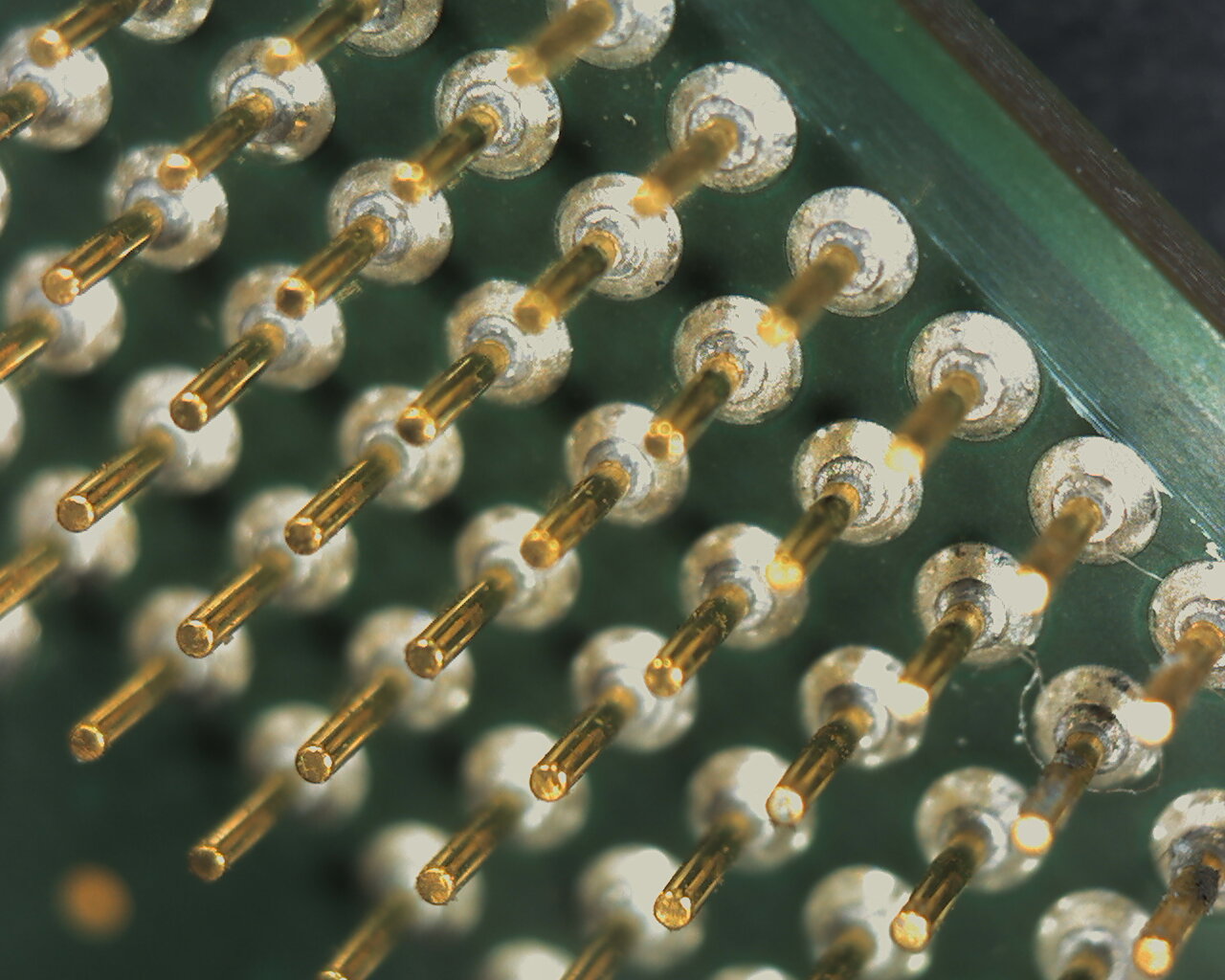
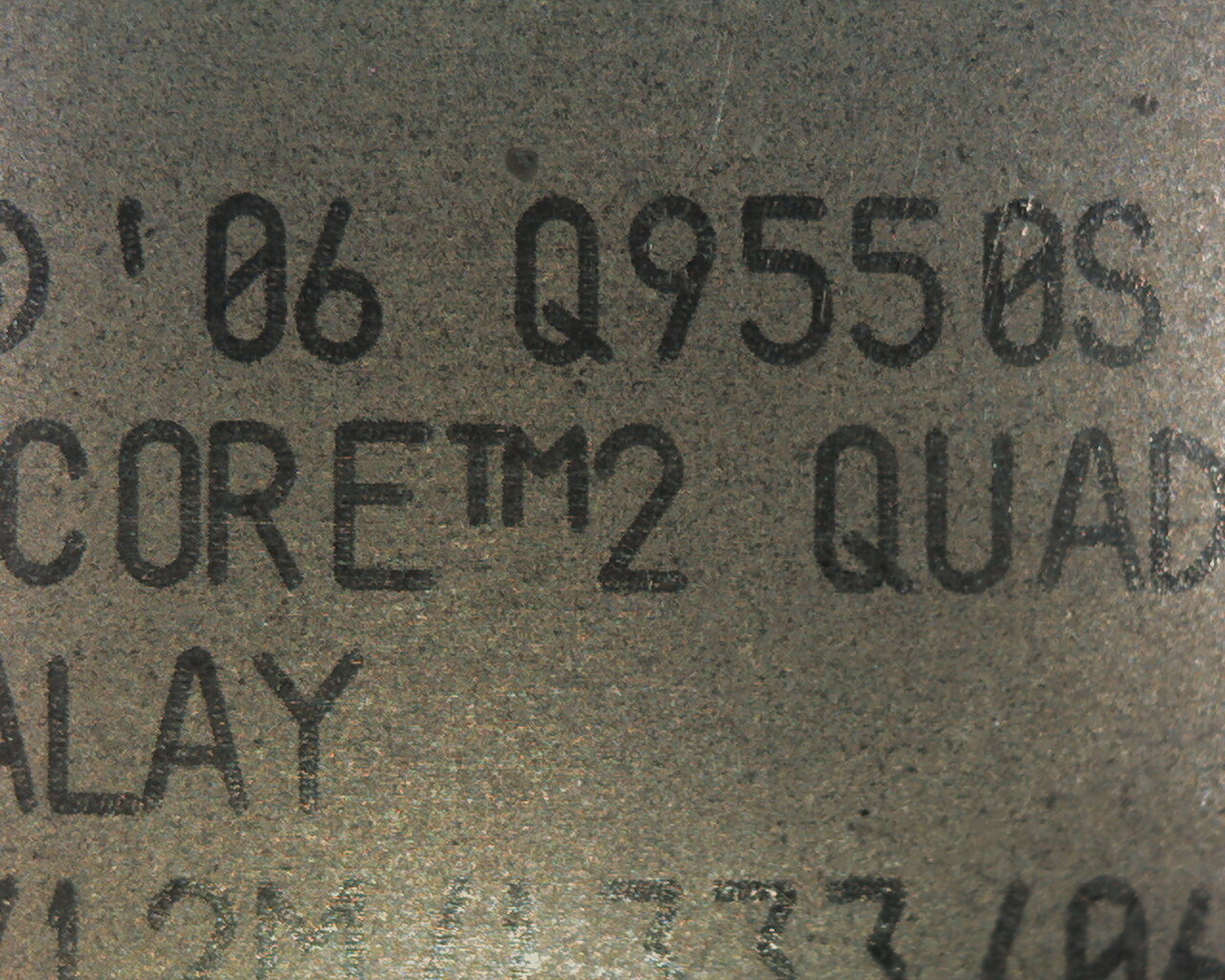
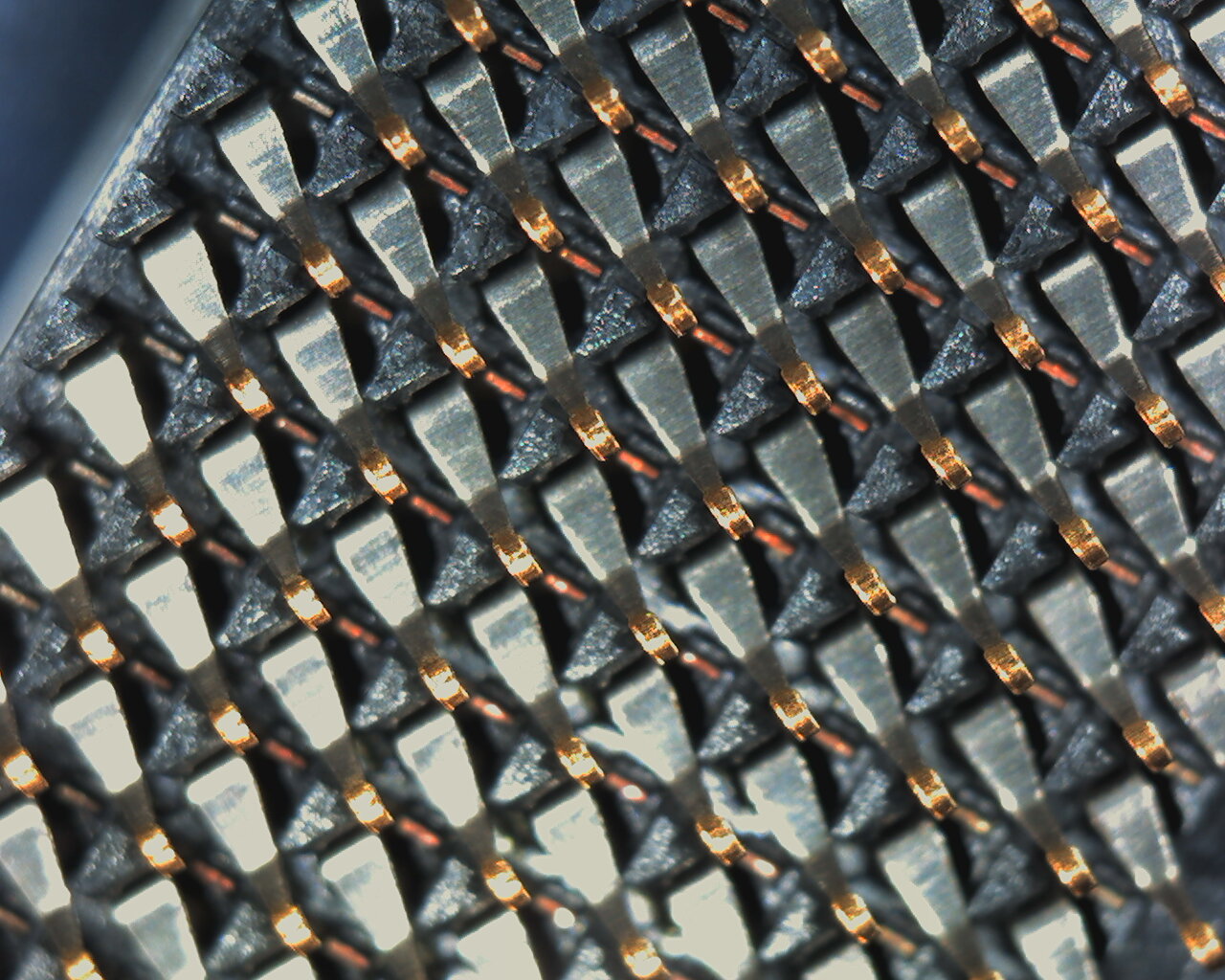
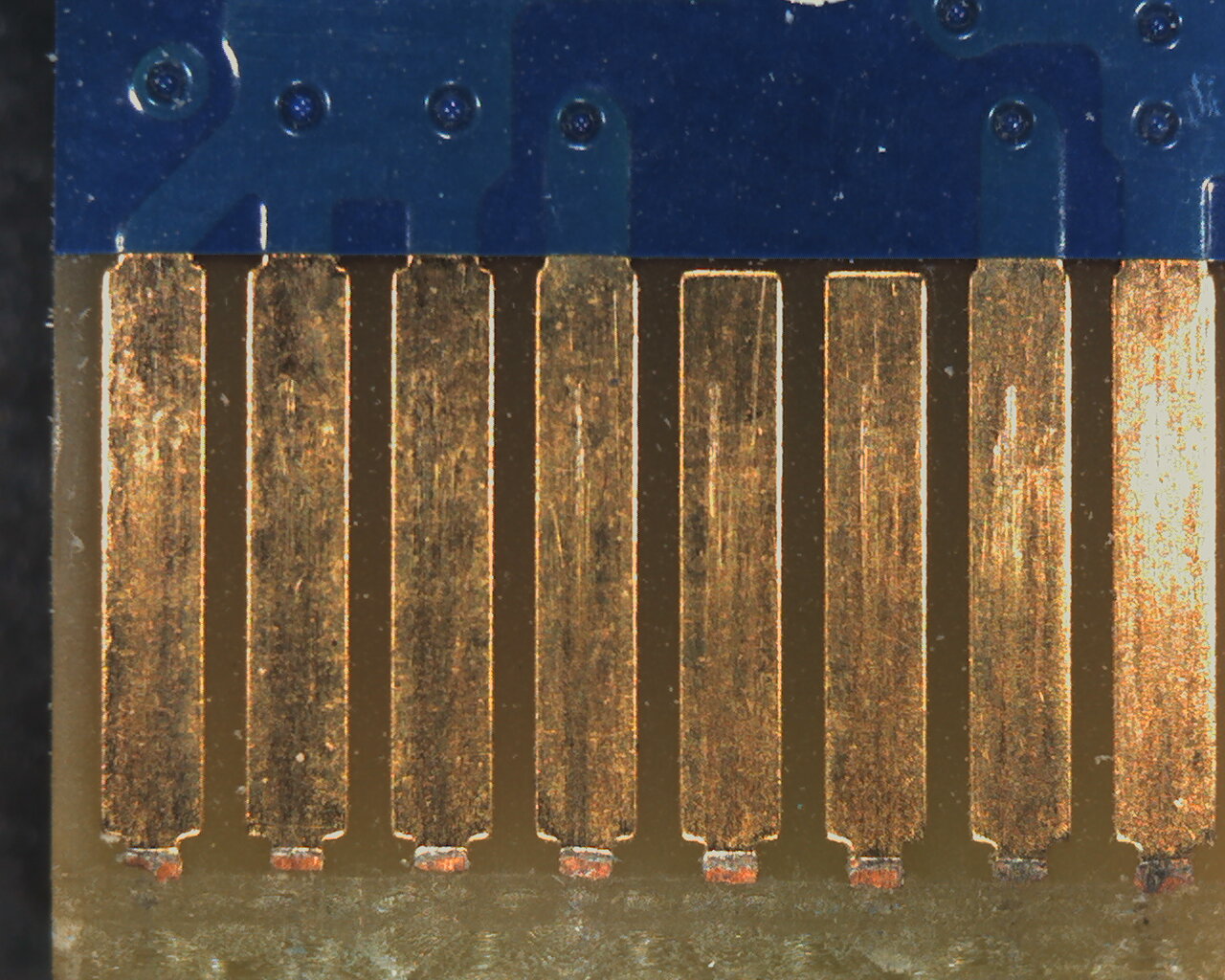
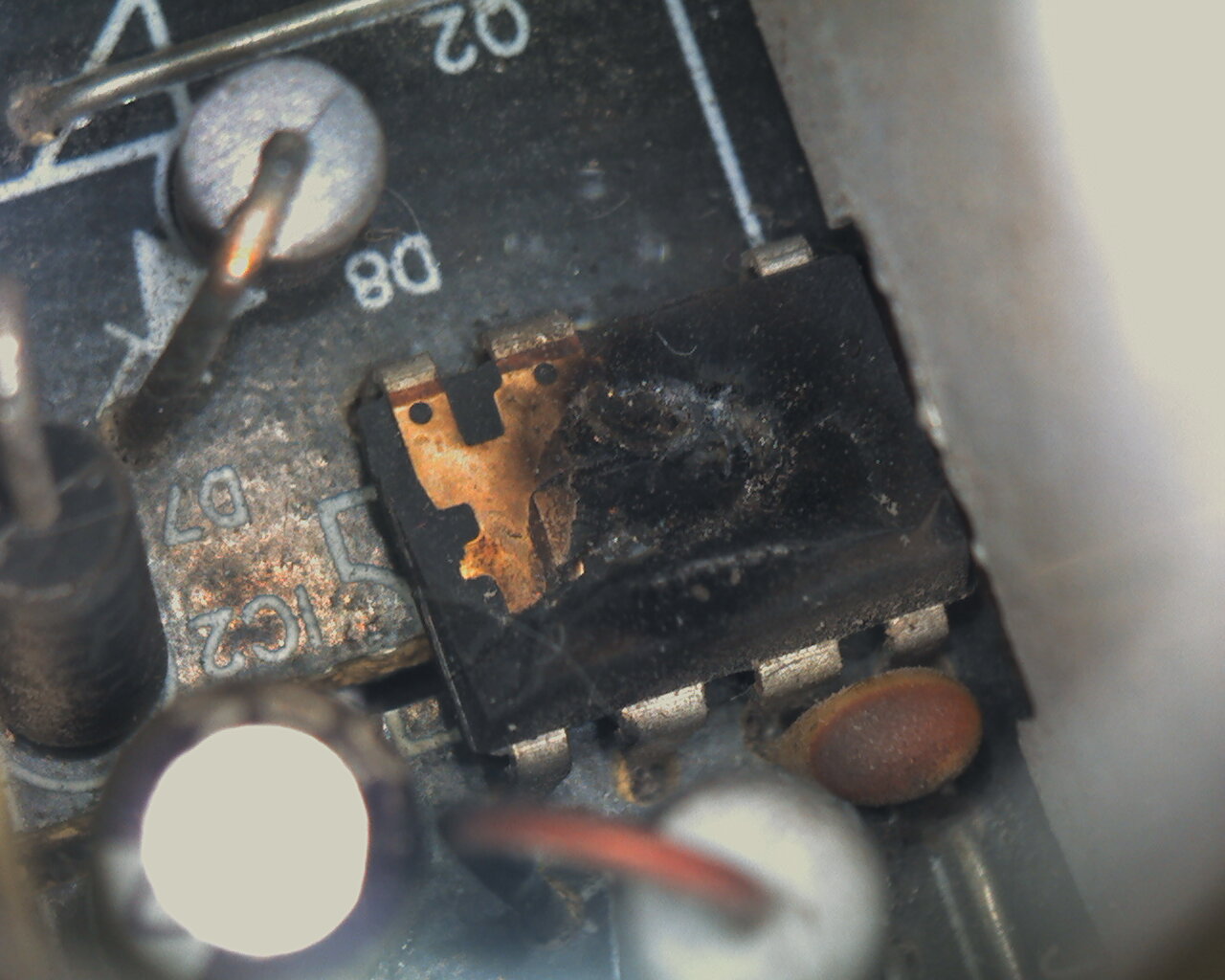
Hardware Microcosmos I've got this 1,3 MegaPixel USB microscope, and I thought that it would be funny to watch computers hardware from other perspective... Lets take a look, and judge for yourself. All images are taken at this microscope native resolution: 1280x1024 pixels. Illumination is self provided by four high intensity perimetral white LEDs. *1) First image is taken from a close watch to drivers CD included with this microscope. It can be seen CD's internal border, with a fragment of identifying text, external surface with microscopic scratches and dust, and internal data surface. It is curious how lanes in reflective material act as prisms, diffracting incident white light into its different component wavelenths red, green, blue... *2) Now we are seeing a black text cursor on white background, in a LED monitor. It is a magnified sight of the Red, Green and Blue (RGB) led matrix, where each pixel is composed of a set of this three primary colours. It is just the opposite than in image number one: white colour is achieved by lighting all three RGB LEDs (Light Emitting Diodes) at their full intensity. All other colours in the palette are achieved by different blends of intensities for each primary colour on each pixel. *3) This is the magnified image of a read/write electromagnetic head on an old mechanical Hard Disk Drive (and its specular reflection on the polished media surface) *4) If you ask me for one element ever present inside a 24/7 working home computer, surely my answer would be: "Dust". This image is a magnified look of the rotor and dusty blade of a computer's fan. *5) This is how looks like the shiny polished surface of a GPU chip. It was taken from a retired NVIDIA GeForce GT 640 graphics card. Grooves left by the polishing bur can be appreciated, and... yes, ubiquitous adhered dust. *6) Here we're watching an old Intel Pentium 4 CPU "gold plated pins forest" and its matching PGA478 socket. *7) And coming from previous images, an evolution for CPU layout: This Intel CORE 2 QUAD processor with its round gold plated contacts array and its matching LGA775 socket contacting pins. *8) Continuing with contacs matter, here is a close sight of gold plated contacts on a graphics card PCIE bus, and its matching PCIE x16 (dusty!!!) socket. In the first image, base copper can be seen extending beyond gold plating at the end of each bus contact. Gold plating over copper is used for effectively lowering contact resistance and extending lifespan due to a much lower oxidation rate. *9) Now, in relationship with graphics cards, an image of male PCIE power connector, and its matching Female connector In this kind of connectors, tin plating can be seen at contacts. 10) And finally, here is the magnified image for a burnt driver chip on a computer's PSU. It literally exploded at the moment of switching PSU on. Not recommended for sensible hearts ;-) My favorite image? Probably This And yours? |
|
Send message Joined: 22 Oct 20 Posts: 4 Credit: 34,434,982 RAC: 0 Level  Scientific publications
|
Hardware Microcosmos A different perspective of PC and it's parts. Nice journey. My favourite picture was the "cursor on white background". Not what most people would expect. |
|
Send message Joined: 29 Mar 20 Posts: 22 Credit: 968,641,468 RAC: 0 Level  Scientific publications
|
Maybe someone here can help me? I have 2 GTX 1070 GPUs in my Core I7 desktop, device 0 is running, device 1 is inactive. There is plenty of work in my BOINC cue but no applications running on the second GPU, lights lit but fans not running. Does anyone know how I might wake it up or figure out what is wrong? It has done this before and then eventually started running again without any help from me. When it runs it only runs one application, the other one runs several. Thanks- |
|
ServicEnginIC Send message Joined: 24 Sep 10 Posts: 598 Credit: 13,084,895,510 RAC: 118,521 Level Scientific publications
|
no applications running on the second GPU, lights lit but fans not running Depending on the graphics card model, this behavior might be normal: Some models only activate fans when GPU gets hotter than certain temperature, not reached if your GPU is iddle. Try editing your cc_config.xml file, usually located at C:\ProgramData\BOINC directory, and add in <options> section the following line: <cc_config> Save the changes, reboot computer, and see if this helps... |
|
Send message Joined: 29 Mar 20 Posts: 22 Credit: 968,641,468 RAC: 0 Level Scientific publications
|
Will do, thanks! I played a few rounds of World of Warships and now it is running again. I don't know if it had anything to do with it but it seems like I can eliminate the possibility of a hardware problem if it runs part of the time. |
|
Send message Joined: 29 Mar 20 Posts: 22 Credit: 968,641,468 RAC: 0 Level Scientific publications
|
System is Windows 10. I don't see a Program Data folder in C, I see Program Files. Inside Program Files is a BOINC folder. Inside it is boinc, boinccmd, boincscr, boincmgr, boincsvcctrl, and boinctray. When I double-click boinc it opens a DOS window that says cc_config.xml not found - using defaults. I don't know where to enter the command. |
|
ServicEnginIC Send message Joined: 24 Sep 10 Posts: 598 Credit: 13,084,895,510 RAC: 118,521 Level Scientific publications
|
System is Windows 10. I don't see a Program Data folder in C You're right. ProgramData folder is hidden by default in Windows 10. Try searching in Search option for "folder", select "Folder Options", then "View" tab, and check "Show hidden files and folders" option. Then ProgramData folder will become visible. |
Retvari Zoltan Send message Joined: 20 Jan 09 Posts: 2380 Credit: 16,897,957,044 RAC: 0 Level Scientific publications
|
There's no need for that. Hidden directories can be accessed if you know the exact path of that given folder.System is Windows 10. I don't see a Program Data folder in C So 1. mark this: C:\ProgramData\BOINC and press <CTRL+C> (it copies the marked text to the clipboard) 1. press <windows key + E> (the Windows explorer is opened) 3. click on the address bar field and press <CTRL+V> (the C:\ProgramData\BOINC text should appear there) 4. press <ENTER> 5. now you should see the cc_config.xml file, right click on it, and select "edit" from the context menu. |
|
ServicEnginIC Send message Joined: 24 Sep 10 Posts: 598 Credit: 13,084,895,510 RAC: 118,521 Level Scientific publications
|
1. mark this: C:\ProgramData\BOINC and press <CTRL+C> (it copies the marked text to the clipboard) Nice, elegant way to do the job 👍️ |
|
Send message Joined: 11 Jul 09 Posts: 1639 Credit: 10,159,968,649 RAC: 0 Level Scientific publications
|
Nice, elegant way to do the job 👍️ Once. If you think you might ever want to do this again, it's better to go the folder properties route - then, you don't have to find an example to copy. It'll always be visible. |
|
ServicEnginIC Send message Joined: 24 Sep 10 Posts: 598 Credit: 13,084,895,510 RAC: 118,521 Level Scientific publications
|
Suddenly, a few days ago, on November 5th 2020, grew nine (9) twin hosts like this one #566744, owned by an anonymous user. I discovered today while looking at Hosts ranking , where these systems have quickly arrived to first page. I've got completely astonished. Starting by processor, based on Intel(R) Xeon(R) Gold 6248R CPU @ 3.00GHz This is an Intel Xeon processor with 24 cores / 48 threads. As 96 processors are shown at host characteristics, this must be based on a bi-processor mainboard. Following by memory: 361762,6 MB are shown. Rounding to the next standard value, and being this processor capable of a 6-channel memory distribution, I'd bet for 6 x 64 or 12 x 32 GB DDR4 memory modules = 384 GB RAM And arriving to 10 x NVIDIA Quadro RTX 6000 graphics cards... Specifications. Incredible. Processor TDP: 205W x2 = 410W ; GPU TDP: 295W x10 = 2950W. Adding peripherals power, let's say 3500W at full load for every of these 9 hosts (31,5 KW in total???) That far exceeds my imagination. And let's not talk about the economic cost for building such awesome systems (!!!) |
|
Send message Joined: 21 Feb 20 Posts: 1118 Credit: 40,876,970,595 RAC: 0 Level Scientific publications
|
Suddenly, a few days ago, on November 5th 2020, grew nine (9) twin hosts like this one #566744, owned by an anonymous user. I usually keep a close eye on my systems, as well as others just for curiosity and keeping an eye on the competition :P So I noticed when they showed up. They belong to Syracuse University, it wasn't hard to figure out which systems belong to them even if they have it hidden. here's one of them: https://stats.free-dc.org/host/ps3/566770 they showed up with 9 systems, each containing 10x Quadro RTX 6000 GPUs. these are a little slower than a 2080ti. I was curious how they got so many GPUs in a single system as I was sure a university wouldn't be making custom builds like this to house in mining racks like i do, but I also wasn't aware of any servers that supported 10x GPUs (most stop at 8). then I came across this: https://www.servethehome.com/dell-emc-dss-8440-10x-gpu-4u-server-launched/ and with 9 or 10 of these, upwards of 100x GPUs in a whole server rack. just imagine that cost LOL. I'm sure they don't plan to just use these for DC projects and just run them on BOINC for load testing and/or in their downtime. Probably doing some cool AI/ML or other compute heavy research over there.
|












©2026 Universitat Pompeu Fabra