All ACEMD3 tasks failing on W10 computer
Message boards :
Number crunching :
All ACEMD3 tasks failing on W10 computer
Message board moderation
| Author | Message |
|---|---|
 ServicEnginIC ServicEnginIC Send message Joined: 24 Sep 10 Posts: 598 Credit: 13,085,375,510 RAC: 164,707 Level  Scientific publications    
|
I've not been able to finish any "New version of ACEMD" (ACEMD3) task on my Windows 10 computer so far. All of them are failng with Exit status 195 (0xc3) EXIT_CHILD_FAILED Same computer finishes regularly previous ACEMD long and short tasks in full bonus, working 24/7. Same computer finishes correctly "New version of ACEMD" tasks under Linux Ubuntu 18.04 I've received "New version of ACEMD" v2.06, v2.07 and v2.08 tasks. All of them failed. Some of theese tasks have finished correctly by other Windows computers, so I deduce something is wrong or lacking in mine... I've tryed to: - Not to suspend tasks at all while running - Install latest version of Windows 10 Nvidia drivers, Clean install chosen - Swan_Sync enabled and disabled, both options failed - Install java 64 bits (previously only 32 bits java installed) - Fully inspected computer's inside and Graphics card, contacts and fans checked, dust and cat hair conveniently removed ;-) - Reset GPUGrid project at BOINC Manager None of theese measures corrected the problem. Tasks don't immediately fail, they have run for a range from 1203 to 24168 seconds before they crash, more than 15 processing hours lost. So I've configured for not to receive more "New version of ACEMD" tasks for the moment. Some more suggestion to try on next weekend would be very appreciated. Here I attach some clues to complete landscape: Failed tasks: 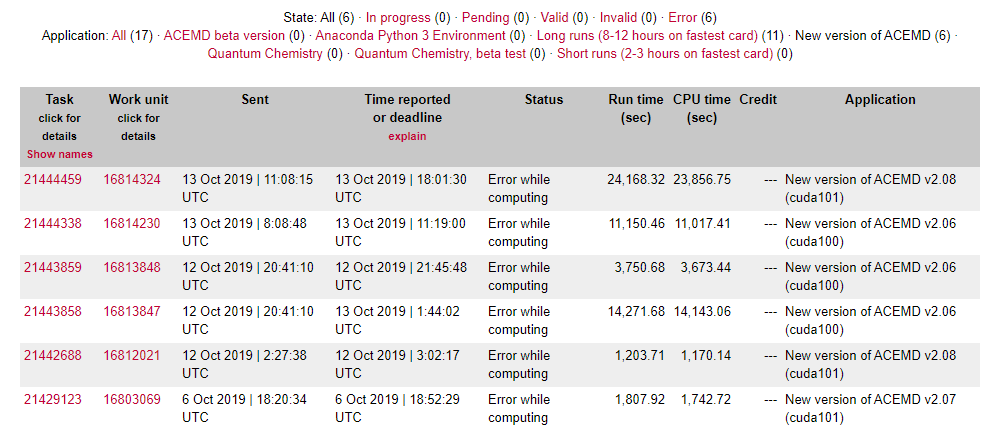 Error shown: 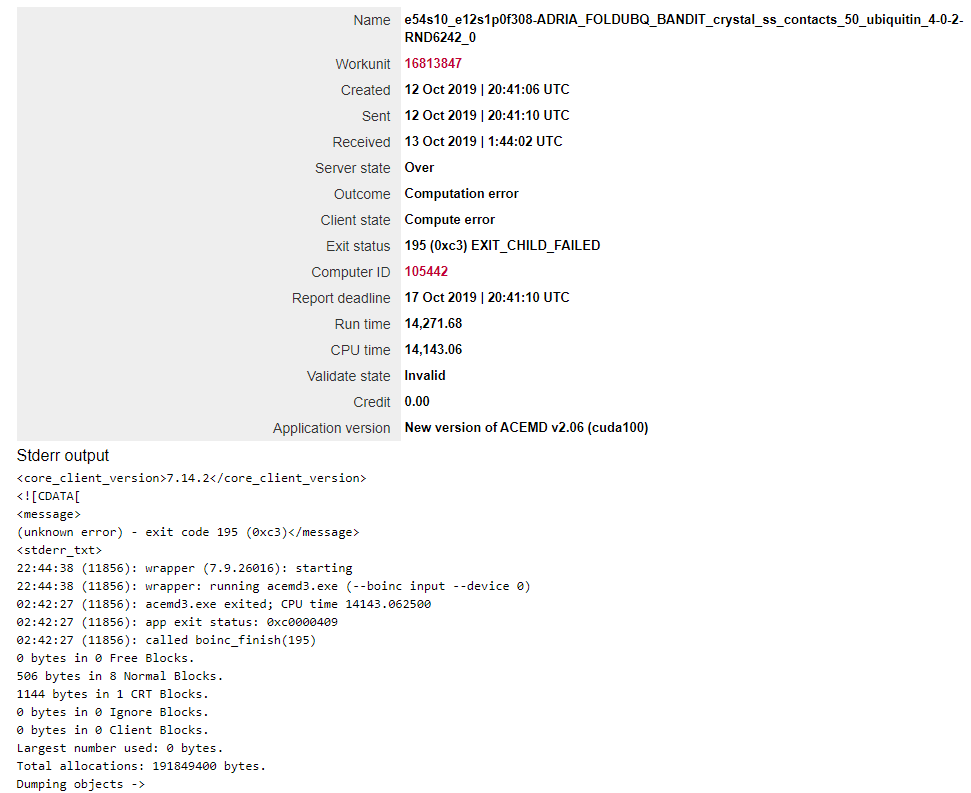 Failing computer: 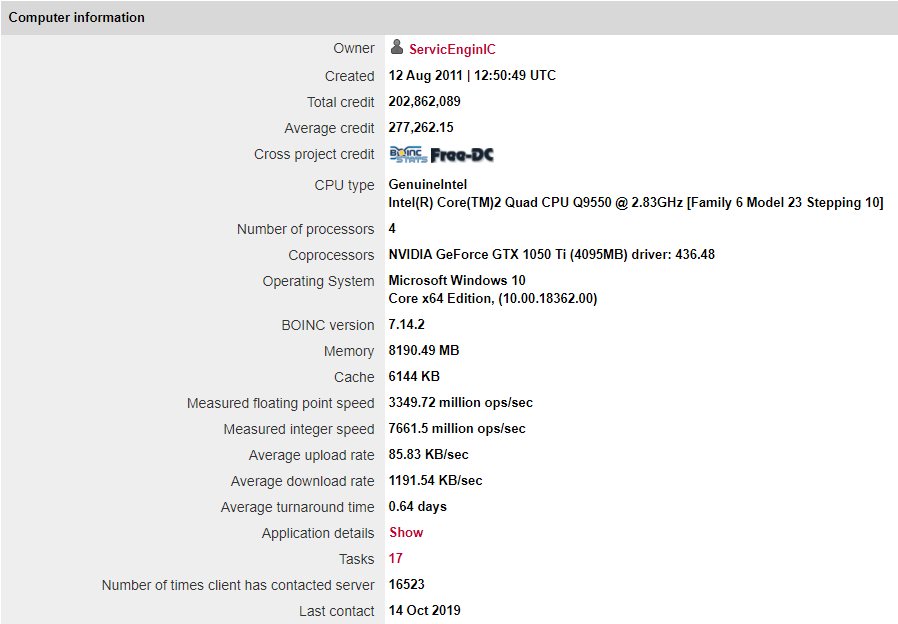 BOINC Manager computing preferences: 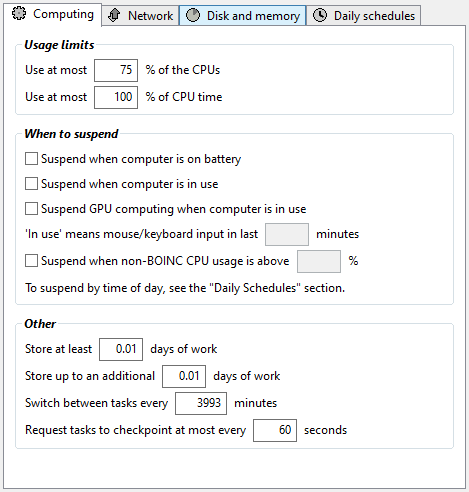 |
Retvari Zoltan Send message Joined: 20 Jan 09 Posts: 2380 Credit: 16,897,957,044 RAC: 0 Level Scientific publications  
|
Do you overclock this GTX 1050Ti under Windows 10? If you do, give it a try without overclocking it. |
|
Send message Joined: 4 Aug 14 Posts: 266 Credit: 2,219,935,054 RAC: 0 Level  Scientific publications
|
Do you overclock this GTX 1050Ti under Windows 10? +1 With the Wrapper, it seems the Work Unit errors are not being passed back to the Exit Status, we are just seeing the Wrapper error (195 (0xc3) EXIT_CHILD_FAILED) The two v2.08 work units both report # Engine failed: Error invoking kernel: CUDA_ERROR_LAUNCH_FAILED (719) The CUDA Toolkit defines this as an exception referencing shared memory, invalid device pointer or system specific issue as possible causes. https://docs.nvidia.com/cuda/cuda-driver-api/group__CUDA__TYPES.html The v2.06 work units don't offer an obvious error. As both v2.06 and v2.08 work units fail, perhaps a once over on the system health. The work units are not failing immediately, there appears to be a stability issue (hardware or software) If your overclocking is ok, how about the other usual suspects such as power supply, memory etc? Looking at Win10 specifically, are there any scheduled tasks causing an issue? Is power management set to full (no sleep)? Any clues in the Windows System and Application event log? Windows Update issues, are you on Win10 1903, or has it recently updated to 1903? I found multiple updates and auto reboots long after applying 1903. Is Windows Defender / AV protection playing nicely with ACEMD3 tasks? |
|
ServicEnginIC Send message Joined: 24 Sep 10 Posts: 598 Credit: 13,085,375,510 RAC: 164,707 Level Scientific publications
|
Thank you very much for your kind advices. Do you overclock this GTX 1050Ti under Windows 10? I left playing with overclocking a long time ago. When something fails, not overclocking restricts looking for causes to "other reasons"... Is Windows Defender / AV protection playing nicely with ACEMD3 tasks? Definitively not. I set exceptions in AV to acemd3 and wrapper processes, and it did the trick! Probably AV monitoring was interfering with processes at some critical moments... After that, this system has successfully finished its first two ACEMD3 WUs. AV exceptions:  New version of ACEMD v2.08 (cuda 101) Result ID: 21447085 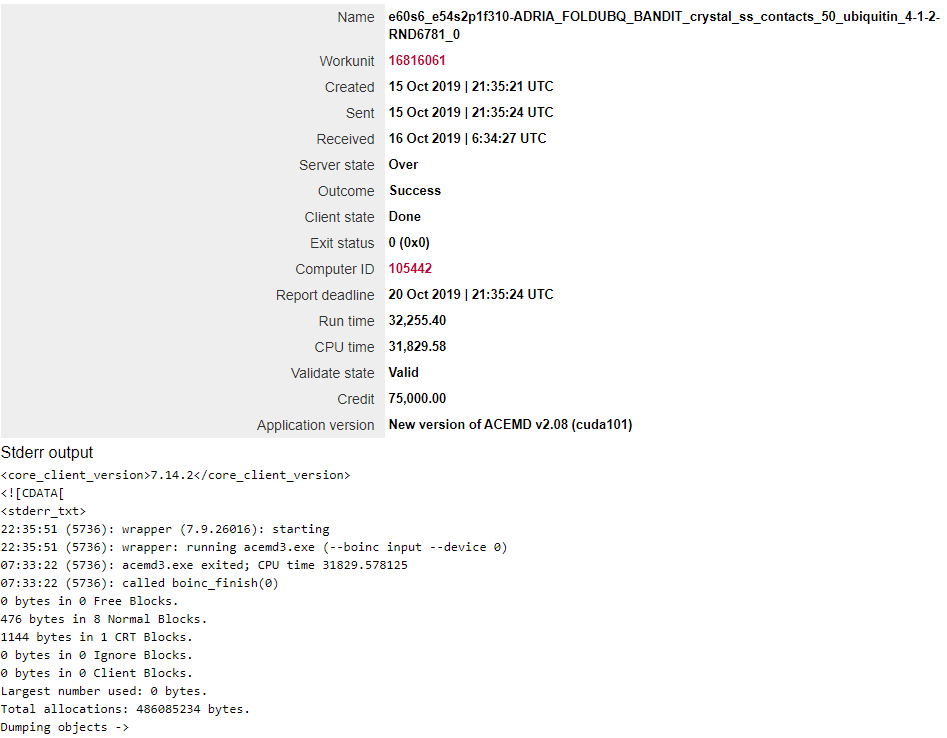 New version of ACEMD v2.06 (cuda 100) Result ID: 21447098 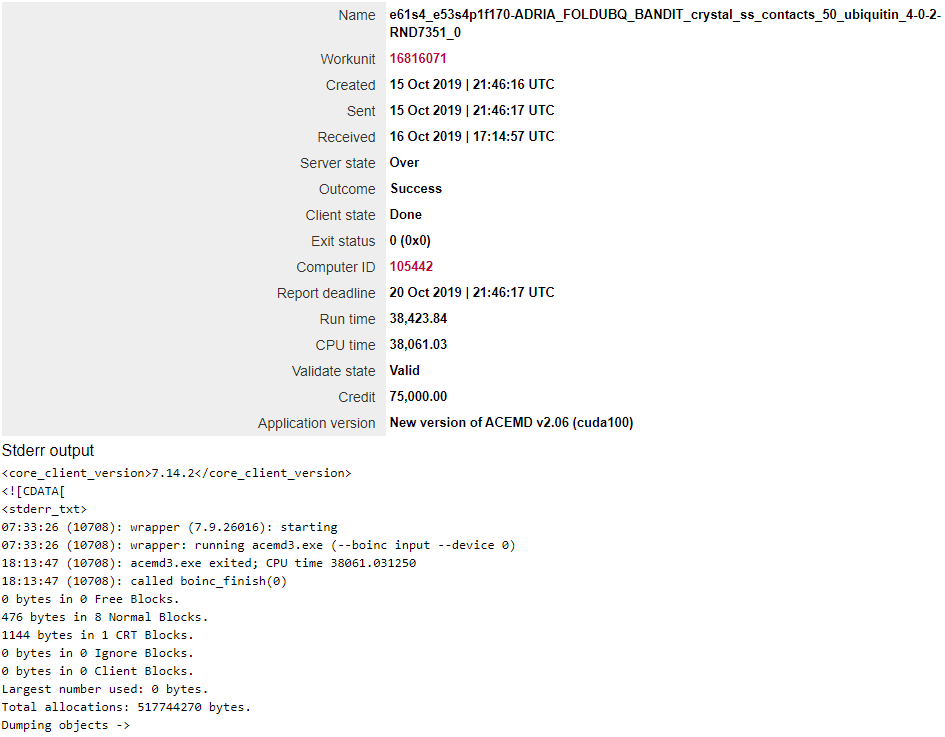 |
|
Send message Joined: 4 Aug 14 Posts: 266 Credit: 2,219,935,054 RAC: 0 Level Scientific publications
|
I set exceptions in AV to acemd3 and wrapper processes, and it did the trick! Thanks for the feedback. Great to see you resolved the issue. When AV is blocking Work Units for ACEMD3, it is harder to spot as the Wrapper does not pass the Work Unit error to the Exit Status. |
|
Send message Joined: 1 Jan 15 Posts: 1171 Credit: 12,662,148,501 RAC: 1 Level Scientific publications
|
on the other hand, since it's now obvious that there seems to be a problem between AVAST and the acemd3 app, the devs at GPUGRID should take care of this, right? There are definitely quite a number of crunchers using AVAST. |



©2026 Universitat Pompeu Fabra