Installing latest Nvidia Linux drivers, step-by-step
Message boards :
Number crunching :
Installing latest Nvidia Linux drivers, step-by-step
Message board moderation
| Author | Message |
|---|---|
 ServicEnginIC ServicEnginIC Send message Joined: 24 Sep 10 Posts: 598 Credit: 13,084,835,510 RAC: 112,852 Level  Scientific publications    
|
I've applied this method to update my current active computers to latest (beta) 415.13 Nvidia drivers on 2018-11-13. I'll try to explain this procedure in a step-by-step way. It's worked on systems under Ubuntu 16.04.5 LTS (4.15.0-39-generic kernel) with GRUB V2.02, Intel Core 2 Quad processors, and Nvidia GTX750, GTX750TI, GT1030, and GTX1050TI graphic cards. Please, be careful to apply in other configurations. This method depends on two extra linux repositories. Links to their webpages: - https://launchpad.net/~xorg-edgers/+archive/ubuntu/ppa - https://launchpad.net/~graphics-drivers/+archive/ubuntu/ppa -1) Enter Boinc Manager and suspend activity for all current tasks (if any) # This will prevent tasks to fail after restarting the system -2) Reboot computer -3) Just after BIOS POST, press right "Shift" key to enter GRUB menu # If you arrive to normal Ubuntu login screen, you have lost your chance. Try rebooting again... -4) In GRUB menu, select (remark) "*Ubuntu" option, then press "E" key # This will open a limited editor for GRUB commands -5) Move with arrow keys just to the end of line starting with "linux ..." # In my case, this line finishes with "... ro quiet splash $vt_handoff" -6) Add " 3" to the end (an space and number three) # In my case, this results in a line finishing with "... ro quiet splash $vt_handoff 3" # Don't push "Enter", nor any more -7) Press "F10" key -8) This will start Linux in terminal mode, with no graphics interface # An Ubuntu logo will appear, with a progress bar blinking -9) When progress bar stops, press "Alt" + "F1" keys # This will open a tty1 terminal -10) You'll be asked for your login and password. Introduce them. Terminal tty1 will open # In this opened terminal, introduce the following commands: -11) sudo add-apt-repository ppa:xorg-edgers/ppa # Confirm to add this new repository -12) sudo add-apt-repository ppa:graphics-drivers/ppa # Steps 11 and 12 are necessary only for the first time this method is applied in each computer -13) sudo apt-get update -14) sudo apt-get dist-upgrade # Answer yes to suggested updates. Please, wait for them finish to apply. It may take several minutes -15) sudo apt-get install nvidia-415 # Or "... nvidia-XXX" for your desired driver version. Currently, nvidia-410 is the latest regular version # Answer yes. This will take several minutes for the drivers to download and install -16) sudo apt-get install nvidia-modprobe --reinstall -17) sudo nvidia-xconfig -18) sudo apt-get autoremove # Answer yes if asked for. this will save disk space by uninstalling unnecessary packages -19) sudo reboot # The system will restart. Let it start the usual way -20) Log in to Ubuntu, enter Boinc Manager, and restart activity for all tasks previously stopped # Tasks will restart, now running under new drivers version Note: The same procedure is valid also to return to previous versions, depending on version stated in step 15 Best regards, |
|
Send message Joined: 4 Aug 14 Posts: 266 Credit: 2,219,935,054 RAC: 0 Level  Scientific publications 
|
A great step by step guide! Do you find this latest beta driver any better or worse in performance? |
 Send message Joined: 13 Dec 17 Posts: 1424 Credit: 9,189,946,190 RAC: 0 Level  Scientific publications 
|
A great step by step guide! Didn't really get a chance to observe GPUGrid work, but for my main project Seti,the 415.13 drivers were about 5% slower than the LTS 410.73 drivers. I reverted after a day of observation. YMMV. |
|
ServicEnginIC Send message Joined: 24 Sep 10 Posts: 598 Credit: 13,084,835,510 RAC: 112,852 Level Scientific publications
|
Do you find this latest beta driver any better or worse in performance? I'm still evaluating performance for this 415.13 driver version. I updated to 415.13 from 410.73, and I haven't seen a clear performance increase, nor decrease, in GPUGrid tasks. By the moment, I should recommend to update to regular version 410.73, since it is the fastest one I've confirmed by using in my computers. I really noted a clear performance increase when I migrated from previous 396.54 to 410.73. You can check Nvidia drivers availabylity in the following page: https://www.nvidia.com/Download/Find.aspx?lang=en-us |
|
ServicEnginIC Send message Joined: 24 Sep 10 Posts: 598 Credit: 13,084,835,510 RAC: 112,852 Level Scientific publications
|
Didn't really get a chance to observe GPUGrid work, but for my main project Seti,the 415.13 drivers were about 5% slower than the LTS 410.73 drivers. I reverted after a day of observation. YMMV. Thank you for sharing this. As seen in GPUGrid Performance tab http://www.gpugrid.net/performance.php it seems that there is an advantage for tasks run under 410.73 Nvidia drivers compared to same tasks run under 390.77 in similar systems. |
 Send message Joined: 17 Feb 09 Posts: 91 Credit: 1,603,303,394 RAC: 0 Level  Scientific publications 
|
Nvidia just released 410.78 Nov 15 which is newer than 415.13. I've been running 415.13.since it was released and haven't quantified its speed to 410.73 but it does appear to be slightly slow than the regular releases, perhaps because 415.13 is a beta release. Just now trying 410.78. Nice guide posted, a little different for Fedora, RHEL, SL and CentOS but in essence quite similar. Suspending gpu jobs before rebooting to console only mode for NV driver update really does minimize gpu wu errors on restart. Been doing that for some time and I haven't had a single restart error since. Thanks. |
|
Send message Joined: 8 May 18 Posts: 190 Credit: 104,426,808 RAC: 0 Level  Scientific publications
|
I am running 390.87 on my GTX 750 Ti in a Linux box with SuSE Leap 15.0, which has the same kernel of the Enterprise commercial version. I got a message apparently from nVidia which said it could not perform a download and I am waiting to see what happens now. I saw a cartoon in which a mom says to her son: you were not downloaded, you were born! Tullio |
|
Send message Joined: 4 Mar 18 Posts: 53 Credit: 2,857,476,011 RAC: 0 Level Scientific publications
|
Thank you for the information! For Linux Mint, follow steps 11 thru 14 from ServicEnginIC (earlier in this thread) in the terminal. Then open Driver Manager. It should show the various available drivers, allowing you to select. Select the desired driver (I am trying the 410 per this thread) and Apply Changes. A reboot is required. Watching to see how 410 works... |
|
Send message Joined: 4 Mar 18 Posts: 53 Credit: 2,857,476,011 RAC: 0 Level Scientific publications
|
As seen in GPUGrid Performance tab http://www.gpugrid.net/performance.php it seems that there is an advantage for tasks run under 410.73 Nvidia drivers compared to same tasks run under 390.77 in similar systems. I would agree. I moved from 390.77 to 410.73 and have seen between a 1.5 to 2.0% decrease in WU times, on both a 1070 and 1080 card. |
|
Send message Joined: 4 Aug 14 Posts: 266 Credit: 2,219,935,054 RAC: 0 Level Scientific publications
|
I would agree. I moved from 390.77 to 410.73 and have seen between a 1.5 to 2.0% decrease in WU times, on both a 1070 and 1080 card. It has been a different observation for my computers. Upgrading drivers from 390.48 to 410.73 on 2 hosts fitted with 750 and 1060 GPUs, no difference in performance was noted. Was worth a try. |
Retvari Zoltan Send message Joined: 20 Jan 09 Posts: 2380 Credit: 16,897,957,044 RAC: 0 Level Scientific publications
|
That didn't work for me under Ubuntu 18.04.1. My method was the following: 1. Suspend all (GPU) projects in BOINC manager 2. open terminal and sudo add-apt-repository ppa:graphics-drivers/ppa 3. sudo apt-get update 4. sudo apt-get install nvidia-driver-410 4b if the above fails, then try sudo apt-get install libnvidia-compute-410when this has finished try step 4 again 5. optional: sudo apt-get autoremove 6. reboot by gui, or sudo reboot 7. check the startup log of BOINC manager for the appropriate NVidia driver version, then resume all (GPU) projects in BOINC manager If you want to run opencl GPU projects (like Einstein@home, or SETI@home) you should install the opencl library by sudo apt install ocl-icd-libopencl1 I haven't experienced any change in the processing speed by changing form 390.77 to 410.73. |
|
Send message Joined: 13 Dec 17 Posts: 1424 Credit: 9,189,946,190 RAC: 0 Level Scientific publications
|
Probably the only reason I saw an improvement(410.73)/unimprovement(415.13) was that the observation was for Seti tasks and there we use CUDA9.2 and CUDA10 applications. The CUDA8 app used here seems to not care. |
|
Retvari Zoltan Send message Joined: 20 Jan 09 Posts: 2380 Credit: 16,897,957,044 RAC: 0 Level Scientific publications
|
Probably the only reason I saw an improvement(410.73)/unimprovement(415.13) was that the observation was for Seti tasks and there we use CUDA9.2 and CUDA10 applications.When will these CUDA9.2 and CUDA10 apps be public? The CUDA8 app used here seems to not care.That's true. A driver update can even make an older app run slower. |
|
Send message Joined: 13 Dec 17 Posts: 1424 Credit: 9,189,946,190 RAC: 0 Level Scientific publications
|
Probably the only reason I saw an improvement(410.73)/unimprovement(415.13) was that the observation was for Seti tasks and there we use CUDA9.2 and CUDA10 applications.When will these CUDA9.2 and CUDA10 apps be public? Not sure what you mean by "not public" The applications are available to anyone who chooses to install them. They are just not distributed by the project as stock apps. Just the same thing as installing the optimized Lunatics applications back in the day. They are higher performance than the stock apps is all. If you search the Number Crunching forum threads you will find countless references to them. They are either available by following the links in the forum threads or going directly to Crunchers Anonymous website and downloading them there. The CUDA10 app download links are currently only found at the Seti NC forum though the file itself is at CA. They just haven't put the download link directly on the CA site itself yet. |
|
ServicEnginIC Send message Joined: 24 Sep 10 Posts: 598 Credit: 13,084,835,510 RAC: 112,852 Level Scientific publications
|
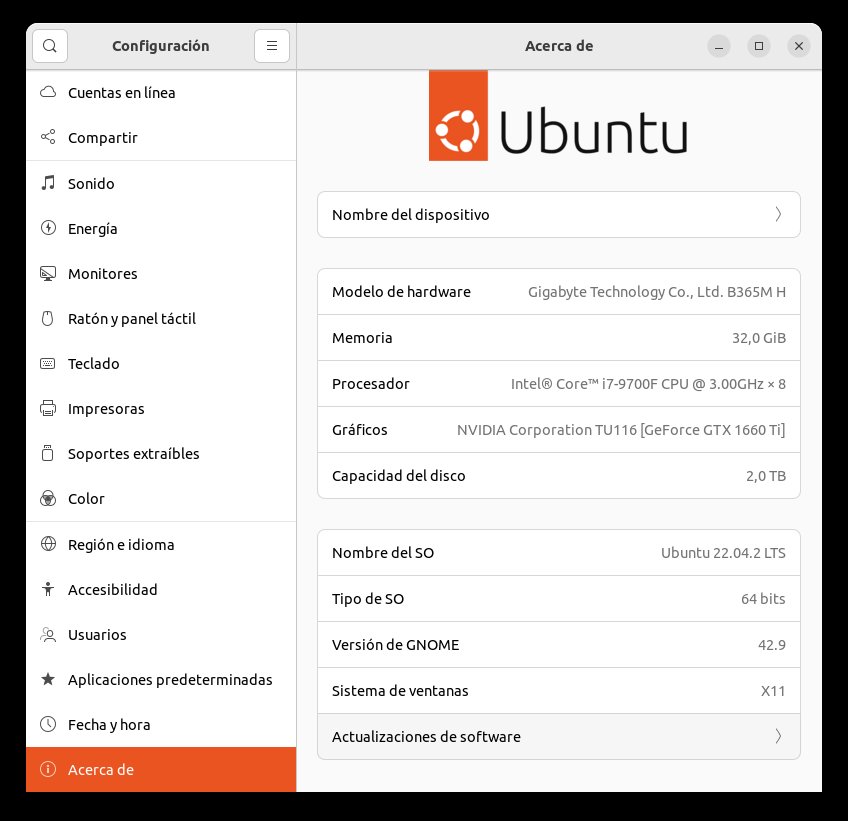
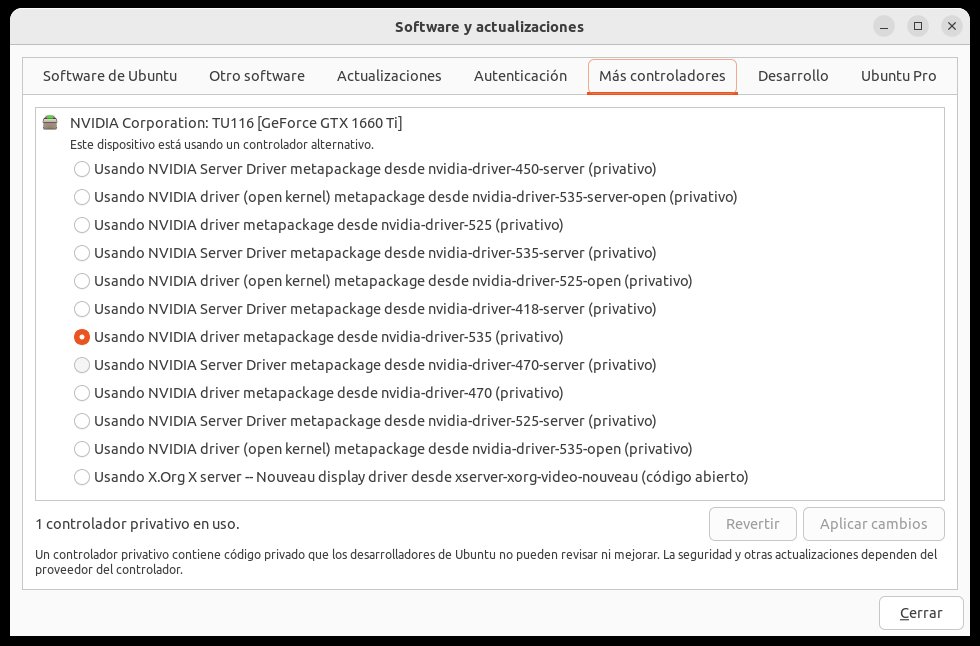
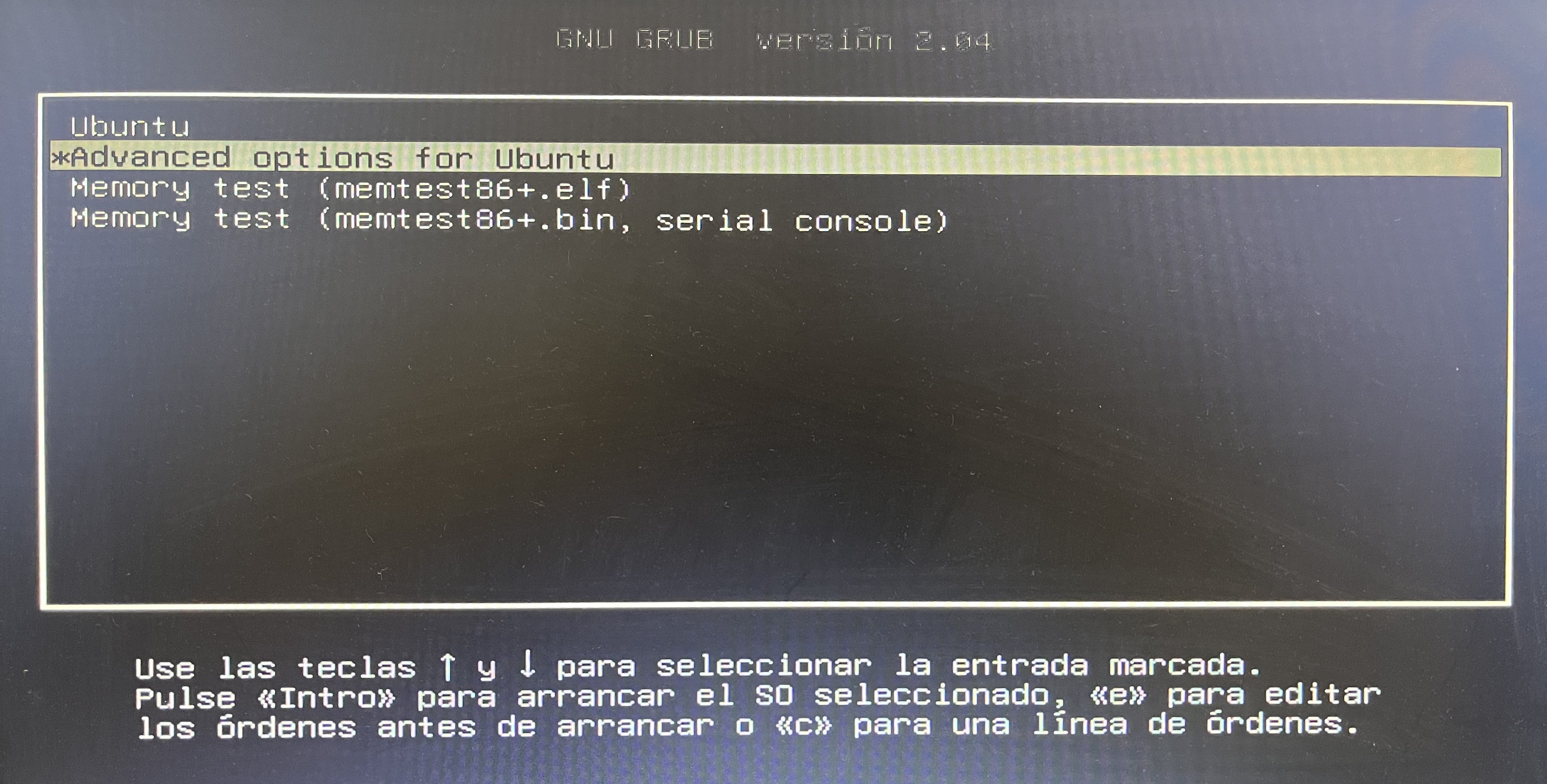
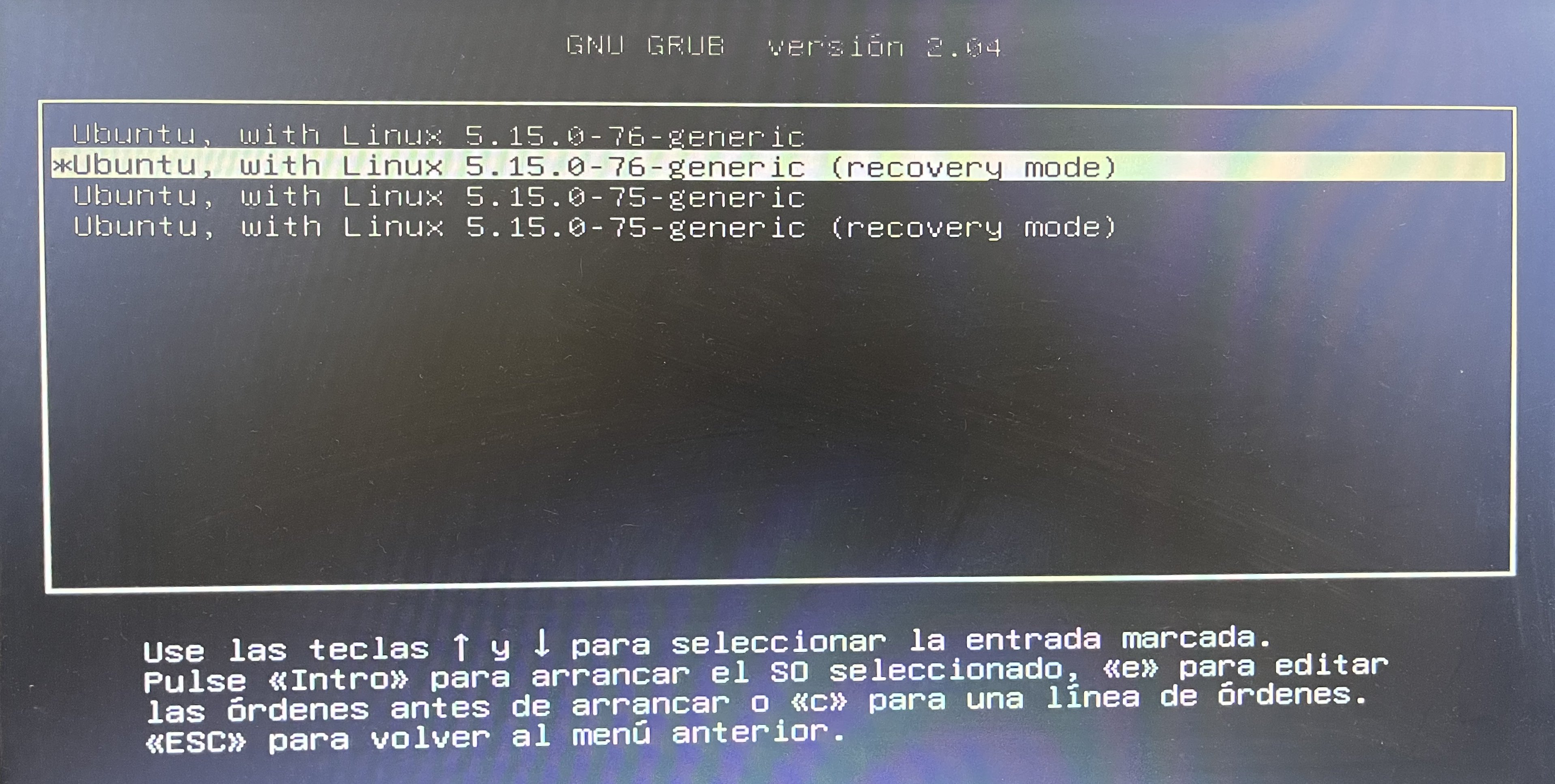
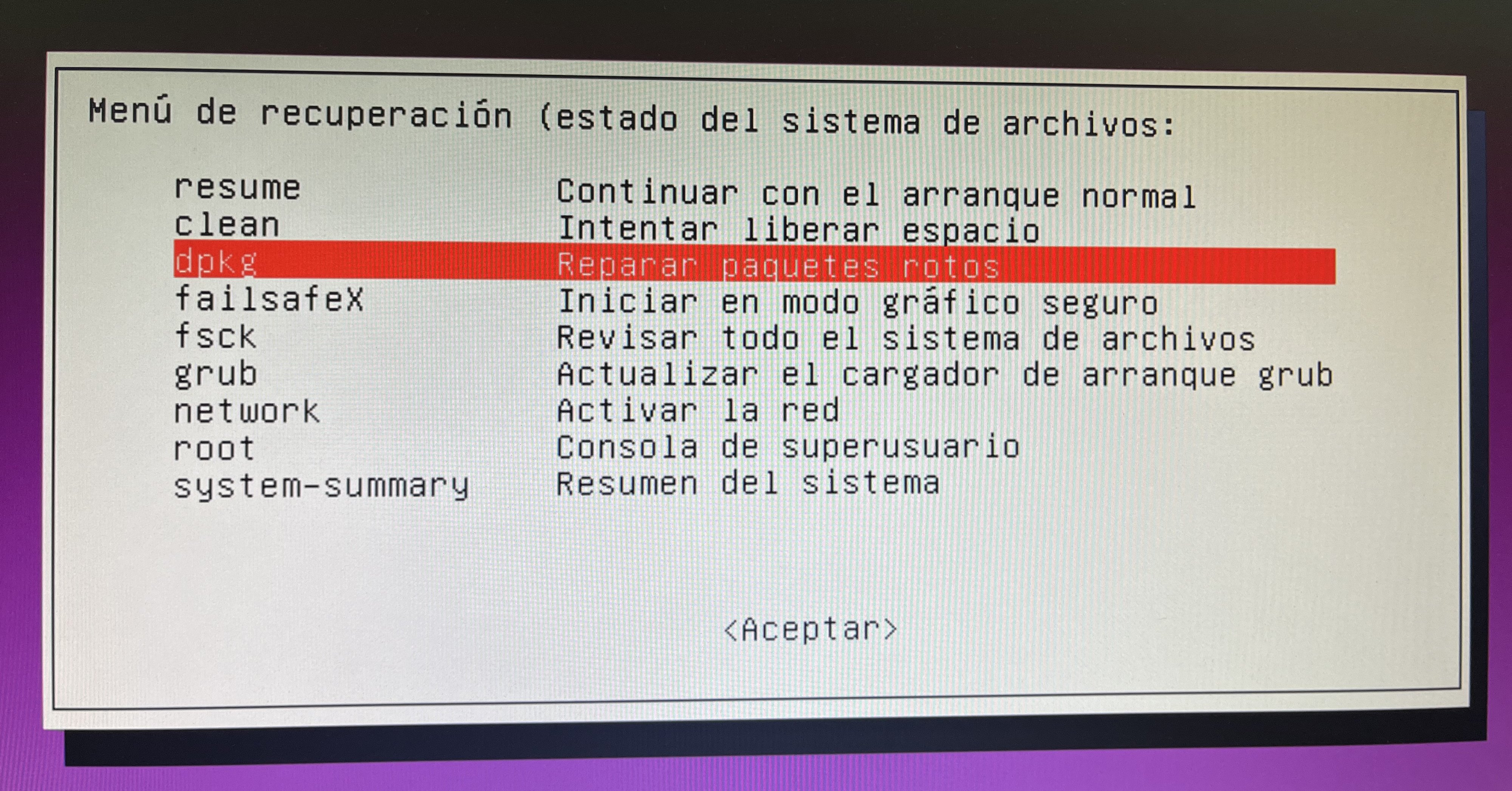
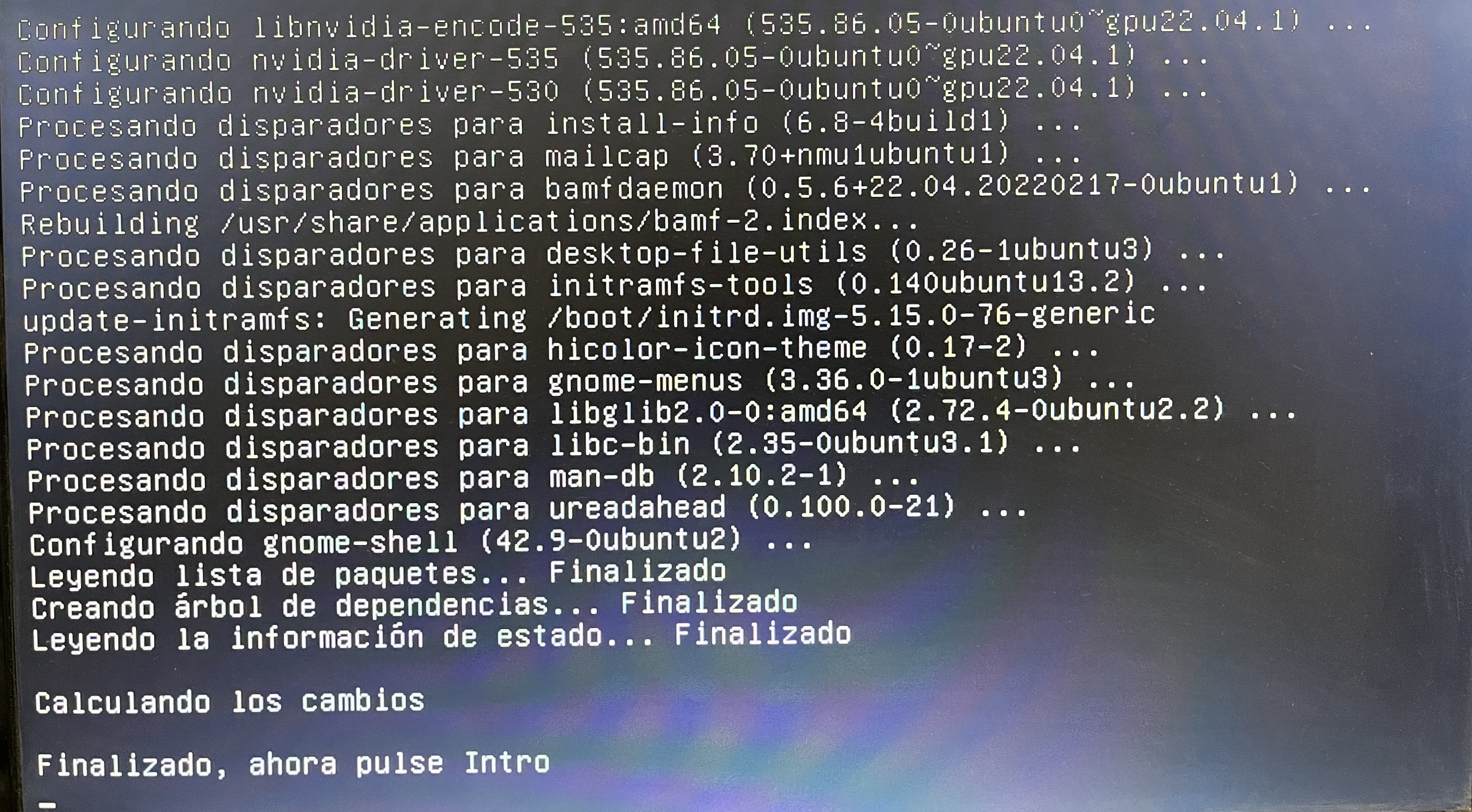
Since that first post on 2018, installing Nvidia drivers on Ubuntu Linux has become much easier. Usually, is as simple as choosing the desired drivers version from a Drivers picklist, that can be found at Ubuntu Software updates section. Setup at my currently crunching hosts is Linux Ubuntu 22.04 LTS with 5.15.0-78-generic kernel and Nvidia 535.86.05 drivers. But on the last Linux regular software update, starting with the computer I'm writing this at, a severe problem arose: Software updates suggested a change on Nvidia Drivers from previous 535.54.03 version to current 535.86.05. And at a certain moment during the update process, screen got black, and it didn't recover. There is a method for safely rebooting Linux when getting stuck for any reason. Quoting Magic SysRq key article from Wikipedia: Pressing in succession the following combinations of keys... alt + prtscr/sysrq + R Switch the keyboard from raw mode to XLATE mode alt + prtscr/sysrq + E Send the SIGTERM signal to all processes except init(PID 1) alt + prtscr/sysrq + I Send the SIGKILL signal to all processes except init alt + prtscr/sysrq + S Sync all mounted filesystems alt + prtscr/sysrq + U Remount all mounted filesystems in read-only mode alt + prtscr/sysrq + B Immediately reboot the system ...the system reboots. But after rebooting, nothing but a white blinking cursor over a black background resulted 😱 The same issue happened while updating every my other hosts, so I deduce that the same may have happened to other users. I applied successfully the following remedy to this host, and four others: A new REISUB sequence to reboot, and immediately after POST, pressing Shift key, I accessed the Linux GRUB options menu. From that menu, I chose Advanced options for Ubuntu, and then, Ubuntu recovery mode. At the following Recovery menu, I chose dpkg option, in order to repair the broken packages. After the process ended, pressing Enter, and then Resume option, the system(s) booted the right way. (Otherwise, you would not be reading this post ;-) |
|
Send message Joined: 28 Mar 09 Posts: 490 Credit: 11,850,265,728 RAC: 11,709 Level Scientific publications
|
Since that first post on 2018, installing Nvidia drivers on Ubuntu Linux has become much easier. I got the black screen when I was updating from 530.xx.xx to 535.54.03 on both of my computers running Linux Mint 21.1 a while back, but they recovered after a few minutes. I decided not to upgrade to 535.86.03. I hope this doesn't become the norm for future updates. I also had to reinstall the green with envy utility program after the upgrade. Is there a better utility program for Linux to keep the video cards from running too hot? I used msi afterburner when I was crunching on windows, but that doesn't seem to work on Linux. |
|
ServicEnginIC Send message Joined: 24 Sep 10 Posts: 598 Credit: 13,084,835,510 RAC: 112,852 Level Scientific publications
|
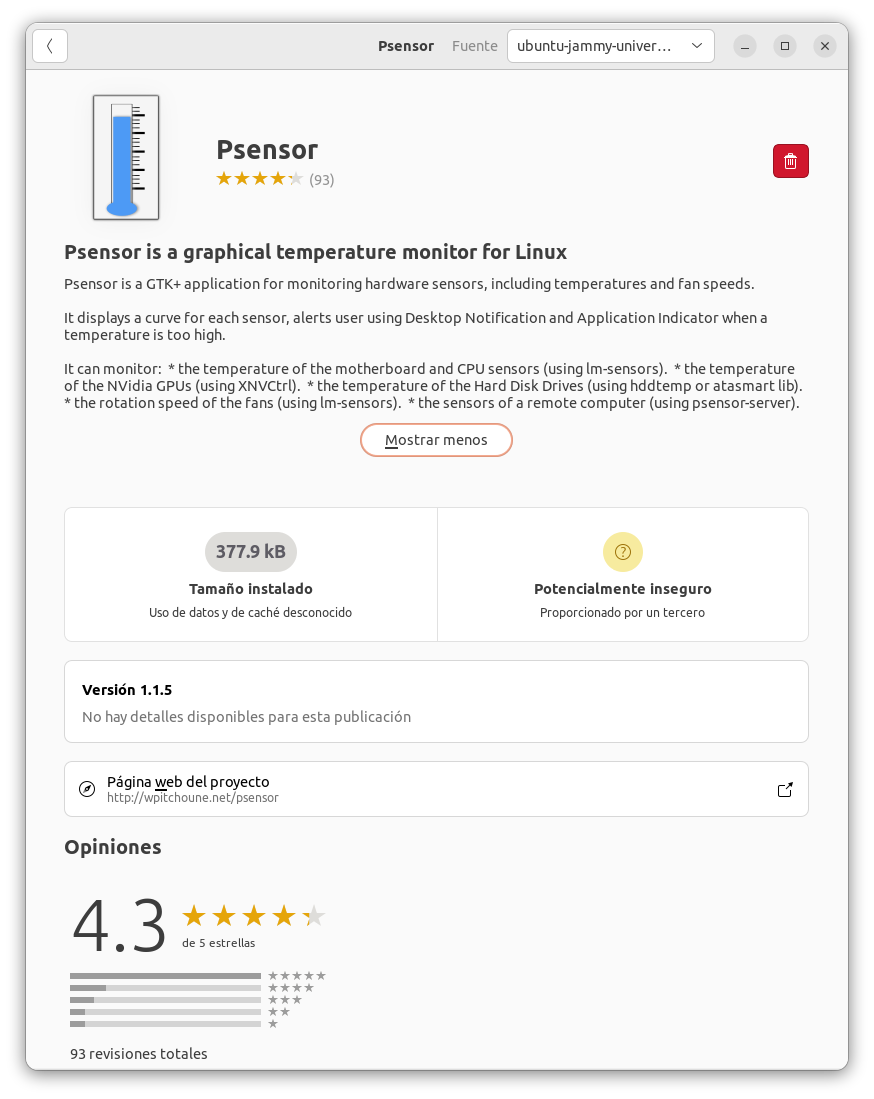
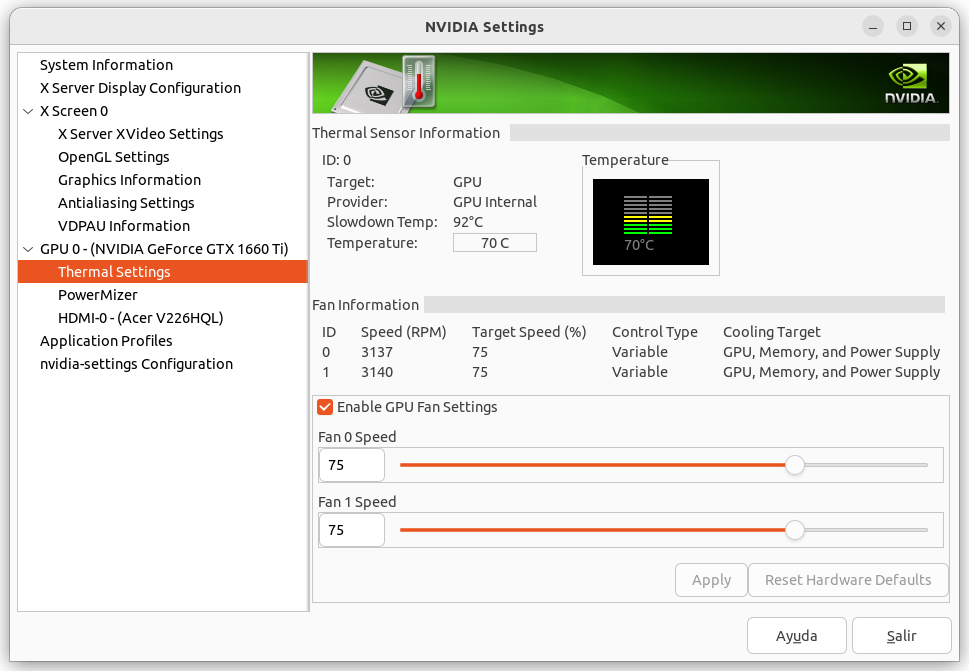
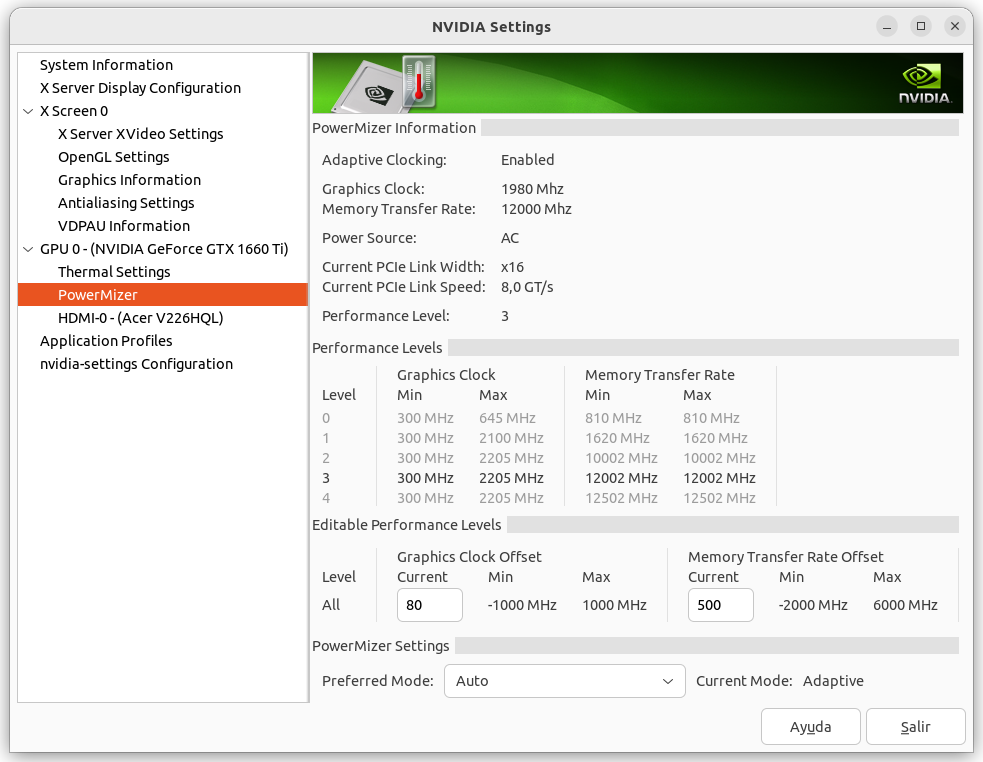
Is there a better utility program for Linux to keep the video cards from running too hot? When I migrated crunching from Windows to Linux, I realized that usually here everything is more "handmade". For monitoring temperatures and other interesting parameters, I discovered Psensor utility. Psensor is useful only for monitoring, or alerting for these parameters exceeding preconfigured limits, but not for controlling them. 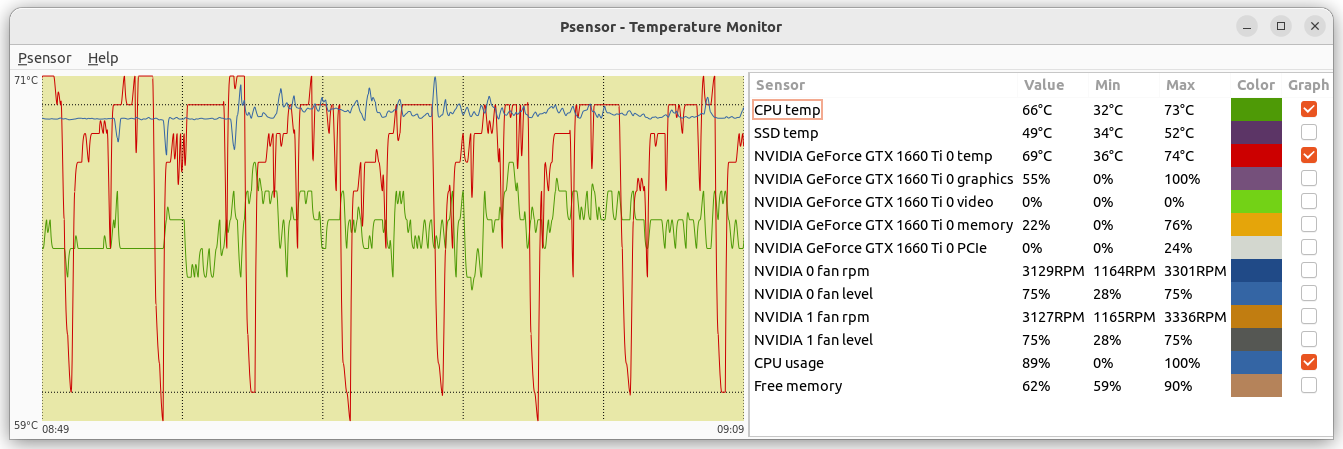 At previous image can be seen a true monitoring for this computer while processing an ATM Beta task. GPU temperature peaks reflect higher/lower GPU usage for the learning agents. For manually controlling GPU frequencies and fan speeds, it can be done by running on a Terminal window the following persistent command: sudo nvidia-xconfig --thermal-configuration-check --cool-bits=28 --enable-all-gpus After rebooting, this allows to manually set in NVIDIA X Server Settings app the GPU fan speeds and clocks. |
|
Send message Joined: 13 Dec 17 Posts: 1424 Credit: 9,189,946,190 RAC: 0 Level Scientific publications
|
The distro maintainers f'ed up a couple of days ago when they pushed the 22.04.3 LTS new package prematurely by a week from the scheduled release date of 8/10/23. This installed the 535.86.05 drivers along with the next HWE kernel which is 6.2.0-26. Unfortunately, this applied only a partial upgrade, holding back several packages which caused the upgrade process to delete almost all of the gdm3 video subsystem. This leaves the system without video drivers and the blinking cursor in the top left. You can either boot to recovery mode and use the dpkg configure fix from the grub menu as posted earlier or you can just drop to a console via CTRL-ALT-F5 and get to a console login prompt. Then install the video subsystem again with sudo dpkg --configure -a or sudo apt reinstall ubuntu-desktop This issue bit dozens and dozens of people from similar posts at Ubuntu Forums. https://ubuntuforums.org/showthread.php?t=2489595 Bug report here: https://bugs.launchpad.net/ubuntu/+source/apt/+bug/2030262 Some of the other symptoms is complete loss of networking that cannot be remedied via the usual network control apps and commands. |
|
ServicEnginIC Send message Joined: 24 Sep 10 Posts: 598 Credit: 13,084,835,510 RAC: 112,852 Level Scientific publications
|
But on the last Linux regular software update, starting with the computer I'm writing this at, a severe problem arose: It's happened exactly the same this morning, after accepting suggested Nvidia driver update from version 535.86 to 535.98. I recovered by applying the same remedy described at a previous post. Next time, I'll try your solution sudo dpkg --configure -a from a console when updating other hosts. |
|
Send message Joined: 13 Dec 17 Posts: 1424 Credit: 9,189,946,190 RAC: 0 Level Scientific publications
|
Can't fathom why the nvidia package containers haven't fixed this issue yet. Never had any issues updating the drivers on the prior 525 and 530 series. The drivers updated their new components in the kernel without yanking the video subsystem out from under the running host. But with this new 535 series it happens repeatedly. |



©2026 Universitat Pompeu Fabra