Problem removing boinc\projects\www.gpugrid.net
Message boards :
Number crunching :
Problem removing boinc\projects\www.gpugrid.net
Message board moderation
| Author | Message |
|---|---|
 JStateson JStateson Send message Joined: 31 Oct 08 Posts: 186 Credit: 3,579,568,157 RAC: 65,067 Level  Scientific publications     
|
I started having problems with gpugrid and after 3 tasks quit after erroring "project finished but no result consider detaching if this happens repeatedly" (or something like that) I took the advice and attempted to detach. Grcpool detach did not work so I disconnected from grcpool and reset the project and detached and then reattached as grcpool (after I reconnected with that manager) did allow the attach. However I still see error message in the event log so I uninstalled boinc but cannot remove gpugrid from ProgramData\boinc\projects as shown below 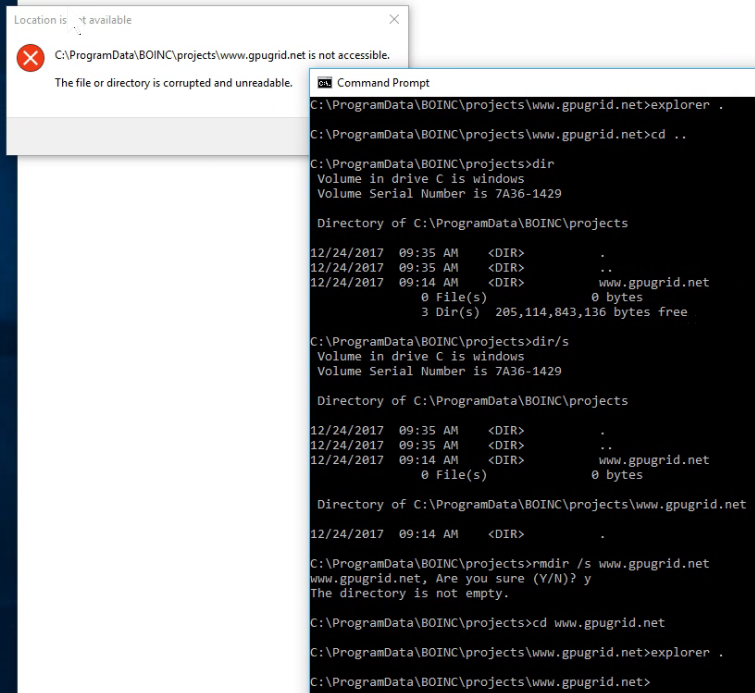 I tried rmdir /s boinc and managed to remove 160mb of stuff but cannot get rid of the gpugrid directory which supposidly is not empty but I dont see anything in it using command prompt. Note that "explorer" fails big time. I tried renaming ProgramData\boinc directory to "badboinc" so I could reinstall boinc in a clean spot but I got access denied when renaming. |
Retvari Zoltan Send message Joined: 20 Jan 09 Posts: 2380 Credit: 16,897,957,044 RAC: 0 Level  Scientific publications
|
You should try renaming (or removing) the directory from an elevated (run as administrator) command prompt. If it fails, then try chkdsk /f /x from that elevated command prompt (choose to schedule the disk check at startup), then restart your computer, and wait until disk check completes. |
|
JStateson Send message Joined: 31 Oct 08 Posts: 186 Credit: 3,579,568,157 RAC: 65,067 Level Scientific publications
|
chkdsk /f worked whereas admin and safe mode failed gpugrid tasks are large possibly power fail or auto upgrade occurred during those long upload transfers causing corruption??? |
|
Retvari Zoltan Send message Joined: 20 Jan 09 Posts: 2380 Credit: 16,897,957,044 RAC: 0 Level Scientific publications
|
I think this corruption was caused by a power failure. |



©2026 Universitat Pompeu Fabra