A little warning to GTX690 owners
Message boards :
Graphics cards (GPUs) :
A little warning to GTX690 owners
Message board moderation
| Author | Message |
|---|---|
 Retvari Zoltan Retvari Zoltan Send message Joined: 20 Jan 09 Posts: 2380 Credit: 16,897,957,044 RAC: 0 Level  Scientific publications  
|
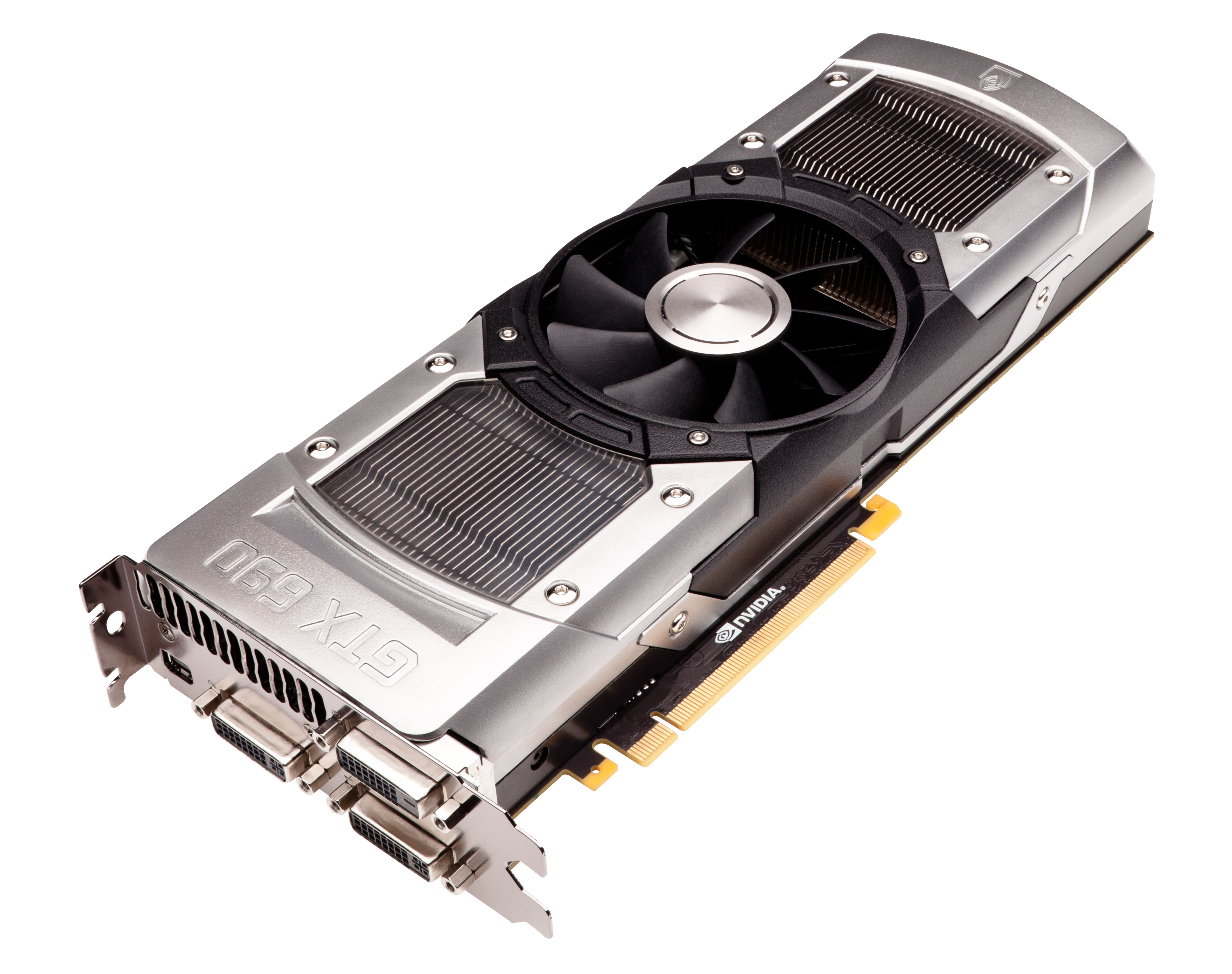
You might be interested in my long story if you run this type of card with the factory made cooling. After nearly 3 months of crunching 24/7 the temperature of the inner GPU on my GTX 690 went above 90°C while I was on vacation for a week. The other one was ok. Remotely I couldn't do anything else, so I disabled this GPU in BOINC to prevent from something worse happening to it. I thought that something blown into the grille was blocking the air, so it would be fine after I cleaned the grille. To my surprise, there was nothing in the grille, and this GPU's temperature was still high after a thorough cleaning with high pressure duster. Then I thought that the thermal compound dried out, so I removed the heatsinks. It's easy to say, yet very hard to do: the small hex socket screws are mostly used for decoration: they hold the polycarbonate windows, while the tiny ones hold the plated aluminium frame (which is in the way of the heatsink), and every screw is threadlocked. The tiny ones' hex socket is so weak that the threadlock wins, so the screwdriver turns round in the socket but the screw doesn't. Because their heads are recessed, I had to cut a slot in the head of 3 screws to be able to unlock them with a much larger screwdriver. NVidia definitely do not want anyone to disassemble this card. (At least from the heatsink's direction. From the PCB, there are torx TX06 screws, they might be easier to remove, but there are so many of them, and there are too many SMDs, that I didn't want to accidentally remove any of them.) Then I had to remove the magnesium fan hosing also, but it was a piece of cake (only 4 Philips headed screws holds it). After all of this disassembling adventure I put some fresh thermal grease between the GPU and the heatsink. There was another surprise: there is no IHS (Integrated Heat Spreader) on the GPU, and the heatsink has a vapor chamber (I forgot that). But after I assembled the card, and I put it back to my PC, I was shocked by experiencing that the temperature of the GPU is still 92°C. I checked the power consumption of both GPUs on this card, and they are the same (while the other one is only at 65°C). I disassembled the card again (much easier this time), to check the spreading of the new thermal compound (Noctua NT-H1), and it was quite thin and smooth. So I came to the conclusion that the vapor chamber of the heatsink has failed on the inner GPU. I've planned to change the cooler anyway, so I've ordered an Arctic Cooling Twin Turbo 690. I'll see if I'm right about this faliure, and I'll post about my findings with the new cooler. |
dskagcommunity Send message Joined: 28 Apr 11 Posts: 463 Credit: 1,077,516,958 RAC: 4 Level  Scientific publications    
|
Cooling problems on graphiccards are always a big shit ^^ wish ya good luck with the new one. ---------- 24/7 Crunching since 2011 ----------- DSKAG Austria: http://www.dskag.at 
|
skgiven Send message Joined: 23 Apr 09 Posts: 3968 Credit: 1,995,359,260 RAC: 0 Level  Scientific publications  |
If it's any consolation I would have done the same thing, and I've used some cryo research kit. I expect you are right, the vapour chamber leaked - it happens. I'm sure you checked the fan was turning, heatsink was tight... Although you could have RTM'ed it, that's always a pain to deal with. I hope the problem isn't anything to do with the VRM. So long as it's something to do with cooling the Arctic GPU Cooler should fix it. They make great kit, though I recently had to remove a motherboard to dismount a wide Arctic heatsink (screwed into a CPU backplate; on the back of the motherboard), just to replace RAM. Anyway, Good Luck FAQ's HOW TO: - Opt out of Beta Tests - Ask for Help |
|
Send message Joined: 19 Sep 12 Posts: 14 Credit: 272,804,881 RAC: 0 Level  Scientific publications
|
Interesting story, thank you. Sometimes I have surges of temptation to buy a GTX 690 (or even two). But, given its price, I am not ready to risk having any mulfunctioning and I would not like troubling myself with fixing it. On the other hand, any equipment can fail, crunching one even at a higher risk, I think. |
|
GDF Send message Joined: 14 Mar 07 Posts: 1958 Credit: 629,356 RAC: 0 Level  Scientific publications |
interesting story. Let's see what happens. gdf |
|
AdamYusko Send message Joined: 29 Jun 12 Posts: 26 Credit: 21,540,800 RAC: 0 Level  Scientific publications
|
Heat issues always scare me, I figure now that I am running multiple machines, and crunching so often, I will eventually have to conqueror my fears of dealing with thermal paste. Thank you for the story, and I am sorry to hear about the difficulties you have had. 
|
|
Retvari Zoltan Send message Joined: 20 Jan 09 Posts: 2380 Credit: 16,897,957,044 RAC: 0 Level Scientific publications
|
I expect you are right, the vapour chamber leaked - it happens. Sure it happens, but all of my existing coolers have vapour chambers or tubes, and none of them leaked before, even after two years of operation. I'm sure you checked the fan was turning, heatsink was tight... I did. If the fan wasn't rotating, the other GPU would overheat as well. Although you could have RTM'ed it, that's always a pain to deal with. I've bought it as a used part from Slovakia (it was quite cheap), it is a replacement card (so the original one was RTM'ed), altough I have it's invoice, so I could RTM this one also, it would be a long and difficult process. I hope the problem isn't anything to do with the VRM. To rule this one out, I've checked the power consumption of each GPU on the GTX 690, and they are within 5%, so the hot chip doesn't dissipates significantly more heat than the normal one. So long as it's something to do with cooling the Arctic GPU Cooler should fix it. They make great kit, though I recently had to remove a motherboard to dismount a wide Arctic heatsink (screwed into a CPU backplate; on the back of the motherboard), just to replace RAM. That's a bad construction. I use Noctua NH-D14. It has two big screws on the upper side of the MB holding the heatsink to a mount. It's still difficult to dismount, because I have to remove the middle fan before I can access these two big screws, and on some motherboards the GPU in the first PCIe slot is so close to the heatsink that I have to remove the GPU first to access the fan's lever. Anyway, Good Luck I keep my fingers crossed, that I haven't spent another 100 euros in vain. |
|
GDF Send message Joined: 14 Mar 07 Posts: 1958 Credit: 629,356 RAC: 0 Level Scientific publications |
Hi, is it possible to remove the fan from a gtx690? Would it complain that there is no fan provided that it is well ventilated? As far as I understand the 690 spits air out of the front and of the back, while we would like the air to flow front to back. gdf |
|
GDF Send message Joined: 14 Mar 07 Posts: 1958 Credit: 629,356 RAC: 0 Level Scientific publications |
Do you know the power consumed running two acemd instances? gdf |
|
Retvari Zoltan Send message Joined: 20 Jan 09 Posts: 2380 Credit: 16,897,957,044 RAC: 0 Level Scientific publications
|
is it possible to remove the fan from a gtx690? It's possible, but what for? I'm sure that the fan (and the airflow) is good. Would it complain that there is no fan provided that it is well ventilated? If the temps stay low, it'll work. As far as I understand the 690 spits air out of the front and of the back, while we would like the air to flow front to back. Yes, but this card has two GPUs, with separated heatsinks, and it's not a good idea to cool one GPU with the hot air coming from the other GPU. This card is in the open air, so there's no heat buildup. |
|
Retvari Zoltan Send message Joined: 20 Jan 09 Posts: 2380 Credit: 16,897,957,044 RAC: 0 Level Scientific publications
|
Do you know the power consumed running two acemd instances? The power consumption is went up by 260W while both GPUs were crunching (and the fan rev up). I've just received the new cooler, so I've removed this GTX 690 from my host, but I'll put it back as soon as I've finished changing the cooler. Stay tuned. |
|
skgiven Send message Joined: 23 Apr 09 Posts: 3968 Credit: 1,995,359,260 RAC: 0 Level Scientific publications |
Hi, Is this for your own GTX690? I would be inclined to keep the fan and try to modify the casing so that it's blowing out the back/side/top. A couple of days ago I was playing around with trying to better cool a GTX660Ti and a GTX470 in the same case. Both cards have 2 fans and blow the air all over the place. When I put an extra fan at the back of the case their temps actually got worse. Ditto when I added a fan to the front. I then placed a fan blowing directly onto the cards and both dropped their temperatures and then their fan speeds. Blasting works best for cooling, and good case fans help. Normally you can remove a fan, but you can't crunch with it; it'll get too hot. I've done this several times with smaller cards when the fans start rattling. That said, I once removed a fan from a Gigabyte GT240 and it prevented the system starting. The power draw from many GF600 cards when crunching tends to be around 95% of reference TDP, which might prove challenging to a newer more power hungry app, though I expect the cards just won't boost as high. FAQ's HOW TO: - Opt out of Beta Tests - Ask for Help |
|
GDF Send message Joined: 14 Mar 07 Posts: 1958 Credit: 629,356 RAC: 0 Level Scientific publications |
So 1500W power supply should be able to cope with 4 gtx690? Is it easy to disassemble the standard single fan as in this picture? http://images.anandtech.com/doci/5805/GeForce_GTX_690_3qtr.jpg I could not find any video or photos. We will use external fans. gdf |
|
skgiven Send message Joined: 23 Apr 09 Posts: 3968 Credit: 1,995,359,260 RAC: 0 Level Scientific publications |
https://www.youtube.com/watch?v=KGXBZvS6qJc 1500W might not be enough for four GTX690's. Depends on the other specs. What are they? FAQ's HOW TO: - Opt out of Beta Tests - Ask for Help |
|
Retvari Zoltan Send message Joined: 20 Jan 09 Posts: 2380 Credit: 16,897,957,044 RAC: 0 Level Scientific publications
|
So 1500W power supply should be able to cope with 4 gtx690? I've seen on a video, that a guy was using two GTX 690s with a 800W PSU, so 1500W should be enough for 4 GTX 690s. Is it easy to disassemble the standard single fan as in this picture? The fan is fastened by 3 Philips type screws, but they are threadlocked, so you have to press the screwdriver very hard while you turning it. We will use external fans. 4 GTX 690 with external fans? It's a very bad idea. You will fry your cards. These dual GPU cards were designed to have two of them at maximum in a single PC. This results a quad-SLI, so there is no point to put more than two dual GPU cards in a single PC from the gamer point of view. Placing 4 dual slot GPUs in a single PC using air cooling is very dangerous. |
|
Retvari Zoltan Send message Joined: 20 Jan 09 Posts: 2380 Credit: 16,897,957,044 RAC: 0 Level Scientific publications
|
I'm finished changing the cooler on my GTX 690. GPU temps are 56°C and 59°C. It was much easier to remove the whole cooler assembly from the card, than removing only its front side. This cooler is quiet and huge, it's a bit tricky to install. |
|
skgiven Send message Joined: 23 Apr 09 Posts: 3968 Credit: 1,995,359,260 RAC: 0 Level Scientific publications |
Zoltan, how did you get on with your heatsink and Fan replacement? OK, slow post! https://www.youtube.com/watch?v=nSbDSwmvxjI&NR=1&feature=endscreen Four GTX680's (probably with an OC'ed CPU). At 56sec it hits 1KW. There is 105W TDP difference per card, so I'm just saying it's pushing it. Would depend a lot on the other components. I would also be concerned about PCIE bandwidth on the 3rd and 4th slots. FAQ's HOW TO: - Opt out of Beta Tests - Ask for Help |
|
Retvari Zoltan Send message Joined: 20 Jan 09 Posts: 2380 Credit: 16,897,957,044 RAC: 0 Level Scientific publications
|
So 1500W power supply should be able to cope with 4 gtx690? I've found this video (sorry, it's in Hungarian) Corsair 800Watt PSU + 2x GTX690 QUAD SLI Core i7 3770K @4.4GHz Corsair GS800 4x4GB |
 Send message Joined: 17 Aug 08 Posts: 2705 Credit: 1,311,122,549 RAC: 0 Level Scientific publications |
Sounds like GDF wants to build a monster-cruncher to finish very important or huge jobs faster than GPU-Grid could. That's why he's shooting for the maximum number of cards. The system might be mounted in a server rack, so there will be massive air flow. I can't tell if it's enough, though.. 4 x 260 W = 1.04 kW is extreme. GDF, did you already do something similar with older dual GPU cards? If this worked the current config should work as well. Supporting the GPU should probably be a socket 2011 system to get 4 x16 PCIe slots. Too bad they can't run PCIe 3 yet. The smallest 6-Core CPU or maybe the Quad should be enough. Make sure to use all 4 memory channels. For the PSU: I'd try the Enermax Platimax 1.5 kW. MrS Scanning for our furry friends since Jan 2002 |
|
skgiven Send message Joined: 23 Apr 09 Posts: 3968 Credit: 1,995,359,260 RAC: 0 Level Scientific publications |
Zoltan, Good to hear your GTX690 is up and running well. 56°C and 59°C is excellent for a dual card. A good purchase. By my calculations the power draw from a four GTX690 system would be at least 1350W, but probably over 1400W, and that's on an efficient system, similar to the ones quoted. I would definitely test it at the wall, and possibly downclock here and there. I would caution against any sort of 130W to 150W CPU. 4core/8threads would be sufficient. Definitely check the 12V rail. I'm guessing you want to run the same task across as many GPU's as possible, so I see your need. I would make sure the RAM is 1.5V. Seemingly small things like using a SATA6 SSD drive would be important. The PCIE sockets are key. Although 2011 isn't as good in some areas, having 40 PCIE lanes it does allow for 2x16 PCIE2.0 + 1x8 PCIE 2.0. Perhaps some boards allow for four lanes at PCIE2.0 x8. Don't know if that's enough but 1366 is also natively limited to 40lanes. If you tried to go with 1155 you would only have 32lanes, although you do get one or PCIE3.0 slots. Fortunately there is a new alternative; motherboards with two PLX chips. These basically multiplex lanes and allow for Four way PCIE3.0 x16. For me it's the only realistic solution to fully accommodate four GTX690's, without losing a significant amount of GPU performance. Ref: ASRock X79 Extreme11 Review: PCIe 3.0 x16/x16/x16/x16 and LSI 8-Way SAS/SATA by Ian Cutress, Anandtech. I would forget the case, and build it directly into a lab rack. That way you could use cable raisers if you were worried about heat, and even add a second PSU. FAQ's HOW TO: - Opt out of Beta Tests - Ask for Help |



©2026 Universitat Pompeu Fabra